#1 Clock In Clock Out App
See Who Clocks in. Where. When.
Let employees clock in from jobsite via their phone. Track hours, breaks, overtime, and GPS location automatically. Then export timesheets with a click to simplify payroll.
No Credit Card Required
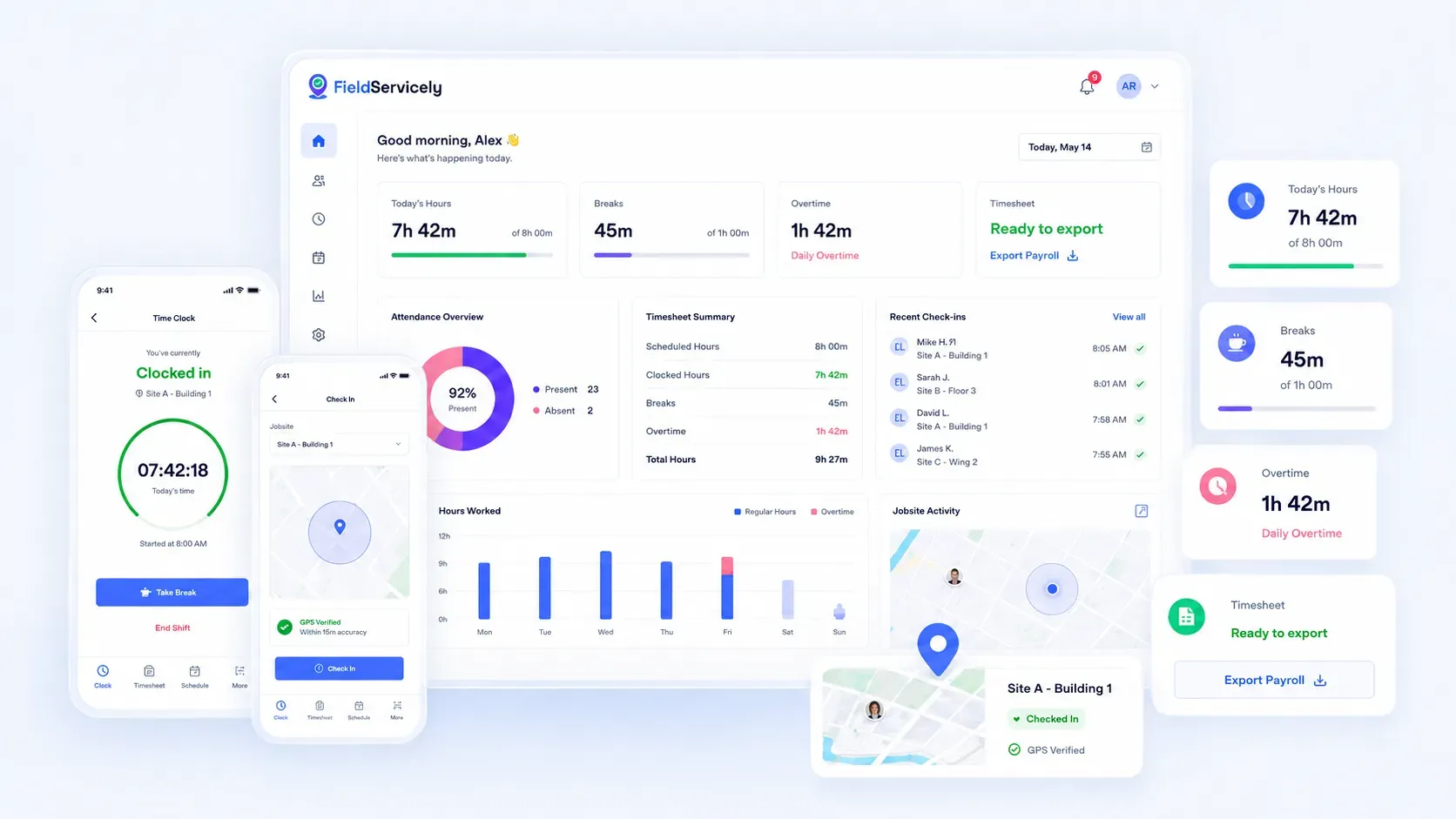
Businesses Save Time on Payroll with Our Clock In Clock Out App
Track Time, Verify Attendance, and Run Payroll Faster with 100% Free Clock In and Out App
Mobile Clock In Clock Out App
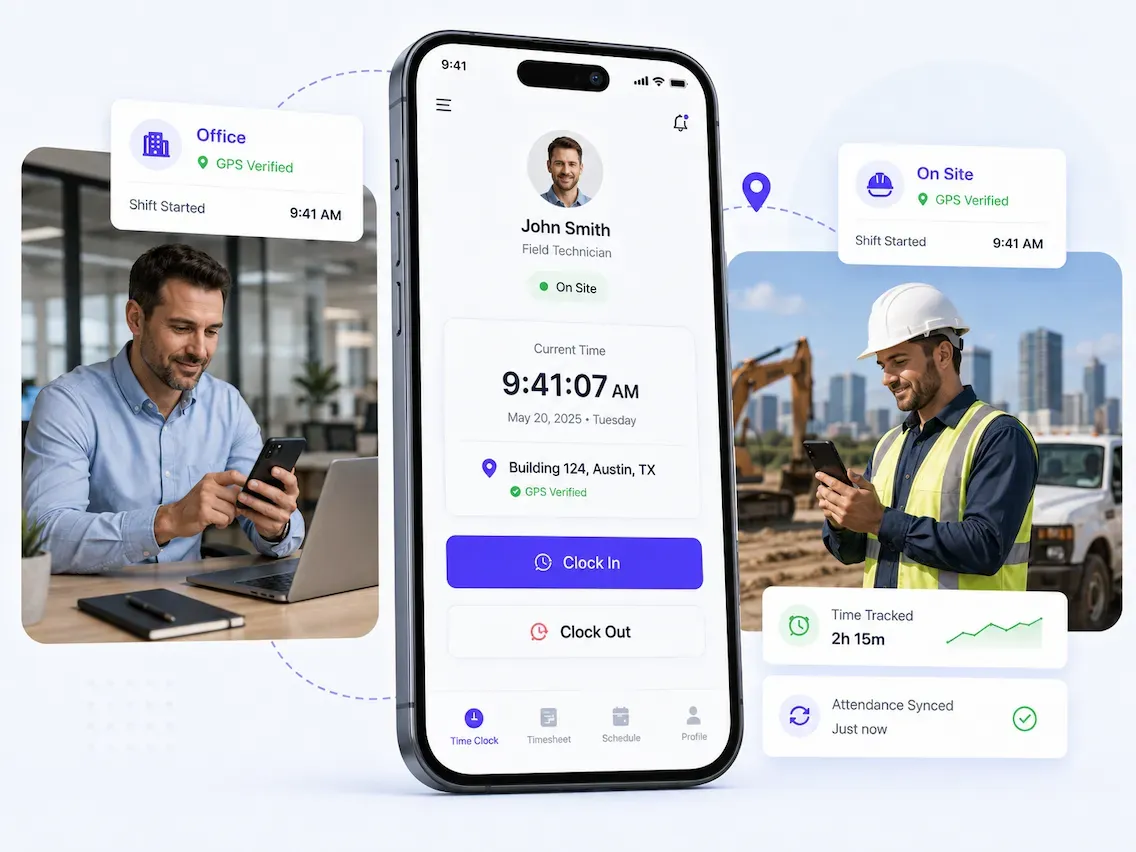
Let Employees Clock in from the Office or the Field.
Your team can clock in and out from their phone, while in the office or on the jobsite.
Geofencing
Allow Clocking In. Only from the Right Place.
Set up virtual boundaries to determine a job site. Approve clock-ins from these locations alone.
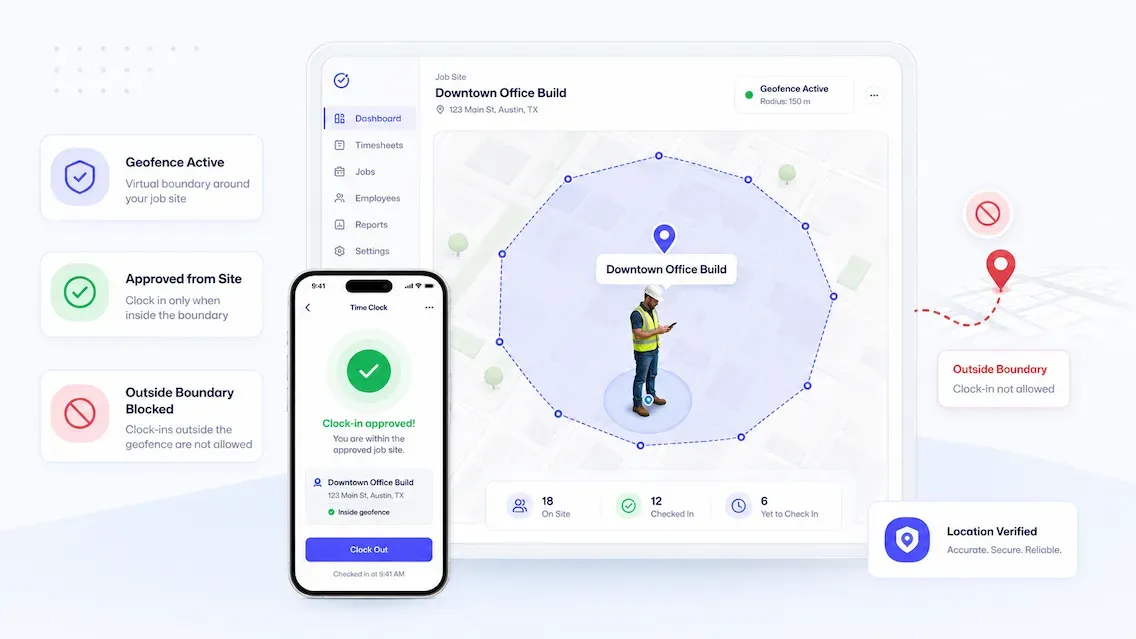
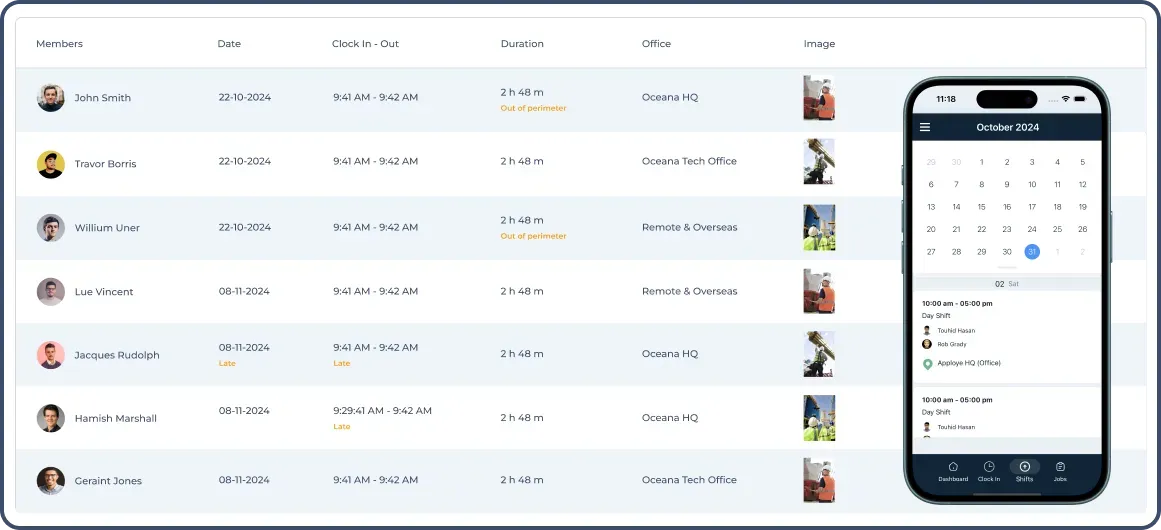
Photo Verified Attendance
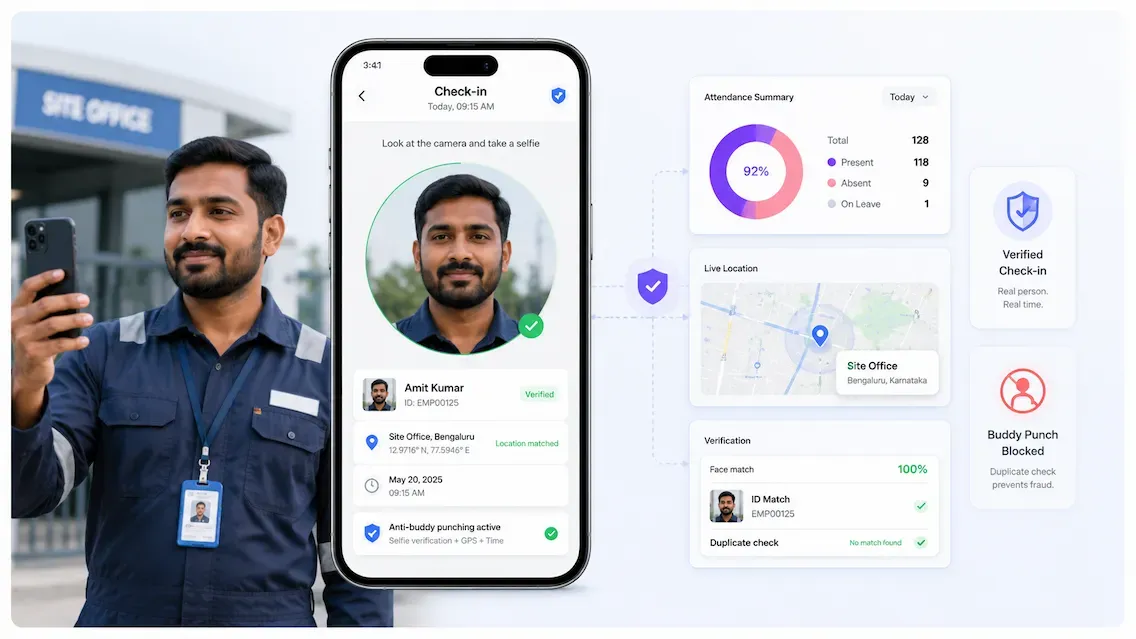
Stop Buddy Punching.
Make sure the right employee clocks in at the right location. So you get accurate attendance data and avoid payroll disputes.
Automatic Timesheets
Get 100% Accurate Timesheets from Clock In Data.
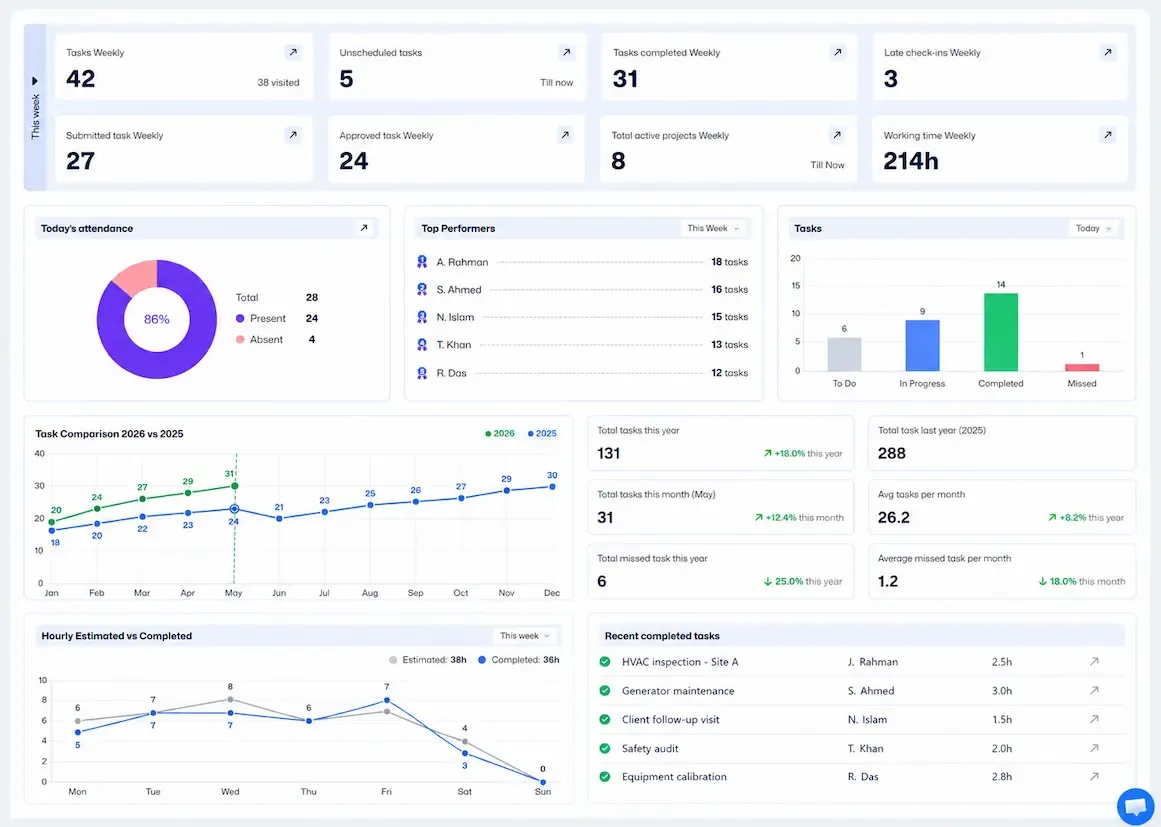
Generate clean timesheets from tracked employee hours, breaks, and overtime with just a click.
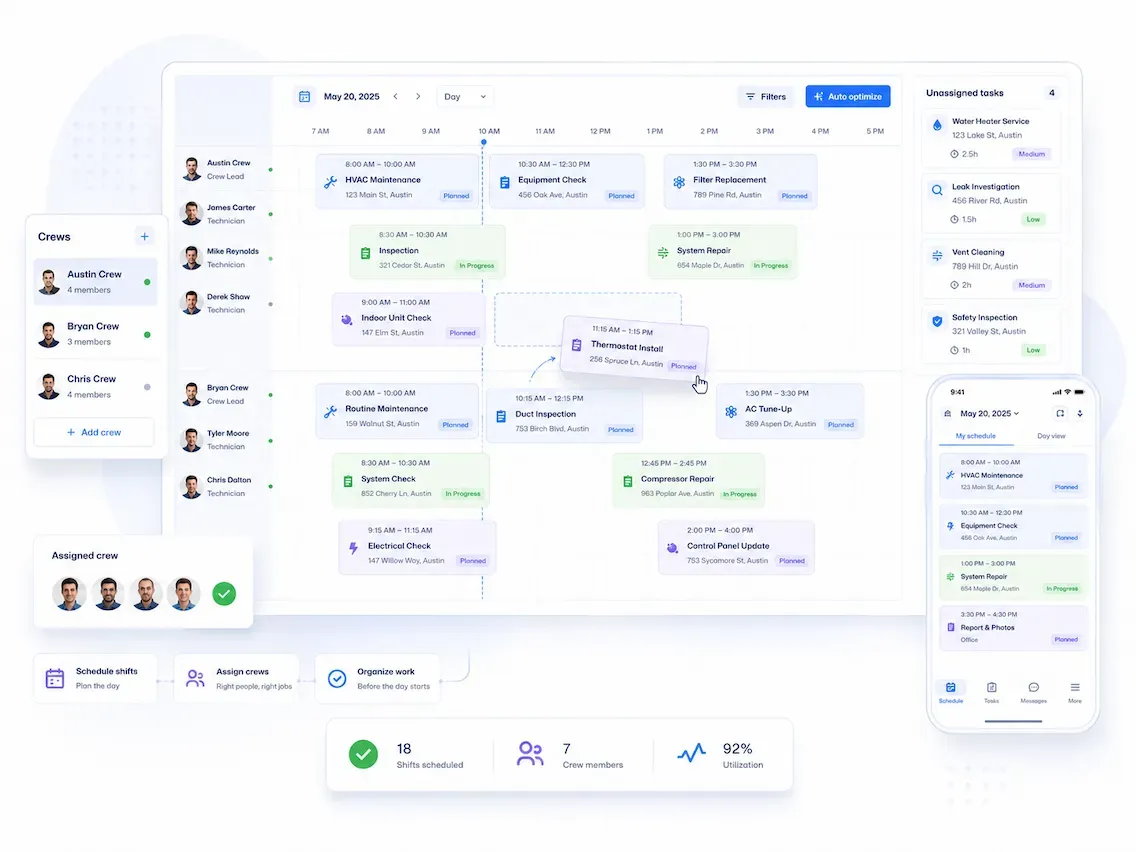
Scheduling
Keep Shifts Clean. Optimize Workflow.
Create schedules, assign crews, and let your team know what to do before the day starts.
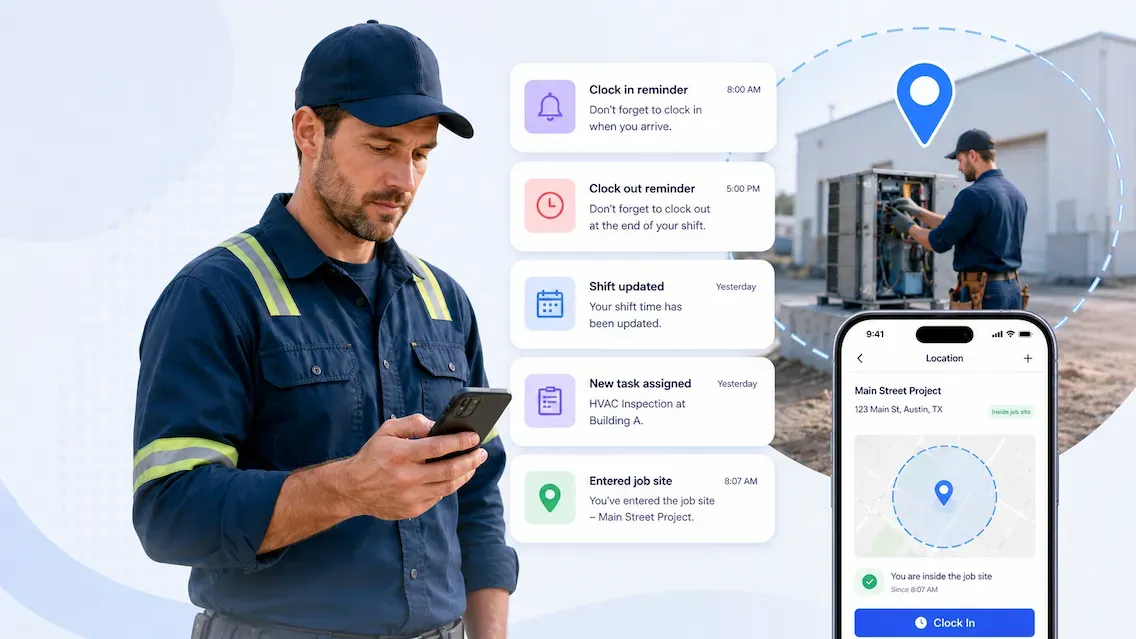
Smart Notifications
Remind Employees to Clock In and Out
Send automatic alerts to employee phones for clock-ins, clock-outs, shift updates, and important task notifications. Use a geofence to notify crews when they enter or leave a job site.
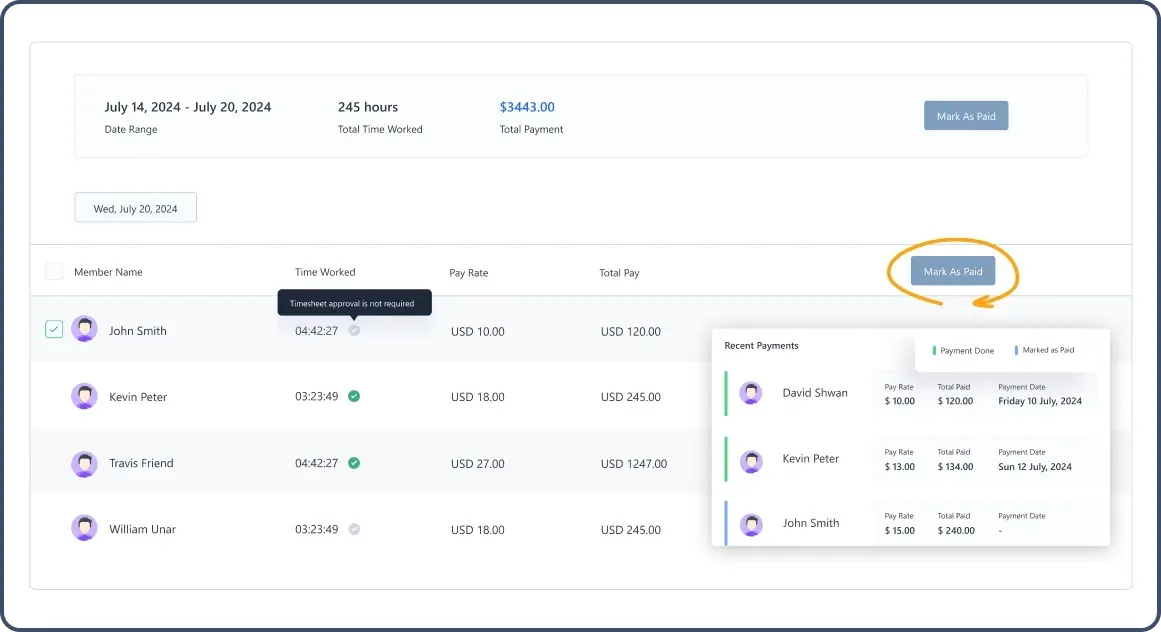
Payroll-Ready Timesheets
Run payroll faster with fewer mistakes.
Review, approve, and export payroll-ready timesheets in one click. No need to chase manual paperwork anymore.
Reports & Labor Insights
See Where Time Goes. Control Labor Costs.
View attendance, overtime, job-site hours, and breaks to understand employee activity trends. Make better decisions and save money.
How Clock In Clock Out App Works
Step 1
Get Registered in FieldServicely
Step 2
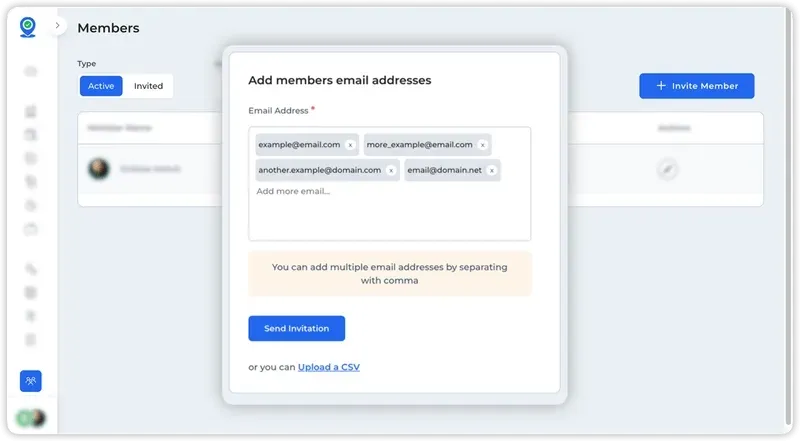
Invite your team members
Invite the workers to your organization in Apploye. You can also give admin roles to your managers.
Step 3
Download the App
Ask your employees to download the app from Apple’s App Store or Android’s Google Play. They can also go to this download page and sign in to the clock-in clock-out app.
Step 4
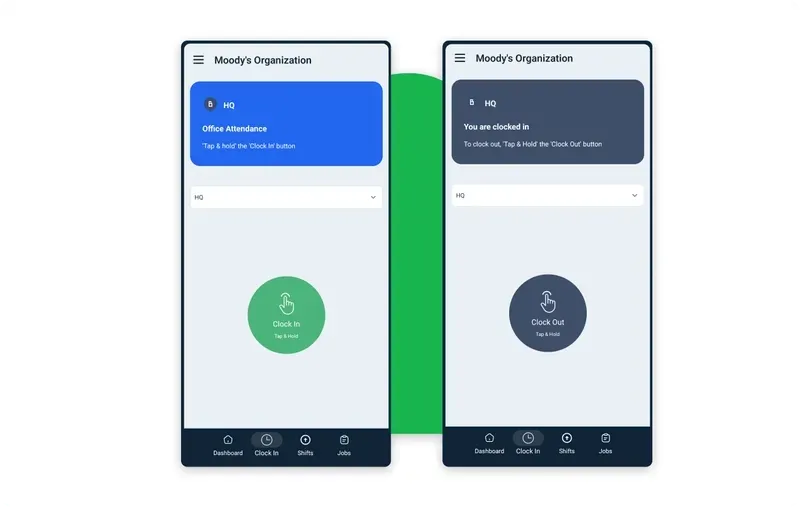
Have employees clock in & clock out
Ask your employees to clock in and clock out using the FieldServicely app.
Step 5
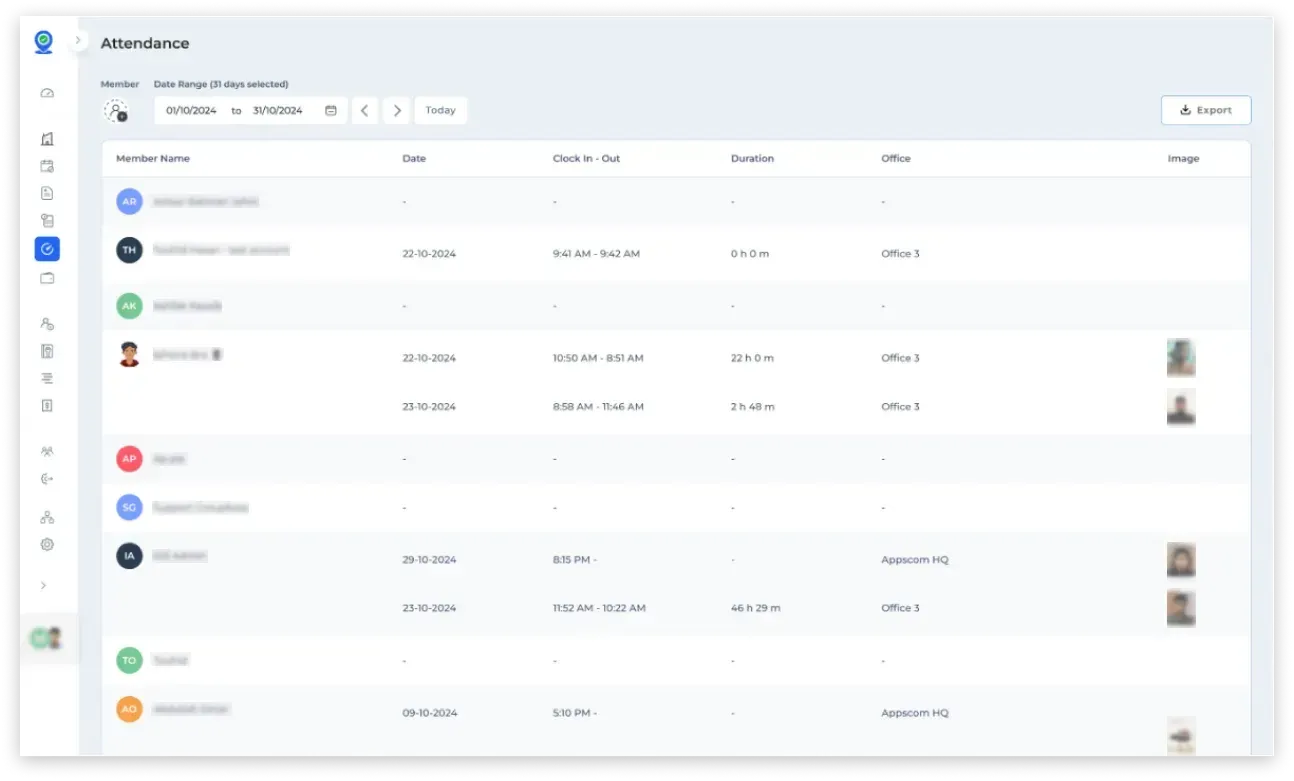
View attendance data
Once the workers clock in, you can view their attendance data from the web app.
Step 6
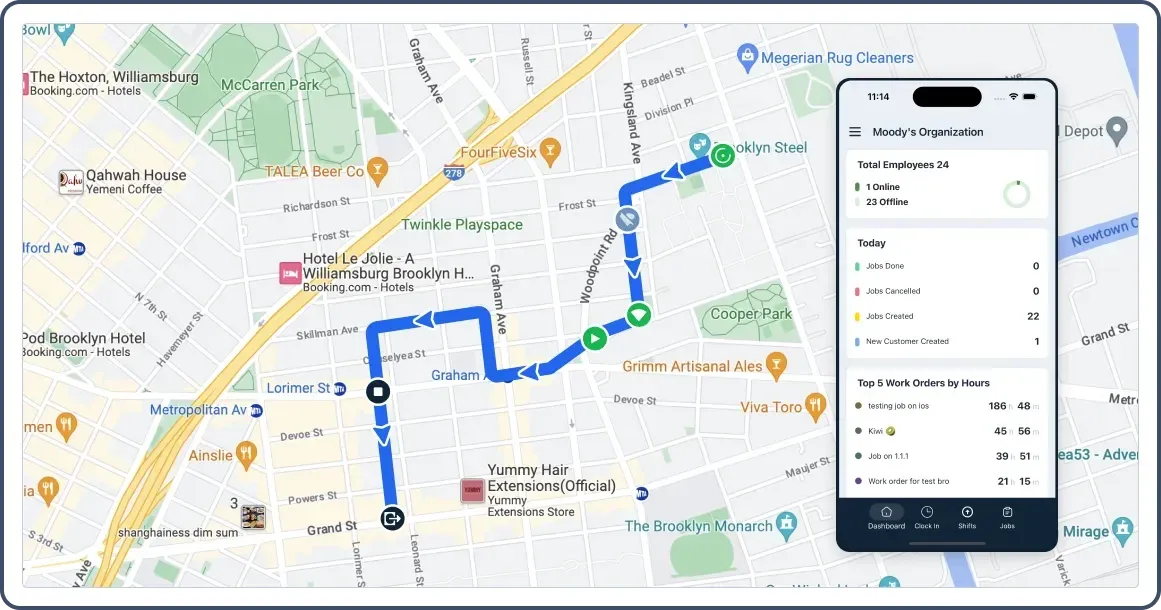
View GPS data
Check the route map and Live location of the field workers.
Step 7
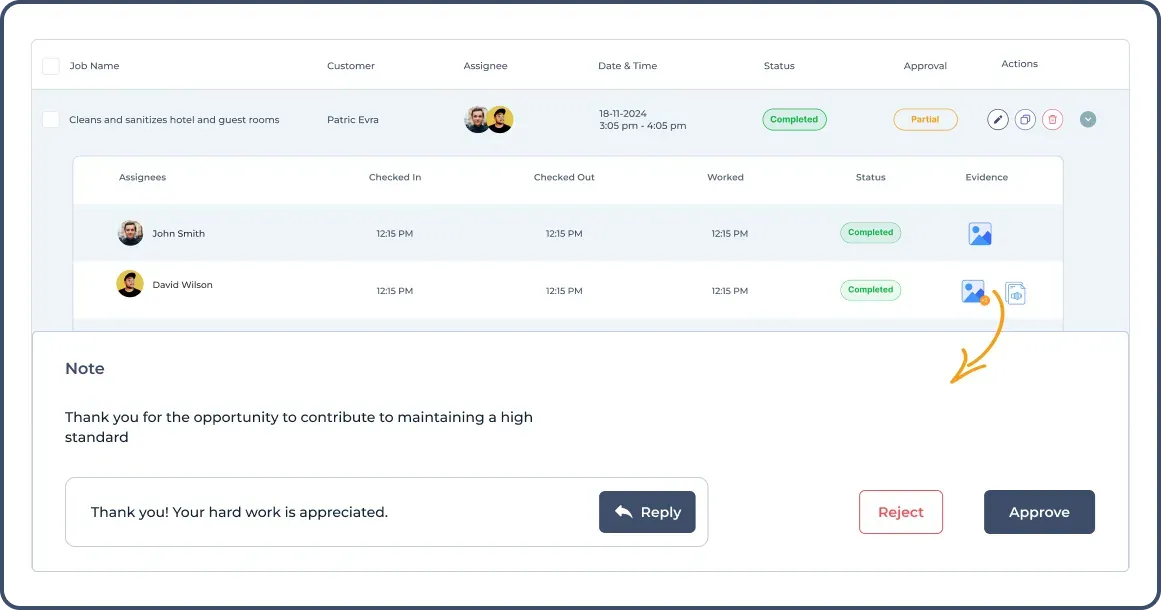
Give jobs & view evidence
Assign jobs to your team members. You can also view the evidence to approve/reject the completed jobs.
FAQs About Clock In and Out App
What is the best app for clocking in and out?
Depending on the business type, the best clock in and out app for you will vary. Clockify is a free clock in and out software, that will suit you if you are looking for a simple app. However, this may be insufficient if you want anything more than a basic clock in and clock out. If you want more features or track location at the time of clock-in, Fieldsevicely will be the best app for clocking in and out.
How can I get my employees' clock in and out for free?
Use Fieldsevicely to get your employees’ clock in and out for free. You can easily view the attendance data and disallow staff to edit the timesheets as well.
How to track employee clock in and out?
There are four different ways to track employees’ clock in and out data:
1. Manual timesheets are the older way to log the clock in and out manually in pen and paper or in spreadsheet software.
2. Time tracking software is used for tracking the time and getting data on start/stop times.
3. Installing time clocks near the entrance is another good option, mainly for factories. You can install clock devices near the entrance that employees will use to punch in and punch out.
4. GPS clock in apps are needed for mobile and field employees. You can geofence areas for clock in, and view the location of where they are working from.
What is clock in and out with geofencing?
With FieldServicely, you can track your construction employees time spent and get data on various timesheets. If you have any hourly contracted employees, FieldServicely will calculate the payroll automatically. In this case, you need to add the pay rate of your employees in their profiles.
How do you clock in and clock out?
After arriving at your workplace, just open your FieldServicely app, and tap on the “Clock In” button to give the clock in. On the other hand, when the work shift is finished, click on the “Clock Out” button to clock out from the clock in and clock out app.
