#1 Construction Business Software for Free
Run More Jobs. Without Losing Control
Manage construction projects, jobs, crews, field activity, attendance, time, and payroll with one simple construction business platform.

No Credit Card Required
Instant Access
Easy Upgrade
Trusted by General Contractors, Subcontractors, and Construction Business Owners
Deliver Projects on Time. Boost Profits. With Construction Management Software.

Michael Turner
Director of Construction Operations

FieldServicely helped us keep projects on schedule and spot delays before they became costly. It has made our construction operations more organized, faster, and more profitable.
The Office. The Site. Finally Organized.
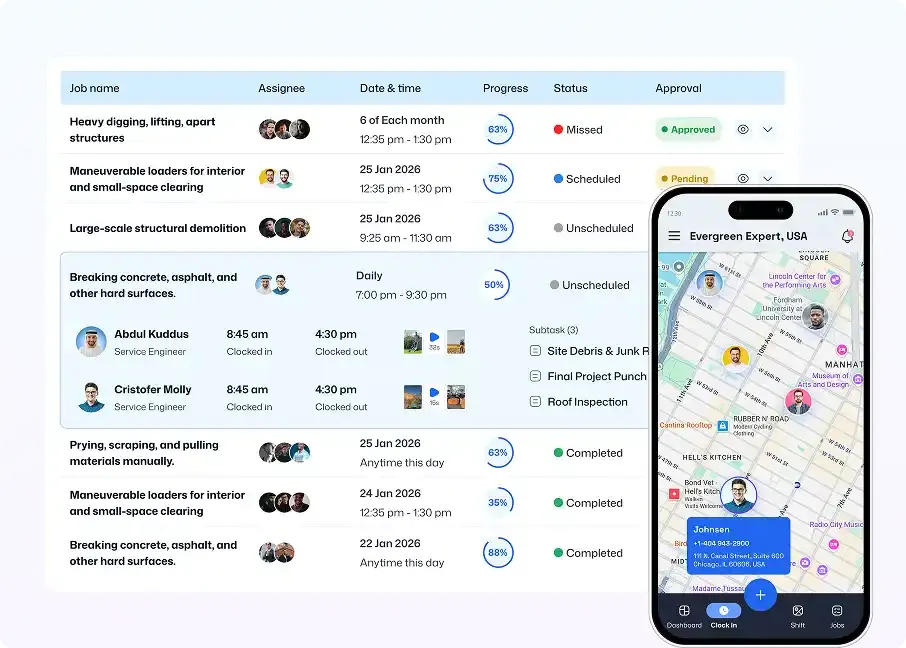
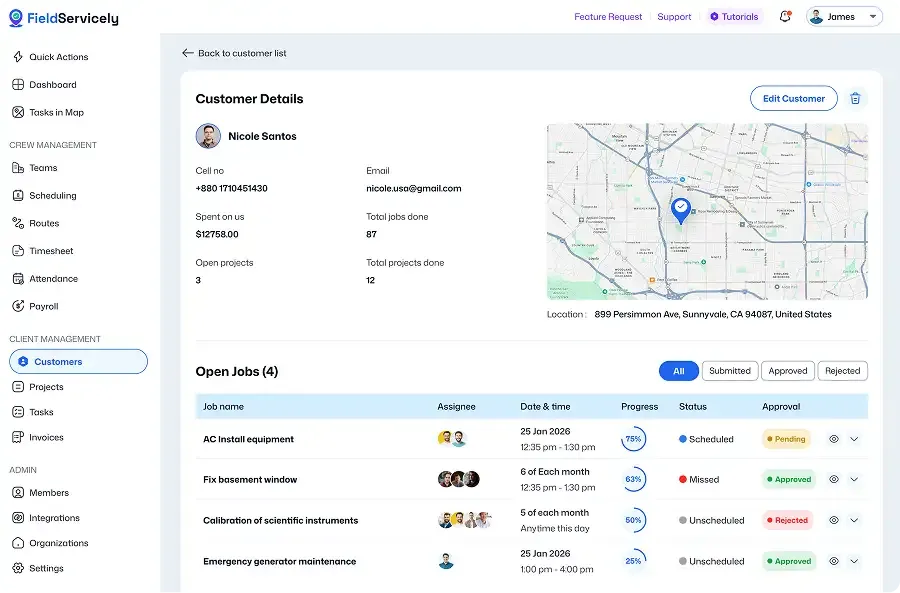
Bring projects, jobs, crews, schedules, work orders, time, payroll, and field updates into one connected system. FieldServicely gives contractors the visibility to reduce delays, prevent missed handoffs, and control labor costs.
Construction Business Software for Every Job, Crew, and Workday.
Every Job. Clear from the Start.
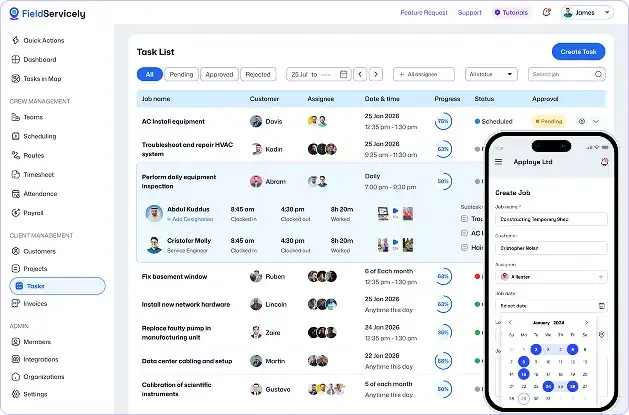
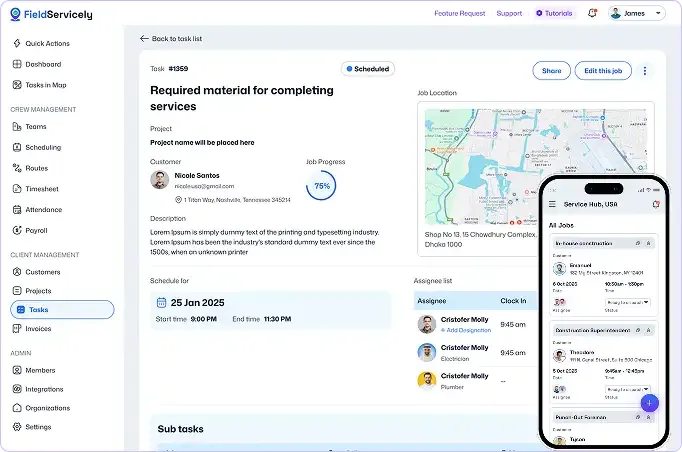
Create and manage jobs, assign crews, add work details that matter, and track project progress without chasing updates.
Live GPS Tracking
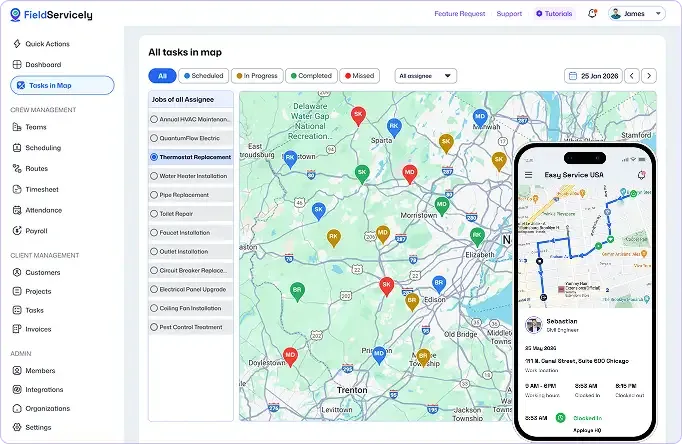
See Where Your Teams Are. What Work is Happening.
Track crew activity, view location, route history, and construction site activity in real time to respond faster.
Work Order Management
Assign Work with Clarity
Create construction work orders with job details, crew assignments, and site notes that your field team can follow.
Construction Crew Scheduling
Every Crew. Perfectly Placed.
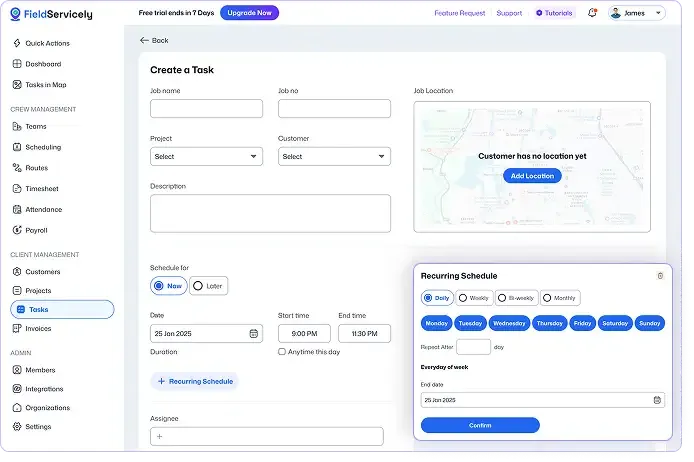
Create construction schedules, assign workers, and track field activity in real time, so every job keeps moving.
Mobile Construction App
Put Construction Management in Every Pocket.
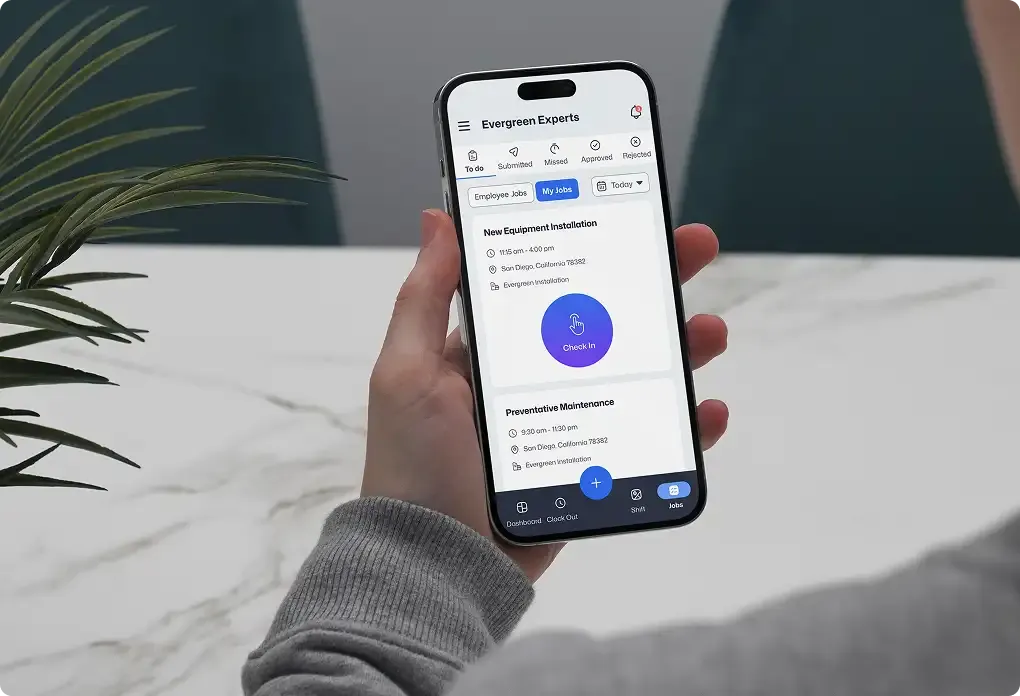
Send schedules, job details, site notes, and work updates straight to the construction field from your Android or iOS device. Stay connected from anywhere, anytime.
Construction Business Reporting
View Daily Operations Clearly. Make Better Decisions
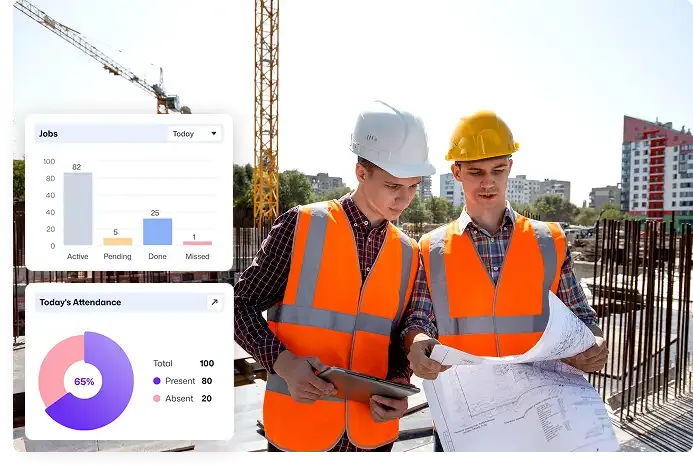
Track job progress, team activity, labor hours, and field performance from one dashboard. The result is a construction operation that feels more organized, more predictable, and easier to run.
Customer stories
How Construction Teams Use FieldServicely for Daily Operations

Mid-market
“Our field management solution will notify technicians when a job is assigned to them.”



Mid-market
“Easily create jobs and select customers with our advanced field service application”

Mid-market
“Team members will submit evidence of job completion. Then, the field service manager can verify images”

Mid-market
“Apploye has proven to be more than a tool - it's a key partner in managing our remote, global team.”

Mid-market
“Create and manage work orders along with billing, budget, and jobs making it an ideal field service system for any business.”
See FieldServicely in Action
Just schedule a demo and see how FieldServicely makes field operations and job management smarter, faster, and easier.
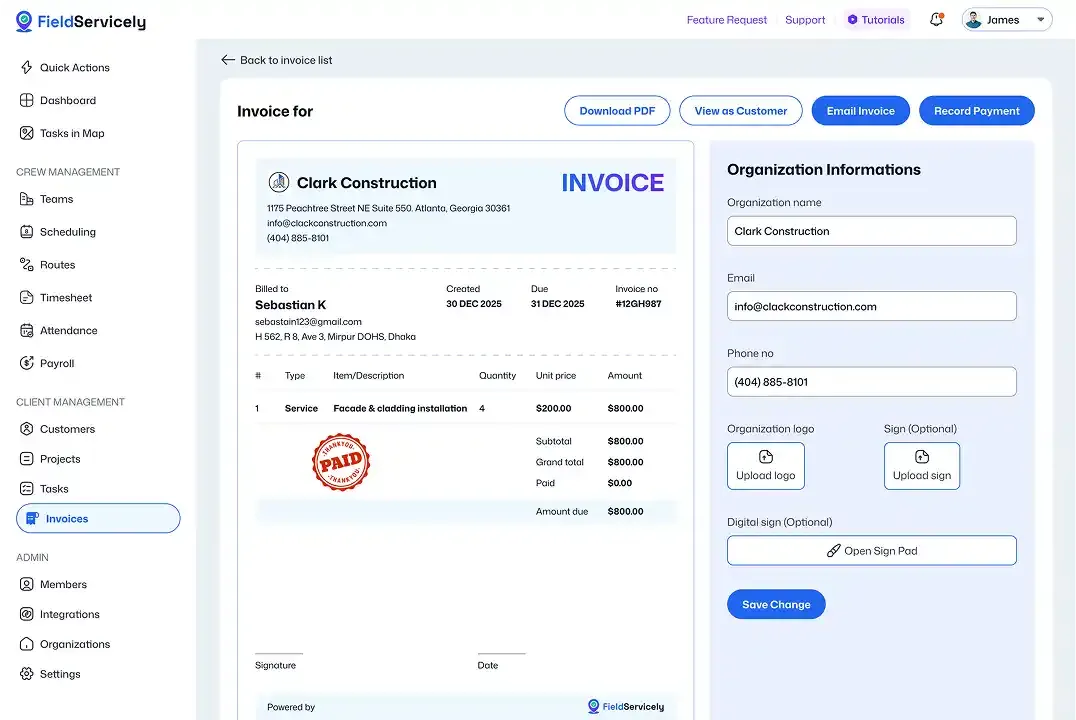
Construction Management Software That Helps You Stay in Control
Keep jobs, crews, and schedules aligned from office to jobsite.
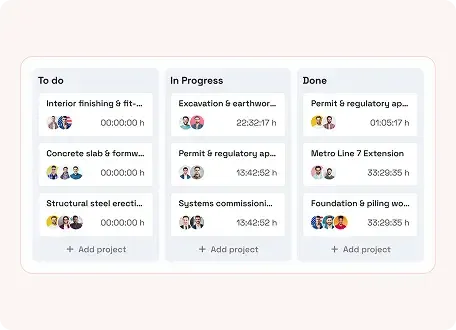
Project Management
Plan and manage jobs. Adjust schedules, change orders, and crews when necessary.
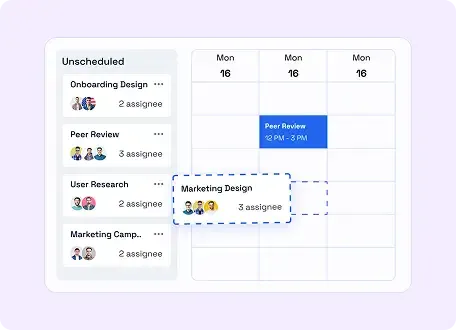
Job Scheduling
Build daily and weekly crew plans fast, then adjust jobs in seconds as work changes.
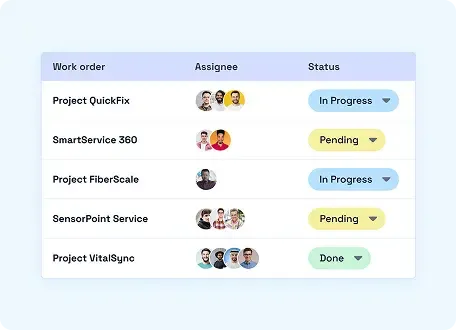
Work Orders Management
Create clear work orders with the right details from the start.
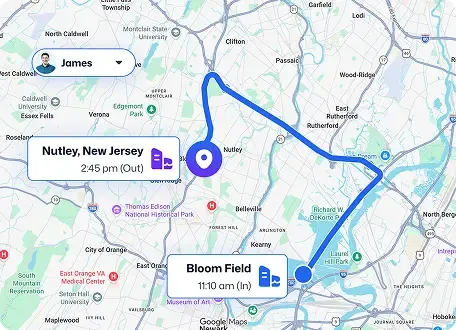
GPS Tracking
See crew locations live and respond faster in the field.
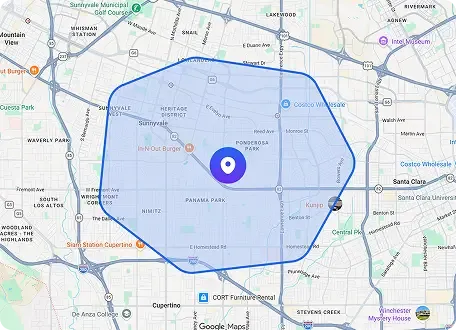
Geofenced Attendance
Verify site arrivals with geofenced clock-ins. Keep time records clean and reliable.
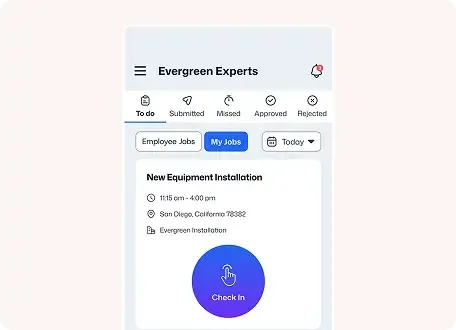
Time Tracking
Track hours automatically across jobs to keep labor costs visible.
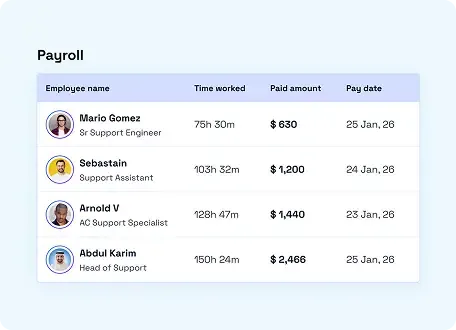
Payroll
Turn approved hours into payroll-ready records.
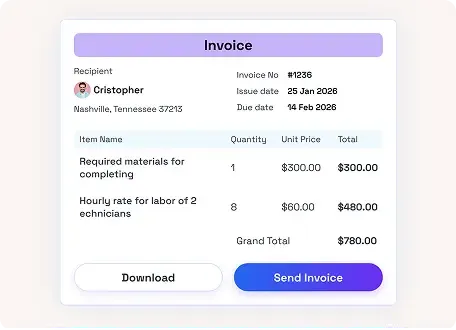
Invoicing
Generate invoices from completed work faster.
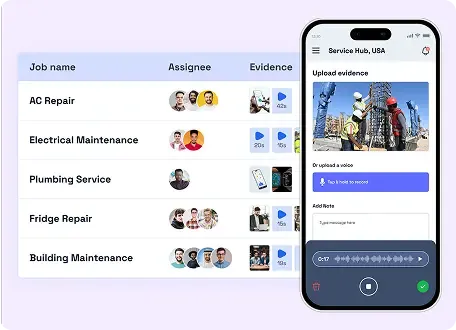
Proof of Work
Collect photos, audio, and notes from the field to confirm work before approval.
How it Works
Get Started with Construction Business Software in Minutes
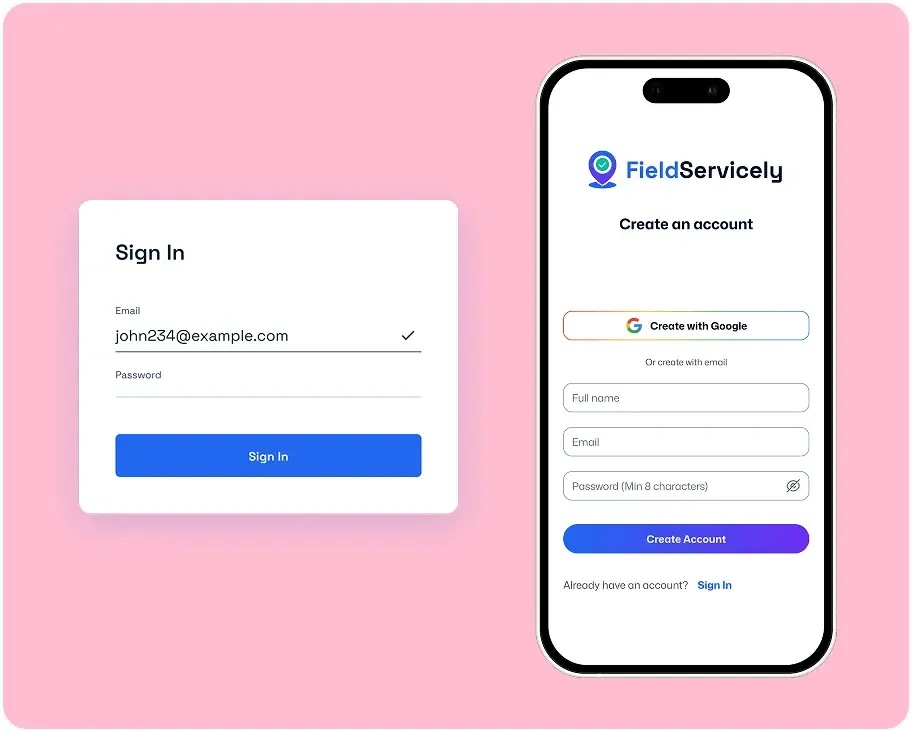
Set Up Your Account
Register a new account with your email and password from the sign-up page. Enter the organization details to get started.
Invite Employees & Create Jobs
Send email invites to your employees and have them download the FieldServicely mobile app.
Manage Construction Business
Monitor progress, verify attendance, capture hours, and keep payroll moving.
Built for Contractors Who Need More Visibility and Less Admin

Sebastian Reed
Business Operations Manager
What I like most is that it brings everything into one place. We use it for scheduling jobs, assigning teams, and tracking progress, which makes day-to-day coordination within our construction team much easier.
FAQS
Frequently Asked Questions About Construction Business Software
Who is FieldServicely best for?
FieldServicely is a strong fit for small and growing construction businesses that need a simpler way to manage field operations without adding more complexity.
Is FieldServicely the same as construction project management software?
It overlaps in useful ways, but FieldServicely is especially strong on the operational side of the business: crew visibility, attendance, time tracking, payroll flow, work orders, and everyday field execution.
Can I manage construction crews FieldServicely?
Yes. You can assign jobs, organize crew schedules, track field activity, verify attendance, and keep everyone aligned from one place.
Does FieldServicely include construction scheduling features?
Yes. Scheduling is built in. But this page focuses on the broader business side of running operations, not just scheduling crews.
Can field teams use it on mobile?
Yes. Crews can access job details, schedules, updates, and proof-of-work tools from their phones while in the field.
Does FieldServicely help with payroll?
Yes. FieldServicely helps turn approved hours into payroll-ready records, making payroll processing faster and more accurate.
Can FieldServicely help reduce manual admin work?
Yes. By bringing attendance, time, job updates, and field communication into one system, it reduces the need for spreadsheets, repeated calls, and manual follow-up.
The Ultimate Guide to Construction Business Software
Construction Project Management Software Guide
|
FieldServicely
Introducing Construction Business Software
Running a construction company is hard. You need to win jobs, build accurate estimates, manage crews, track costs, send invoices, and keep every project moving. That is why more contractors now rely on construction business software.
The right system does more than store data. It helps you work faster, reduce mistakes, protect profit, and stay in control. Good construction business management software brings your estimating, scheduling, job costing, accounting, and reporting into one place. As a result, your team spends less time chasing updates and more time getting work done.
Today, many owners want construction software for small businesses because small teams need simple tools that can grow with them.
This guide explains what to look for, which features matter most, and how to choose the best fit for your company.
What is Construction Business Software?
Construction business software is a tool built for contractors, builders, remodelers, subcontractors, and service teams. It supports the daily work of a construction company. It can cover estimating, bids, project planning, job costing, invoicing, payroll, reporting, and client communication.
In simple terms, software for the construction business helps you run the business side and the project side together. Instead of using one app for estimates, another for schedules, and another for accounting, you can manage everything in one connected system.
That is why many companies now prefer such business management software for construction. It gives owners a clear view of jobs, money, people, and deadlines without jumping between tools all day.
Why Small Contractors Need Better Management Systems?
Many small firms start with spreadsheets, paper forms, text messages, and basic accounting apps. That setup may work for a short time. Still, it often breaks when the business grows.
A small contractor usually needs better visibility, not more chaos. That is where small construction business software makes a difference. It helps small teams stay organized, even with limited office staff.
The demand for construction management software for SMBs keeps growing because owners need tools that are easy to use, quick to set up, and strong enough to handle real field work. The same is true for construction management software. It gives smaller teams the control that larger firms already have.
If you manage several jobs at once, construction management software for small business teams can actually become a major advantage. It helps you track tasks, labor, materials, change orders, and timelines without losing important details.
That is why more firms now invest in construction management systems. These tools help small companies look and operate like larger, more efficient contractors.
What Should the Best Construction Business Software Do?
The best tool for a construction business should help you manage the full workflow, not just one piece of it. It should connect your office and field teams. It should also give you clear numbers so you can make better decisions.
At a minimum, strong construction business management software should help with:
- Estimating and bidding
- Scheduling and task tracking
- Project management
- Job costing
- Accounting and invoicing
- Document management
- Subcontractor coordination
- Purchase orders and expense tracking
- Cash flow and profit reporting
- Dashboards and performance insights
When people compare the best software for small construction businesses, they usually care about three things: ease of use, industry fit, and value. Small companies do not need bloated systems. They need tools that save time and keep jobs profitable.
How to Choose the Best Construction Software for Small Business?
Money is where many contractors struggle. Revenue may look strong, but cash flow can still feel tight. That is why good accounting matters.
Construction accounting software for small businesses helps you track job costs, progress billing, retention, purchase orders, vendor bills, payroll, and profitability by project. It gives you a clearer view of where money comes in, where it goes, and which jobs make real profit.
Many owners also compare accounting software for small construction business options because general accounting tools often miss construction-specific needs. Construction companies need job costing, WIP tracking, and cost codes. A standard bookkeeping tool often falls short.
These systems help contractors connect field spending with office accounting, which gives owners more confidence in their numbers.
If your goal is tighter financial control, stronger billing, and better reporting, then accounting software for a construction business becomes essential.
Key Features Driving Efficiency for Construction Business
Running a construction business takes more than getting crews to the jobsite. It takes coordination, visibility, and accountability. And the ability to keep work moving without drowning in calls, spreadsheets, or manual follow-ups.
That is where the right construction business software makes the difference. The best platforms help contractors manage jobs, schedule crews, track field activity, capture work hours, and simplify back-office work from one connected system. Instead of switching between separate tools for scheduling, attendance, payroll, and job updates, construction teams get one clear workflow that saves time and reduces mistakes.
1. Job Management That Keeps Work Organized
Efficient construction businesses need a clear way to create jobs, assign responsibilities, track updates, and keep work moving from start to finish. Strong job management software for construction gives teams one place to manage job details, site activity, worker assignments, and progress without losing visibility across multiple projects.
When every job has a clear status, the office stays informed, field teams stay aligned, and fewer things fall through the cracks.
2. Crew Scheduling That Adapts Fast
Schedules change, crews shift, and priorities change. Good construction scheduling software helps contractors build daily, weekly, and monthly schedules, assign the right workers to the right jobs, and make changes fast when real work gets in the way of the original plan.
This kind of construction crew scheduling software improves efficiency by reducing delays, preventing double-booking, and helping managers adjust the day without creating confusion in the field.
3. Dispatch Tools That Reduce Delays
A schedule is only useful if the field gets the message. That is why dispatch matters. Modern scheduling software should do more than assign work. It should instantly send job details, location data, timing, and instructions to the right crew.
Clear dispatch improves response time, reduces miscommunication, and helps workers show up prepared. Less back-and-forth. Faster starts. Smoother execution.
4. Live Field Visibility That Improves Decision-Making
Construction teams move fast, and managers need real-time answers. Construction workforce management software with live crew visibility helps supervisors see where workers are, what jobs are in progress, and where delays may be building.
With real-time updates, GPS crew tracking, and route history, construction businesses can make smarter decisions throughout the day instead of reacting after the damage is already done.
5. Geofenced Attendance and Accurate Time Tracking
Manual time tracking slows everything down. It is easy to forget hours, misreport time, or lose track of who was on-site. That is why efficient construction operations software should include geofenced attendance and digital time tracking.
Workers clock in at the right location. Managers get cleaner records. Payroll becomes easier to review. And the business gains more confidence in the hours being paid.
6. Mobile Access for Field-First Teams
Construction work does not happen behind a desk. Field teams need access to schedules, job details, updates, and time tracking tools from the jobsite. A strong construction management software platform should work as well in the field as it does in the office.
Mobile access helps crews stay updated, report progress faster, and complete tasks without waiting for calls, paperwork, or office follow-up.
7. Payroll Automation That Cuts Admin Work
Time tracking alone is not enough. The real efficiency comes when tracked hours flow smoothly into payroll. The best construction business software for small businesses helps turn attendance and worked hours into payroll-ready data with fewer manual calculations and fewer costly errors.
For growing contractors, this saves time every pay cycle and reduces the admin burden that often comes with managing field teams.
8. Reporting That Helps You Improve Operations
Efficiency improves when you can measure what is happening. Reporting and analytics help construction businesses track worker productivity, attendance trends, scheduling performance, and operational bottlenecks.
The right construction software for contractors does not just help manage the work. It helps improve the way the business runs over time.
Why These Features Matter
The most efficient construction businesses are not always the biggest. They are usually the ones with the clearest systems. When jobs, crews, schedules, attendance, and payroll all work together, teams move faster, and managers spend less time chasing answers.
That is why the best construction business software is not just another tool. It becomes the operating system for the business.
Construction Business Software Implementation Strategies
Successfully implementing construction management software requires careful planning and execution. The process should begin with a thorough assessment of current operations and clear identification of goals. Training programs should be comprehensive yet practical, ensuring that all team members can effectively use the new tools.
Change management plays a crucial role in successful implementation. Clear communication about the benefits and expectations helps overcome resistance to new technology. Regular feedback sessions during the implementation phase help address concerns and optimize system usage.
Implementation Process
At the heart of effective construction management software lies several essential features. GPS tracking and geofencing capabilities ensure accurate worker location monitoring and attendance verification. This technology, as implemented in solutions like FieldServicely, allows managers to maintain real-time oversight of their workforce without constant manual checking.
Time tracking and payroll management have evolved beyond simple punch cards. Modern systems automatically calculate work hours, overtime, and breaks, significantly reducing payroll processing time and errors.
Measuring Success
The success of construction management software implementation can be measured through various metrics. These include improved project completion rates, reduced administrative overhead, better resource utilization, and increased profitability. Regular review of these metrics helps ensure the software continues to meet business needs and identify areas for improvement.
The future of construction management lies in digital solutions that combine comprehensive features with ease of use. Solutions like FieldServicely demonstrate how modern software can address the complex challenges of construction management while remaining accessible to businesses of all sizes. As the industry continues to evolve, the role of management software will only grow in importance, making it essential for construction businesses to choose and implement the right solutions for their needs.
