#1 Time and Attendance Software
Know Who Showed Up. From Any Job Site.
FieldServicely tracks every clock-in and clock-out using GPS and geofencing. So, your team checks in from the job site every time. Get timesheets automatically, at the end of the day, and run payroll for real hours.
No Credit Card Required
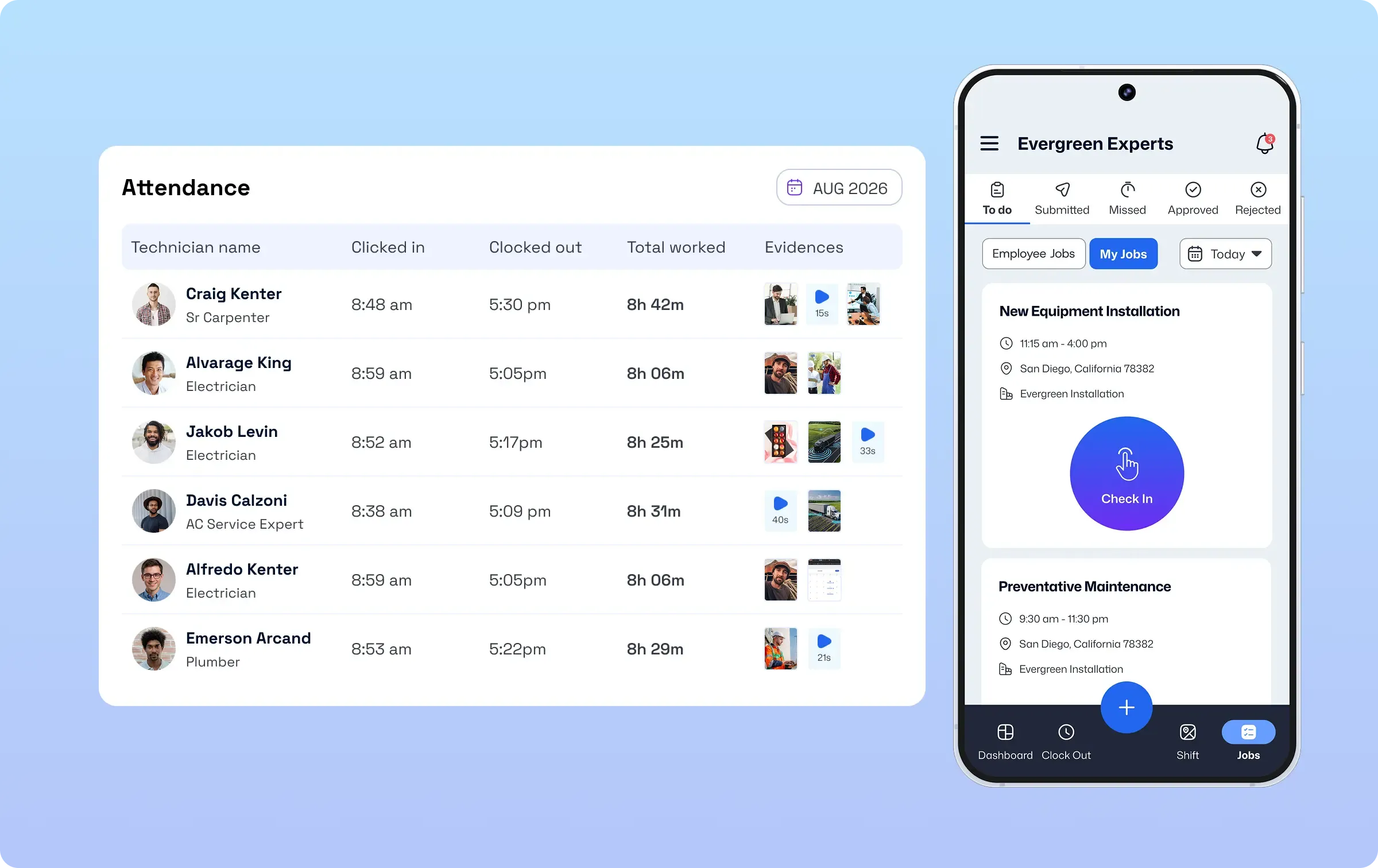
Trusted by teams across construction, cleaning, plumbing, landscaping and Healthcare.
Time and Attendance Software Built for Teams That Work in the Field
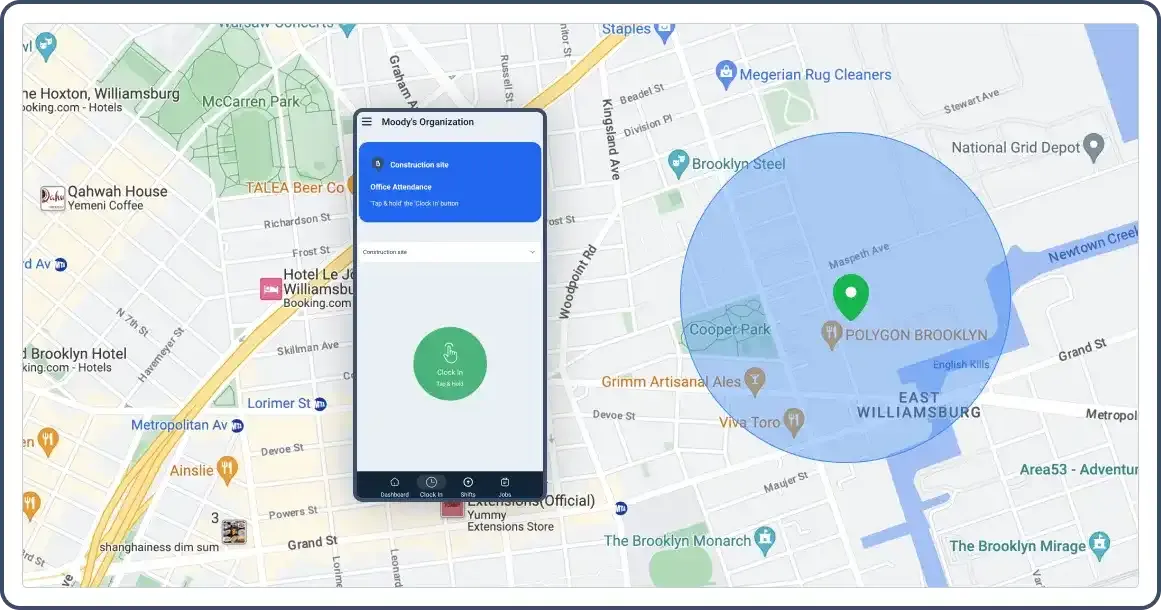
Geofenced Clock-In
Accept Clock-ins Only at the Job Site
Set a GPS boundary around every job site. Your crew can only clock in when they're actually there. So, no scope for buddy punching or clocking in from the van down the street.
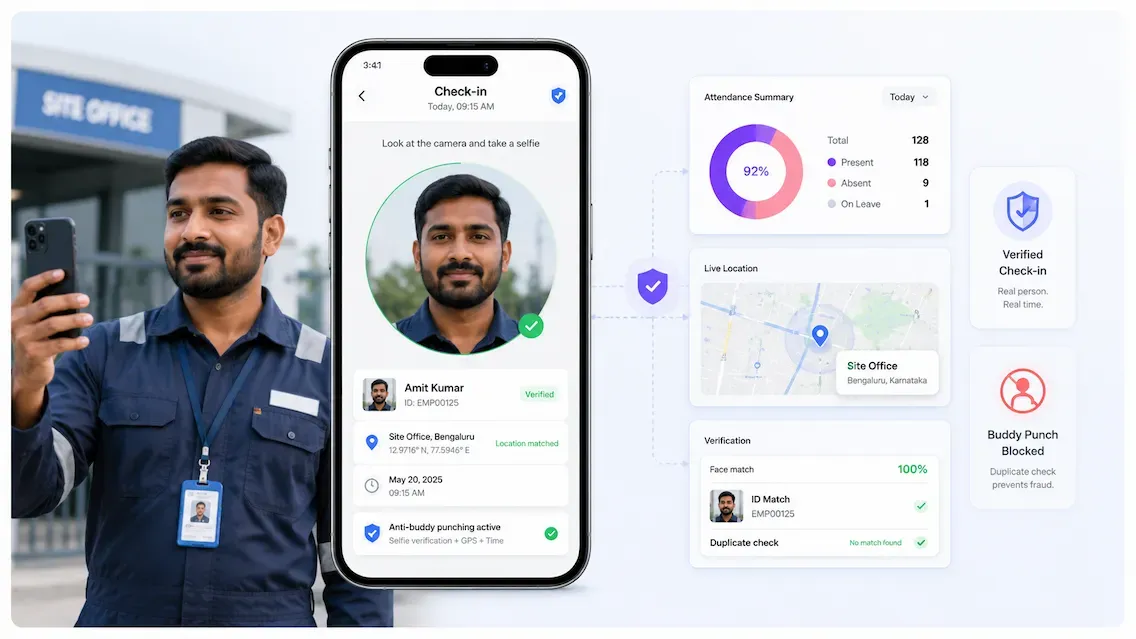
Selfie Verification
Confirm It's Really Your Team
Every check-in captures a selfie with a GPS location stamp. You get photo proof and location proof at the same time. And both are saved to the timesheet automatically.
Time Tracking
Make Every Second Count for Accurate Attendance Data
Monitor late arrivals, early departures, and extended breaks while maintaining detailed records for compliance and payroll purposes.
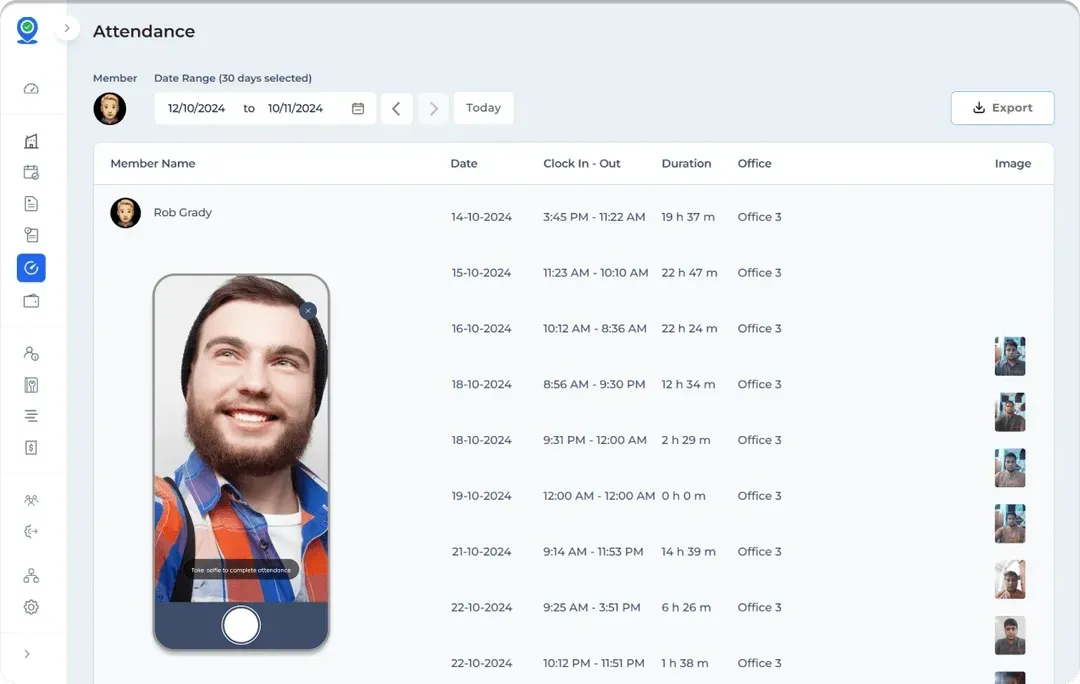
Automatic Timesheets
End the Day with Every Hour Already Logged
FieldServicely records clock-ins and clock-outs as they happen. Timesheets build themselves. So no manual entry, no spreadsheets, no chasing people on Friday afternoon.
Live GPS Tracking
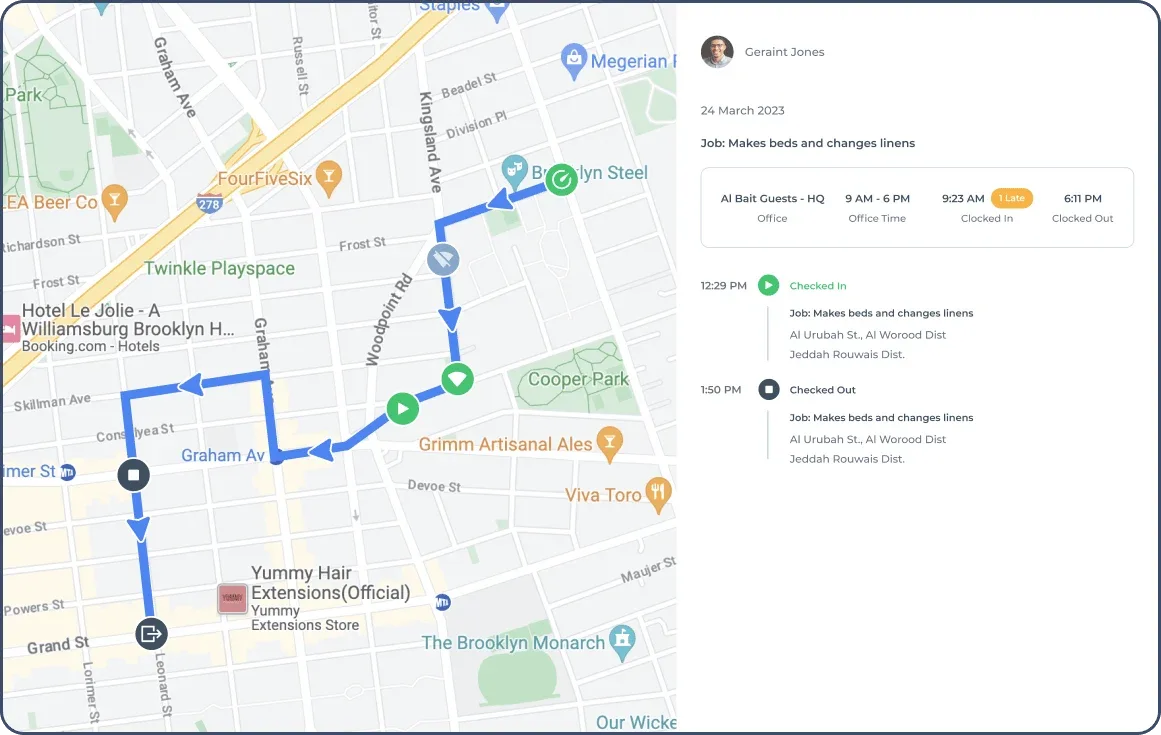
See Every Tech, Every Job, Right Now
Watch your crew move on a live map. Check route history. Know who arrived late, who went off-route, and who's still on site.
Job Management System
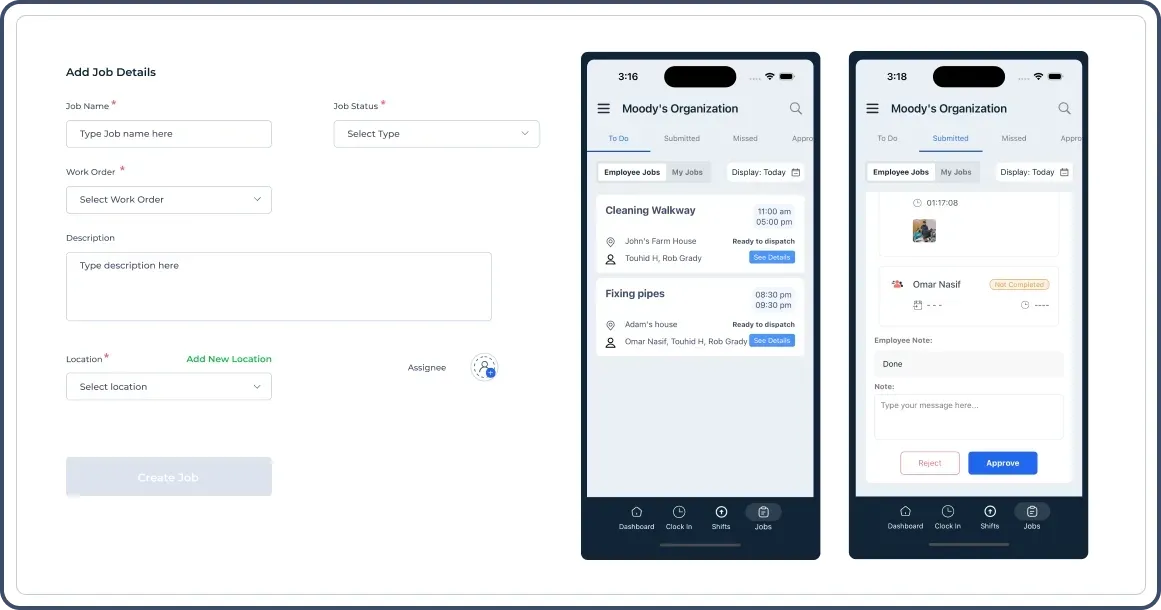
Streamline your job assignments
Integrate time and attendance tracking with comprehensive job management capabilities. Create, assign, and monitor tasks efficiently. Keep your entire team synchronized with automated task notifications and progress tracking.
Real-Time Job Updates
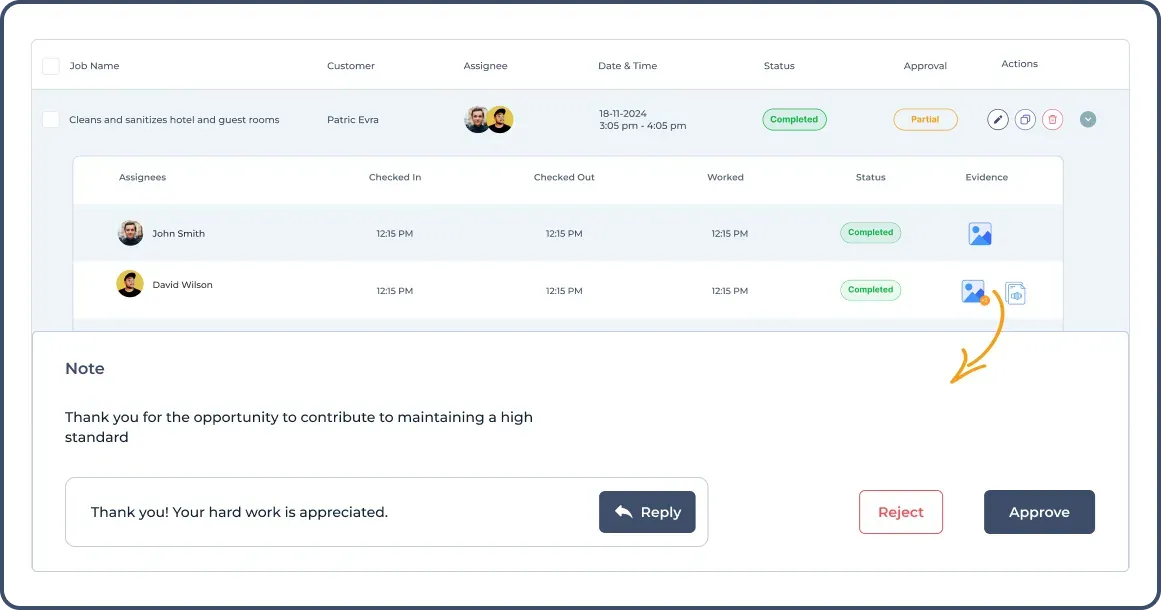
Never miss a task status change
Stay on top of every project with instant job status updates. Monitor progress in real-time and receive automated notifications. Get valuable insights into productivity and efficiency, and ensure project timelines stay on track.
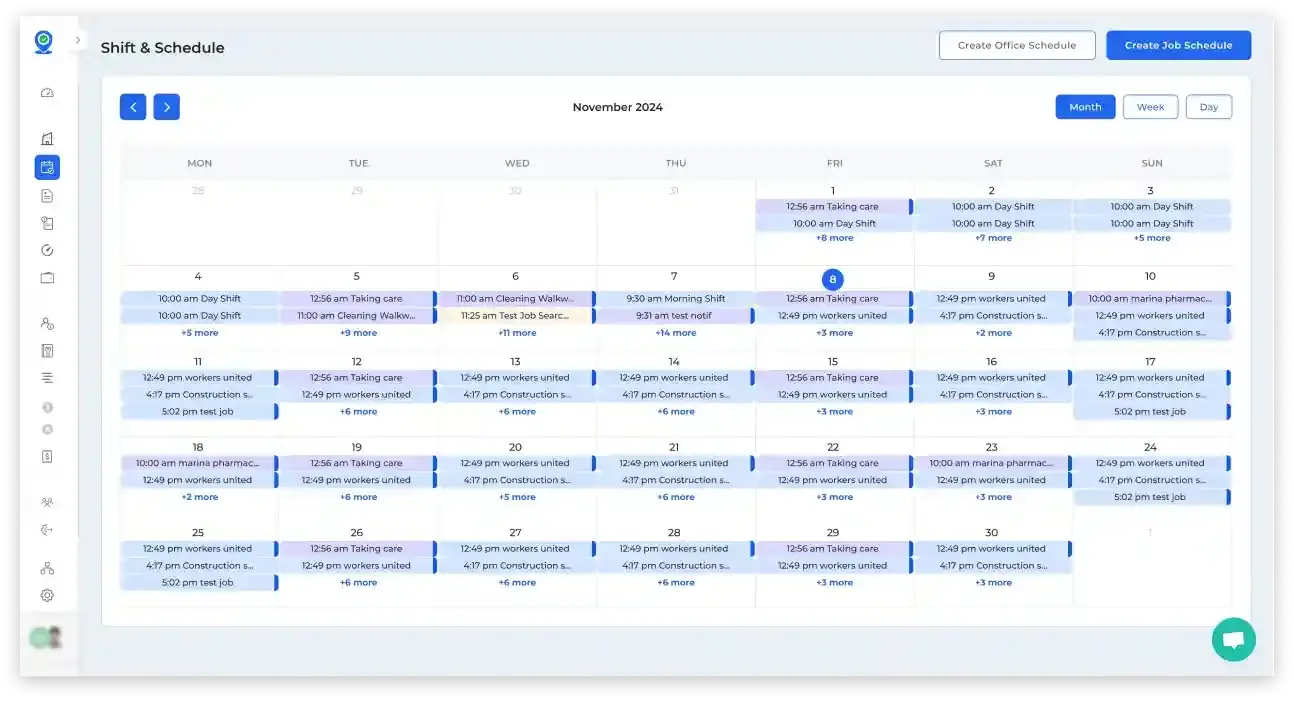
Shift Scheduling
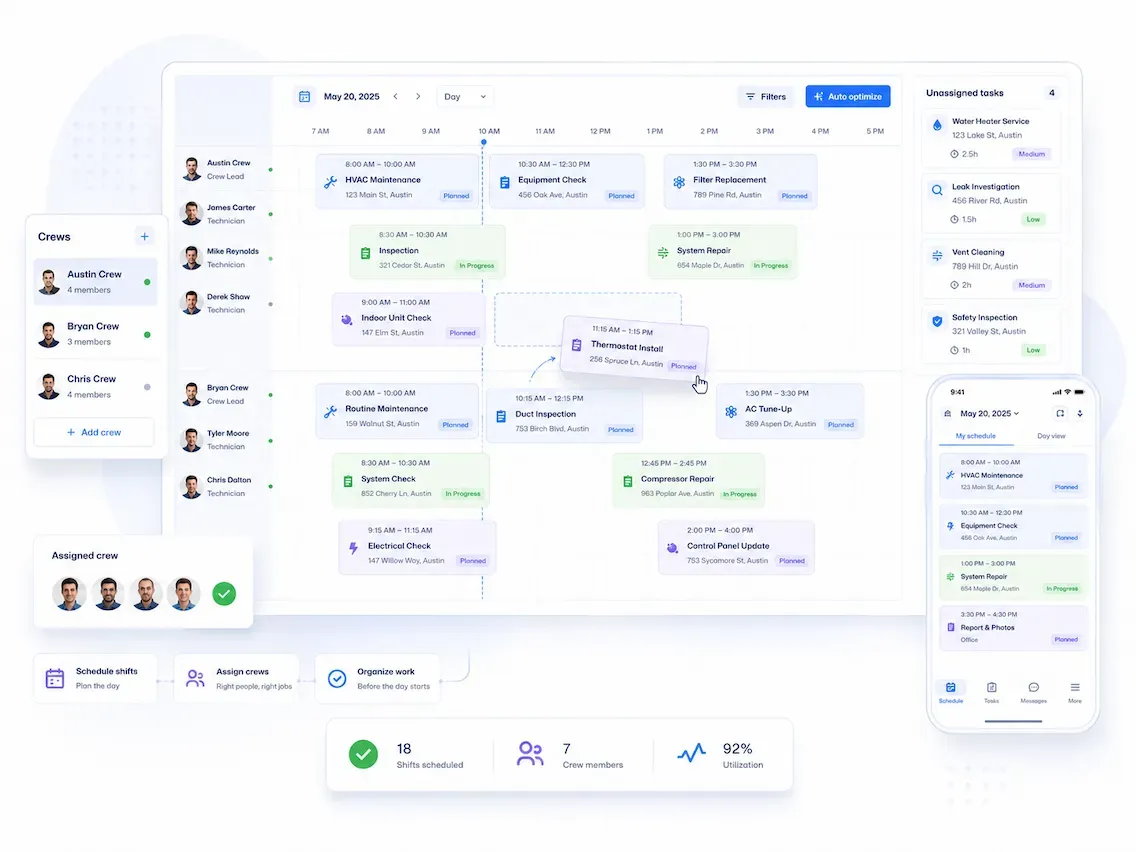
Build Plans Your Crew Actually Sees
Create and manage employee schedules. Generate optimized schedules based on availability, skills, and workload requirements. Drag and drop shifts onto the scheduling calendar. Your crews get instant notifications about the job.
Attendance Reports
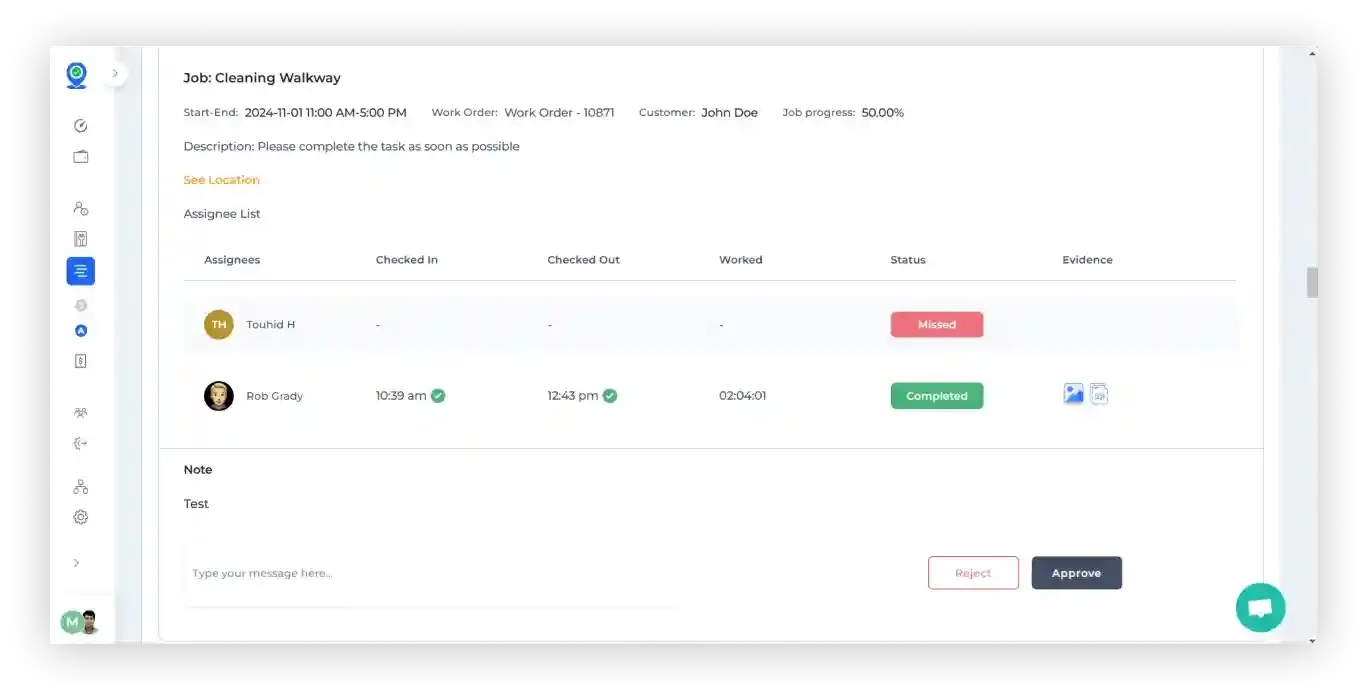
Spot Patterns Before They Become Problems
Filter attendance by team, date, or job site in seconds. See who's consistently late, who's missing check-outs.
Payroll Export
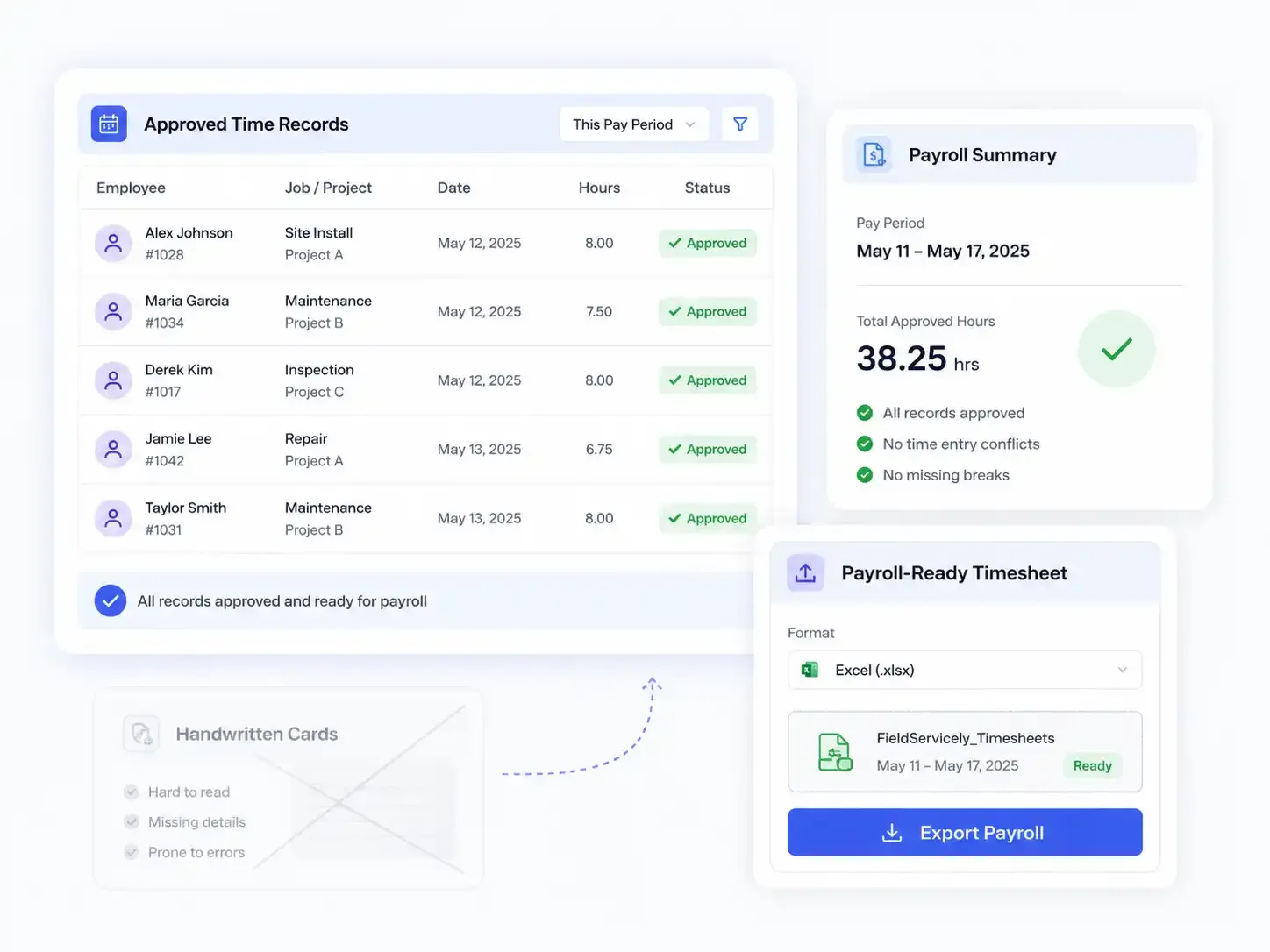
Run Payroll From Actual Hours
Approved timesheets export straight to Gusto, QuickBooks (upcoming), and Xero in one click.
Try FieldServicely Free — No Credit Card Needed!
Set up in minutes. Your first 10 days of GPS-verified timesheets are on us, or you can go for the free forever plan!
How FieldServicely Time Attendance Software Works
Step 1: Set Up Your Team
Add your employees and set their pay rates. Define each job site in seconds. No IT help, no long onboarding. Most teams are running the same day.
Step 2: Draw Your Job Site Boundaries
Set a geofence around any address. Your crew can only clock in from inside that GPS verified zone. Takes less than a minute per site.
Step 3: Your Crew Clocks In From Their Phone
One tap in the FieldServicely app. GPS confirmed. Selfie taken. They're on the clock. It works on iOS, Android, offline, and in dead zones too.
Step 4: Watch Hours Fill In Live
See each team member's timesheet update in real time, all from the dashboard.
Step 5: Approve Timesheets and Run Payroll
Review the week's hours, approve with a click. Then export straight to Gusto.
FieldServicely Works Perfectly for Your Business Needs
Construction · Cleaning · Janitorial · Electrical · Plumbing · Landscaping · Pest Control · Security · Handyman · Appliance Repair · Healthcare · Outdoor Services · Roofing
FAQs about Time and Attendance Software
How does the software track employee time and attendance?
FieldServicely offers a user-friendly approach to time and attendance tracking. Employees can clock in and out with a single tap while GPS location verification automatically confirms their presence at the designated worksite. The app features an innovative offline mode that continues tracking even in areas with poor connectivity, automatically syncing data once a connection is restored.
Web Platform & Dashboard Managers gain comprehensive oversight through our intuitive web dashboard. The platform enables:
Automated Reporting System The software automatically generates detailed timesheets.
Why are time and attendance tracking essential for businesses?
In today's dynamic business environment, proper time and attendance tracking is more crucial than ever. Here's why it matters:
How much does this time attendance software cost?
FieldServicely believes in transparent pricing that aligns with your business value. Our pricing structure is designed to grow with your business.
Additional Considerations: Our pricing includes several business-friendly features:
Contact our sales team for specific pricing details tailored to your organization's needs.
What features should I look for in time and attendance software?
When evaluating time and attendance software, consider these essential features that FieldServicely provides:
Core Tracking Capabilities: The foundation of any good system starts with robust time tracking:
These features ensure reliable tracking regardless of working conditions.
Reporting and Analytics: Data is only valuable if you can act on it. Essential reporting features include:
Our system turns raw data into actionable insights for better decision-making.
Is there free time & attendance tracking software available?
While free time tracking solutions exist, it's important to understand their limitations and true cost to your business:
The Costs of Free Solutions: Free time attendance and time tracking tools often come with significant restrictions:
