Construction Inspection Software
Find, Fix, and Report Every Construction Issue from One Place
Identify and track construction issues from any device, on any site. Capture photos, record voice notes, and create inspection checklists. Assign the right crews to resolve them. Once finished, get a detailed construction inspection report.
No Credit Card Required
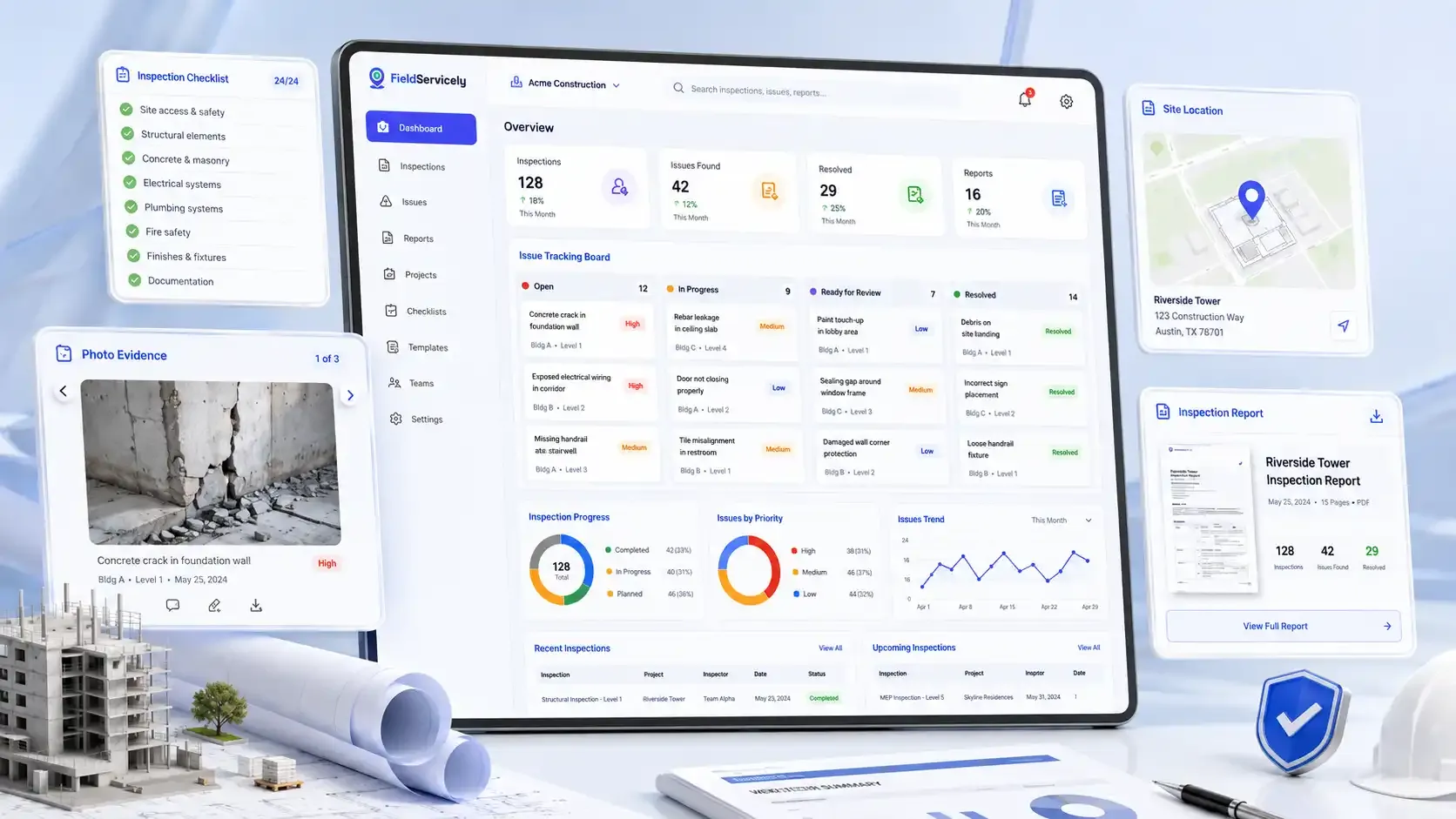
Easy and Reliable Construction Inspection Software
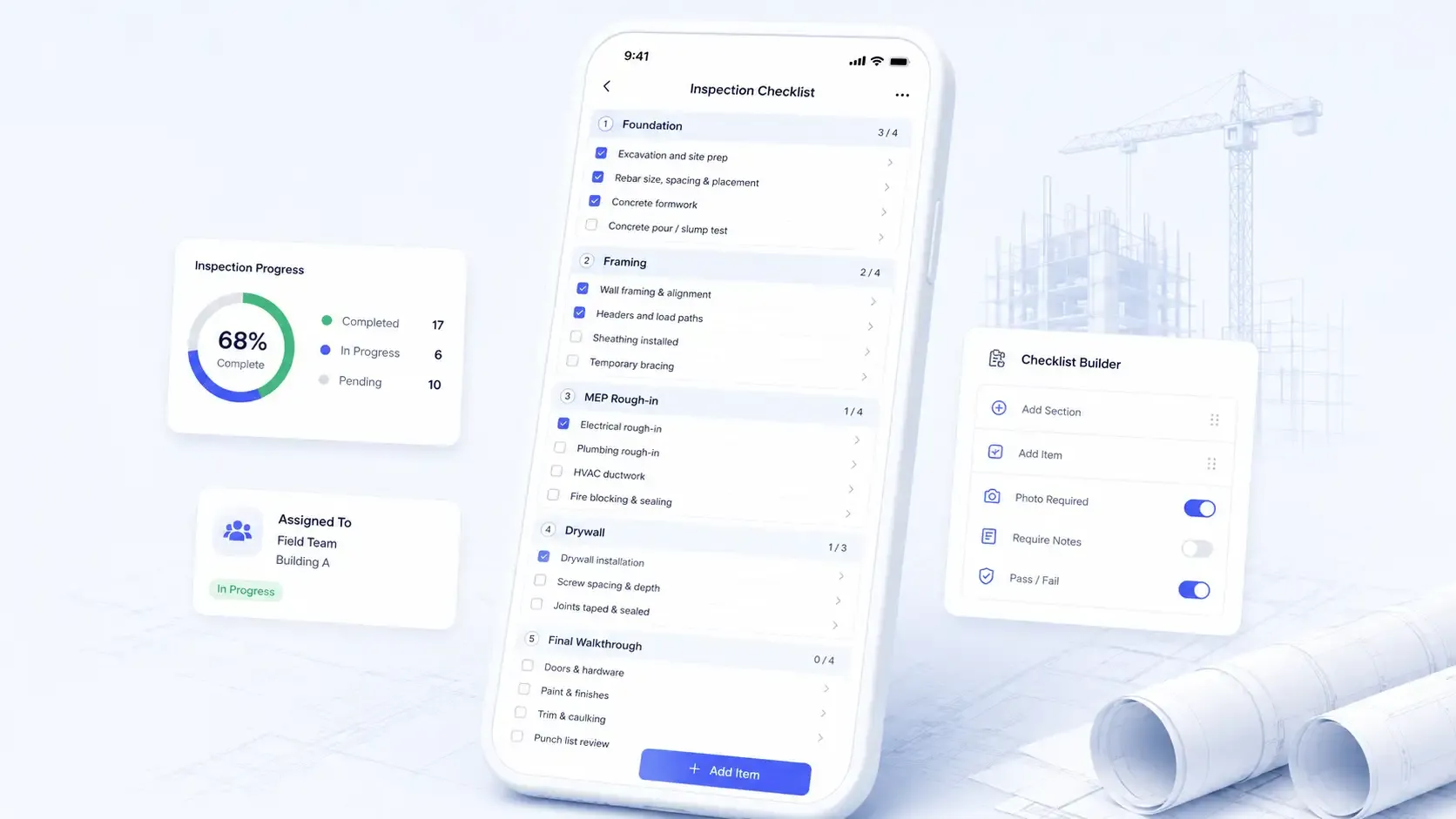
Construction Inspection Checklists
Build Inspection Checklists for Every Stage of Construction
Create custom site inspection checklists and assign them to your field team. Make sure nothing gets skipped from foundation and framing to MEP rough-in and final walkthrough.
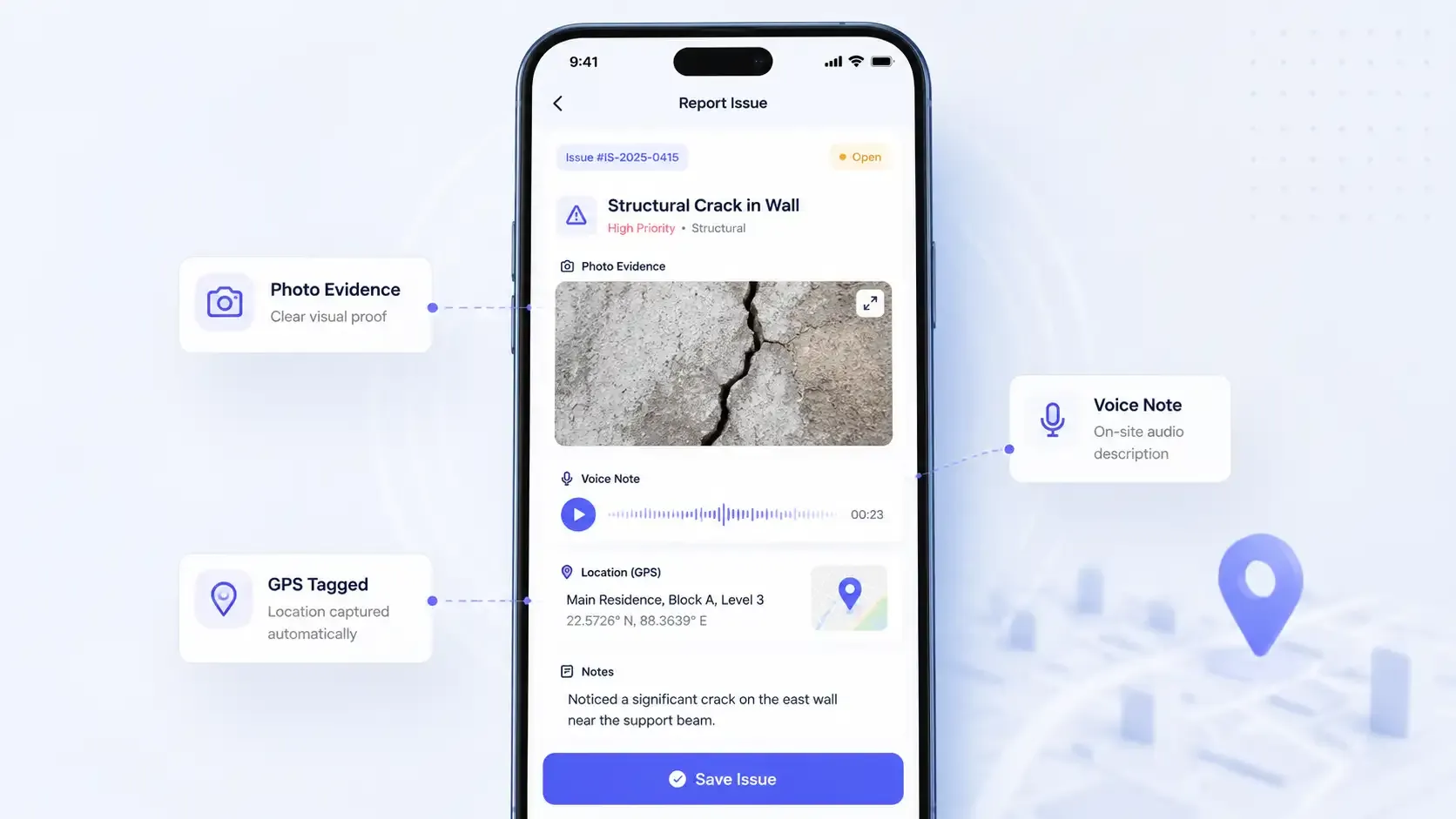
Construction Problem Reporting with Evidence
Log Every Site Issue the Moment You Find It
List structural defects, safety hazards, or code violations when you spot them. Take a picture and record a voice note with details as proof.
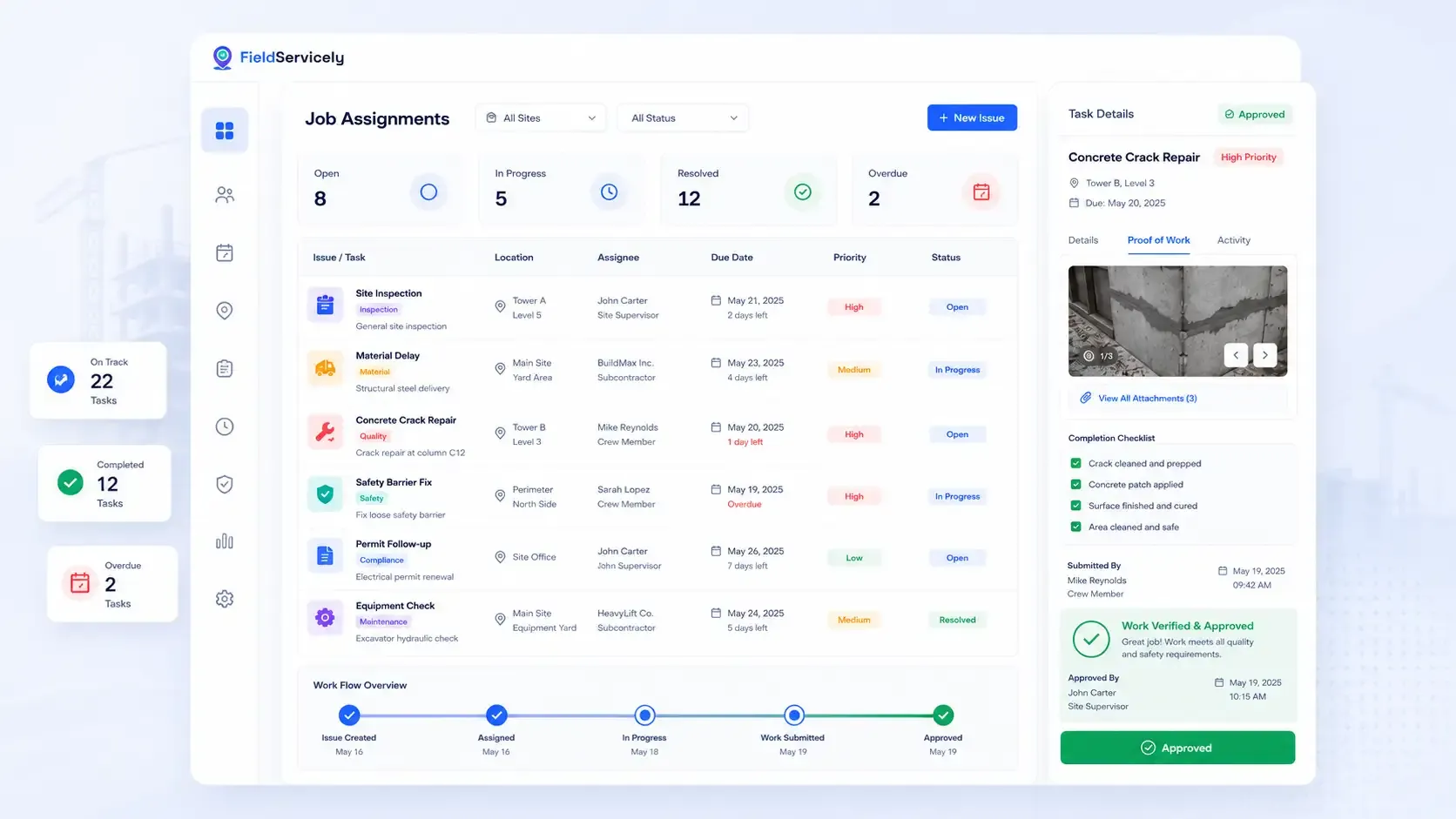
Job Assignment & Approval
Assign Tasks to the Right Construction Person
Appoint the most suitable subcontractor, crew member, or site supervisor in seconds when a problem arises. Track the task, and check proof of work to confirm the job’s done successfully.
Construction Inspection Scheduling
Plan Daily Inspection Before the Day Starts
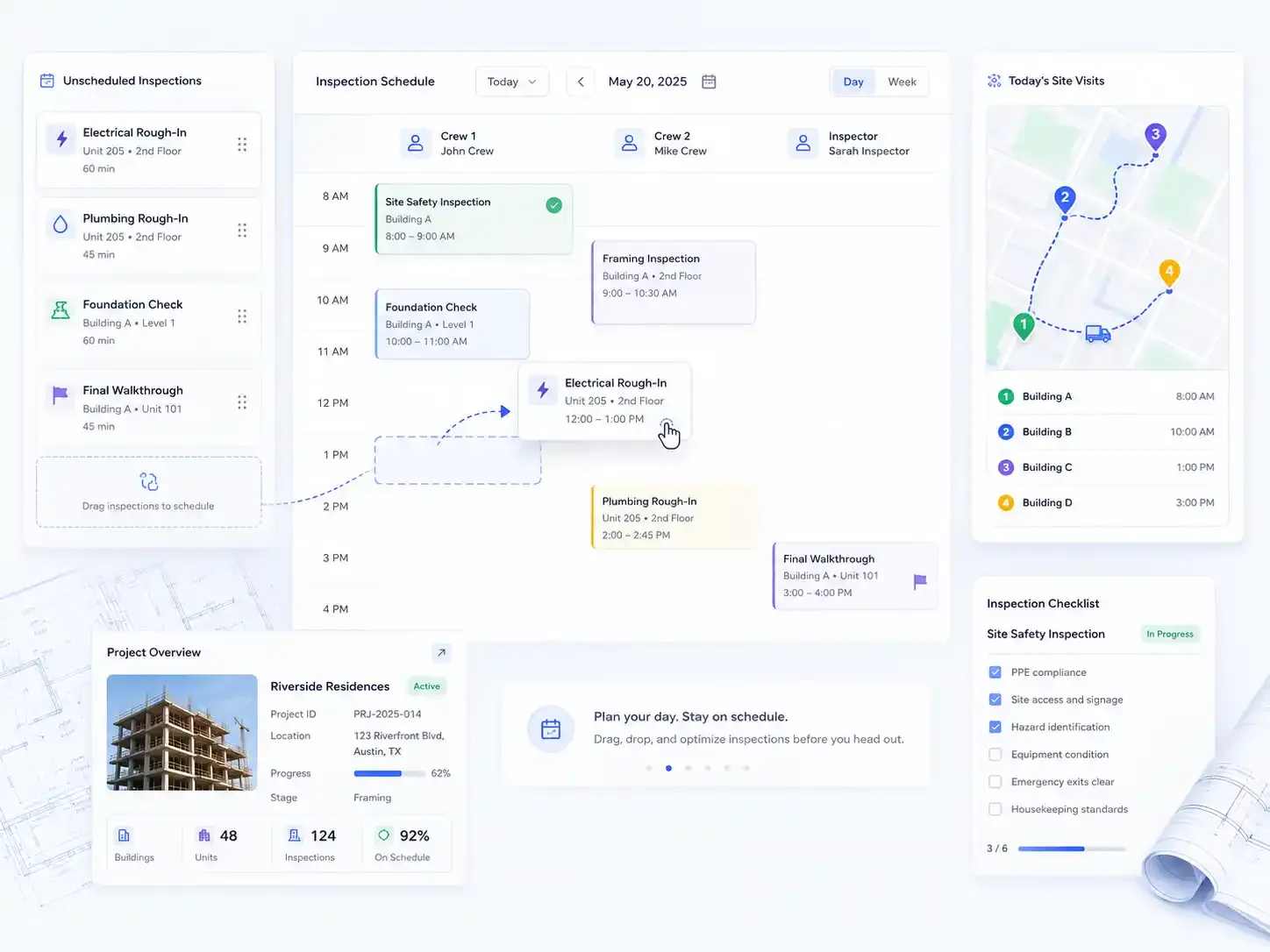
Schedule regular construction site visits from a drag-and-drop scheduling calendar. This way, the entire construction team knows where to be and what to inspect from the get-go.
Real-Time Communication
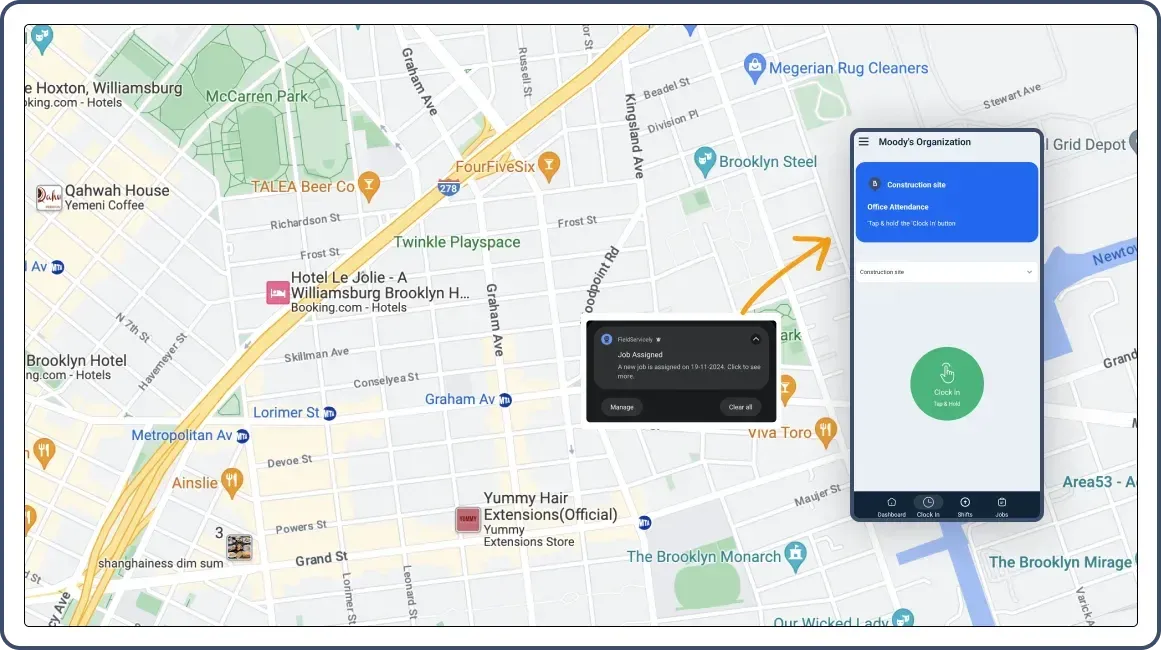
Notify Your Construction Inspection Teams in Real-Time
Assign tasks, share project details, and receive updates in real-time. Stay informed about inspection progress through synchronized communication tools. Enable smooth collaboration across multiple sites and ensure field inspectors always have the latest project instructions.
GPS Verification & Geofencing
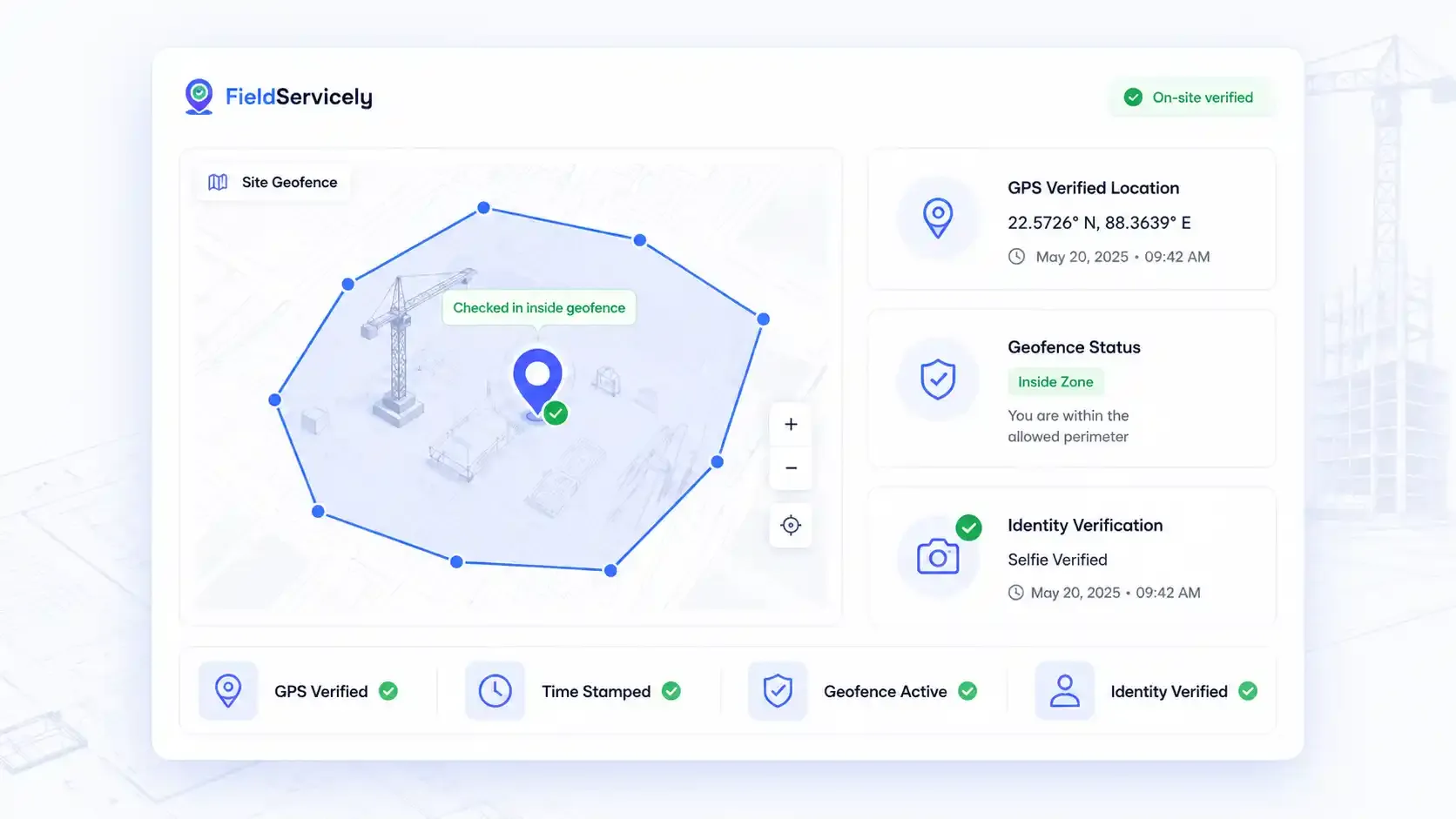
See Exactly When and Where Every Inspection Happened
Set a virtual perimeter around each construction site. Allow inspectors to check in only when they're actually present on-site. Add selfie verification to confirm identity. Every site visit is recorded with a GPS location stamp and a timestamp.
Construction Reports
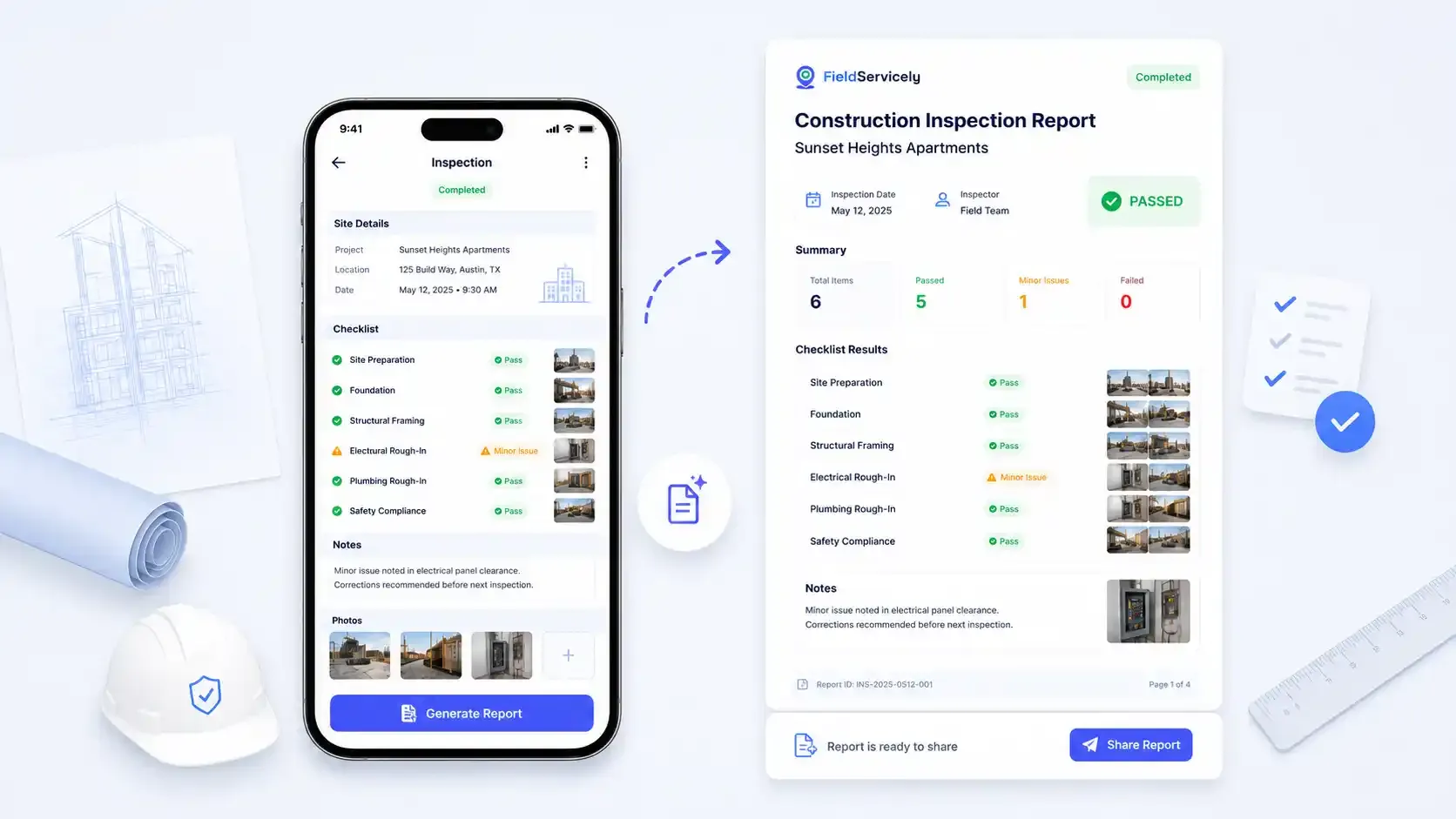
Generate a Full Construction Inspection Report in One Tap
Share detailed inspection reports with building owners, project managers, or clients right from your phone.
Mobile Construction Inspection App
Run Inspections from Any Device, Even Without Signal
FieldServicely mobile inspection app works on iOS and Android. So crews can open job details, run site inspection checklists, log issues, and capture evidence from any location.
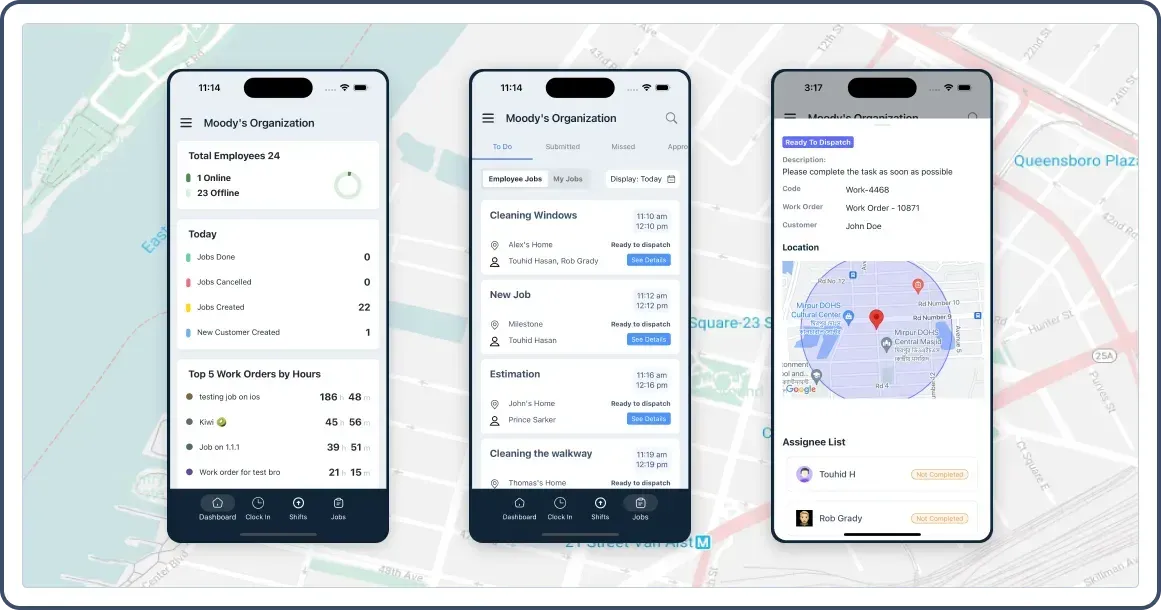
Try FieldServicely #1 Field Service Management Software
Try for free - No credit card required!
Get Started with FieldServicely Construction Inspection App
Step 1: Create your free account. Sign up for FieldServicely. No credit card needed.
Step 2: Invite your inspection team. Add inspectors and managers to your organization and set their roles.
Step 3: Download the app. Inspectors install the FieldService app from the App Store or Google Play and sign in.
Step 4: Schedule & assign inspections. Create inspection jobs with site details and assign them to the right inspector.
Step 5: Inspect on-site. Inspectors check in via geofence, capture photos, voice notes, and findings, and complete the job from their phone.
Step 6: Track visits live. Watch inspections happen in real time on the map, with route history and timestamps for every site.
Step 7: Review, report & share. Approve submitted inspections, generate the report, and send it to stakeholders in a tap.
The Ultimate Guide to Construction Inspection Software
This section answers all your questions about construction inspection software
The Ultimate Guide to Construction Inspection Software
|
FieldServicely / Construction Inspection Software
What is Construction Site Inspection Software?
Construction site inspection software is a digital tool that helps teams check the quality and safety of work on a job site. It replaces paper forms, clipboards, and messy spreadsheets with one simple system.
Here's the basic idea. An inspector walks the site, checks the work against a list, and records what they find. With software, they do all of this from a phone or tablet instead of paper. They can snap photos, log issues, and send a report in minutes.
In the past, inspectors wrote everything by hand. Then they drove back to the office, typed it all up, and emailed it around. Notes got lost. Photos sat on someone's phone. Reports took days. The software fixes that by keeping every inspection, photo, and note in one place.
So instead of chasing paperwork, your team spends time on what actually matters: catching problems early and keeping the project on track.
Why Construction Teams Are Leaving Paper Behind?
Paper inspections feel simple. But they cause real problems once a project gets big.
Think about a job with five active sites and dozens of inspections a week. Paper forms pile up. Some go missing. A photo of a cracked wall sits on one phone while the report sits on another desk. By the time someone connects the two, the wall is already covered in drywall.
That delay costs money. A missed defect means rework. Rework means lost time and lost profit. And if there's ever a dispute, you need proof of what was checked and when. Paper rarely gives you that.
Digital inspections solve these gaps. Every record is saved, time-stamped, and easy to find. Nothing slips through the cracks, because everything lives in one system.
Benefits of Construction Inspection Software
So what do you actually get when you switch? Here are the main wins.
Catch problems early: Issues get logged the moment someone spots them. That means fewer surprises later and a lot less rework.
Save time: A digital checklist takes minutes, not hours. Reports build themselves from the data you already entered. Your team gets to move on to the next job faster.
Get proof: Every inspection comes with photos, time stamps, and a location. If an owner or client ever asks what happened, you have the record to show them.
Stay organized: All your inspections live in one place. No more digging through email chains or stacks of paper to find one form.
Keep teams accountable: When you assign an issue to a crew member, they know it's on them to fix it. And you can track it until the work is done.
Support compliance: Good records make it easier to meet building codes and safety rules. When an audit comes, your documentation is ready.
The bottom line is simple. The software helps you run cleaner projects with less stress and fewer costly mistakes.
Key Features of Construction Inspection Software
Not every tool is built the same. But the best ones share a core set of features. Here's what to look for.
Digital Inspection Checklists
You should be able to build checklists for any stage of work, from foundation to final walkthrough. Custom checklists make sure your team checks the right things every time.
Photo and Voice-Note Capture
A picture says more than a paragraph. The software should let inspectors attach photos and voice notes to any issue, right from their phone.
Issue Logging and Tracking
When someone finds a problem, they need to log it fast. Good software lets you record the issue, tag its location, and track it until it's resolved.
Crew Assignment
Finding a problem is only half the job. The tool should let you assign the fix to the right person and follow its progress to completion.
Inspection Scheduling
You should be able to plan and assign inspections ahead of time. That way, your team knows where to be and what to check before the day starts.
GPS and Geofencing
This one is a big deal. GPS tracking and geofenced check-ins prove that an inspector was actually on-site. You get a clear record of who inspected what, where, and when.
Detailed Reporting
The software should turn each finished inspection into a clean report. You can then share it with owners, clients, or your office with one tap.
Mobile App and Offline Access
Inspectors work in the field, not at a desk. A solid mobile app, with offline mode, keeps everything running even when there's no signal.
Who Uses Construction Inspection Software?
This kind of tool is useful for a lot of people on a project. But a few roles get the most out of it.
Project managers use it to keep work on schedule and catch issues before they grow. Site supervisors use it during daily walkthroughs to log problems on the spot. General contractors and subcontractors use it to document their work and protect themselves if a dispute comes up.
QA/QC managers rely on it to keep quality consistent across sites. Safety officers use it to record hazards and support compliance. And building owners or developers use it to see that the work they paid for is actually getting done right.
In short, anyone who cares about quality, safety, or proof of work can benefit.
How Construction Inspection Software Works
The process is simple once you see it step by step.
First, you create an inspection and assign it to someone on your team. Next, the inspector heads to the site and checks in, often through a geofence that confirms they're there. Then they work through the checklist, snap photos, and log any issues they find.
After that, you review what they submitted from your dashboard. If something needs fixing, you assign it to a crew member and track it. Once everything checks out, the software builds a report you can share right away.
That's the whole loop: plan, inspect, document, fix, and report. All in one system.
How to Choose the Right Construction Inspection Software
With so many tools out there, how do you pick? Keep these points in mind.
- Match it to your work. Some tools focus on quality control. Others focus on safety, scheduling, or field tracking. Pick one that fits how your team actually works.
- Check the mobile app. Your crew lives on their phones in the field. If the app is clunky or slow, no one will use it. Test it before you commit.
- Look for offline mode. Sites often have a weak signal. Make sure the tool still works when the connection drops.
- Think about reporting. The whole point is to save time on paperwork. So the reports should be clean, fast to make, and easy to share.
- Consider the price. Many tools offer free plans to start. Try one before you pay, so you know it fits your team first.
Take your time here. The right tool should feel easy from day one. If it makes the job harder, it's the wrong fit.
Frequently Asked Questions
How does FieldServicely verify construction site inspections through GPS?
Our construction inspection software uses advanced GPS and geofencing to monitor site visits. Project managers receive digital proof of inspector presence, time logs, and movement patterns. This system helps construction companies maintain accountability, reduce time theft, and document every inspection accurately for compliance records.
Does the construction inspection software support multi-user report access?
Multiple team members can work on inspection reports simultaneously through our cloud platform. Site inspectors submit updates while office staff review documentation in real-time. This connection between field and office teams speeds up project completion, reduces delays, and keeps all construction stakeholders updated on inspection progress.
Which inspection templates come with the construction software system?
The software provides comprehensive templates (in future roadmap) covering every construction phase. From foundation inspections to final building checks, teams access pre-built forms for structural, electrical, mechanical, and safety evaluations.
Each template aligns with industry standards while allowing customization for specific project requirements.
How does FieldServicely maintain construction code compliance records?
Construction inspection documentation stays organized through automated compliance tracking. The software tries to match inspections against current building codes, OSHA requirements, and ISO standards.
What happens when inspectors find critical construction site issues?
When inspectors identify problems, the construction inspection software triggers immediate notifications. Project managers receive detailed reports with photo evidence and inspector notes. This rapid communication allows construction teams to address structural concerns, safety issues, or code violations before they impact project timelines.
How can I test the construction inspection software before purchase?
Our construction software specialists provide personalized demonstrations for your team. Schedule a call to see live inspections, GPS tracking, and compliance monitoring in action. The demo covers your specific construction inspection needs and shows how digital tools streamline site evaluations. Contact our team to set up your session.
What is the refund policy for FieldServicely construction inspection software?
We stand behind our construction inspection software with a 30-day money-back guarantee. New users who find the system doesn't match their inspection requirements can contact our support team within the first 30 days of activation. We process full refunds promptly upon request, no questions asked.
