

GPS Route Planning
Guide remote teams and mobile employees through efficient routes using GPS and reduce mileage costs.
Mobile GPS time clock app to track employee time with GPS, job site clock in/out, with automatic timesheet, and payroll.
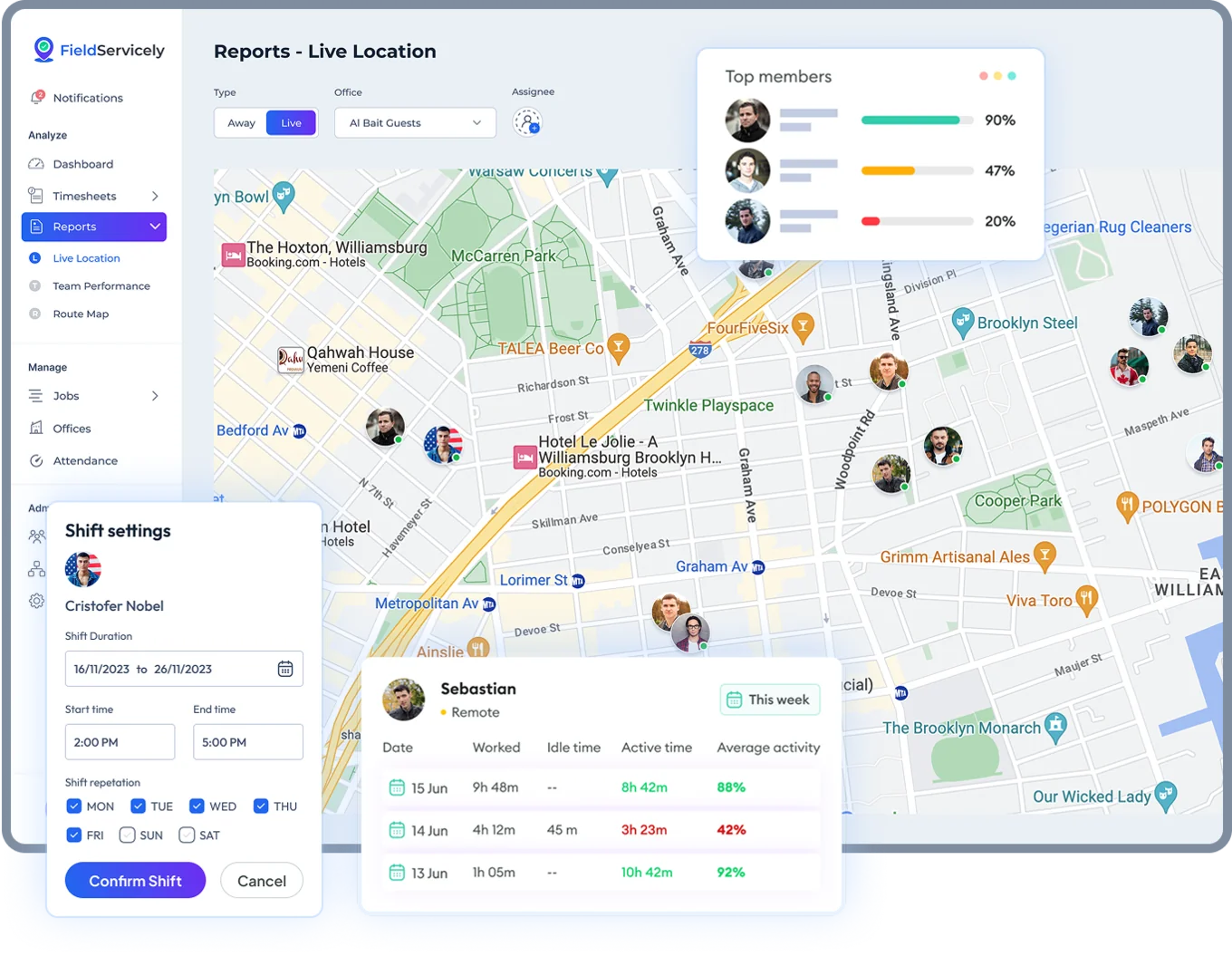

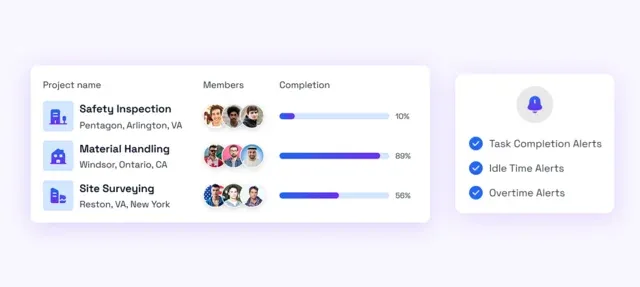
✦ Set up a specific area for each project and control employee access.
✦ Employees can only check-in and track time in those zones.
✦ Link each location to tasks, teams, and timecards for smart job oversight.

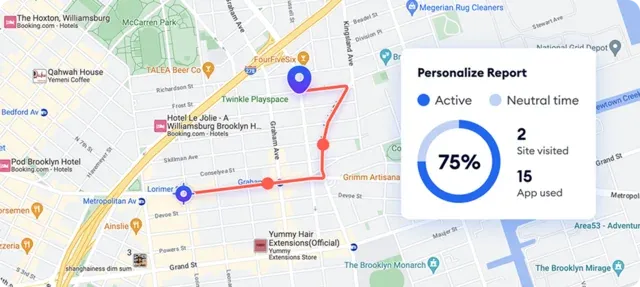
One-tap employee check-in and check-out system within approved locations.
✦ Clock in and clock out automatically with your mobile app.
✦ Real-time GPS location tracking to prevent time theft.
✦ Geofencing system ensures clock-in at the assigned work site.
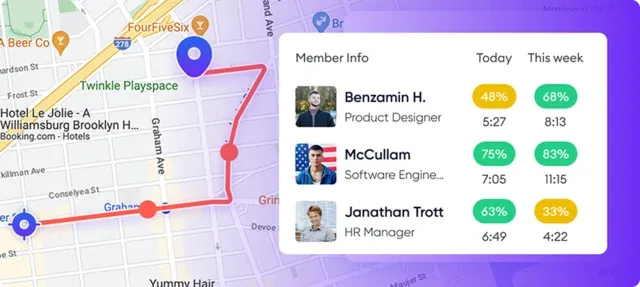
✦ Get time spent on jobs and projects with GPS location history.
✦ Track clock-ins, routes, and job-site activity of field crews.
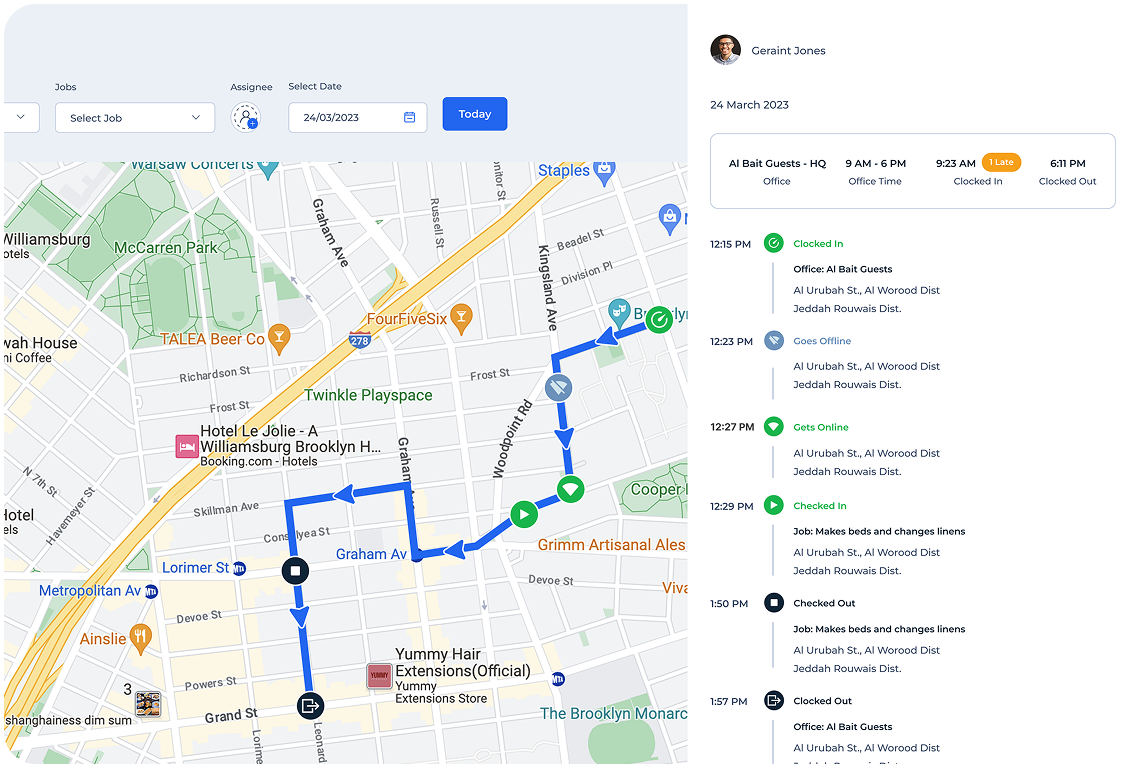
✦ Get a live map view of construction, delivery, and other mobile employees.
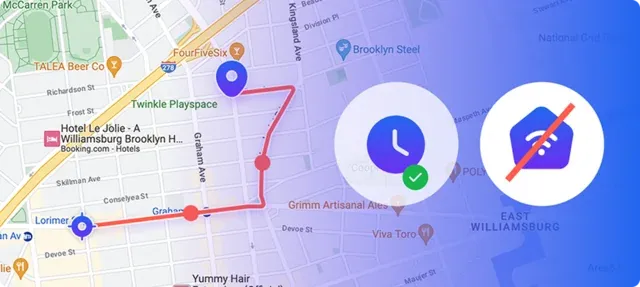
✦ View employee active hours in remote areas with no internet.
✦ Mobile time clock app syncs full timesheet data instantly on reconnection.
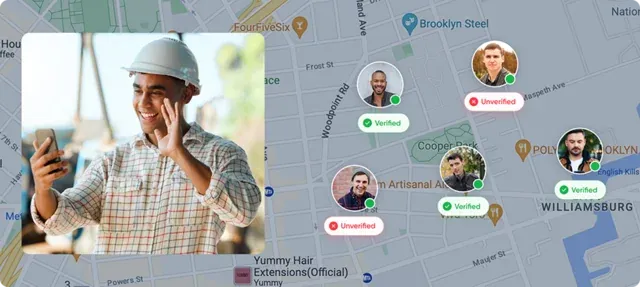
✦ Eliminate buddy punching with selfie verification.
✦ Get visual proof of who checks in with real-time GPS location.
✦ Strengthen compliance with visual records tied to every clock-in.
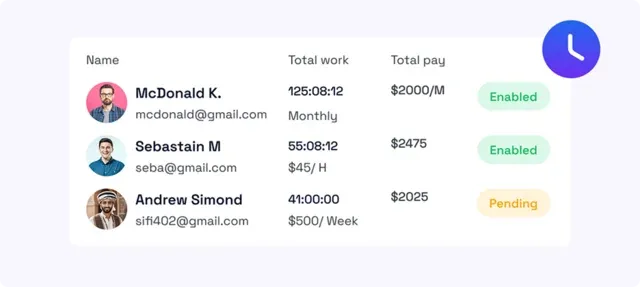
✦ Auto-generate timesheets from verified GPS clock-ins, breaks, and job hours.
✦ Create accurate payroll automatically from synced time data.
✦ Export timesheets and integrate them directly with the payroll system.
✦ Set up a specific area for each project and control employee access.
✦ Employees can only check-in and track time in those zones.
✦ Link each location to tasks, teams, and timecards for smart job oversight.
Guide remote teams and mobile employees through efficient routes using GPS and reduce mileage costs.

Assign shifts, jobs, and crews effortlessly with real-time scheduling.

Assign and track employee time on specific job codes. Monitor overall project progress for construction and field teams in real time.

Use job-site photos to review progress and approve completed field tasks.

Access insights on worker performance, job completion, and attendance in an exportable and easy-to-read format.

Generate accurate invoices faster using synced timesheets and job-costing data.
visibility with trust & transparency
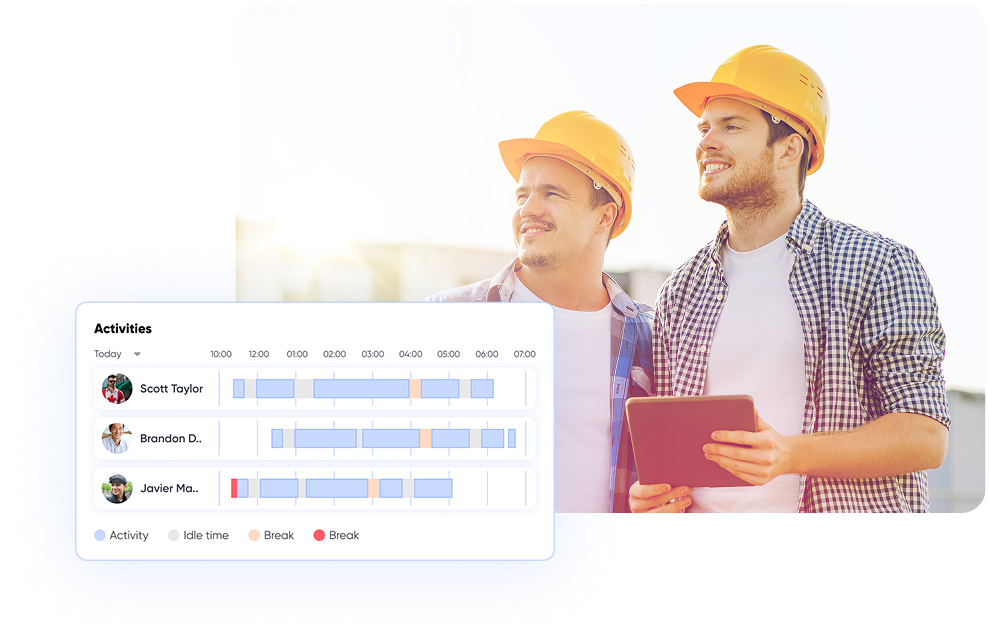
Track with Confidence
Track with Confidence
Track with Confidence
Optimize Workflow
Optimize Workflow
Optimize Workflow

Smooth Job Delivery
Smooth Job Delivery
Smooth Job Delivery
how it works
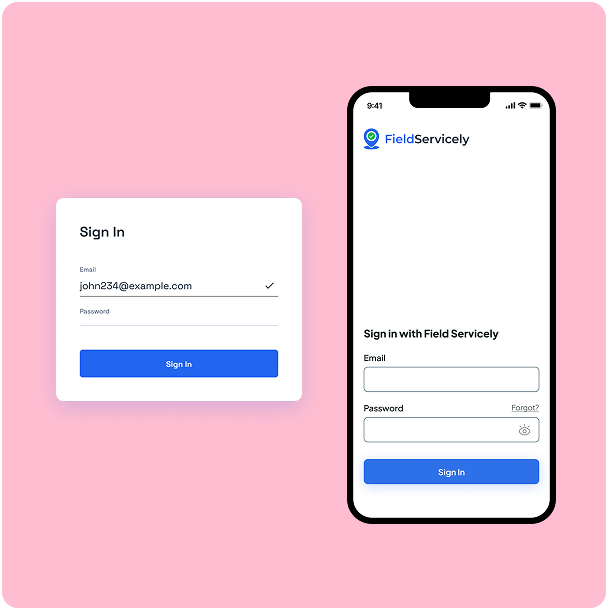
Just enter your email and a new password to sign up, then enter your organization name. That’s all. No credit card required, no lengthy forms.
Sign UpSend invites to your team directly from the dashboard. They’ll join your organization with a single tap.
Employees install the FieldServicely app on their iOS & Android devices. Also available on the Play Store and App Store.
As soon as they clock in with GPS verification, you’ll see exactly where your team is and how long they have been on the job from a central dashboard / live map dashboard.
INTEGRATIONS
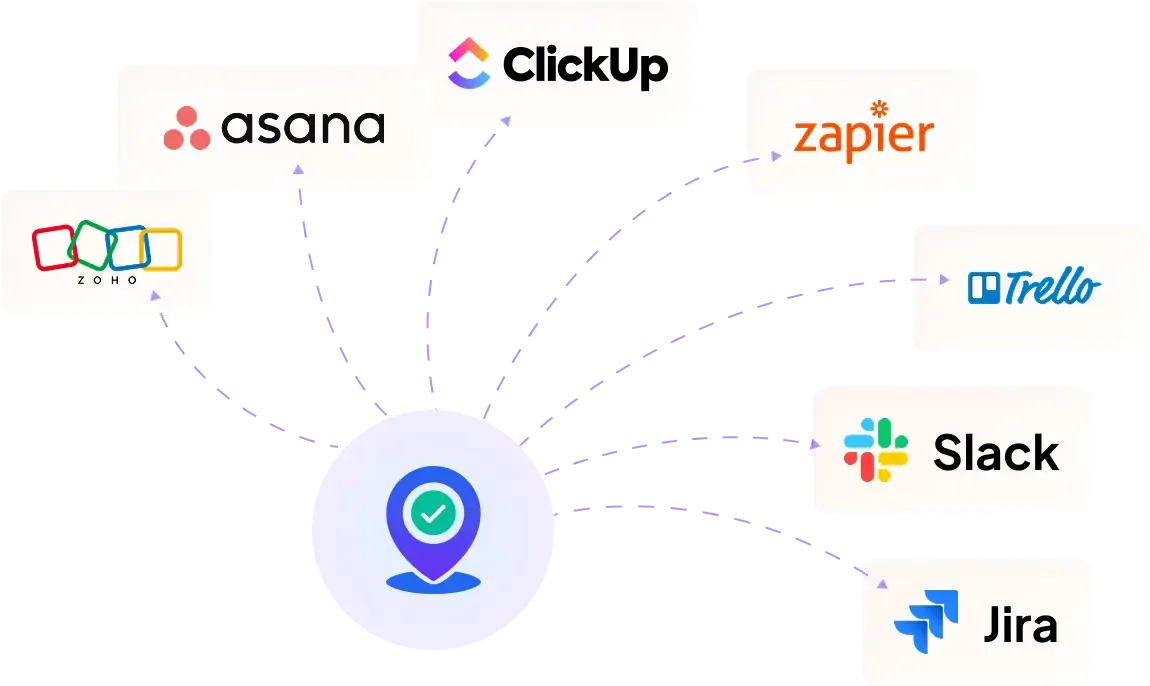
Easily connect FieldServicely with your existing tools to automate timesheets, payroll, and simplify field operations.
INTEGRATIONS
Easily connect FieldServicely with your existing tools to automate timesheets, payroll, and simplify field operations.
INTEGRATIONS
FieldServicely Integrates Seamlessly with Your Favorite Software
Easily connect FieldServicely with your existing tools to automate timesheets, payroll, and simplify field operations.
USE CASES
Track time, bring accountability, and streamline workforce management for every field service operation.



FAQS
Apploye, as a remote employee monitoring solution, tracks time, activity, takes screenshots, and records the screen. Also, monitor app usage and the URLs of employees' computers.
Apploye, as a remote employee monitoring solution, tracks time, activity, takes screenshots, and records the screen. Also, monitor app usage and the URLs of employees' computers.
Apploye, as a remote employee monitoring solution, tracks time, activity, takes screenshots, and records the screen. Also, monitor app usage and the URLs of employees' computers.
Apploye, as a remote employee monitoring solution, tracks time, activity, takes screenshots, and records the screen. Also, monitor app usage and the URLs of employees' computers.
Apploye, as a remote employee monitoring solution, tracks time, activity, takes screenshots, and records the screen. Also, monitor app usage and the URLs of employees' computers.
Apploye, as a remote employee monitoring solution, tracks time, activity, takes screenshots, and records the screen. Also, monitor app usage and the URLs of employees' computers.
Apploye, as a remote employee monitoring solution, tracks time, activity, takes screenshots, and records the screen. Also, monitor app usage and the URLs of employees' computers.
Apploye, as a remote employee monitoring solution, tracks time, activity, takes screenshots, and records the screen. Also, monitor app usage and the URLs of employees' computers.
Apploye, as a remote employee monitoring solution, tracks time, activity, takes screenshots, and records the screen. Also, monitor app usage and the URLs of employees' computers.
Apploye, as a remote employee monitoring solution, tracks time, activity, takes screenshots, and records the screen. Also, monitor app usage and the URLs of employees' computers.
Apploye, as a remote employee monitoring solution, tracks time, activity, takes screenshots, and records the screen. Also, monitor app usage and the URLs of employees' computers.
Apploye, as a remote employee monitoring solution, tracks time, activity, takes screenshots, and records the screen. Also, monitor app usage and the URLs of employees' computers.
Apploye, as a remote employee monitoring solution, tracks time, activity, takes screenshots, and records the screen. Also, monitor app usage and the URLs of employees' computers.
This guide answers all your questions and queries on the GPS time clock app tools. Get a firm grasp on field employees management and performance optimization techniques for your entire team.
The Ultimate Guide to Remote Work Management Software
|
FieldServicely / Remote Work Management Software
A GPS time clock is a digital tool that tracks time and location. It indicates when your team starts and finishes work. But it also reveals where they do it. This means no more paper logs, or time theft.
Field employees clock in and out using their mobile devices at the designated place. The mobile GPS time clock app also records the employee locations. You see everything live, right on a map. It's simple, fast, and accurate time tracking.
For the mobile workforce, this is a game changer. They can do better time management. And you receive genuine proof of effort. Thanks to predefined boundaries around job sites.
So, you can successfully stop buddy punching. And save hours with manual timesheets.
Suffice it to say, a GPS time clock app keeps your team accountable and tasks on schedule. It's the most convenient way to track employee time while your entire crew is constantly on the move.
You see, traditional time tracking options may be effective in offices. But in the field? It falls apart.
Paper timesheets are often misplaced. And they can easily be altered. Hours are often guessed, not tracked. Time entries become unreliable. This affects accurate payroll.
Some employees clock in late but perform entire shifts. While others check in from home instead of the job sites. Therefore, you can't see their exact locations. You're not sure what they're doing. And cannot prove anything.
When teams are on the go, this type of time tracker just cannot keep up. You end up chasing hours, correcting errors, and wondering what exactly happened.
And it does not end there. Payroll processing can get messy. Customers complain. Jobs are delayed. Overall user experience becomes a pain.
Field employees require real-time digital solutions, not paperwork and speculation. That's why GPS time clock app solutions are important.
GPS time clock app software isn't just for tracking time and location. They solve real problems for real teams.
Here are some major real-world use cases:
GPS time clock apps are simple, smart, and built for the real world. Let's have a quick look at how they work.
Step 1: Clock-In Starts the Tracking
It all begins when your employee taps "Clock In." Right then, the app logs the exact time and position.
You'll know who is on the clock and their exact locations. The time stamps provide precise records for payroll processing.
Step 2: GPS Records the Movement
GPS keeps location tracking active once the field employees are on the move. It logs every stop, turn, and pause.
This gives you a full picture of their day without having to ask. The breadcrumb trail shows the time between locations for better job costing.
Step 3: Geofencing Gives Control
Here's where things get even better. You can draw virtual boundaries around each job site. The app only allows clock-ins when someone steps inside that zone.
This keeps time tracking honest and location-based. Also, the system prevents time theft by ensuring employee clocks only at authorized job sites.
Step 4: Photo Verification Adds Trust
Want to be sure it's really them?
Add photo check-ins. GPS time clock app asks for a selfie when employees clock in.
The selfie verification feature saves the image and the exact locations together. These advanced features prevent buddy punching and ensure accurate attendance records.
Step 5: Works Even Without Internet
The GPS time clock app works flawlessly in offline mode. It keeps tracking time and location even with poor connectivity.
Once back online, everything syncs like nothing happened. These solid features ensure continuous employee time tracking.
Step 6: All Data Lands in One Dashboard
Everything comes together in the dashboard. It provides a complete overview of the mobile workforce. Time logs, routes, and job updates in real time in one place.
You can review, approve, and run accurate payroll in just a few clicks. The detailed reports show attendance patterns and billable hours.
Keeping track of employee locations should be precise. Top-ranked GPS time tracking software is designed to deliver just that.
1. Always Know Who's Working and Where
See exactly where each field employee member is during work hours. You don't need to go back and forth through calls or texts.
View live employee locations right on the map. It's simple, fast, and always accurate. The location tracking provides peace of mind for employee management.
2. Eliminate Buddy Punching For Good
Employ a selfie at clock-in to confirm the right person at the work site. So no more friends clocking in for each other.
These advanced features add a layer of proof that builds proper accountability. You'll always have the right person on the job, preventing time theft.
3. Get Clock-Ins You Can Actually Trust
Geofencing ensures active employees can only check in at the right place. Once they're inside the work area, the system records their exact time.
It's automatic and tamper-proof. The virtual boundaries ensure accurate time tracking at designated job sites.
4. No More Manual Timesheets
GPS time clock app records hours, manual breaks, and overtime in the background. The simple time tracking solution generates timesheets for every employee with zero input needed.
That means fewer errors and no wasted time for payroll processing. Break tracking and break durations are automatically calculated.
5. Keep Tracking, Even Without Internet
In the most remote or limited network area GPS time clock app never stops. For example, FieldServicely keeps tracking time and location even when offline.
All the data syncs automatically once the signal is back. These powerful features ensure continuous employee time tracking regardless of internet connection quality.
6. Save Time and Fuel With Smarter Routes
Plan the most efficient routes for your entire crew using GPS. No more spaghetti routes. Cut down on travel time and avoid unnecessary detours.
This leads to lower fuel costs and faster job completion every day. The time between locations is optimized for better job costing.
7. Manage Jobs From Anywhere
Create and assign jobs right from the dashboard. Your team gets instant updates on what to do and where to go. You can track progress in real time and approve tasks with visual proof.
The project management tools integrate seamlessly with time tracking for construction projects.
8. Make Payroll and Invoicing Fast and Easy
Turn tracked time into ready-to-pay, accurate payroll. Set hourly or fixed rates and let the system calculate everything.
Payroll processing becomes quick, clean, and mistake-free. Billable hours and double-time hours are automatically calculated based on labor laws.
9. Get Reports That Help You Make Smarter Moves
Access detailed reports on team performance, employee attendance, and job status. The daily reports help spot attendance issues before they become dealbreakers.
Use real data to reward top performers and support those falling behind. Custom reports provide insights into attendance patterns and labor budgets.
FieldServicely is designed for construction projects and field employees. It tracks work time and employee locations with zero assumptions.
You are always aware of who's working, where, and when. So you don't have to worry about fake check-ins or time theft.
Set job sites with geofences and collect employee attendance automatically. The facial recognition feature makes the entire process foolproof with selfie check-ins.
It adds a new layer to security and prevents buddy punching among your entire team.
That said, you can track job progress in real time. Even without the internet connection, tracking continues.
Now, FieldServicely auto-syncs the data once the signal is restored. This top-ranked GPS time tracking software ensures continuous employee time tracking.
Besides, the app stands out because of its quick and easy setup. Even your entire crew won't need training.
Just install the mobile time clock app and go. The user experience is designed for simplicity.
In addition, timesheets are auto generated. So does accurate payroll. Detailed reports are prepared in just one click.
The basic reporting features include daily reports, attendance tracking, and job costing analysis.
The system complies with applicable labor laws. And helps avoid costly labor disputes. Break reminders and automatic and manual breaks ensure compliance with labor laws.
You can maintain accurate attendance records with the enforcement features. This provides an excellent user experience.
As a result, FieldServicely helps you save company time, cut costs, and run smoothly. Construction teams and office-based and remote teams already trust it, and you should too.
Does GPS Drain Battery?
Not really. Modern GPS time clock app solutions like FieldServicely are made to save power. The location tracking runs in the background and only pings when needed.
Your mobile device still lasts all day. The activity monitoring features are optimized for battery efficiency.
Is GPS Tracking Legal for Employees?
Yes. However, it must follow employee monitoring laws. FieldServicely tracks time and employee presence at job sites only during work hours.
Every team member knows when it's tracking. The system ensures compliance with applicable labor laws and helps prevent costly labor disputes.
Can GPS Work Without the Internet?
Yes, absolutely. Even if your entire crew is offline, the mobile time clock app keeps tracking. It saves all data and syncs when they're back online.
No time entries and details are lost. The solid features work regardless of poor connectivity.
Is it Hard to Set Up?
Not at all. You can set up FieldServicely in under 5 minutes. No tech skills needed. Just sign up, invite your amazing team, and start accurate time tracking.
The simple time tracking solution provides basic features that are easy to understand and use.
Whether you need basic features or advanced project tracking, FieldServicely provides the digital solutions your mobile workforce needs for effective employee management and accurate payroll processing.


