
Construction Invoicing Software For Efficient Billing Process
FieldServicely helps in generating construction invoices easily for construction jobs and projects using work orders, job or through manual input. Create an invoice, send it directly to your clients and get paid faster.
Try FieldServicely For Free
No Credit Card Required
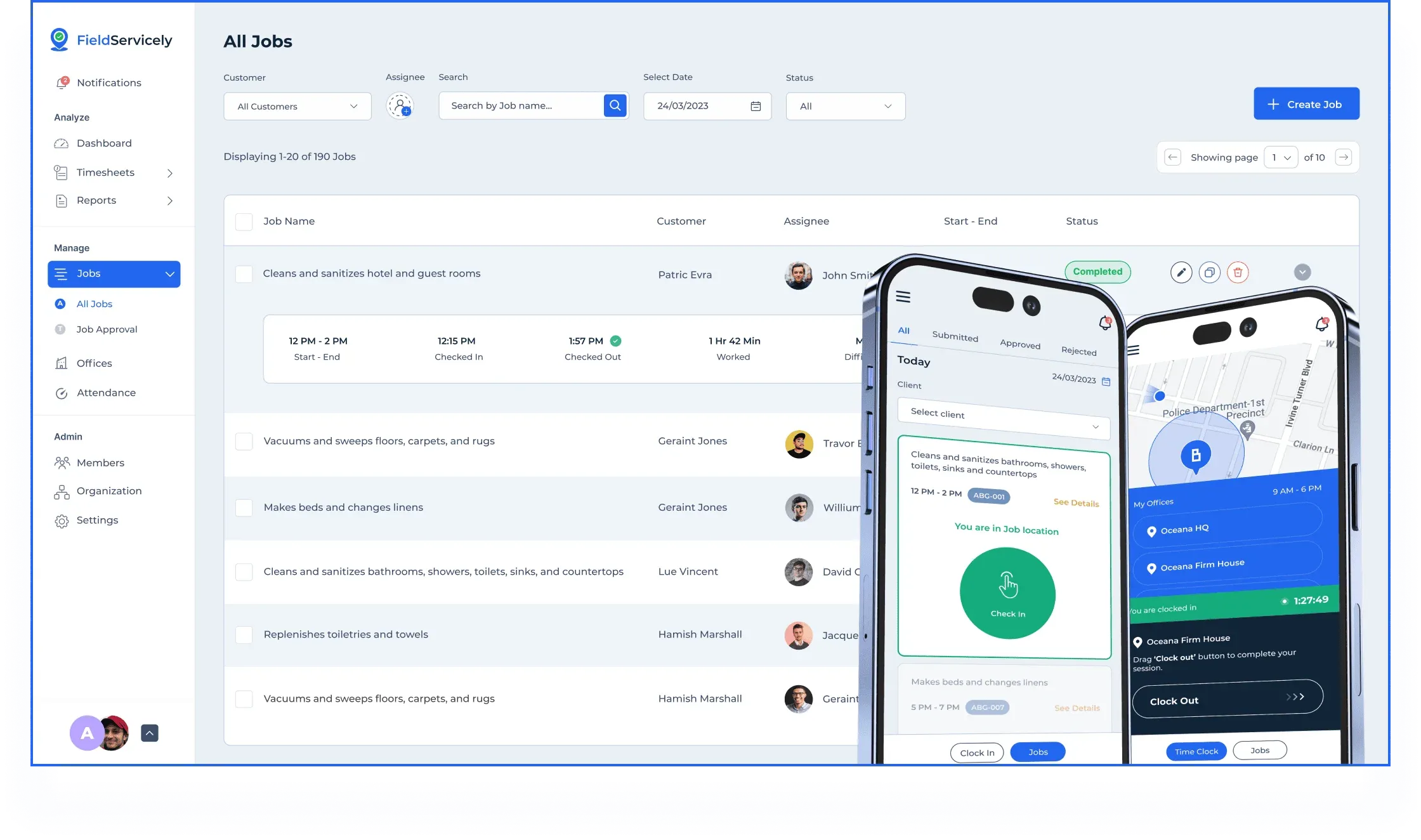
Fast Construction Invoice Creation
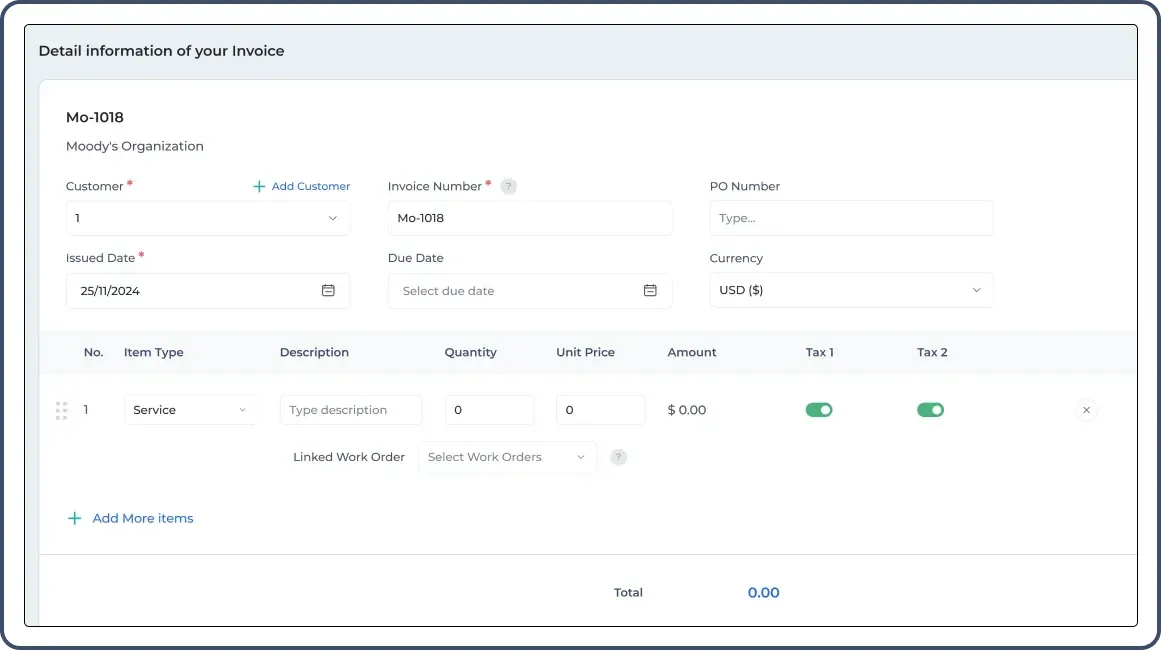
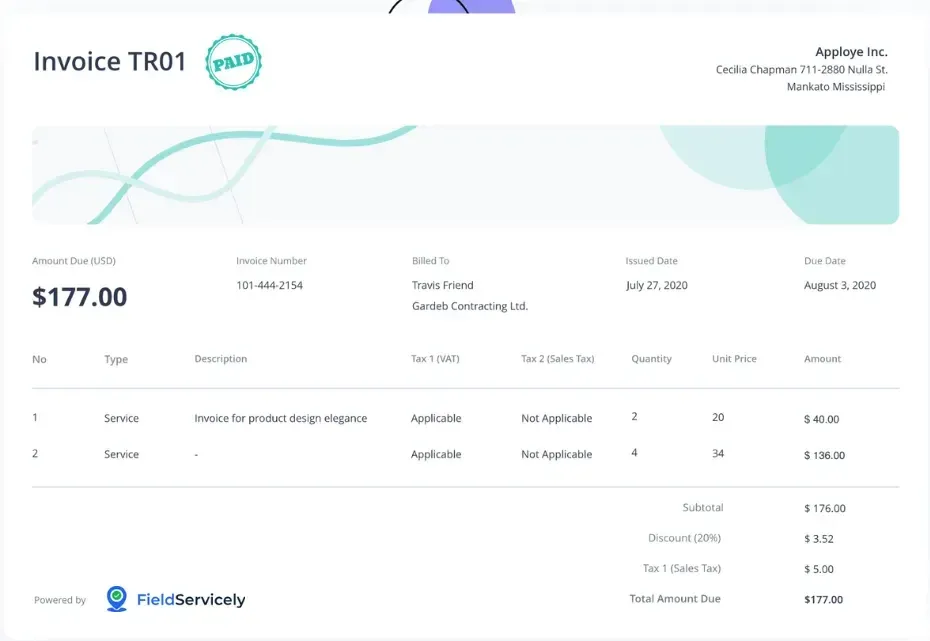
Add details of the invoice in the custom field inside the FieldServicely invoicing feature and generate an invoice easily. Connect construction work orders to get the invoice amount automatically. Invoicing of equipment is also possible along with the services from FieldServicely. Generate invoices with FieldServicely and get paid faster.
Send Construction Invoices with Ease
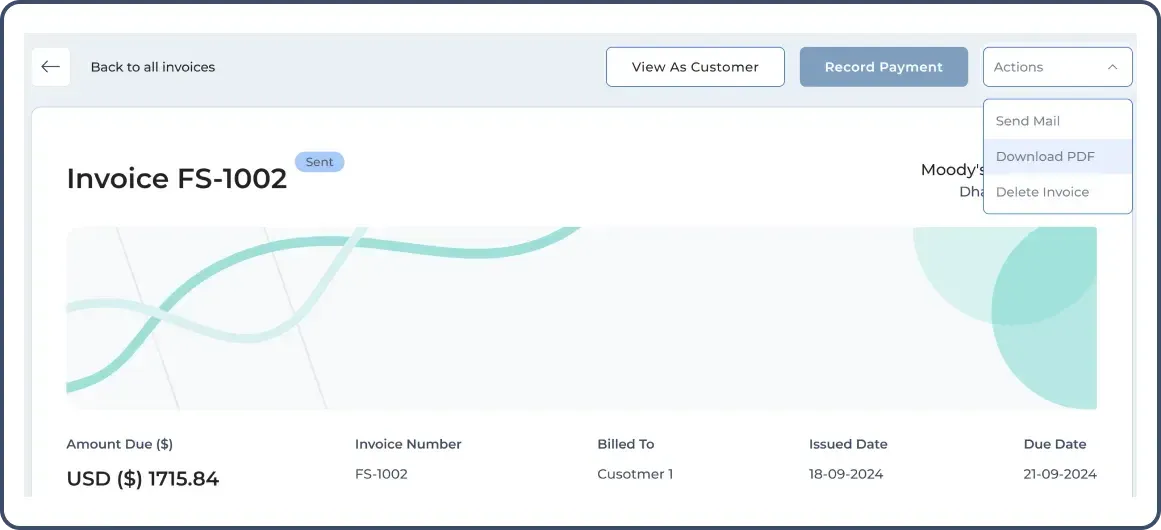
Send your construction invoice directly to your customer's email inbox, download in PDF format and send or you can share a link to the invoice. View as a customer to see how the invoice looks like. Ask your client and send the invoice in the preferred system.
Construction Invoice History is Preserved
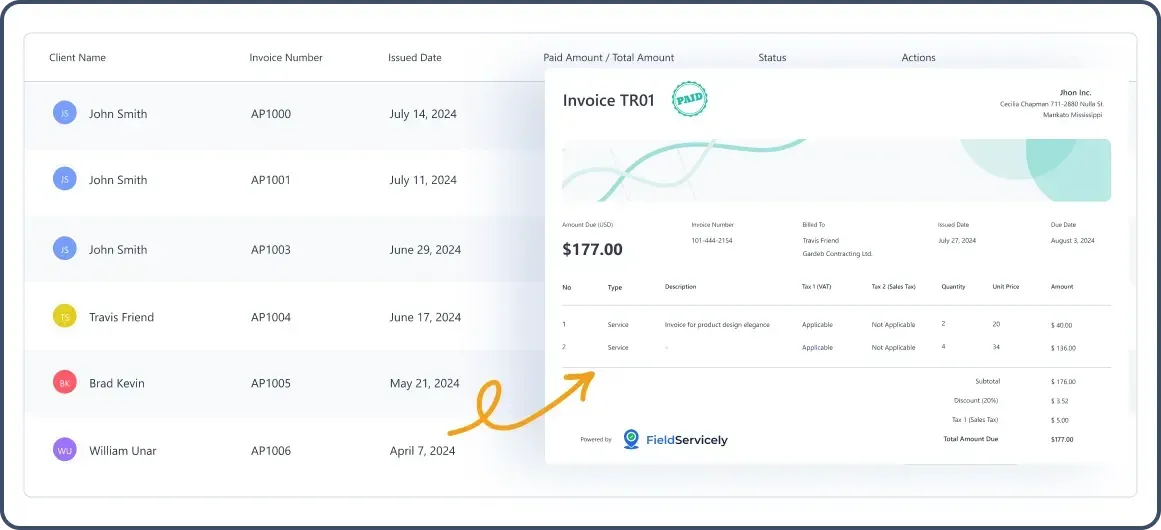
Get a history of all the construction invoices generated with FieldServicely. Get history from construction customers’ profiles and the invoice feature of option. Analyze and generate reports later with the invoices.
Accept Payments Efficiently
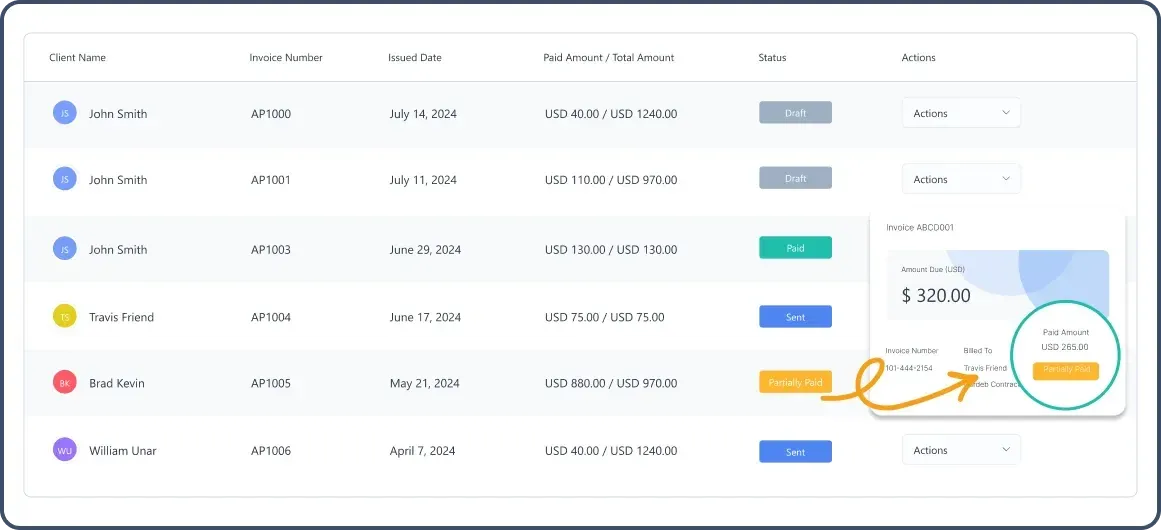
Receive hassle-free payments from your construction clients’ projects. Get paid fully or partially to keep the customers flexible in case of payment. Maintaining deadlines should be taken care of.
Invoice Statuses and Send Timely Reminders
Track your construction invoices based on customer profiles and various statuses like draft, sent, paid, partially paid, and act accordingly. Send follow-up email, preview the invoice, or delete it. These FieldServicely functionalities ease up your invoice tracking and reminder process.
Other Useful Features of FieldServicely
Manage your construction business operations efficiently with useful FieldServicely features like, scheduling, dispatching, time tracking, geofenced attendance, work order and job management, members’ management, etc.
Try FieldServicely #1 Field Service Management Software
Try for free - No credit card required!
Frequently Asked Questions
What is Construction Invoicing?
Construction invoicing refers to the process of billing clients for construction-related services and materials provided during a project. It plays a crucial role in ensuring timely payment for completed work.
What is construction invoice software?
Construction invoicing software is a tool that streamlines payment processes by enabling companies to create, send, and monitor invoices effortlessly. It integrates with accounting software for precise reconciliation, making it a user-friendly solution for construction businesses.
What are the benefits of construction invoicing software?
Construction invoicing software offers enhanced accuracy, quicker payment processing, simplified invoice tracking, and decreased paperwork. It also supports creating estimates and contracts, improving financial visibility and decision-making while saving time and money.
What information should be included in a construction invoice?
A construction invoice should include: - Company Name - Contact Information - Invoice Number - Invoice Date - Client Name - Client Address - Project Name - Project Location - Description of Work - Quantities - Unit Prices - Total Costs - Due Date - Payment Methods - Late Fees - Attachments
What is the best way to send construction invoices?
The best methods to send construction invoices include email, online invoicing software, and client portals. Email is quick and cost-effective for sending PDF attachments. Online software streamlines tracking and reminders, while client portals provide secure access. Choose the method based on client preferences and agreed terms.
Can I track payments with construction invoicing software?
Yes, most construction invoicing software options allow payment tracking, helping you monitor outstanding invoices, partially paid amounts, and payment statuses.
Do I need training to use the software?
While many construction invoicing solutions are user-friendly, most providers offer tutorials, customer support, and live training sessions to assist users. FieldServicely also provides training resources and demos for better understanding.


