How to Create Invoices on FieldServicely?
Learn how to create invoices on FieldServicely to bill clients, track payments, and manage your business finances efficiently.
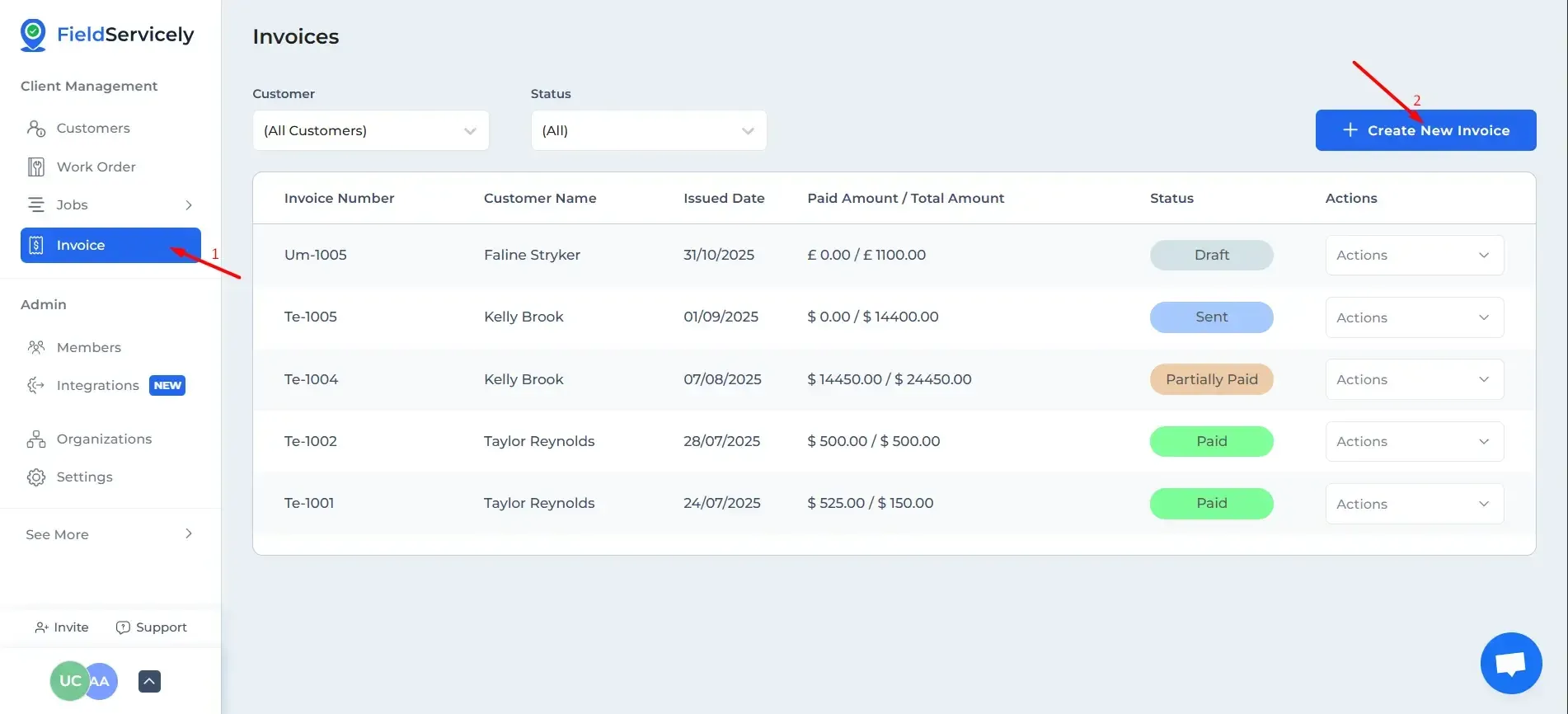
Click on ‘Invoice’ on the left sidebar and click on the ‘+ Create New Invoice’ on the top right of the loaded page.
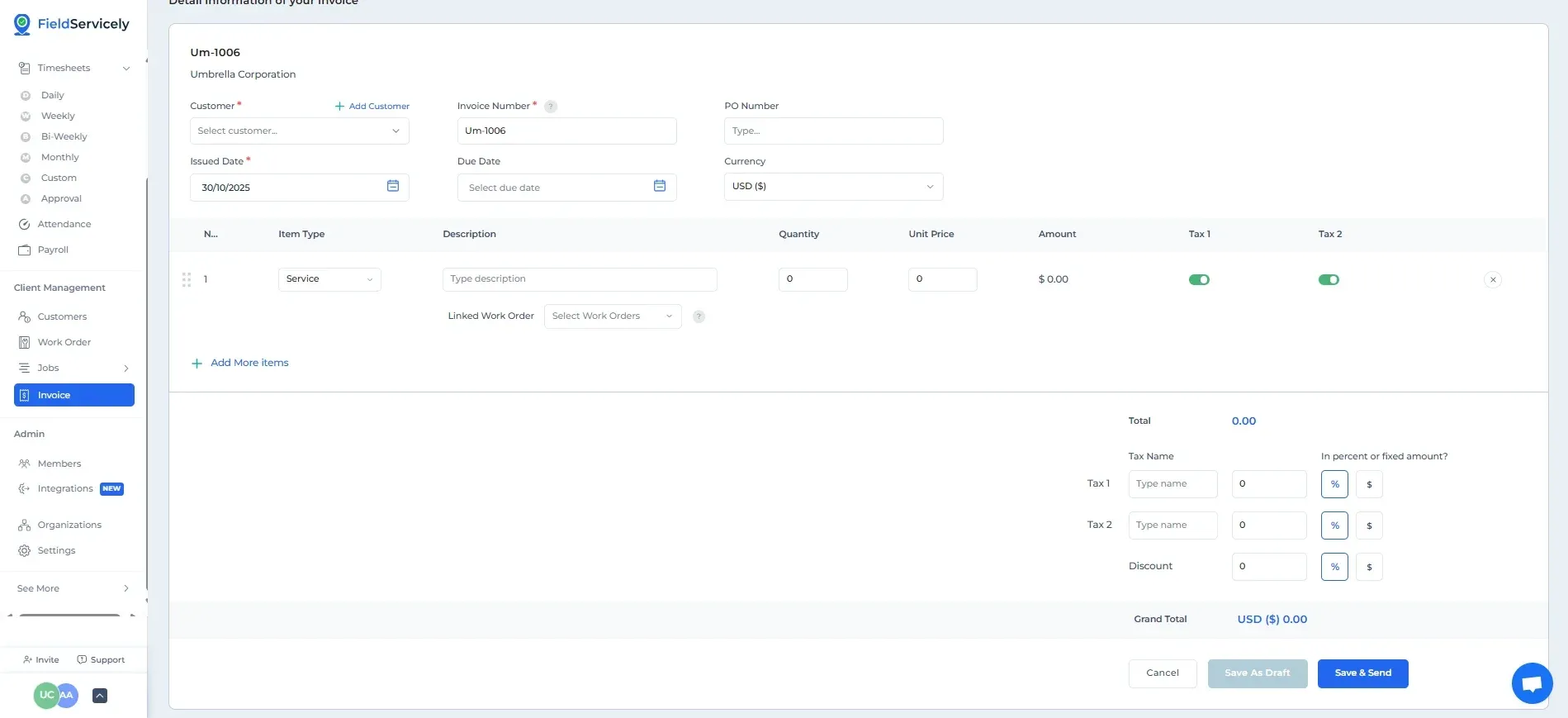
Provide:
- Customer
- Invoice Number, if you want to use a customer number and not the auto-generated unique one provided
- PO Number
- Issued Date
- Due Date
- Currency
- Item Type
- Description
- Quantity
- Unit Price
- Taxes and Discounts