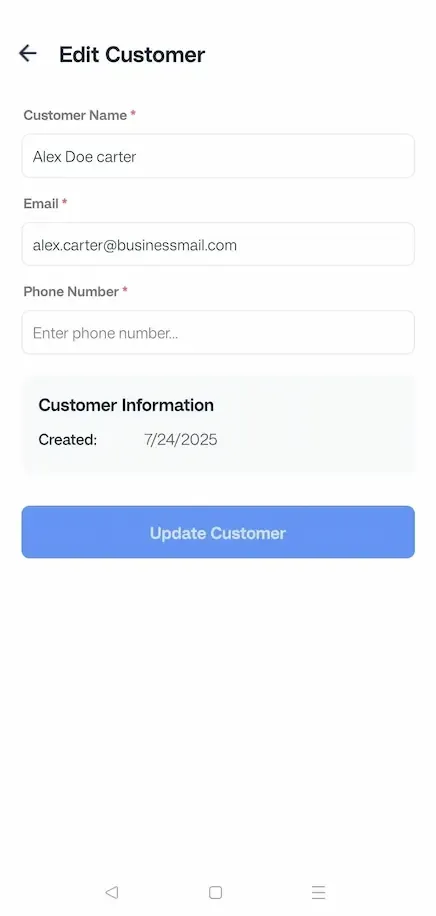
How to edit Customers' Details on FieldServicely?
Learn how to edit customers on FieldServicely to update client details, maintain accurate records, and manage your customer database efficiently.
Web App
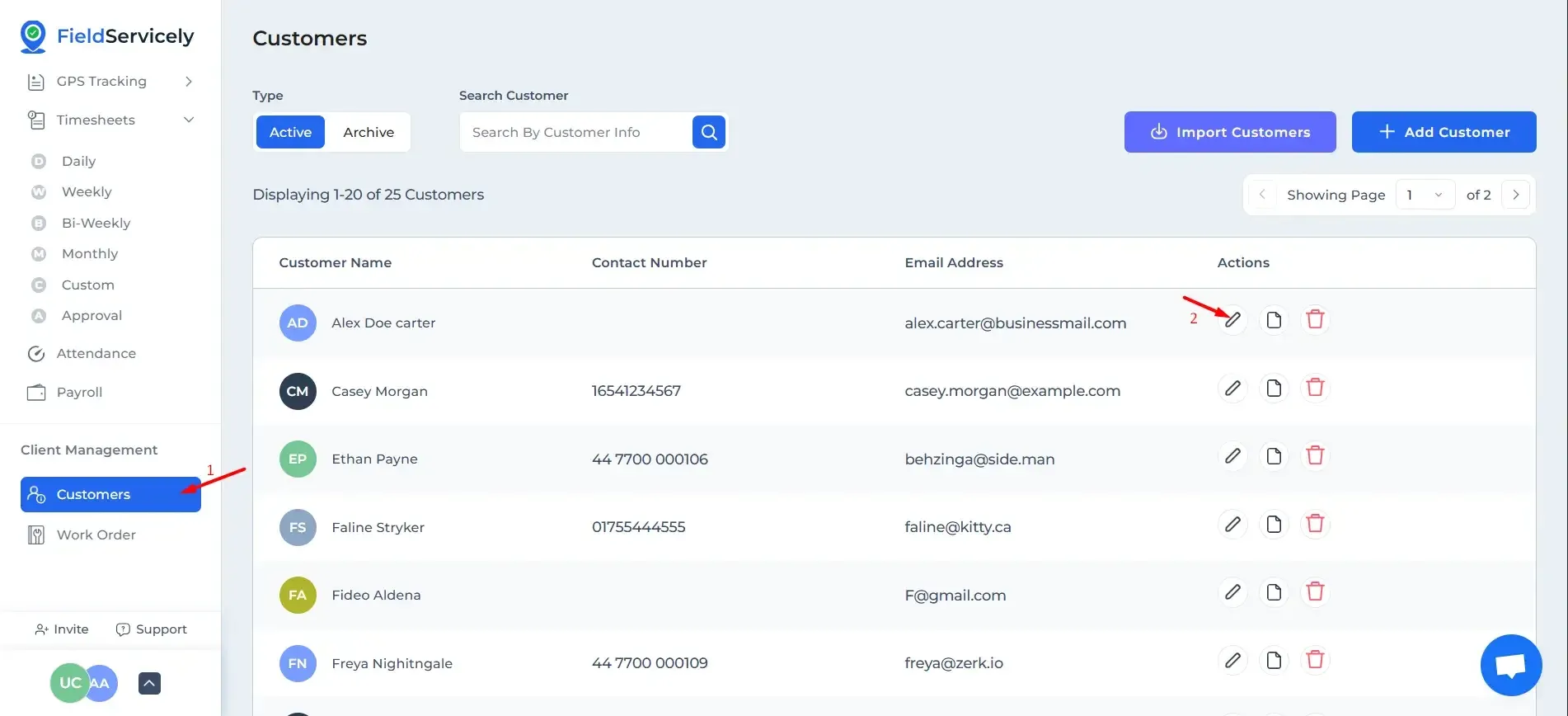
First, click on ‘Customers’ from the left sidebar. Then click on the ‘Edit’ button on the right of Customer information.
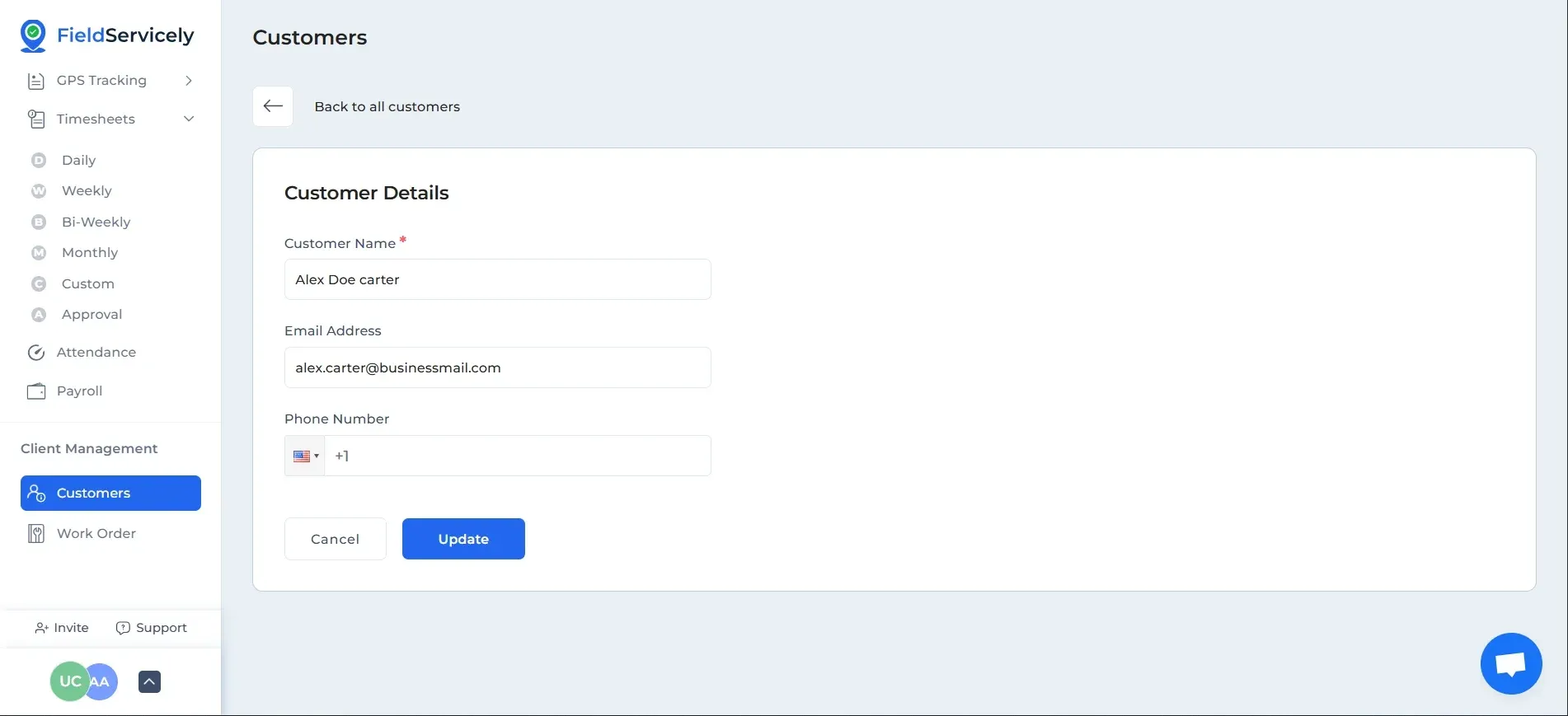
From here, you can edit:
- Customer Name
- Customer Email
- Customer Phone Number
Mobile App
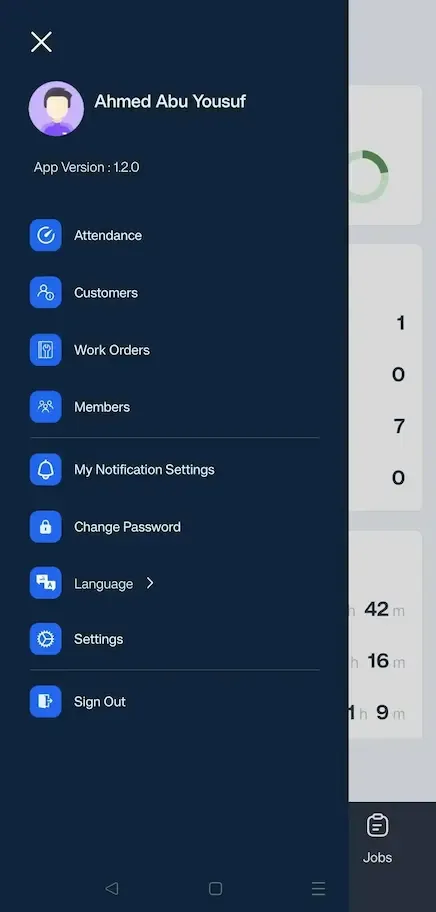
Tap on the ‘Customers’ tab from the left side menu and tap on the edit option under the customer you want to edit.
Edit what you want and tap on ‘Update Customer’ to save.