How do you edit an organization details on FieldServicely?
Learn how to edit organization details on FieldServicely to update company info, manage settings, and keep records accurate.
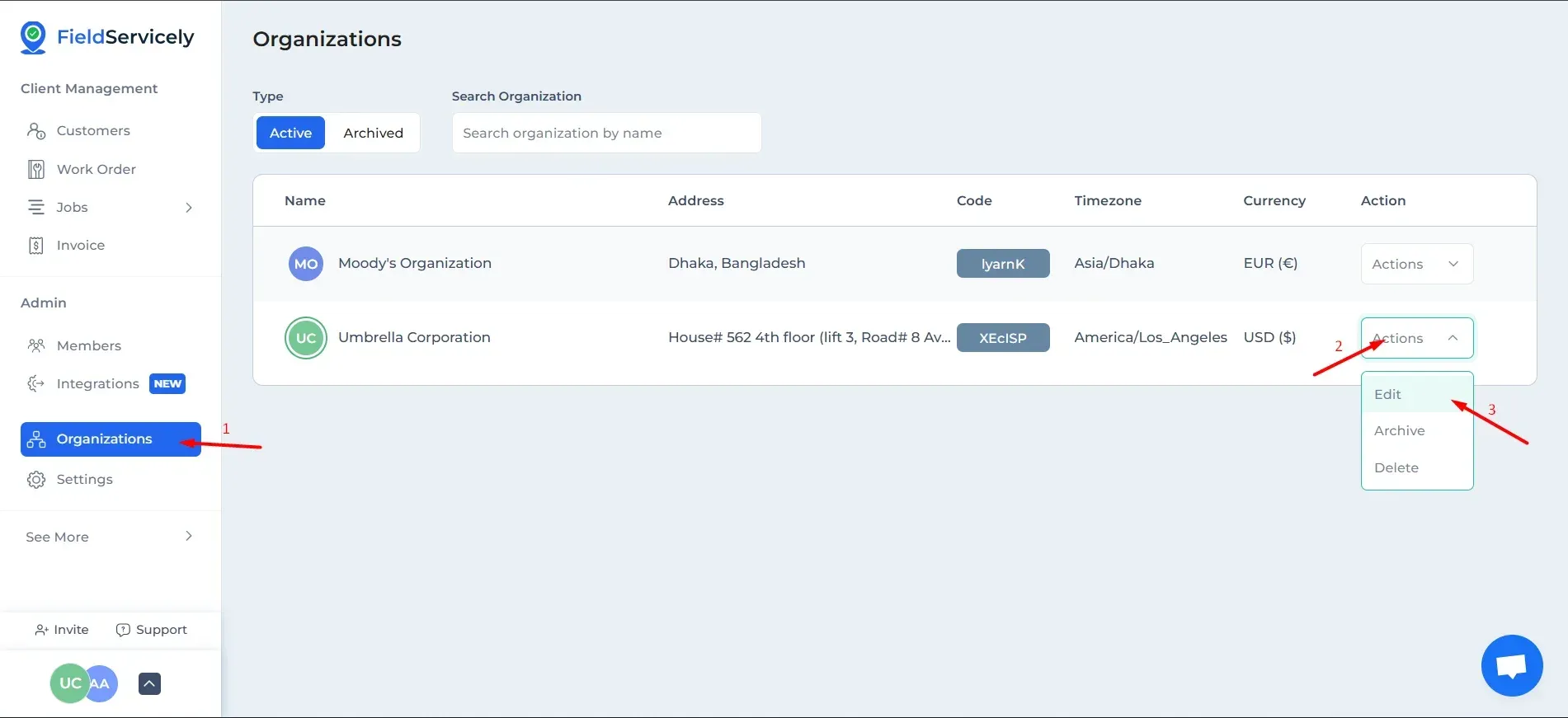
Click on ‘Organizations’ on the left sidebar and click on the ‘Actions’ drop-down and select ‘Edit’.
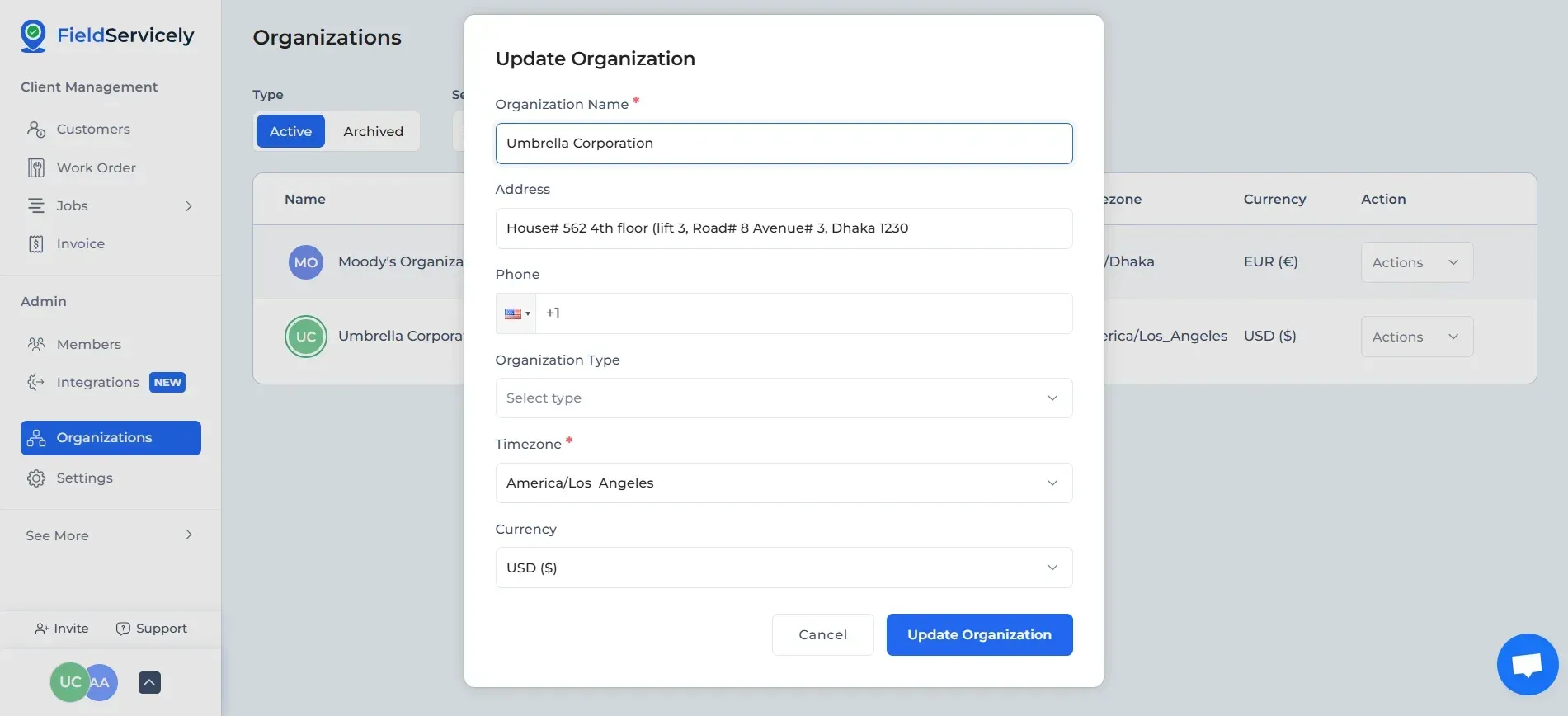
From here, you can edit:
- Organization Name
- Address
- Phone Number
- Organization Type
- Timezone
- Currency