How to approve completed Jobs?
Learn how to approve completed Jobs
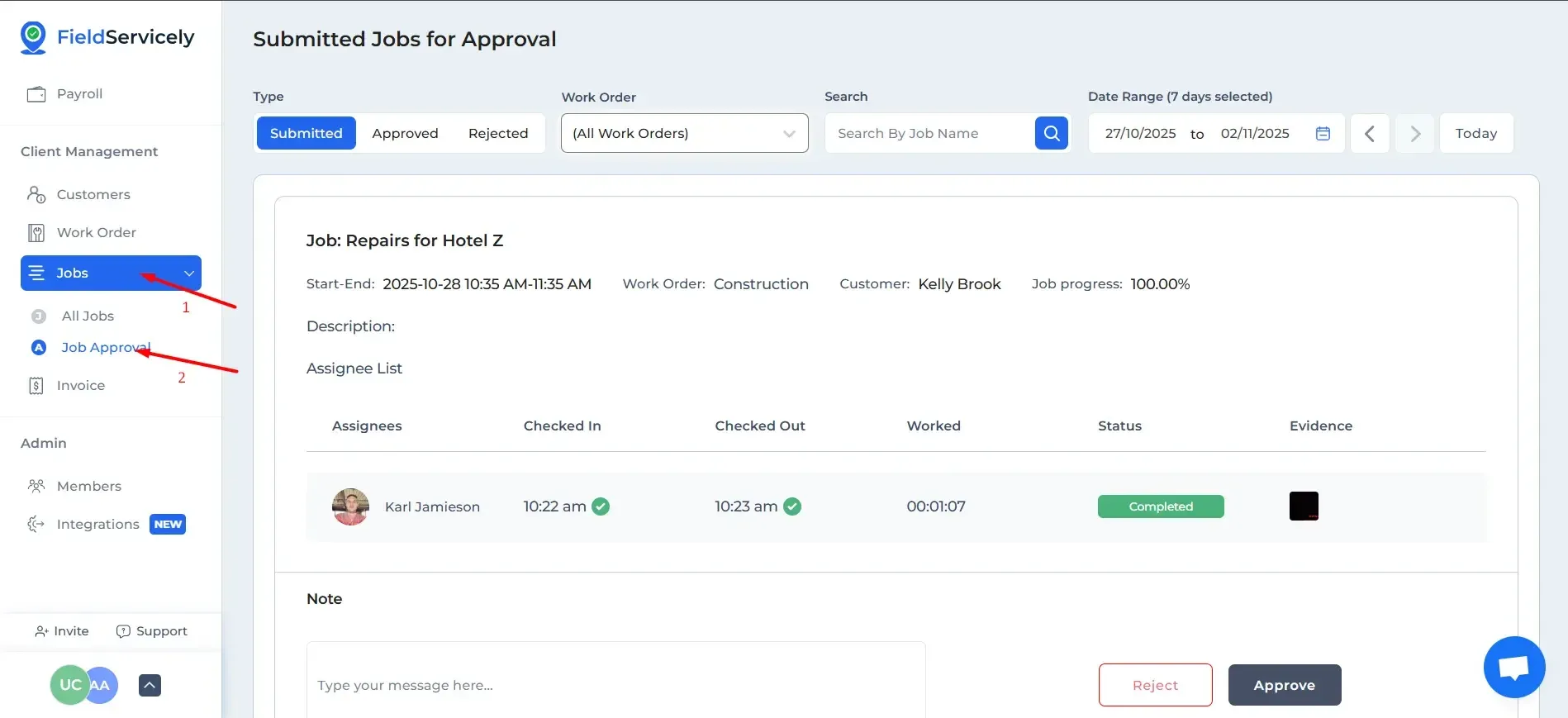
Click on the ‘Jobs’ drop-down menu and then click on ‘Job Approval’. On this page, you will see a list of pending jobs with evidence
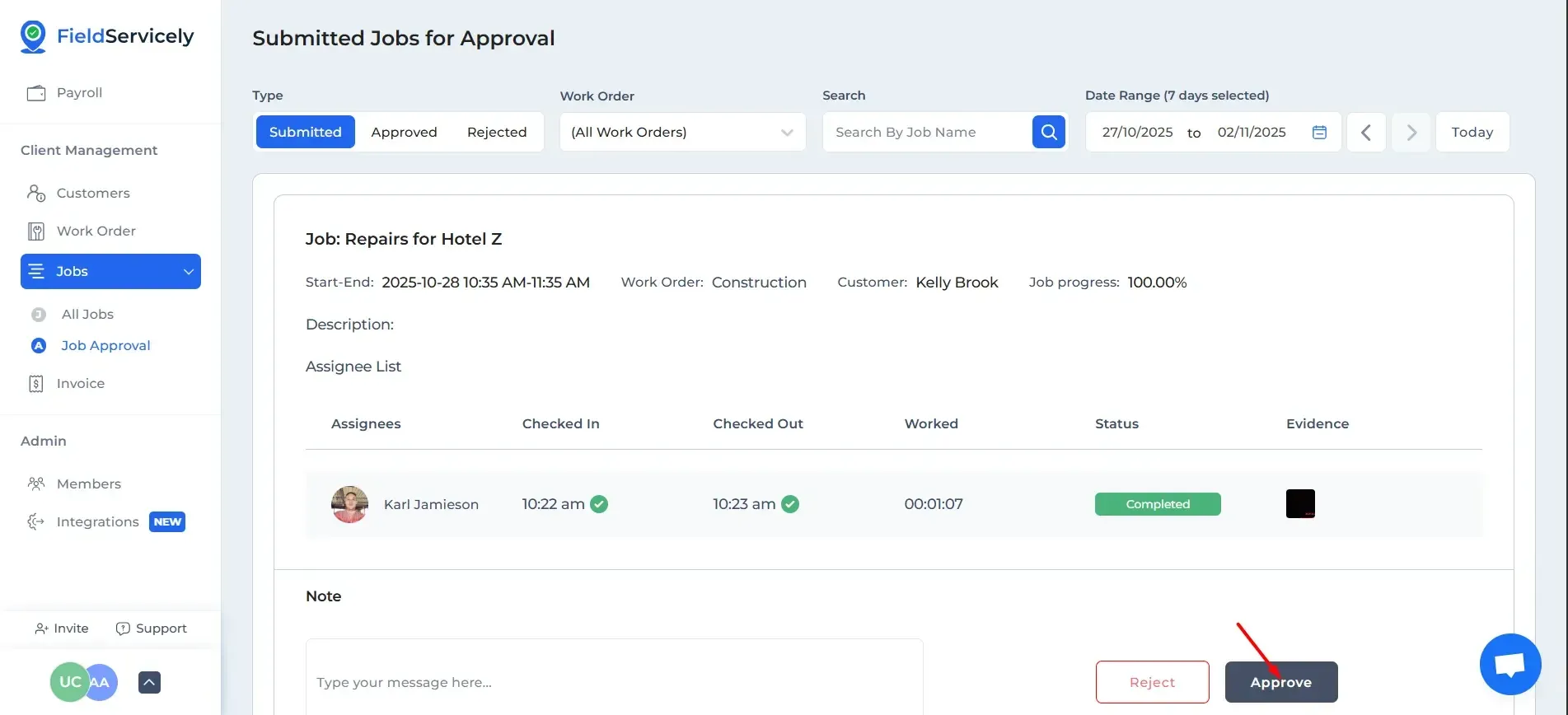
Click on the ‘Approve’ button for the job that you want to approve.
From Mobile App:
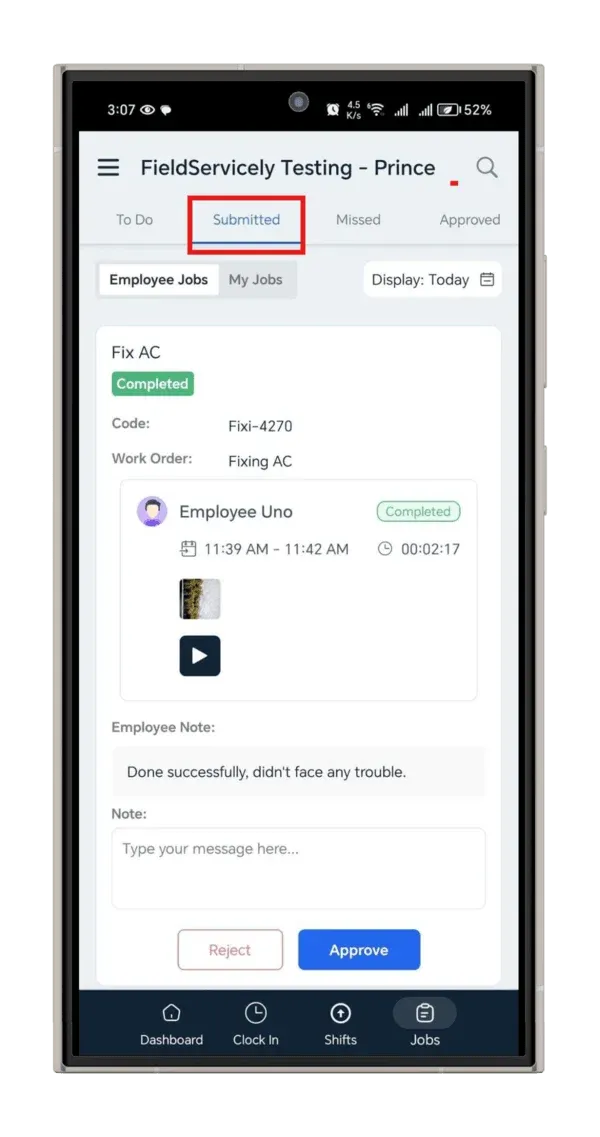
Firstly, go to the “Submitted” section and find the job. You can also search for the job.
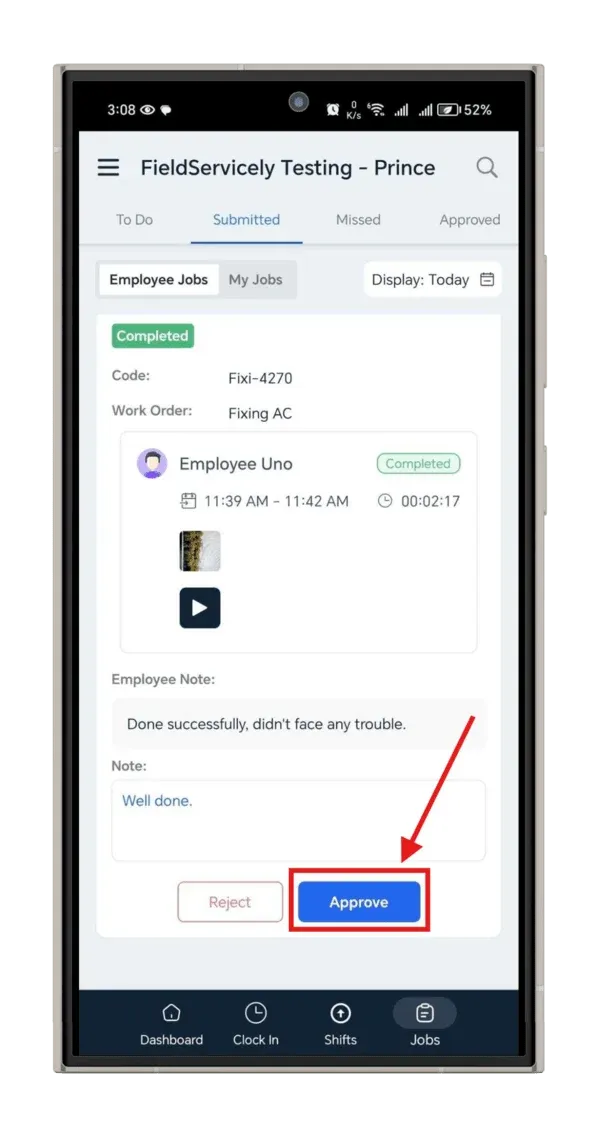
Now, you can check the evidence by tapping on photos or videos and write a note.
Then, tap on the “Approve” or “Reject” button to approve or reject the job.