
How to approve members' timesheets in FieldServicely
Learn how to approve members' timesheets for Payroll.
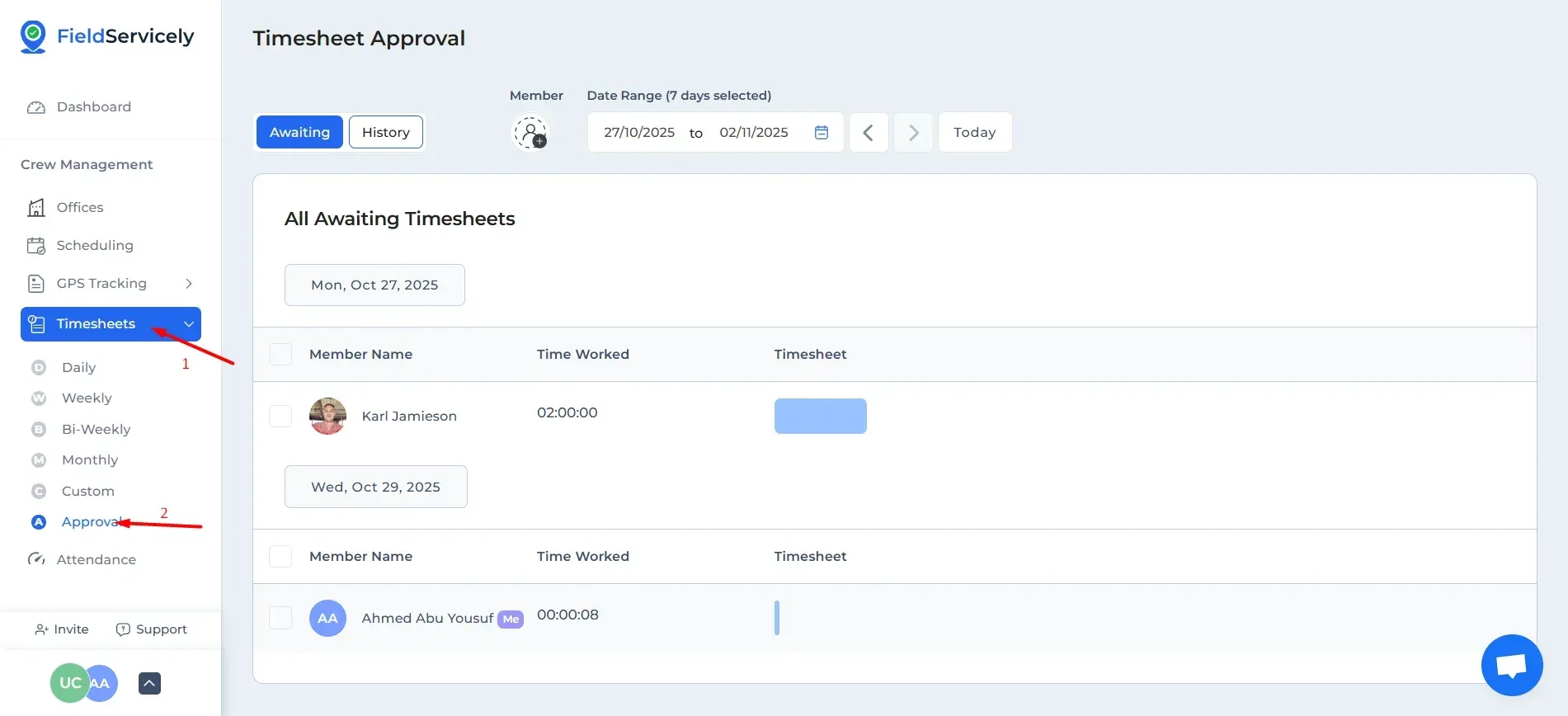
Click on the ‘Timesheets’ drop-down from the left side bar and click on ‘Approval’.
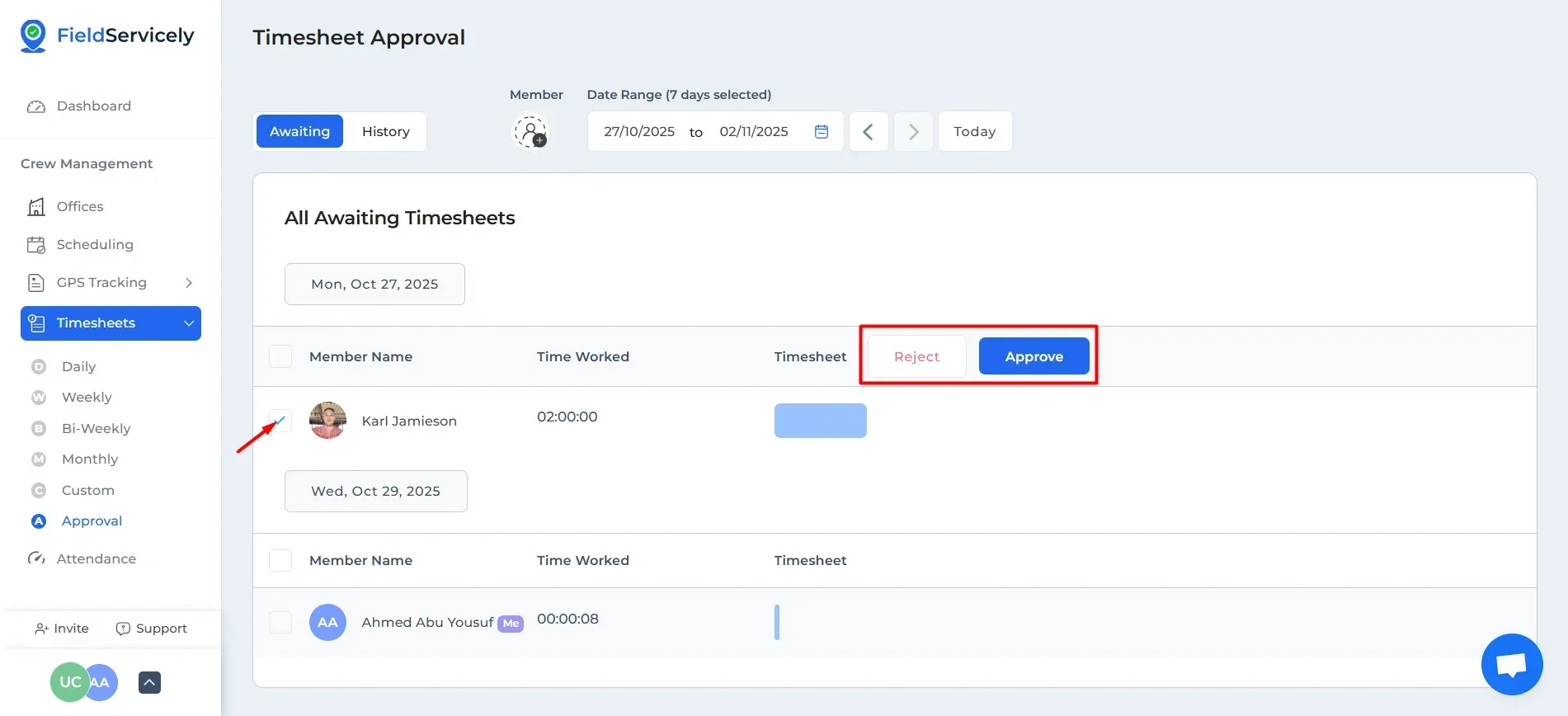
Check the box on the left of the employee name, and the option to confirm or reject the timesheet will appear here.
Pro Tip
If you want to approve a particular part of a day’s timesheet, you will notice that each check in will be coloured differently. Click on it and you can approve that particular timesheet.


