How to change the currency in FieldServicely?
Learn how to change the currency in FIeldServicely.
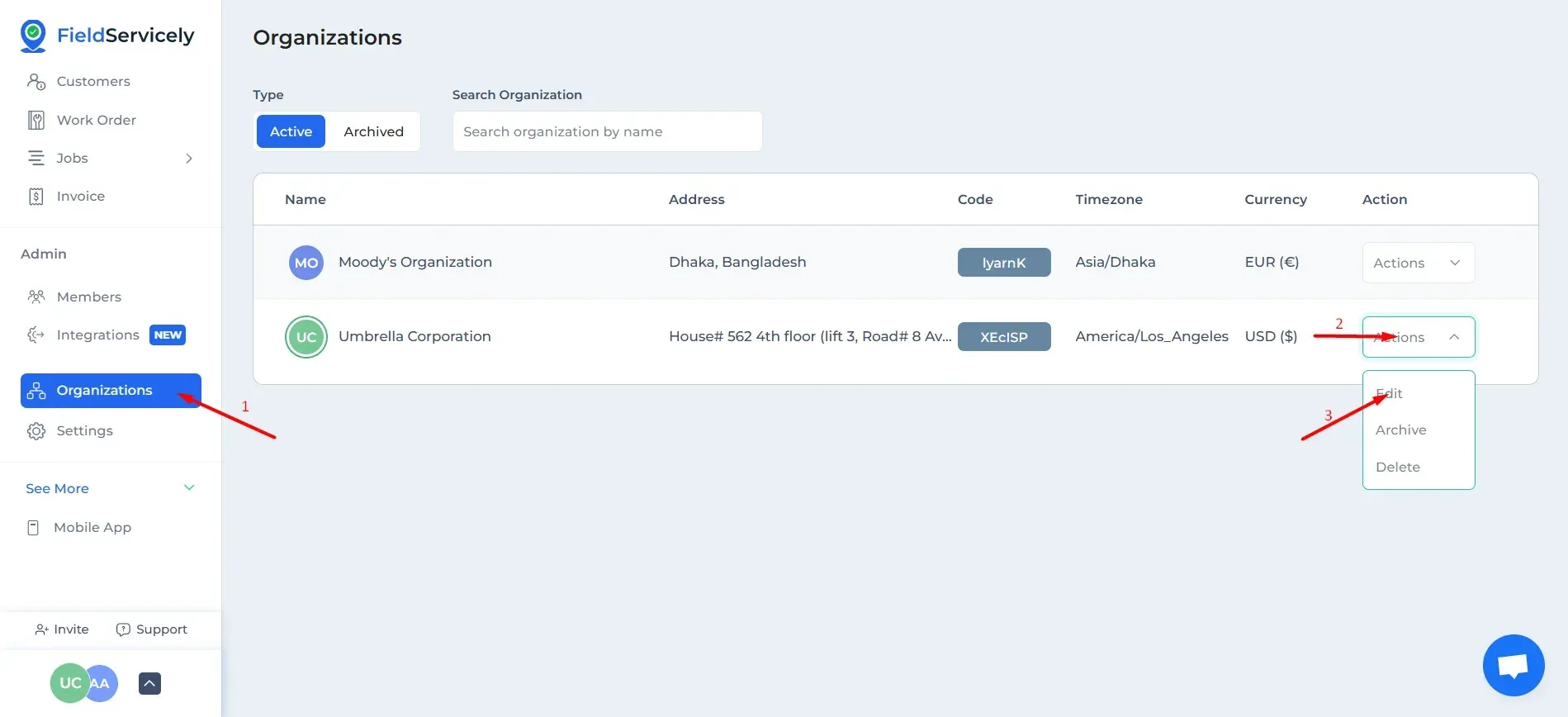
Go to Organization and click on the ‘Actions' drop-down on the right of the Organization name. Choose 'Edit'.
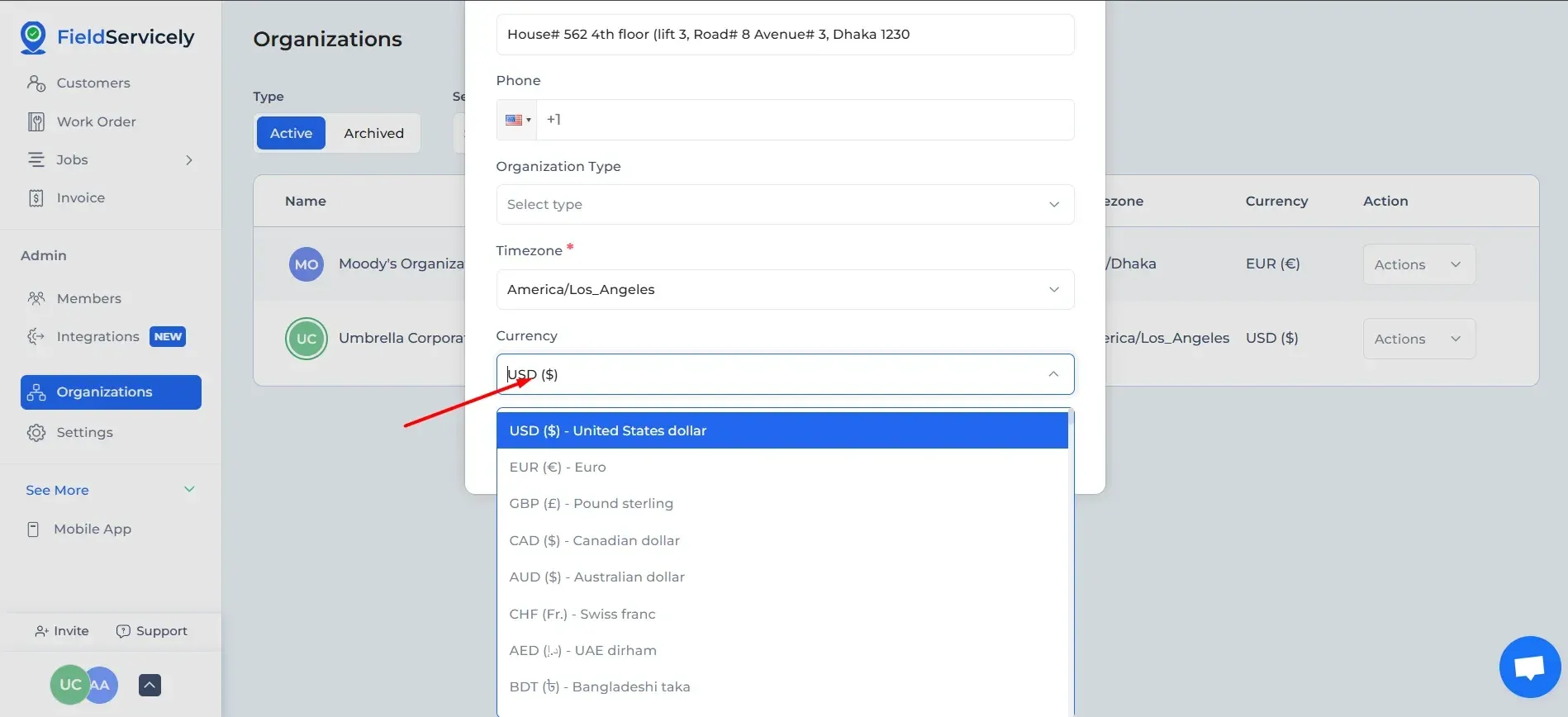
Select the currency from the currency dropdown.