
How to change password?
Learn how to change password
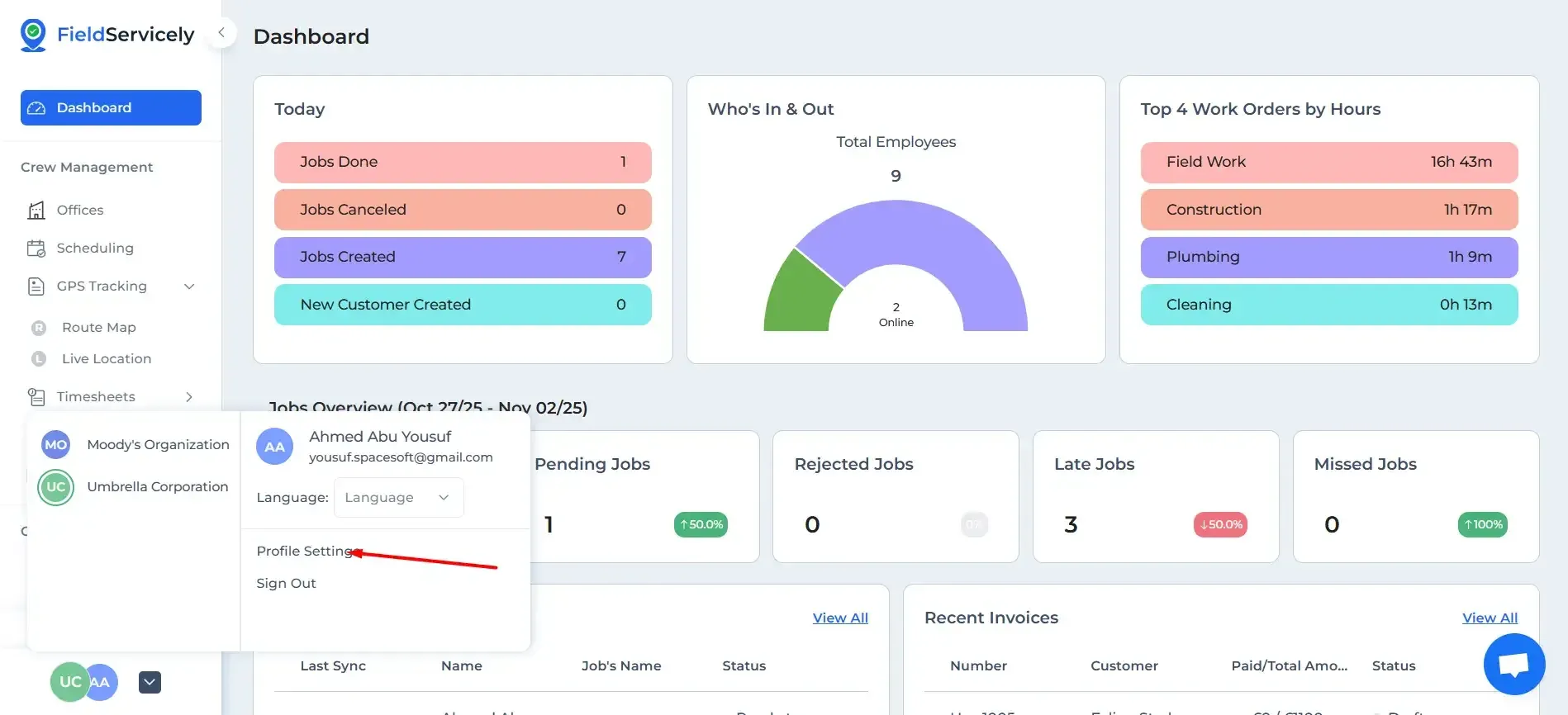
Click on the arrow at the bottom of the left side bar and click on ‘Profile Settings’.
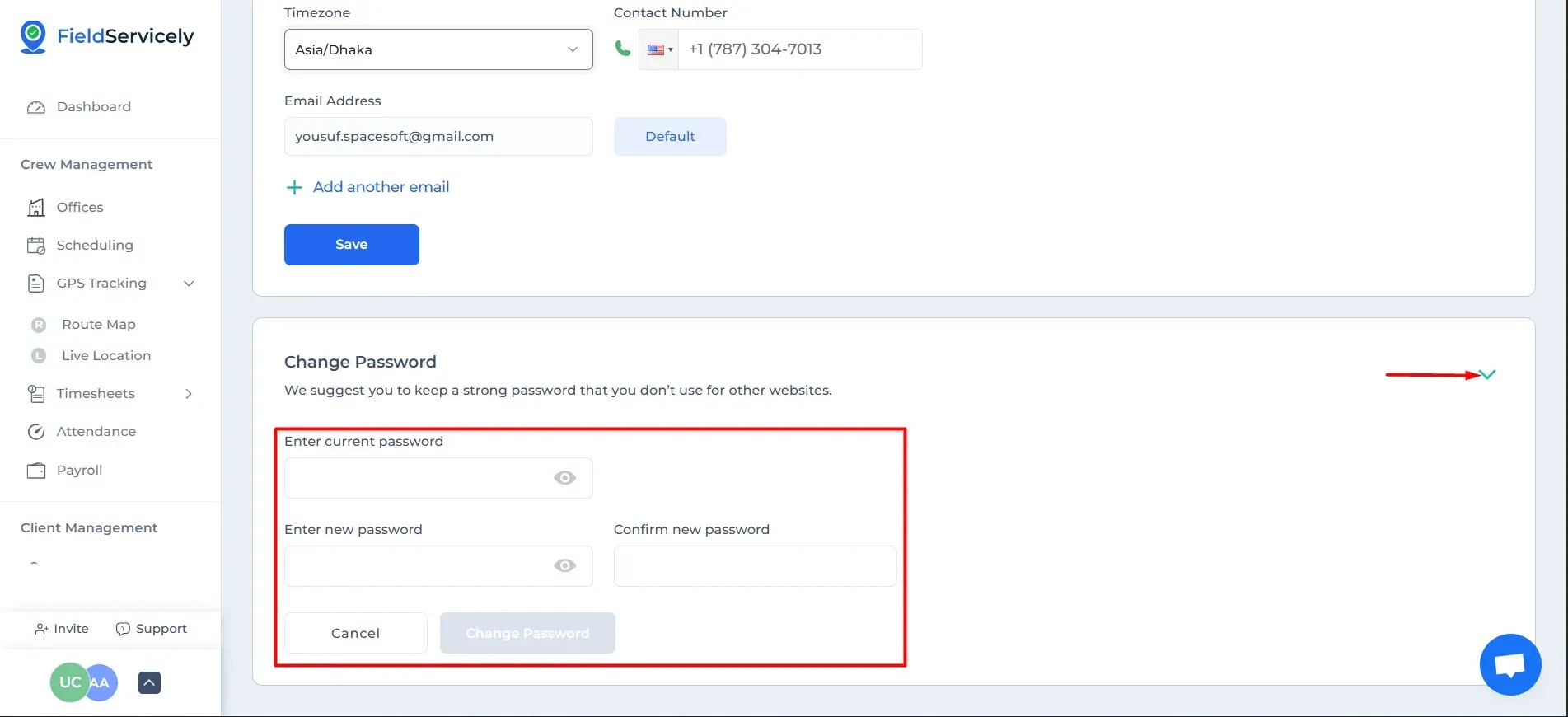
Click on ‘Change Password’, input your
- Current password
- Your new password
Finally, confirm your new password.
Learn how to change password
Click on the arrow at the bottom of the left side bar and click on ‘Profile Settings’.
Click on ‘Change Password’, input your
Finally, confirm your new password.


