How to create a new job in FieldServicely?
Learn how to create a new job in FieldServicely?
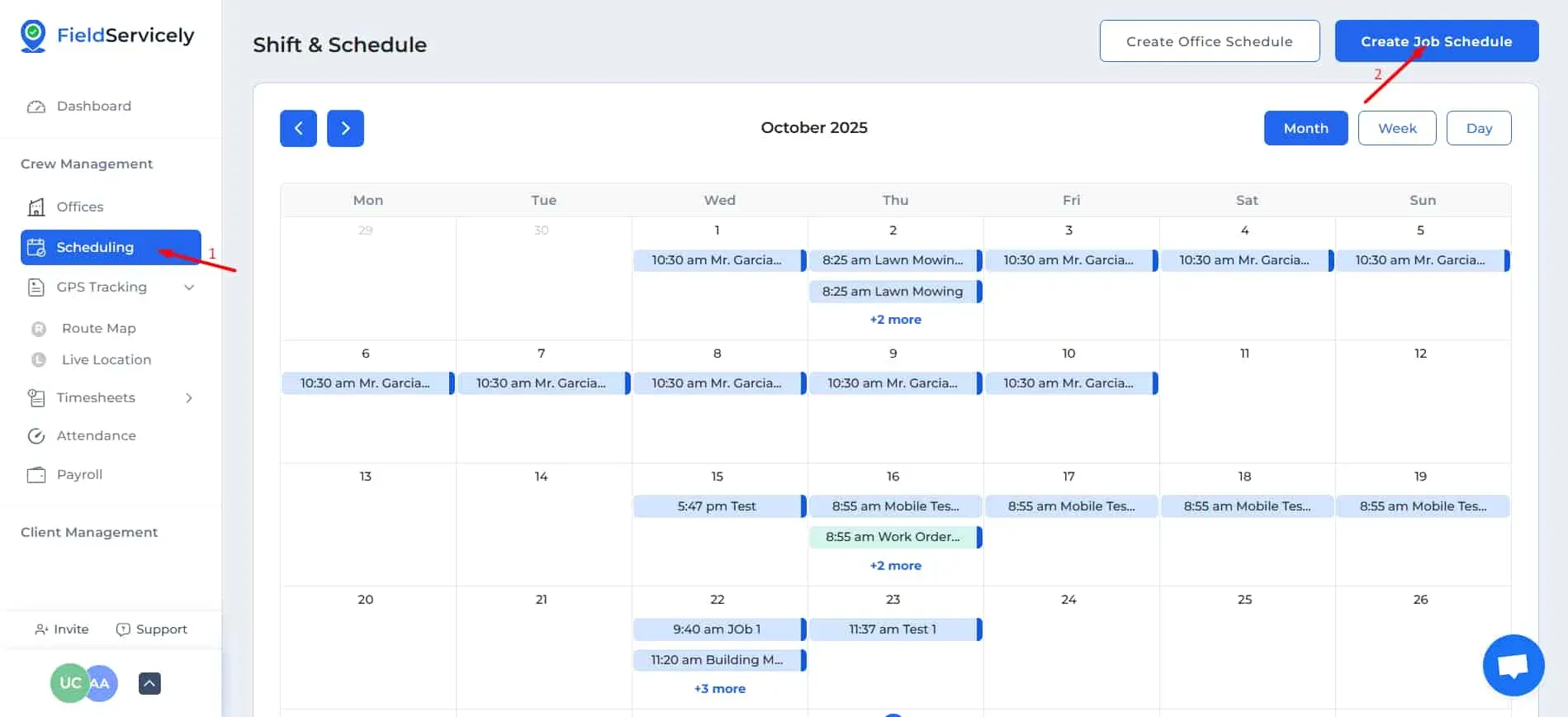
Go to ‘Scheduling’ from the left sidebar. Click on the ‘Create Job Schedule’ to bring up the Create Job Form.
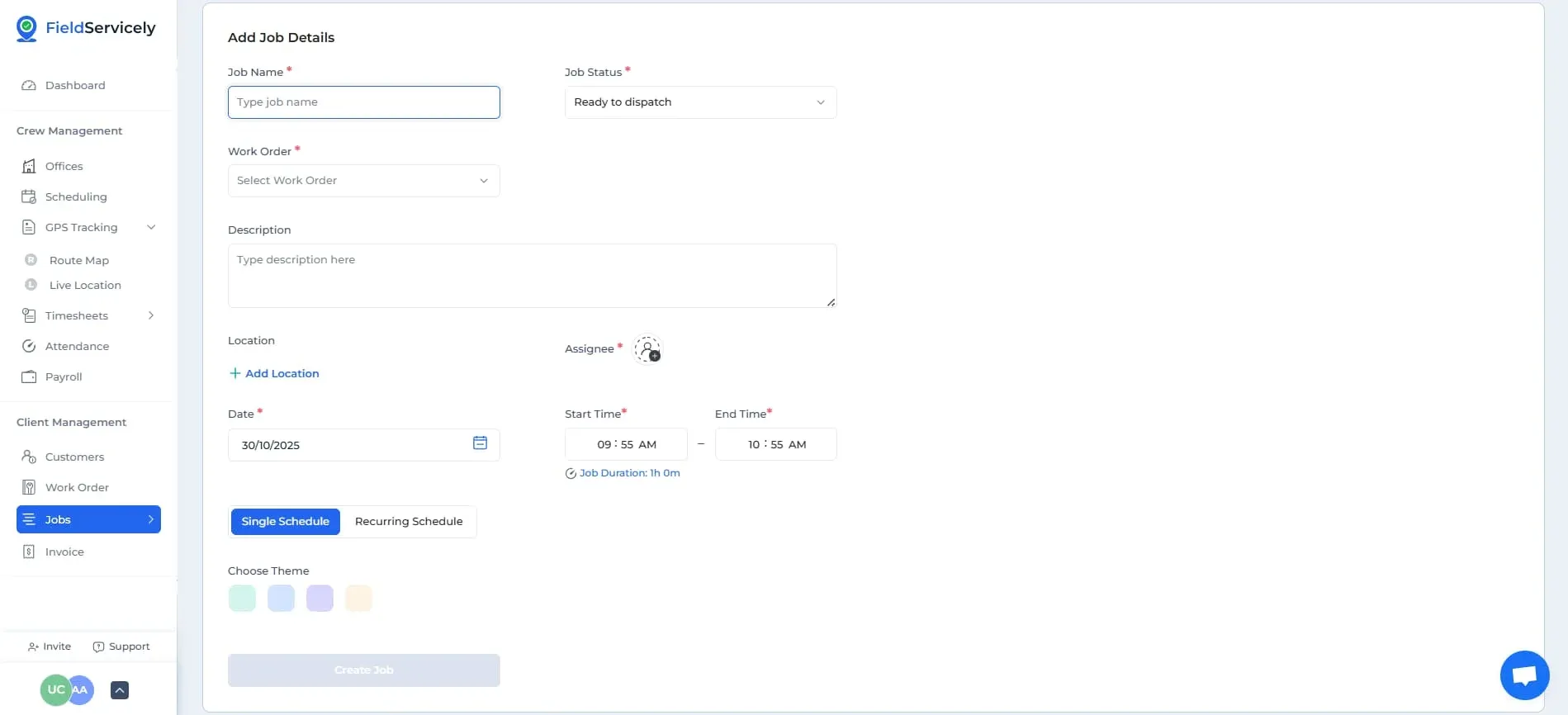
Now:
- Give your job a name
- Choose its status (Ready to Dispatch if you have Members ready to do the job, Unscheduled if you want to assign and start the job at a later time)
- Give a description
- Choose a location
- Assign members
- Choose a date
- Choose a start and end time
- Choose if a single schedule or a recurring schedule (single schedule for a one-off job, recurring schedule in case the job needs to be done over a number of days)
- Choose a theme.
- Create Job