How to create an Office Schedule on FieldServicely?
Updated on 12 Dec 2025
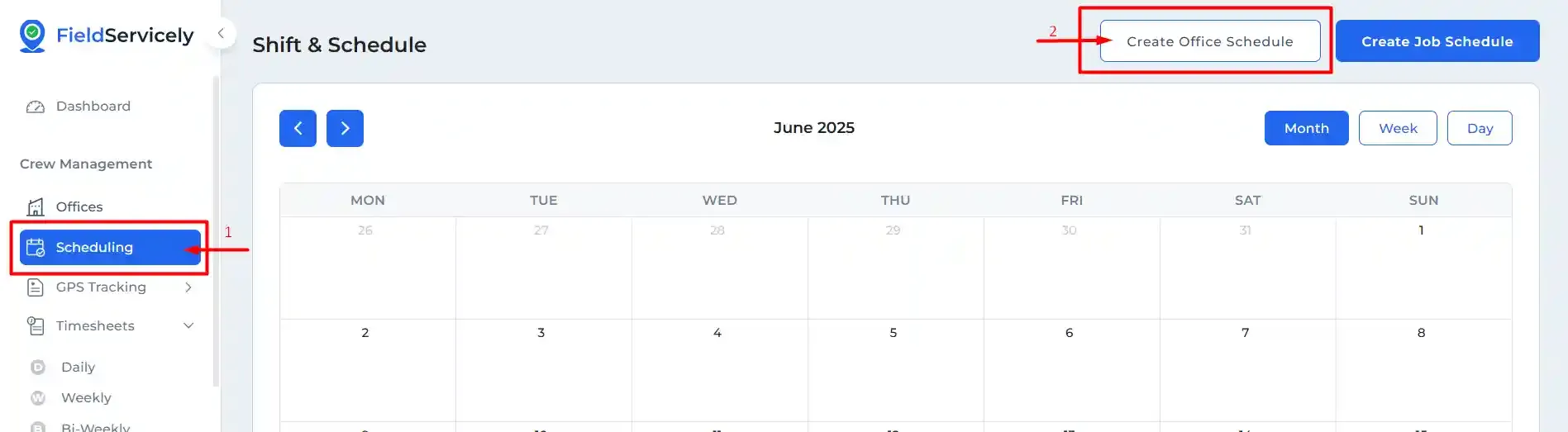
Click on ‘Scheduling’ from the left side bar, and then on ‘Create Office Schedule’ on the top right-hand above the calendar.
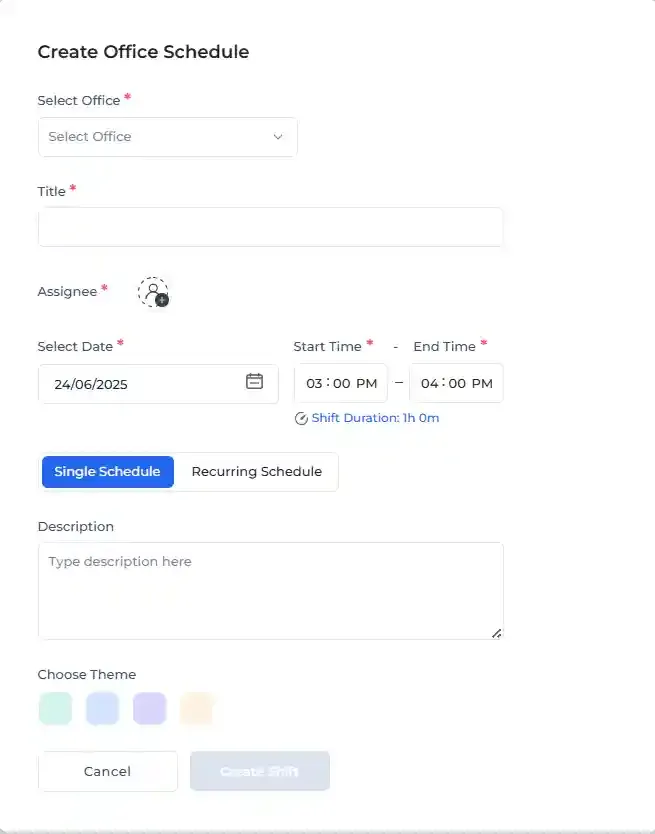
Fill in the information on the form that pops up and click on ‘Create Shift’ at the bottom.