How to schedule new jobs?
Learn how to schedule new jobs with FieldServicely
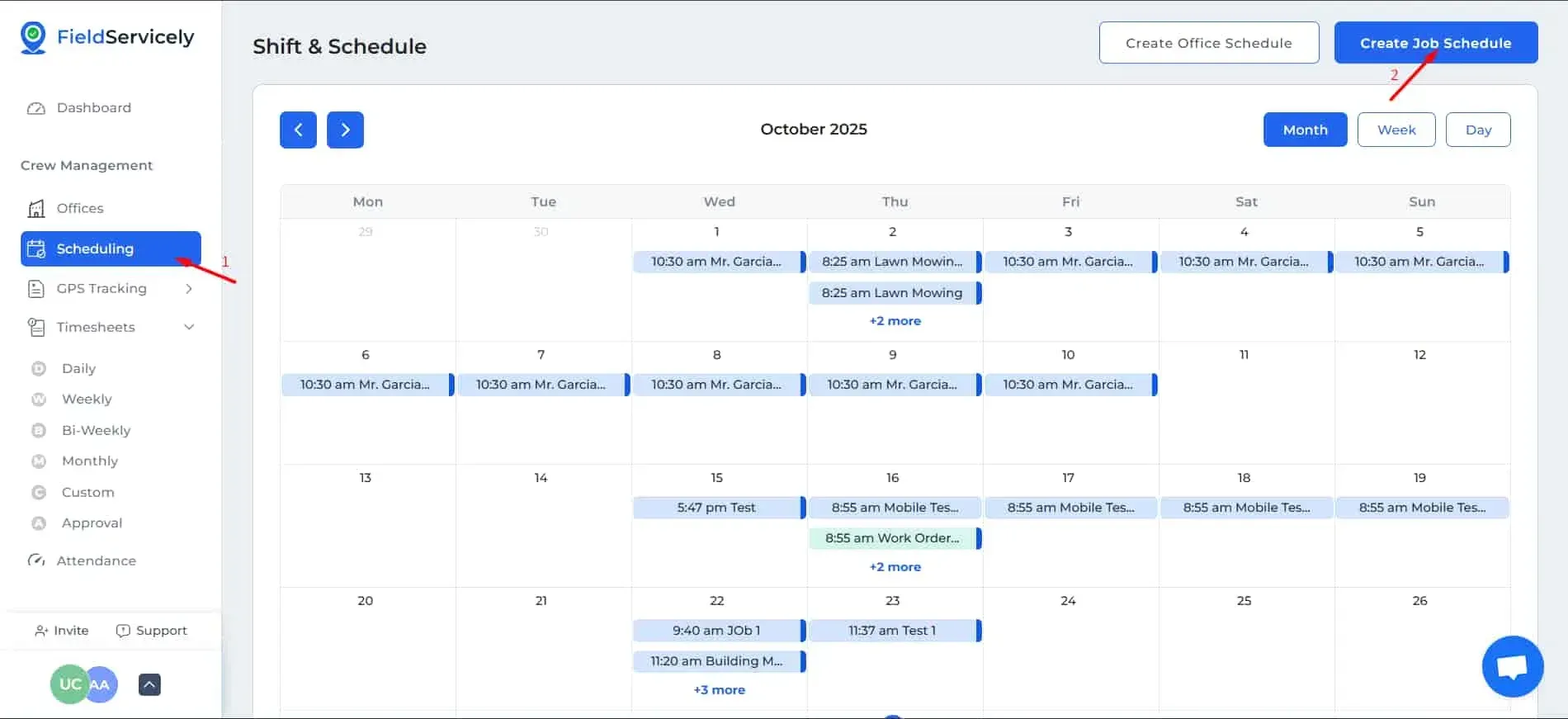
Click on ‘Scheduling’ from the left side bar, and then on ‘Create Job Schedule’ on the top right-hand above the calendar.
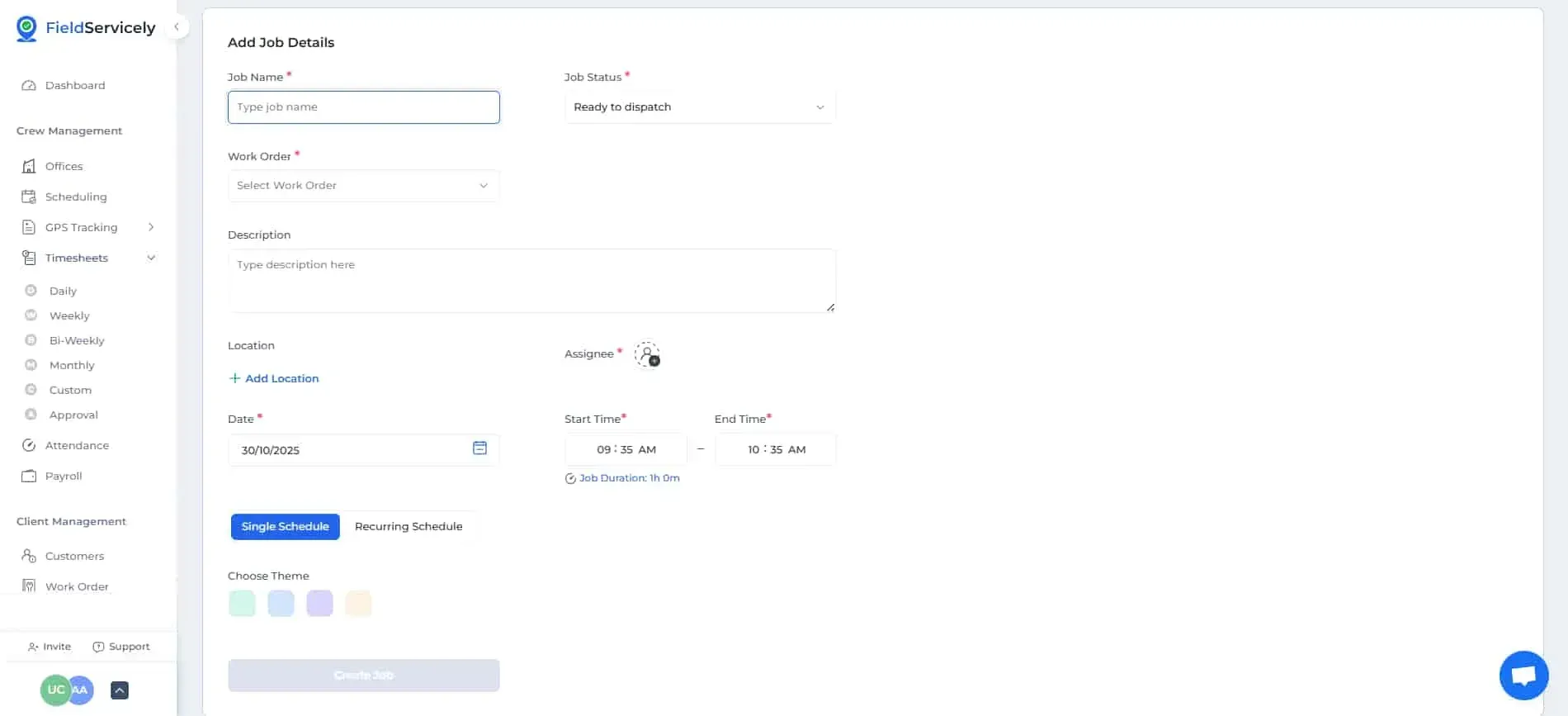
Provide the following information on the form when it pops up;
- Job Name
- Job Status
- Work Order
- Description
- Location
- Assignee
- Date
- Start and End Time
- Single or Recurring Schedule
- If recurring, choose how it will repeat and an end date
- Choose Theme