How can I Unarchive my Organization?

Learn how to unarchive your organization on FieldServicely and get back on track to running your business smoothly.

To unarchive your Organization, go to Organizations from the left side bar.
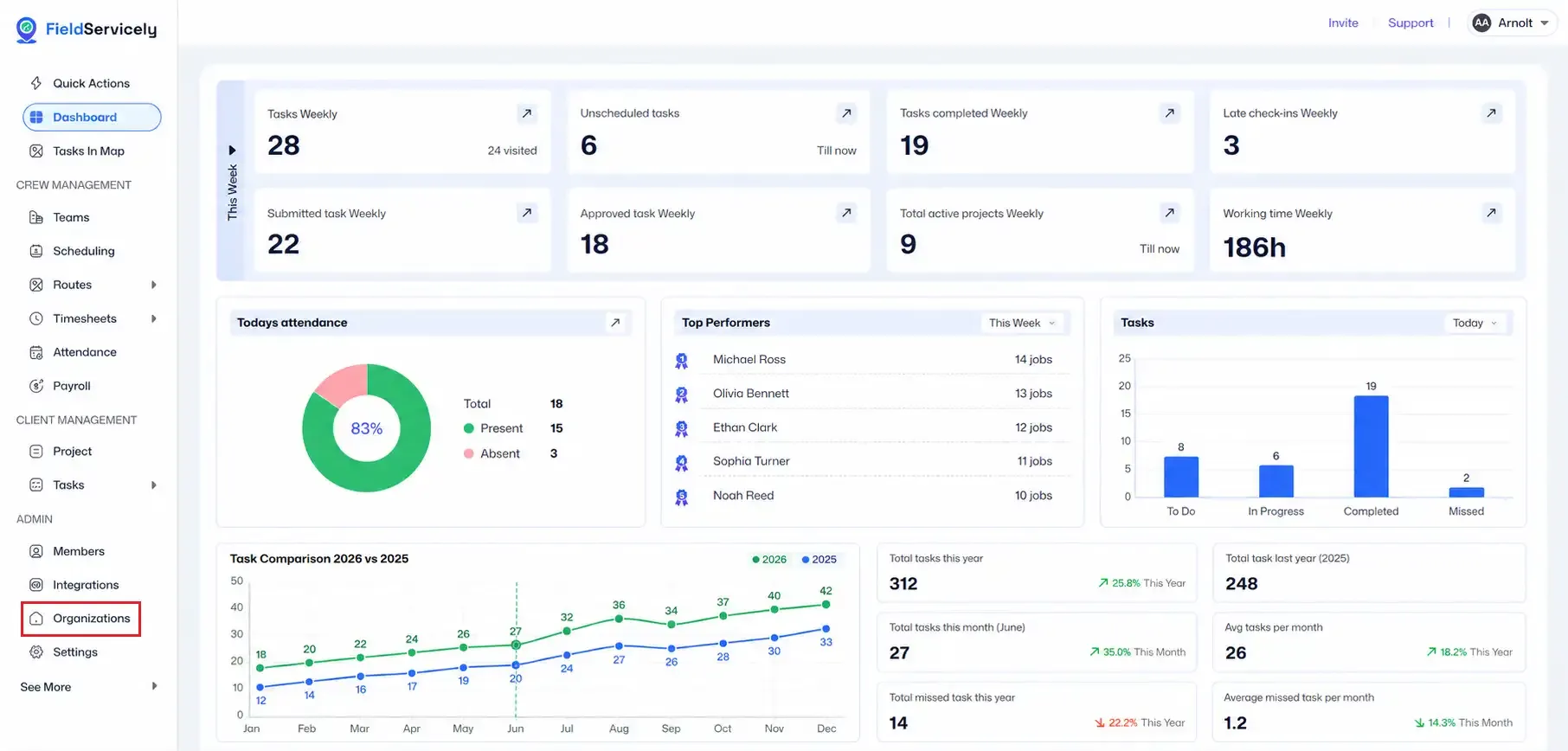
FieldServicely dashboard showing weekly task metrics, attendance donut chart, top performers, task status bar chart, yearly task comparison, and summary cards. The left sidebar is open with Organizations highlighted in red for setup guidance.

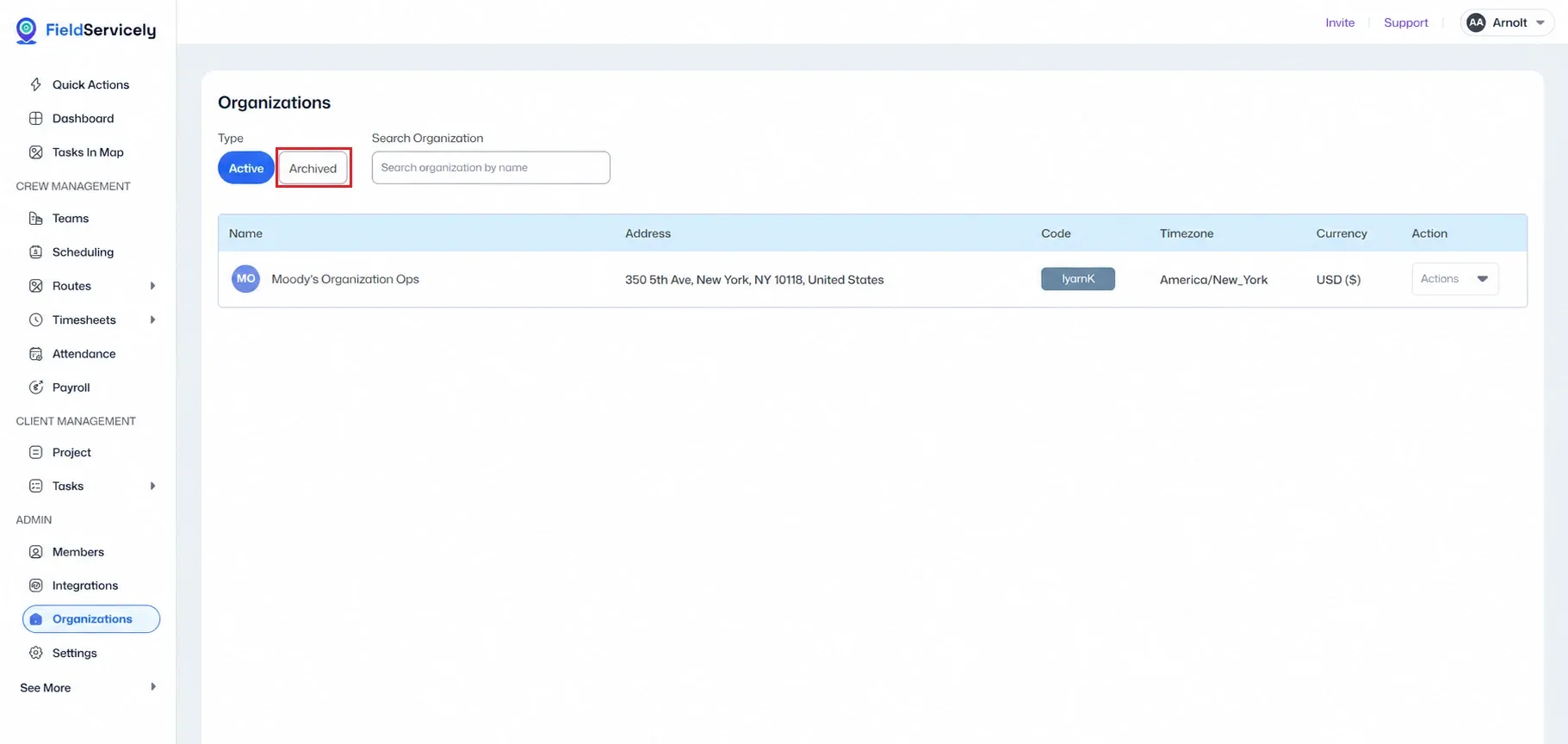
Switch to Archived.

FieldServicely Organizations page showing Active and Archived type tabs, search organization field, and an organization table with name, address, code, timezone, currency, and actions. The Archived tab is highlighted in red for unarchive guidance.

From under Actions, click the Unarchive option.
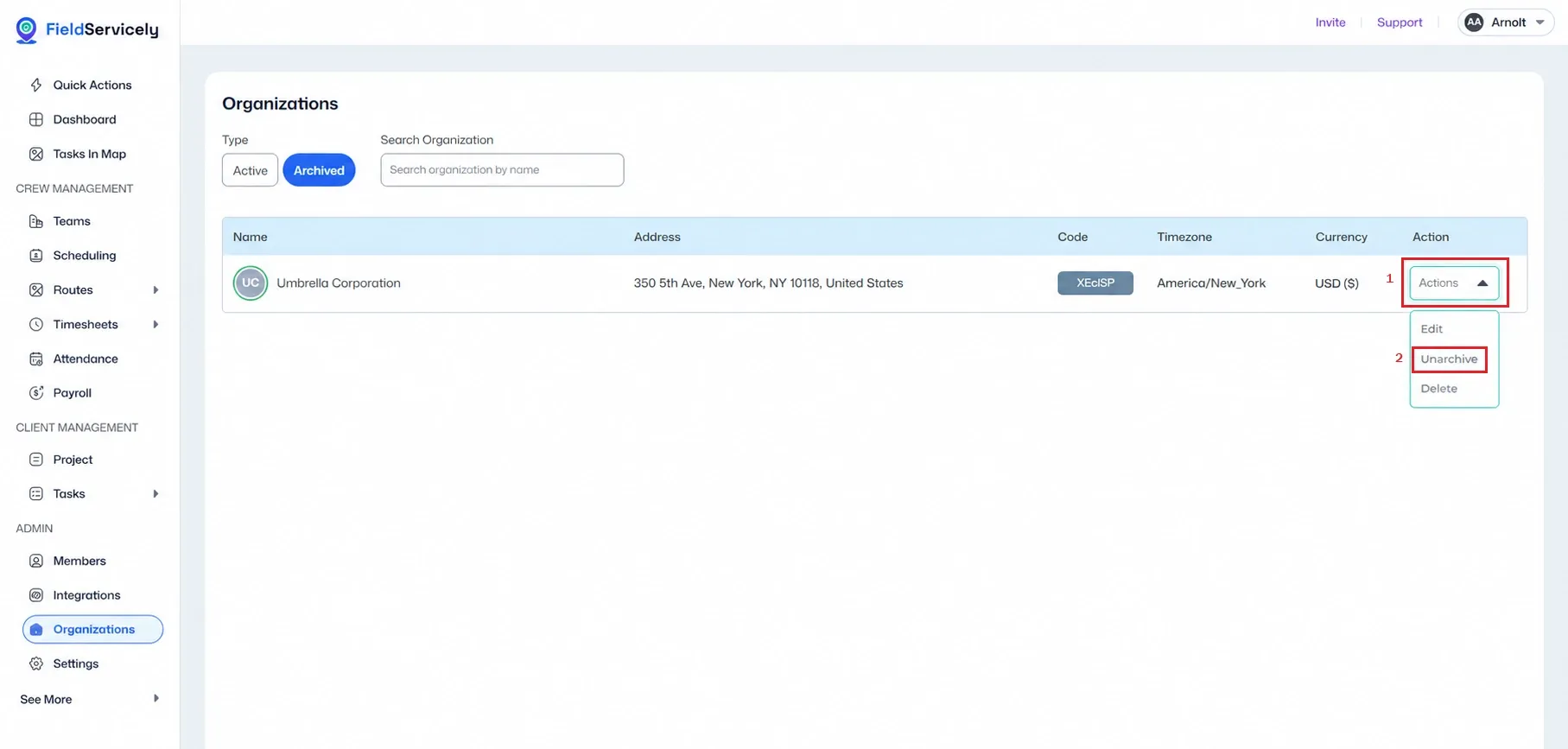
FieldServicely Organizations page with Archived tab selected, showing Umbrella Corporation in the organization table. The Actions dropdown is open on the right, with Unarchive highlighted in red to guide restoring an archived organization.

You will be redirected to the billing page. You will need to activate your subscription to unarchive your organization.
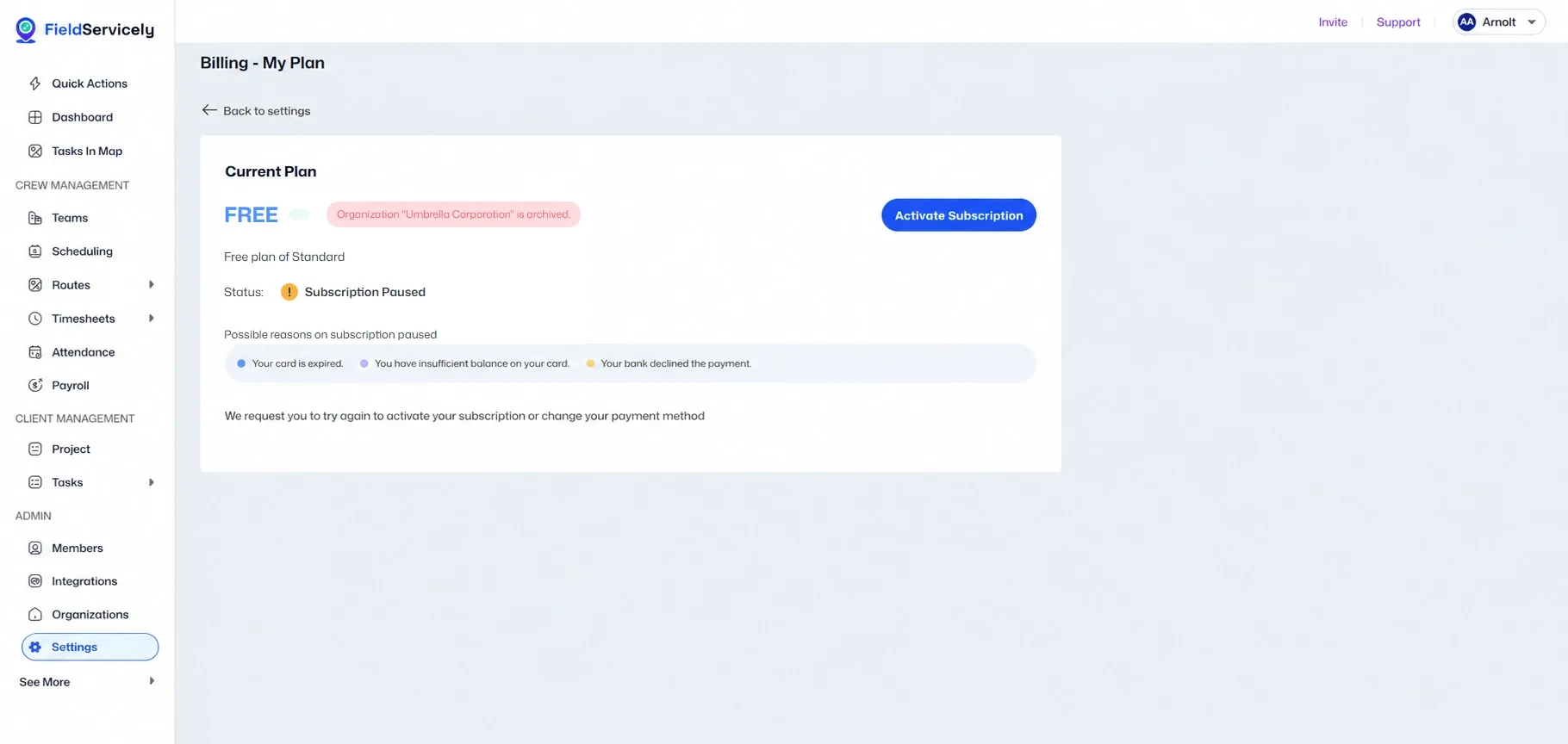

FieldServicely Billing - My Plan page showing the current FREE plan with subscription paused status, an archived organization warning for Umbrella Corporation, possible payment issue reasons, and a blue Activate Subscription button in the plan card.