
How to view evidence of completed jobs with FieldServicely
Learn how to view evidence of completed jobs
From the left side panel go to to view the completed jobs.
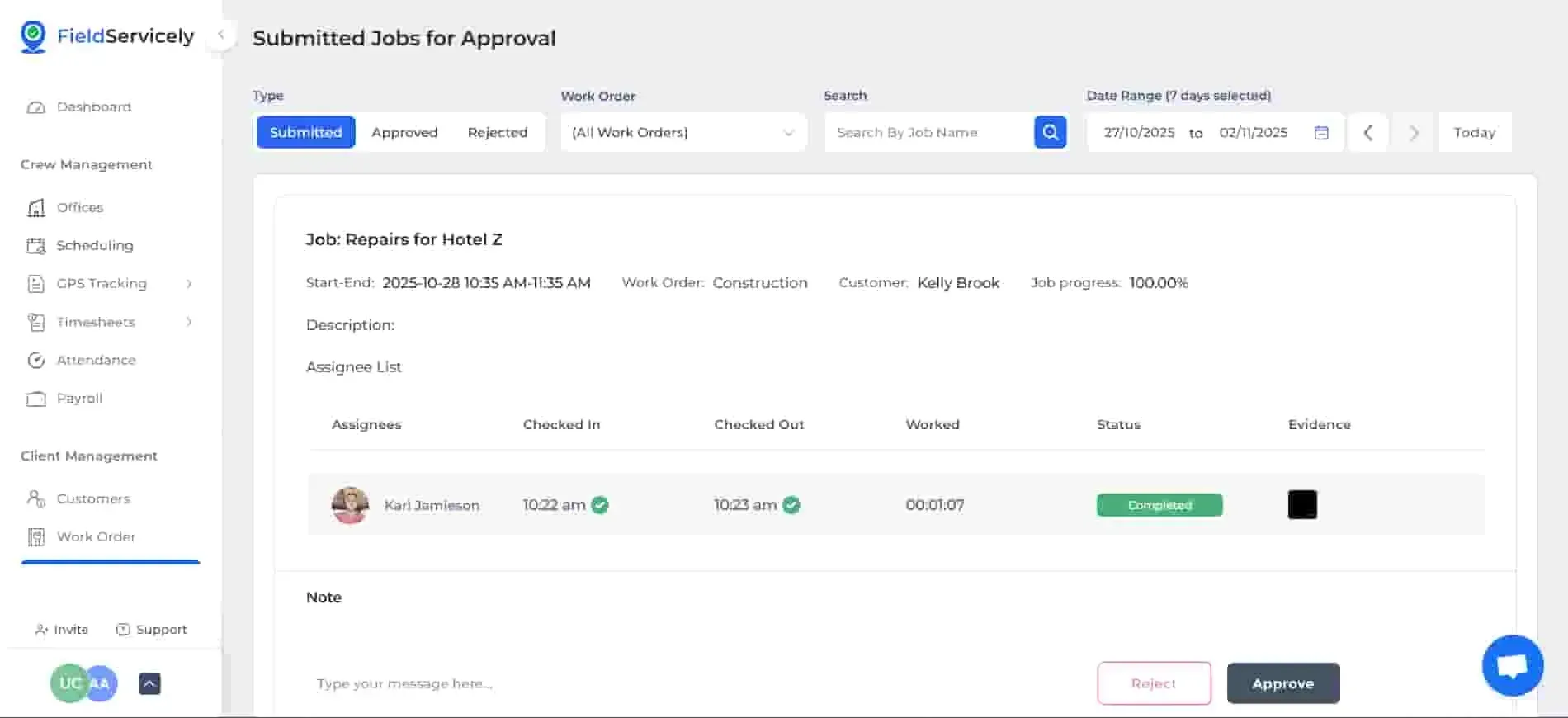
On this page, you will be able to see:
- Photo Evidence
- Audio Evidence
- Noted
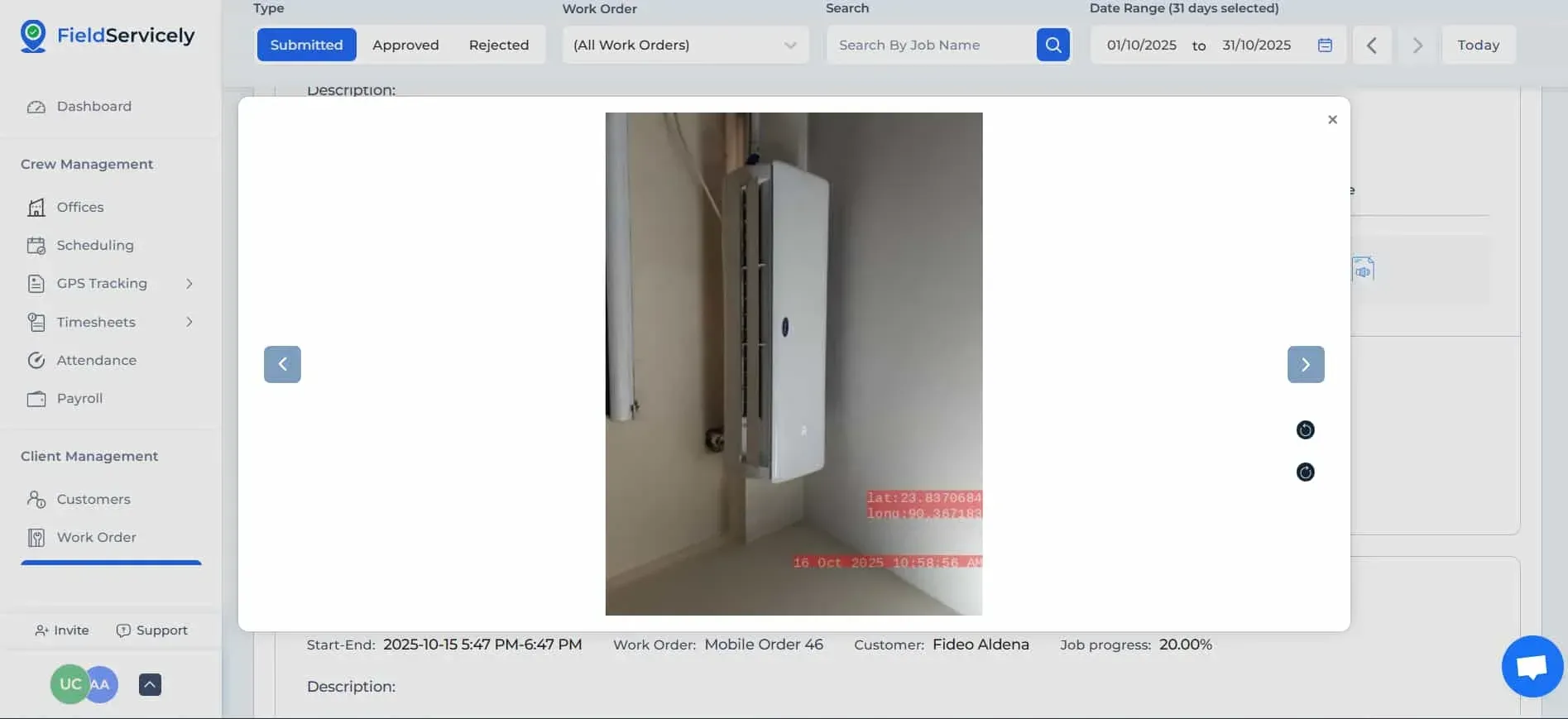
By clicking on the image, you will be able to see the geotagged photo evidence submitted by your member.
By clicking on the audio, you will hear the audio submitted by your member. You will also be able to download the audio file.
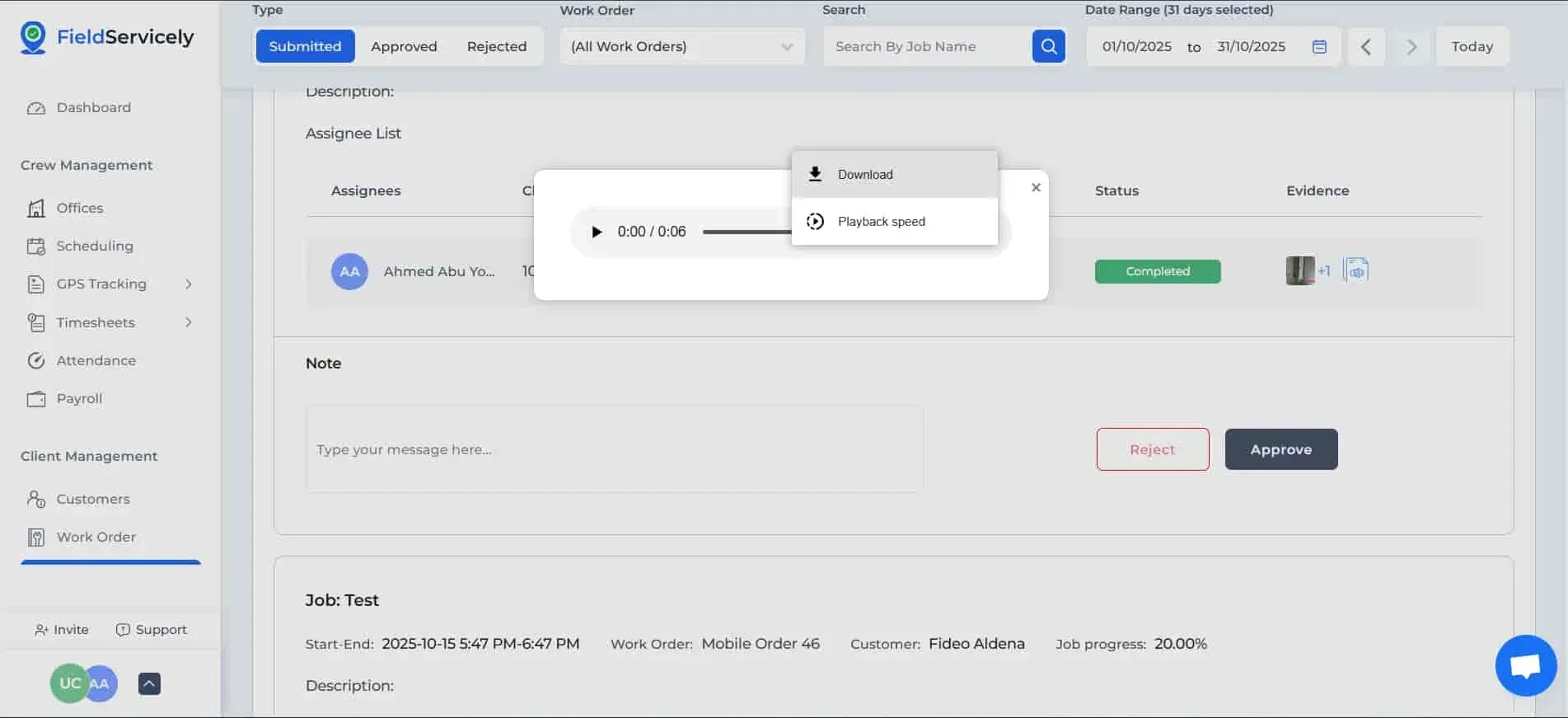
You can choose to accept or reject the job based on these evidences.


