
Work Order Management Software
Boost Your Workflow with Work Order Software
Respond to work orders fast with FieldServicely Work Order Management Software. No need to manage requests, and keep records on paper.
Try FieldServicely For Free
No Credit Card Required
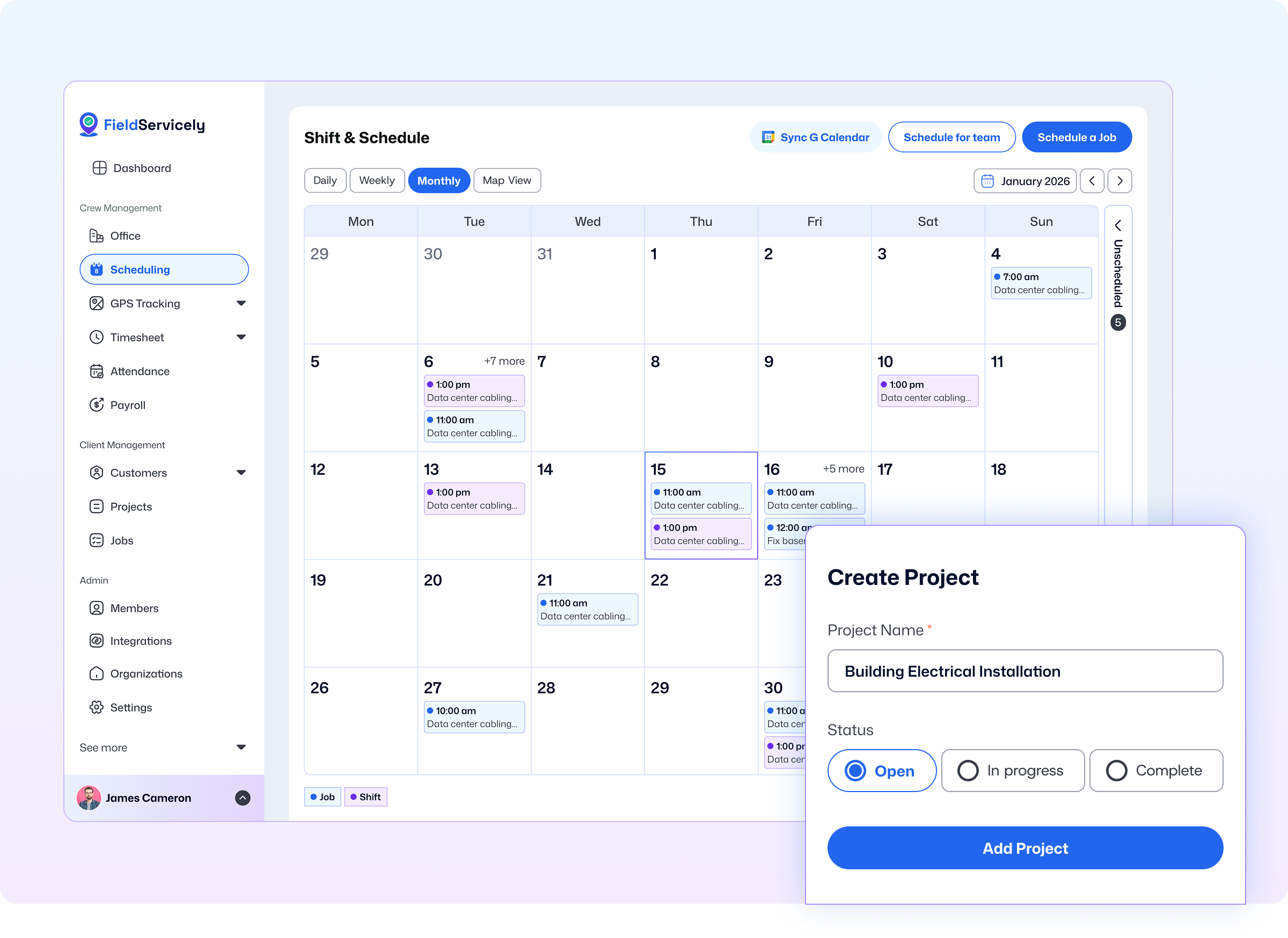
Manage Work Orders Easily with FieldServicely
Centralized Work Order Tracking
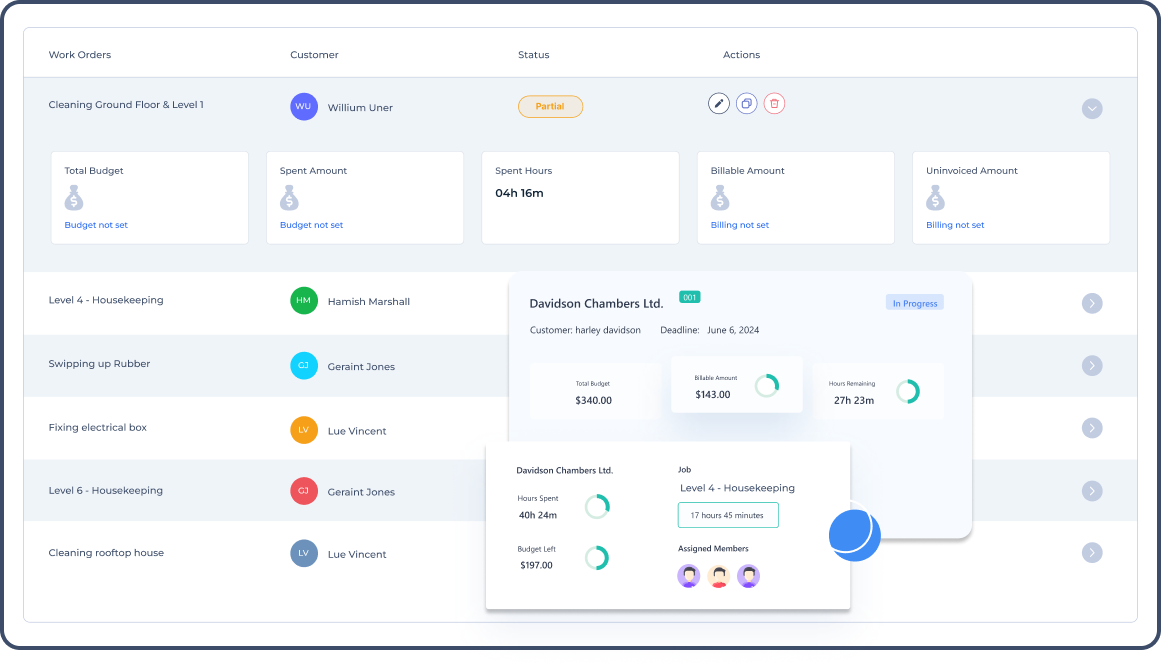
Create, assign, and track your work orders easily with our work order software. Create jobs under that work order and track the job and work order status. Track and manage your work orders from a single software.
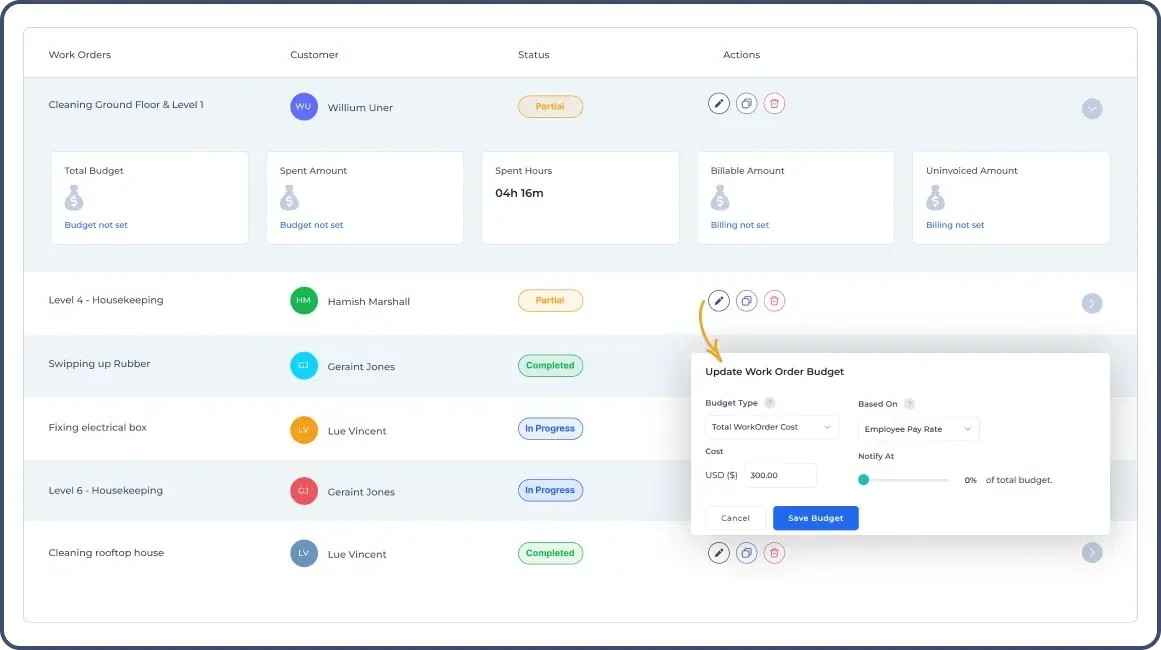
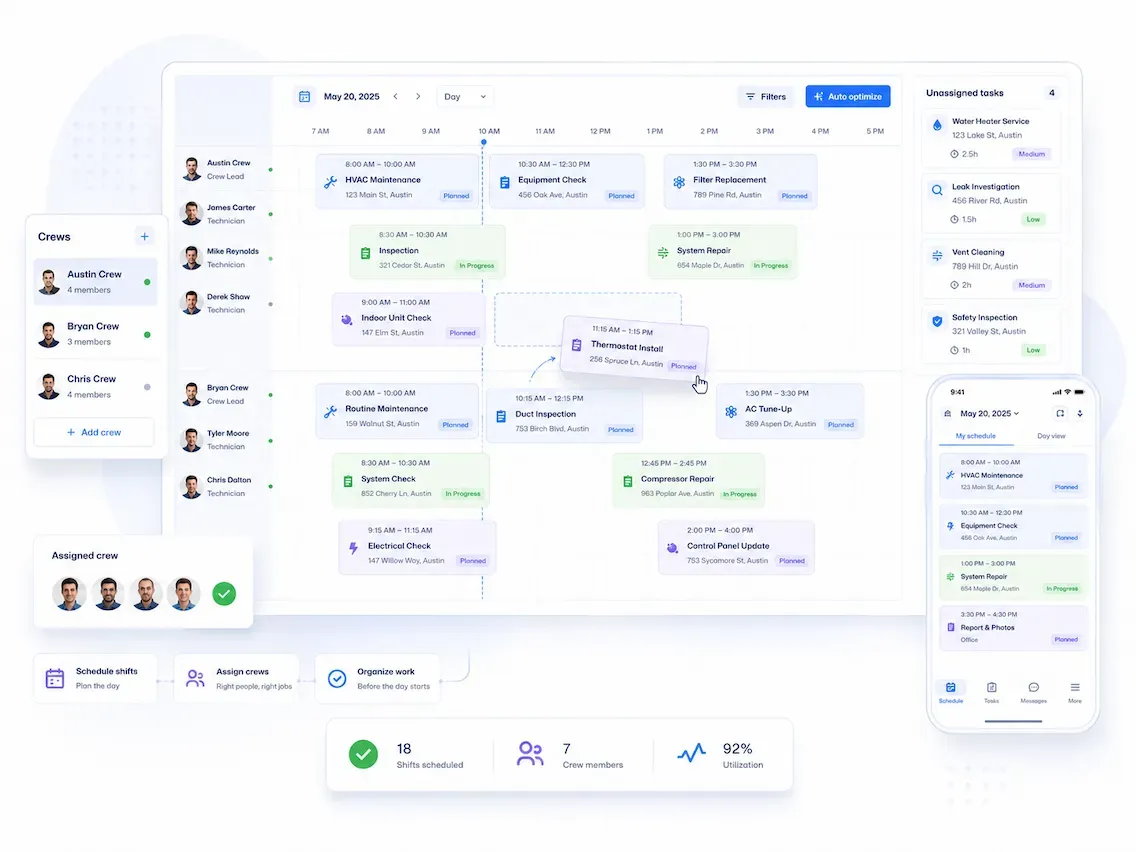
Scheduling Jobs
View the tasks currently in progress, and the assigned workers in those jobs. Then, you can identify the available technicians and schedule new jobs for them. Create recurring or single-schedule jobs easily.
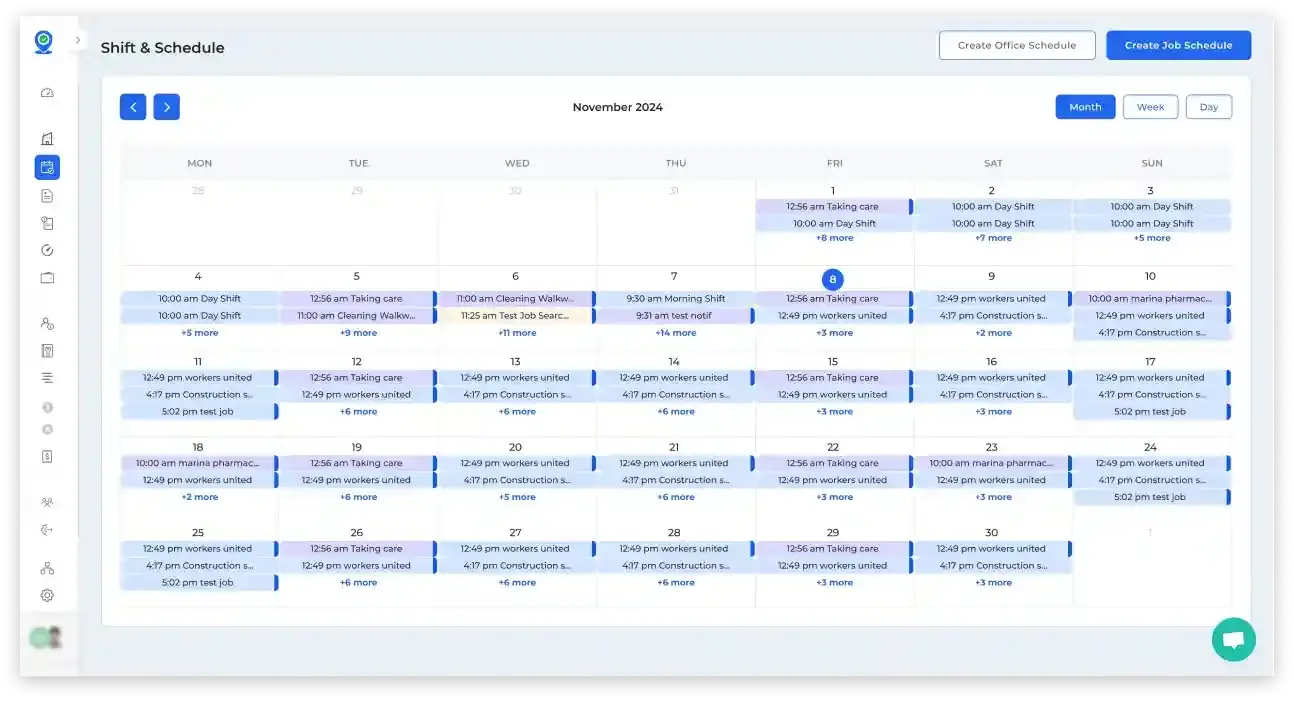
Expenses Calculation
View the expenses of your work orders with FieldServicely. Check the spent amount, billable amount, and your remaining budget to get an overview of your expenses and costs associated with this work order. You can also view the payroll for your technicians and mark them as paid with our system.
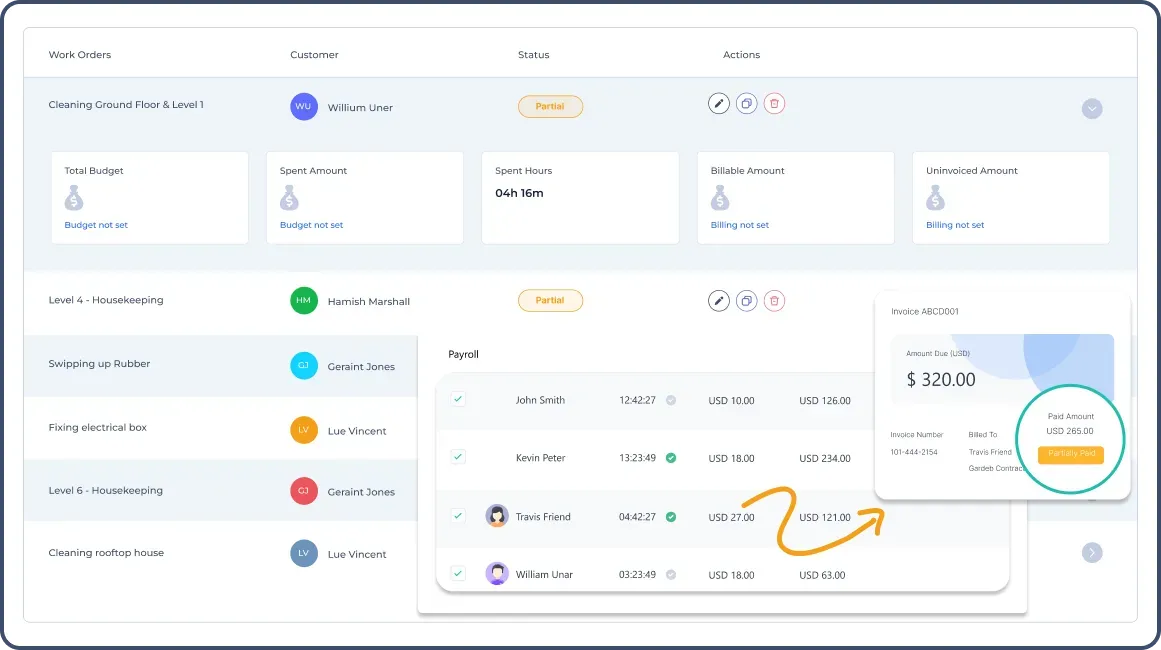
Real-Time Updates
Make quick decisions based on real-time data and updates. View the job status, and technician location in real time. Your technicians will get notifications when a job is assigned to them.
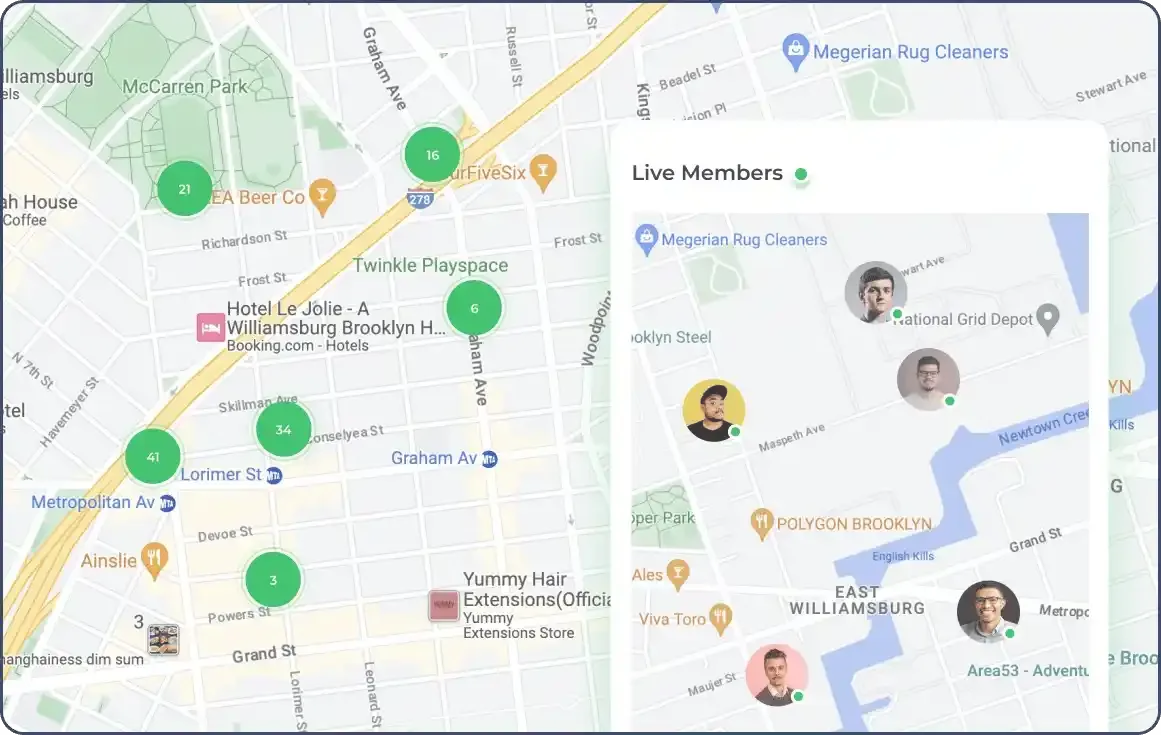
Timesheets
View the timesheets of your technicians and find out how long they worked on each job. Approve the work hours before considering them for the payroll.
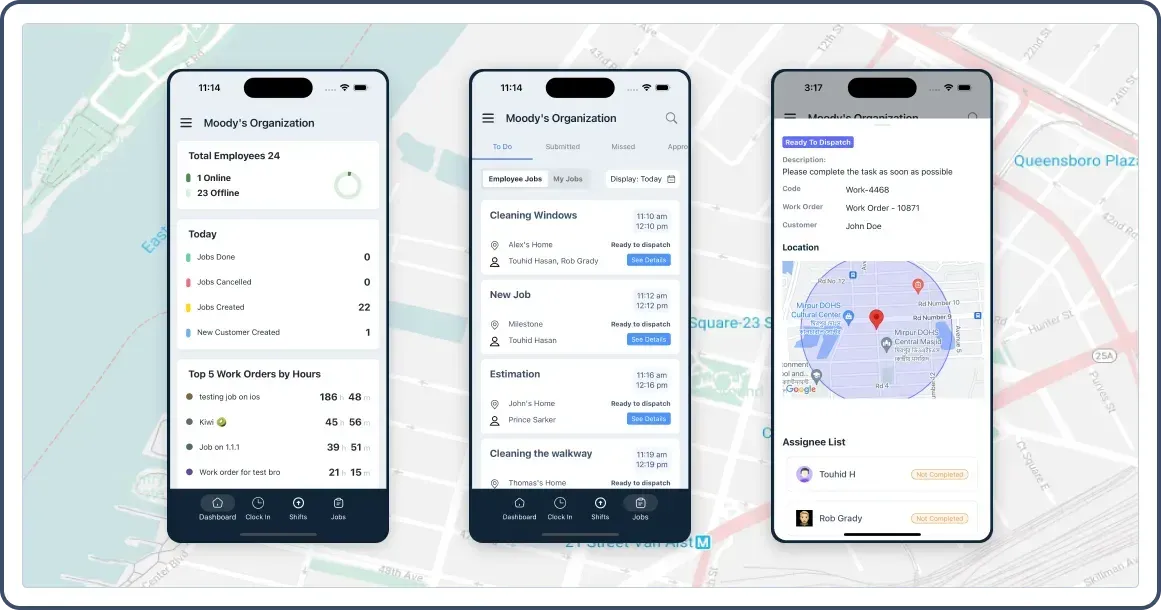
Worker Order Software on Mobile
Get a quick overview of work orders and jobs from the mobile app’s dashboard. Assign jobs or review the completed jobs right from the mobile. Use the app from either iPhone, iPad or Android devices.
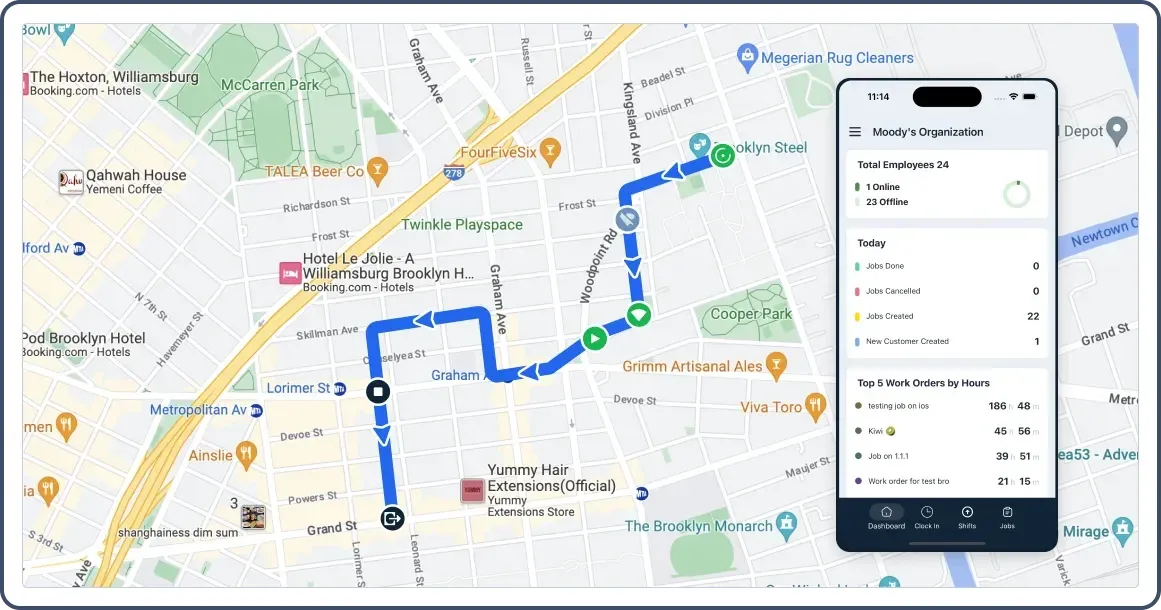
Reporting & Analytics
Get insights into technicians’ data with FieldServicely. Check which jobs are getting done and which workers are doing how many jobs. View your technician’s GPS location data and route map from our work order software.
Try FieldServicely #1 Field Service Management Software
Try for free - No credit card required!
How does our Work Order System Software Help You
Automate Your Workflow
Track expenses, and calculate payroll without needing to calculate manually. Send notifications to your technicians when a job is assigned to them. Schedule recurring jobs instead of creating multiple copies of the same day every week or month. FieldServicely allows you to create custom weekly, monthly, biweekly, and daily repeating schedules.
Increase Efficiency
Reduce paperwork by managing your work orders with FieldServicely. Manage budget, costs, and time spent with our work order software. You can easily manage the technicians and jobs, and view data to increase your operational efficiency.
Improve Accuracy
Reduce errors and rework by using our work order management system software. Ensure accuracy in your work orders, and budgeting. Manage payrolls, job completion evidence, and locations seamlessly with FieldServicely.
Save Money
Using FieldServicely, you reduce the need for having multiple employees to manage the technicians, calculate payroll, and overview work orders. Use our simple & flexible Software for work order management.
Industries that use the Work Order App
Many industries use work order software to improve operational efficiency and address their challenges. Among them, the key industries are:
- Manufacturing
- Electrical
- Field Service
- Facility Management
- Healthcare
- HVAC
- Plumbing
- Utilities
- Public Sector
FAQs about Work Order Management Software
What is a work order?
A work order is a job for a customer, based on a customer request or internal process. It is a document that contains all the details of a customer’s maintenance task. It may include processes and instructions on how to complete it. It typically includes information about the assigned person, work scope, and job approver.
What is work order software?
Work order software allows you to create and manage work orders. Typically, you can plan, schedule, record status, and analyze the work orders. You can also assign jobs, keep notes, and document order history. Using work orders typically leads to more accurate record keeping without needing handwritten papers.
What software is used for work order management?
FieldServicely work order software simplifies work order management. Using it, you can track costs, and schedule jobs and maintenance. You can view the technicians’ location, route maps, and evidence to make clear decisions. You can also assign jobs to the field workers and get updates on the job and work orders, even from the mobile app.
What is the CMMS work order system?
Computerized Maintenance Management System (CMMS) is a software that allows companies to manage work orders & maintenance processes, and assign jobs to technicians. A good CMMS system should come with scheduling, condition monitoring, mobile maintenance functionality, etc.
How do you create a work order system?
Follow these steps to create a robust work order system:
- 1. Identify the root problem.
- 2. Create a new work order to resolve that.
- 3. Assign the correct technician to the work order.
- 4. Review the evidence.
- 5. Close the work order.
- 6. Review & analyze feedback.


