
Top 5 Technician Management Software for 2026: Features, Pricing & Best Use Cases
Updated on 2 Dec 2025
Jump to
Companies using FSM software are seeing improved technician productivity by 22%. All thanks to smarter scheduling and less downtime.
But with so many choices out there, finding the right fit for your business can feel overwhelming.
That’s why we’ve put together this guide on five of the best technician management tools in 2026. We’ll cover top features, standout benefits, and real-world examples.
Whether you run a service business or manage a large operation, this guide will set you up to make a smart, confident choice.
Let's begin!
What Is Technician Management Software and Why Is It Important?
Technician management software, also known as Field Service Management (FSM) software, simplifies the whole process of scheduling, dispatching, and tracking field technicians.
Technician management software, also known as Field Service Management (FSM) software, simplifies the whole process of scheduling, dispatching, and tracking field service technicians.
With FSM, everything from organizing appointments to monitoring team locations becomes seamless, boosting efficiency, minimizing downtime, and giving customers a smoother experience.
How Technician Management Software Solves Key Issues
- Scheduling and Dispatching: Coordinating schedules the old way is tough. Technicians end up delayed, and appointments get missed. FSM smooths this all out.
- Communication Gaps: Disconnect between field and office? It slows everyone down. FSM keeps everyone in sync so jobs stay on track.
- Lack of Visibility: It’s impossible to know where technicians are or how they’re doing without real-time tracking. A field employee tracking software brings this insight right to you.
- Inventory Issues: Outdated methods make it hard to manage parts and supplies. FSM tracks inventory to keep jobs moving fast.
By tackling these challenges head-on, technician management software pushes service delivery forward and helps businesses grow.
In-Depth Review of the Best Technician Management Software
1. FieldServicely
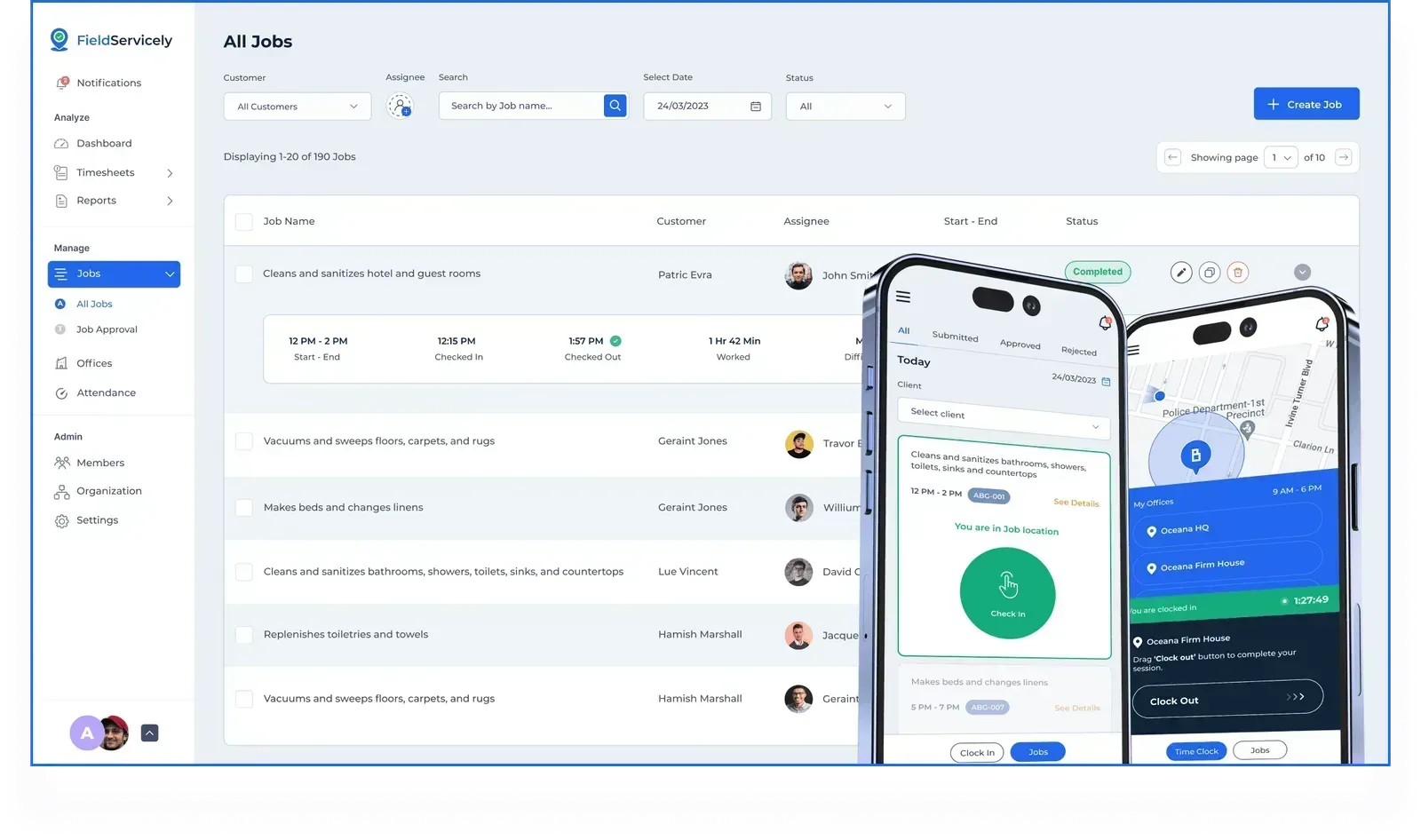
FieldServicely is a complete field service management software tailored for small to medium businesses.
Built for simplicity and affordability, it’s a perfect fit for HVAC, plumbing, IT support, and electrical services.
With an easy-to-navigate interface and essential tools, FieldServicely helps businesses streamline scheduling, dispatching, and technician management—without the high price tag or steep learning curve.
Key Features
Smart Scheduling and Dispatching
Automated scheduling lets managers assign jobs based on technician availability, location, and skills. This means less downtime, reduced travel costs, and techs always heading to the right job.
Real-Time GPS Tracking
GPS-enabled tracking gives dispatchers live updates on technician locations. Watch as efficiency skyrockets with faster response times and fewer unnecessary trips.
Mobile Access for Technicians
The mobile app connects field techs with job details, updates, and customer info. They can log hours, update statuses, and even capture signatures right from their phones, boosting on-site technician productivity and communication.
Customer Management
With built-in CRM tools, FieldServicely helps you organize customer information and service history. This allows you to stay on top of client interactions, provide personalized service, and increase customer satisfaction.
Job Tracking and Work Orders
Simplified work order management lets dispatchers track job progress in real-time. Automated work order creation and status updates ease the admin load.
Invoicing and Payment Processing
Generate invoices straight from completed jobs with built-in payment options. This feature speeds up billing and improves cash flow.
Best Use Cases
FieldServicely is perfect for small to medium businesses needing a straightforward FSM solution with real-time tracking, scheduling, and CRM. Its simplicity and affordability make it ideal for teams seeking a no-fuss, effective platform.
Pros and Cons
- Pros: Affordable, user-friendly, mobile-enabled, great for small teams.
- Cons: Limited advanced reporting for larger, data-driven teams.
Pricing
- Lite: Free
- Standard: $9 per user/month
- Elite: $12 per user/month
Quick Tip
Use FieldServicely’s real-time GPS tracking to cut travel time by up to 20%, helping your business respond faster and boosting customer satisfaction—a must-have for field service efficiency.
2. Limble CMMS
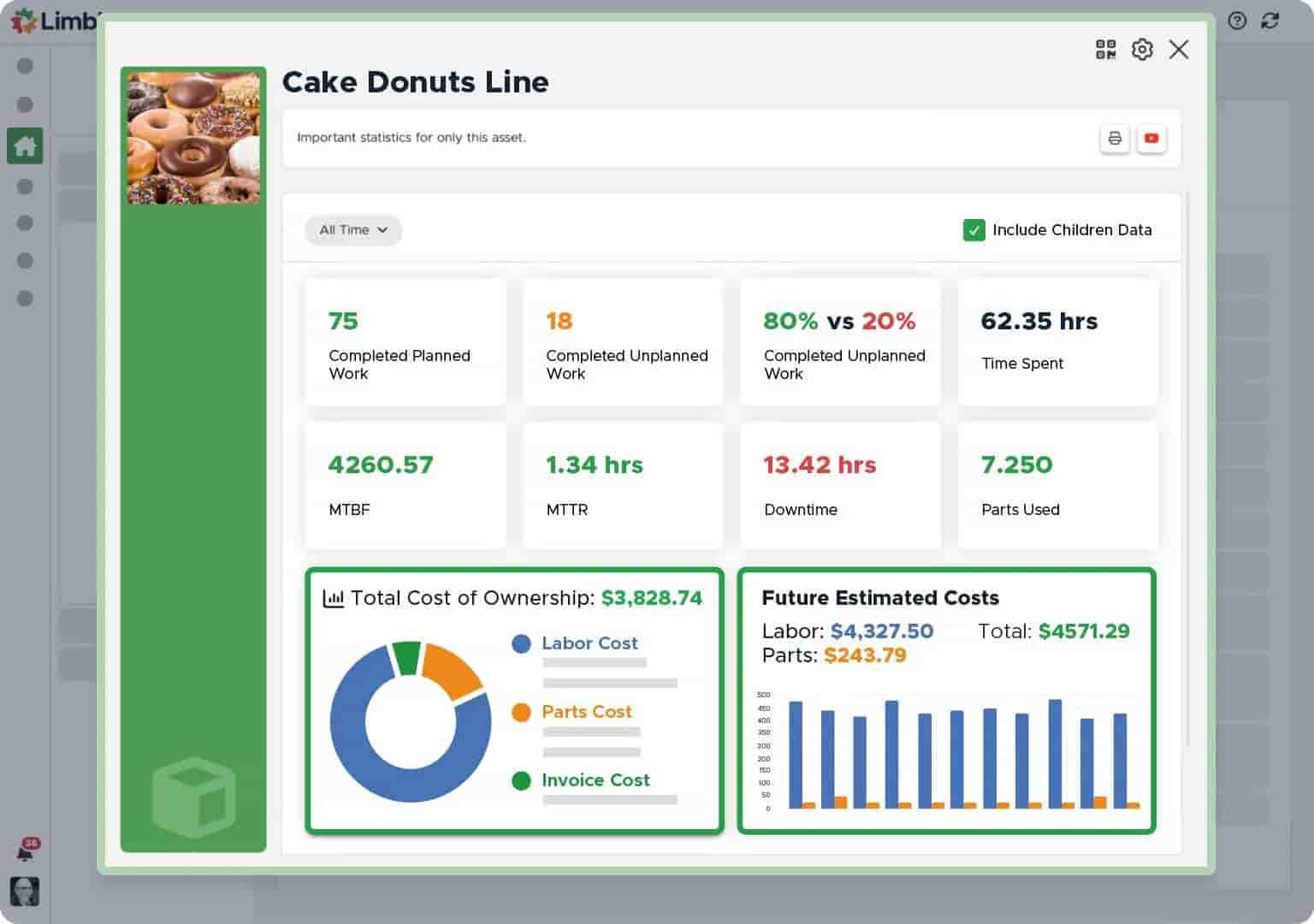
Limble CMMS is a powerhouse for maintenance management, perfect for industries that rely on well-serviced equipment, such as manufacturing and healthcare.
Limble helps businesses get the most out of their equipment and extend its lifespan by focusing on asset care and proactive maintenance.
Key Features
- Preventive Maintenance: Schedule regular checkups to prevent those sudden, costly breakdowns.
- Asset Management: Track every detail about your equipment, making asset lifespan management easy.
- Real-Time Tracking: Get instant updates on equipment status and maintenance plans.
- Mobile-Friendly Interface: Technicians can pull up asset info and work orders from anywhere.
Best Use Cases
Built for organizations with heavy maintenance demands, especially those prioritizing asset longevity and preventive care.
Pros and Cons
- Pros: Excellent for asset tracking in high-maintenance environments.
- Cons: Higher costs may not suit smaller businesses.
Pricing
- Basic: Free
- Standard: $28 per user/month
- Premium+: $69 per user/month
- Enterprise: Custom billing
3. MaintainX
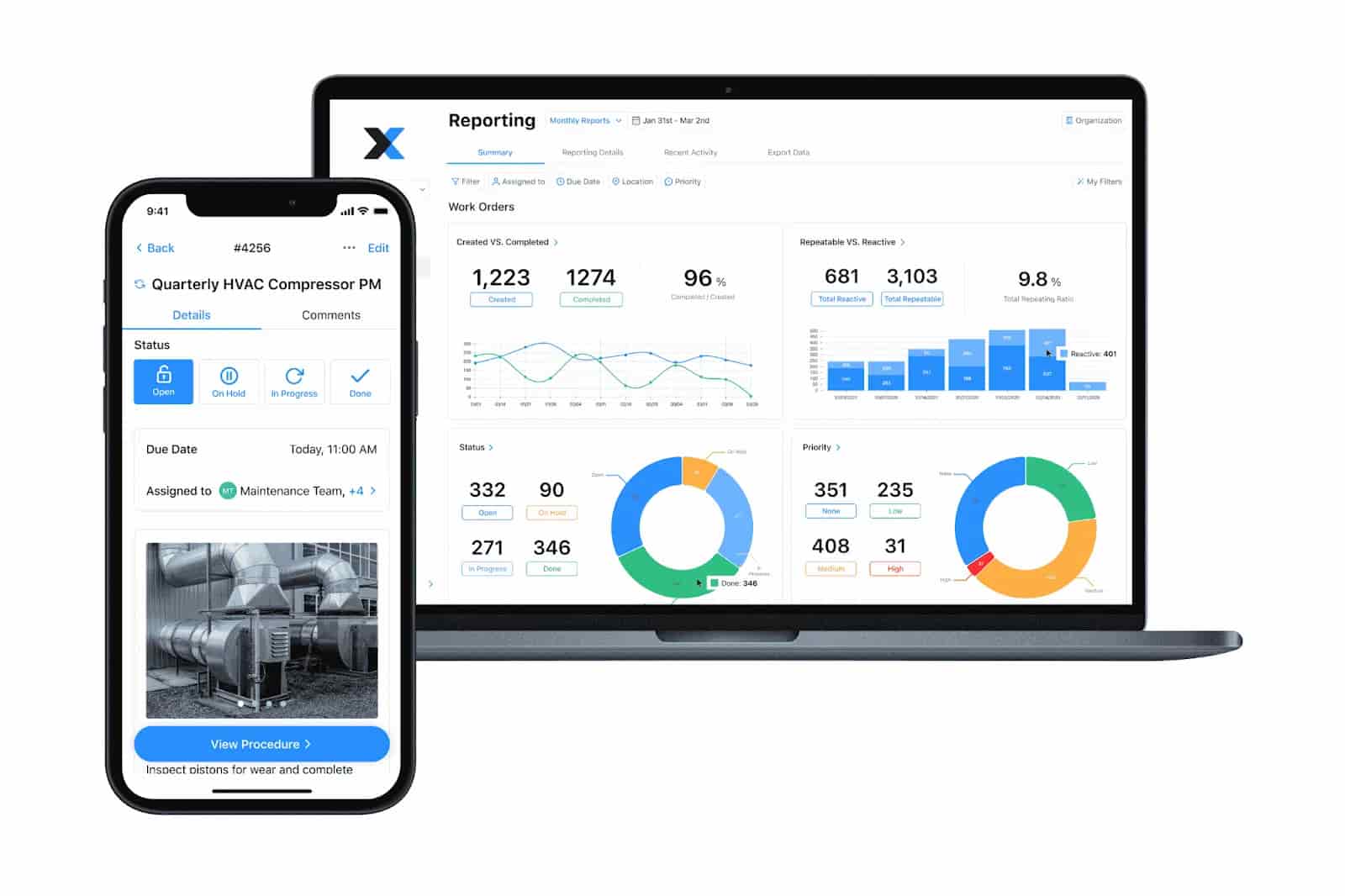
MaintainX is mobile-first software built to make technicians' lives easier. Designed for real-time updates, it’s the ideal tool for companies needing instant access to digital work orders and forms.
Key Features
- Mobile Design: Built for mobile so technicians can manage tasks and stay connected on-site.
- Real-Time Updates: Live job updates boost team coordination and speed.
- Work Order Management: Simplifies task assignments and job tracking.
- Digital Forms: Transforms checklists and inspections into digital records.
Best Use Cases
Perfect for teams who need fast task management and reporting in high-speed environments.
Pros and Cons
- Pros: Easy to use, affordable, and great for mobile team communication.
- Cons: Limited analytics for larger teams needing in-depth insights.
Pricing
- Basic: $0 per user/month
- Essential: $16 per user/month
- Premium: $49 per user/month
- Enterprise: Custom billing
4. eMaint CMMS
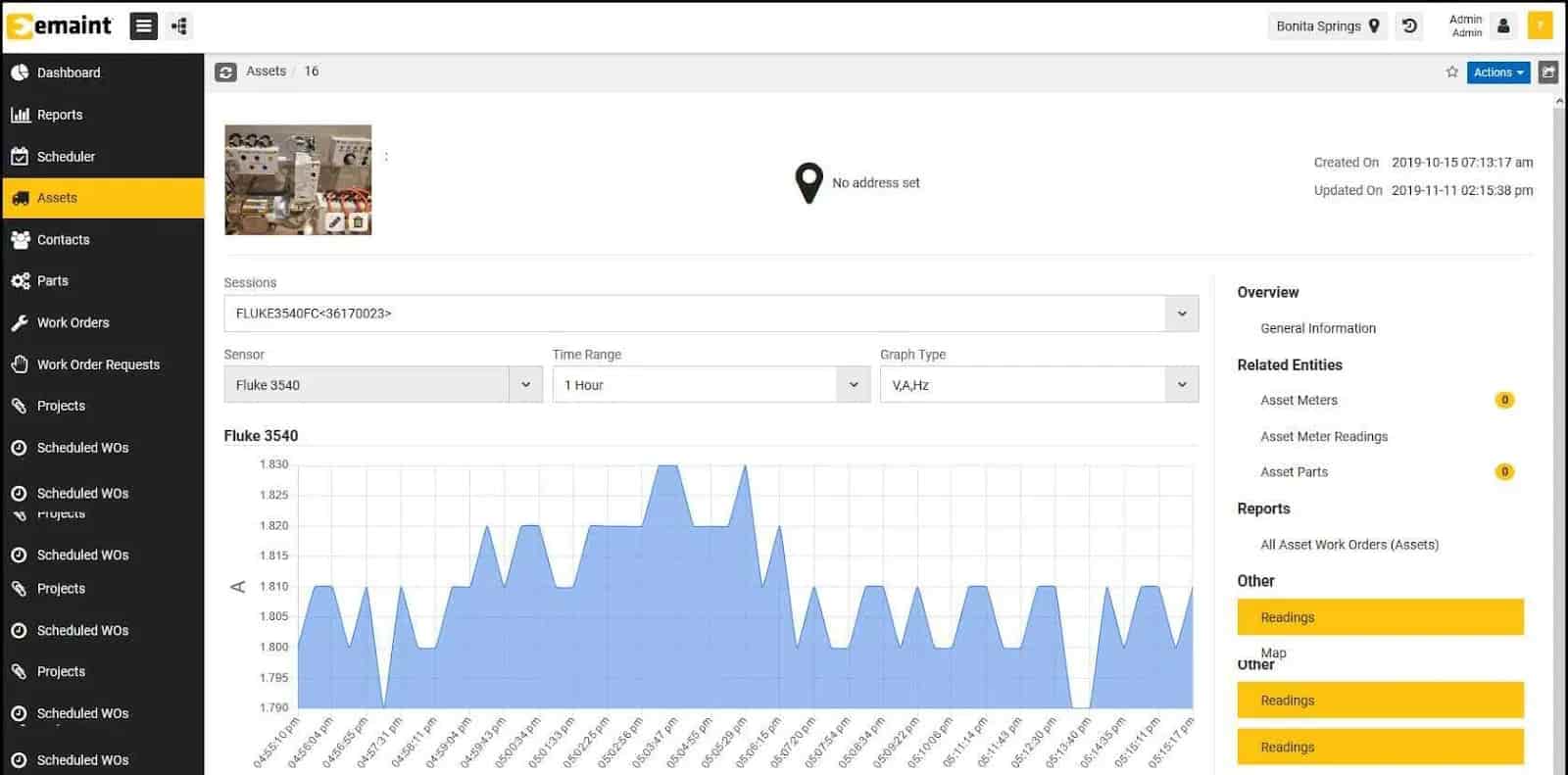
eMaint CMMS packs serious power for asset management and reporting. It’s built for big enterprises and works wonders for industries with strict compliance needs. The interface is customizable, and its advanced features deliver deep insights right when you need them.
Key Features
- Asset Management: Track assets in detail to keep everything running smoothly and boost performance.
- Work Order Automation: Work orders are automatically created based on real-time asset conditions.
- Detailed Reporting: Get comprehensive reports that support compliance and sharpen performance.
Best Use Cases
Perfect for large organizations needing robust tracking and compliance-ready reports.
Pros and Cons
- Pros: Fully customizable, thorough reporting, ideal for industries with compliance demands.
- Cons: Setup can be complex, and the cost might not suit smaller teams.
Pricing
- Team: $69 per user/month
- Professional: $85 per user/month
- Enterprise: Custom billing
5. Jobber
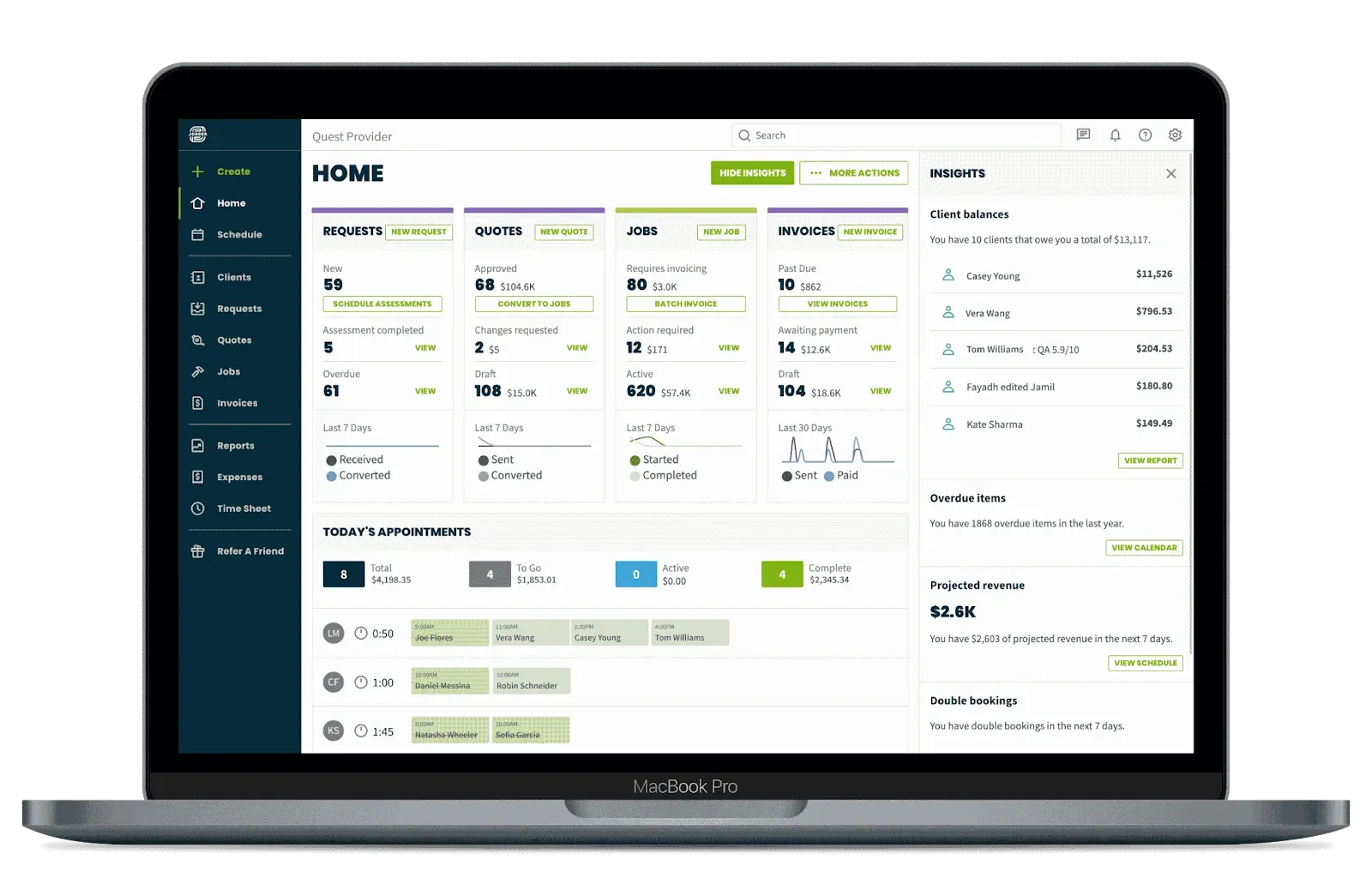
Jobber packs technician management, CRM, and invoicing tools into one easy platform, making it a go-to for small-to-medium service businesses.
This software covers client management, scheduling, and invoicing—all in one place.
Key Features
- Scheduling: Streamlined job scheduling and dispatching to maximize technician efficiency.
- Invoicing: Built-in invoicing for quick billing and payment handling.
- Customer Management: CRM tools to manage client interactions and follow-ups smoothly.
- GPS Tracking: Location tracking for efficient routes and faster response times.
Best Use Cases
Perfect for service-focused businesses needing CRM integration, like landscaping or cleaning services.
Pros and Cons
- Pros: Integrated CRM and invoicing; great for customer-focused operations.
- Cons: Limited asset management for larger or tech-heavy industries.
Pricing
- Core: $29 per user/month
- Connect: $89 per user/month
- Grow: $149 per user/month
Key Features to Look for in the Best Technician Management Software
When choosing technician management software, focus on features that drive efficiency, boost productivity, and keep customers happy.
Here’s what to look for:
Scheduling and Dispatching
Smart scheduling reduces travel time, trims fuel costs, and keeps productivity high by quickly getting technicians where they need to be.
Automated scheduling also assigns jobs based on who’s available, where they’re located, and their specific skills. It’s precise and keeps mistakes low.
Pro Tip
Choose software with predictive scheduling. It spots peak times and busy areas, so you’re always prepared..
Real-Time Tracking
Stay on top of every move with real-time GPS tracking. Know exactly where your team is and how jobs are progressing—all in one view. This boosts how you use your resources and speeds up response times.
But before you do that, don’t forget to check out GPS tracking laws by state.
Dispatchers can fine-tune routes, reduce wasted trips, and quickly adjust for last-minute changes or urgent calls.
According to FieldCircle, real-time tracking helps field service teams lower fuel costs by up to 15%.
Mobile Access
Mobile access means technicians can check job details, log hours, and update statuses right from their phones.
With mobile apps, they get updates instantly, make changes on the fly, and even capture customer signatures. Businesses have the flexibility to manage everything in real-time, keeping operations smooth and responsive.
Companies using mobile solutions see real improvements: faster communication, tasks done right on time, and field teams always in the loop with the latest job details.
Inventory Management
According to Nokia, companies switching to automated inventory management see service completion speeds shoot up 7 to 10 times. With effective inventory management, technicians always arrive on-site with everything they need.
Here’s how this feature tackles the common inventory issues:
| Inventory Challenges | Solution with Software |
|---|---|
Stockouts | Real-time tracking for all parts and equipment. |
High Inventory Costs | Automated recorder alerts and low-stock notifications. |
Delays due to parts | A clear view of on-hand inventory. |
Automation
With automation in technician management software, repetitive tasks—like creating work orders, dispatching jobs, and generating reports—get handled without lifting a finger. This results in fewer errors and higher efficiency.
When core tasks are automated, businesses cut costs and boost productivity. ServicePower’s research shows automation can save field service companies up to $20 million each year.
Plus, with smart automation, task assignments and follow-ups are seamless. Every job is tracked and managed.
Compliance and Reporting
When you’re running a field service business in a regulated industry, staying compliant isn’t just a nice-to-have—it’s a must.
With technician management software, you get powerful tools to manage employee shifts, track performance metrics, and ensure you meet all regulations and internal standards.
Compliance features keep you ahead of the rules with a clear, auditable record of completed jobs and safety checks. Strong reporting features also give you the insight to review key metrics, helping you make the right moves to boost technician productivity and improve service.
How to Choose the Right Technician Management Software for Your Business
Choosing the right technician management software means finding the perfect match between your business needs and the software's offerings. Consider your business size, industry demands, budget, ease of use, and quality of support.
Business Size
Finding the right fit depends on the scale of your operation.
Small Businesses
FieldServicely's affordability and easy-to-use design are perfect for small teams needing simple real-time tools for scheduling, dispatching, and tracking. Jobber also serves small teams, with added CRM features to help with customer interactions.
Medium Businesses
When you need more advanced asset management, MaintainX, and Limble CMMS offer strong options. But FieldServicely keeps up with scalable pricing and features that grow with you.
Large Enterprises
eMaint CMMS is a solid choice for large enterprises that need robust asset tracking and detailed reports, though it may feel heavy for smaller setups.
FieldServicely, on the other hand, remains an excellent choice for growing businesses, giving you essential tools without the extra complexity.
Industry Needs
Every industry has its own must-haves when it comes to FSM software.
HVAC and Plumbing
FieldServicely is spot-on for service industries. It delivers essential features like scheduling, GPS tracking, and mobile access at a lower cost. Perfect for companies wanting straightforward FSM tools without the fuss.
Manufacturing and Healthcare
If you’re in a maintenance-heavy industry, Limble CMMS and eMaint CMMS are big names that offer asset management and preventive maintenance tools. But FieldServicely’s got what you need to handle routine job scheduling and customer tracking—without the hefty price tag.
IT Services
MaintainX is designed for IT teams and offers a mobile-friendly approach. FieldServicely, though, is unique in that it offers CRM features that keep service tickets organized and teams on track.
Quick Tip
Go with FieldServicely if your industry needs real-time technician tracking and streamlined scheduling without the hassle.
Budget Considerations
When finding FSM software, choose the one that’s both effective and budget-friendly.
Affordable Options
FieldServicely starts at $0/month. That’s a price point that small to medium businesses can easily afford—far less than many competitors. It's perfect for those just getting started.
Mid-Range
At $29/month, Jobber adds CRM to the mix, which is ideal for businesses that prioritize customers and need those tools baked in.
Higher Tier
For large enterprises needing in-depth reports and strict compliance tools, eMaint CMMS offers tailored pricing to match those big requirements.
Implementation and Training
Easy Setup
FieldServicely offers a fast, straightforward setup and minimal training—perfect for teams eager to dive into field service management without long onboarding sessions.
Moderate to Complex Setup
Larger systems like eMaint CMMS need a more detailed setup and training, making them a better fit for enterprises with dedicated IT support.
Support and Customer Service
Quick, reliable support is a must for any FSM solution.
With FieldServicely, help is always within reach. Their dedicated support team steps in fast so users can tackle issues right away. Perfect for businesses without an in-house IT crew, FieldServicely keeps things running smoothly.
On the other hand, eMaint CMMS offers a more extensive support system, which is great for larger companies. But for smaller operations, it might be more than they need.
Conclusion
In a nutshell, FieldServicely is the go-to tool for managing your tech team, tailored perfectly for both small and large businesses. It packs in all the essentials: easy scheduling, GPS tracking in real-time, and mobile access—all at an affordable price.
Fast to set up, simple to use, and built for growth, FieldServicely helps you take control of your field operations seamlessly.
For a dependable, flexible solution that grows with you, choose FieldServicely and power up your field service game today.
Try FieldServicely #1 Field Service Management Software
Try for free - No credit card required!


