
What Is a Service Area? Definition, Setup, and Optimization
Updated on 3 Apr 2026
Jump to
Summary

A service area defines where your business operates efficiently and profitably.
A well-defined service area improves response time, costs, SEO, and customer trust.
Most businesses fail by choosing areas based on guesswork and over-expansion.
Smart service areas use real data like job clusters, drive time, and profitability.
The right setup balances SEO visibility with operational efficiency and growth.
A service area defines where your business delivers services and where it can operate efficiently. It helps you control travel time, manage costs, and improve response speed for customers.
Most businesses choose areas based on guesswork, cover too wide a region, and end up with delays, low-margin jobs, and poor scheduling. That’s where things start to break.
In this blog, we will break down what a service area really means and how to define it the smart way.
What Is a Service Area?
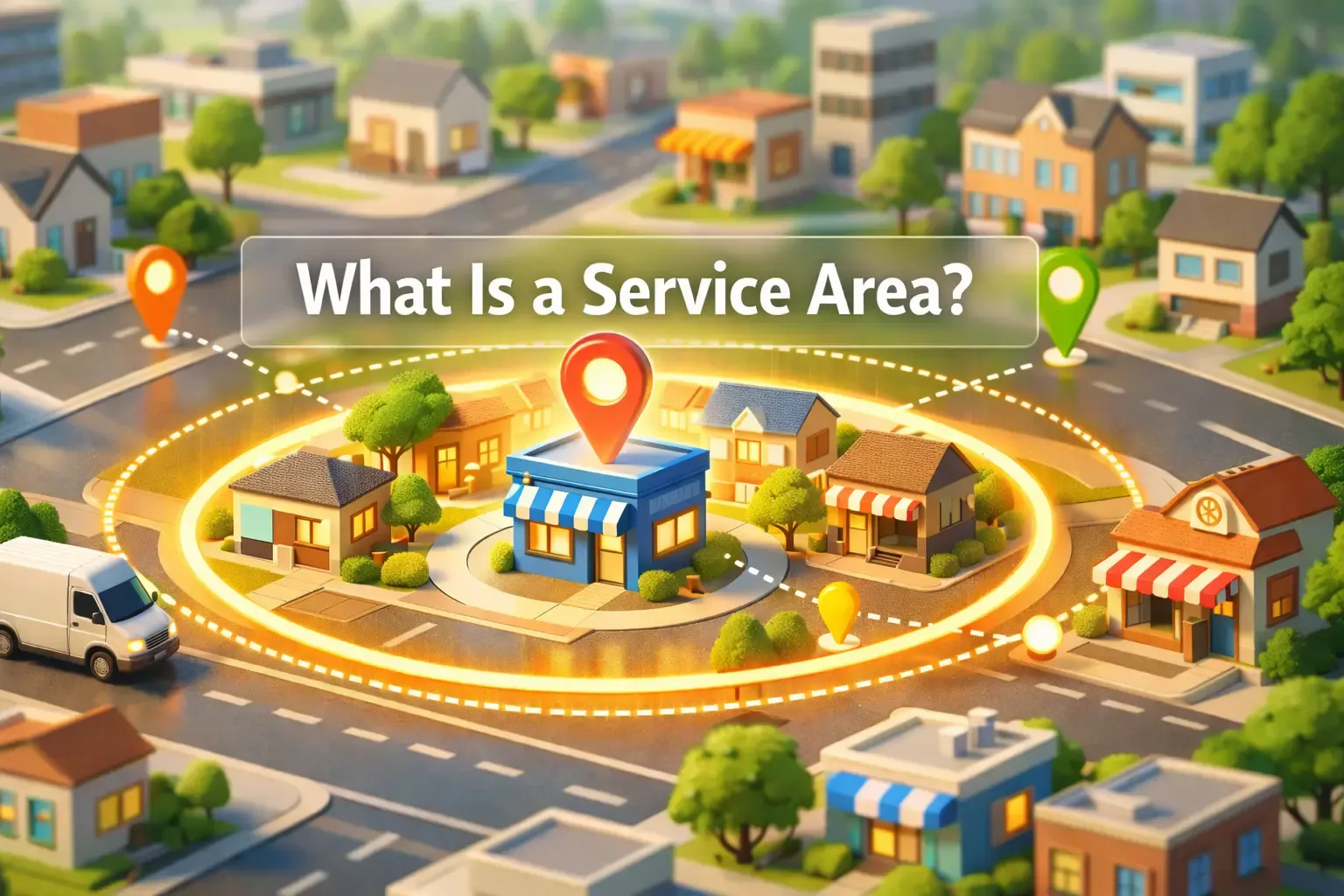
A service area is the geographic zone where your business delivers services to customers. It usually includes cities, zip codes, or neighborhoods where your team can reach clients on time and still stay profitable.
According to Google, service area businesses can define up to 20 locations without showing a physical address. Now, people often confuse a service area with a service territory, but they are not the same.
A service territory usually means assigned operational zones, often divided by teams or technicians for better dispatch and coverage. In field service operations, this helps improve technician utilization and reduce travel time, which directly impacts job profitability.
On the other hand, a service coverage area focuses more on availability than efficiency. It simply defines where your services are offered, even if reaching those areas takes longer or costs more.
That’s why businesses that rely on scheduling and routing prefer defining tighter service areas instead of broad coverage zones.
In real life, this plays out differently across industries.
An HVAC company may limit its service area to maintain fast emergency response times, while a cleaning business may focus on dense neighborhoods to reduce travel costs.
Similarly, plumbers, electricians, pest control teams, and mobile technicians all define service areas based on travel time, demand, and operational efficiency.
Why Service Areas Matter More Than Most Businesses Realize
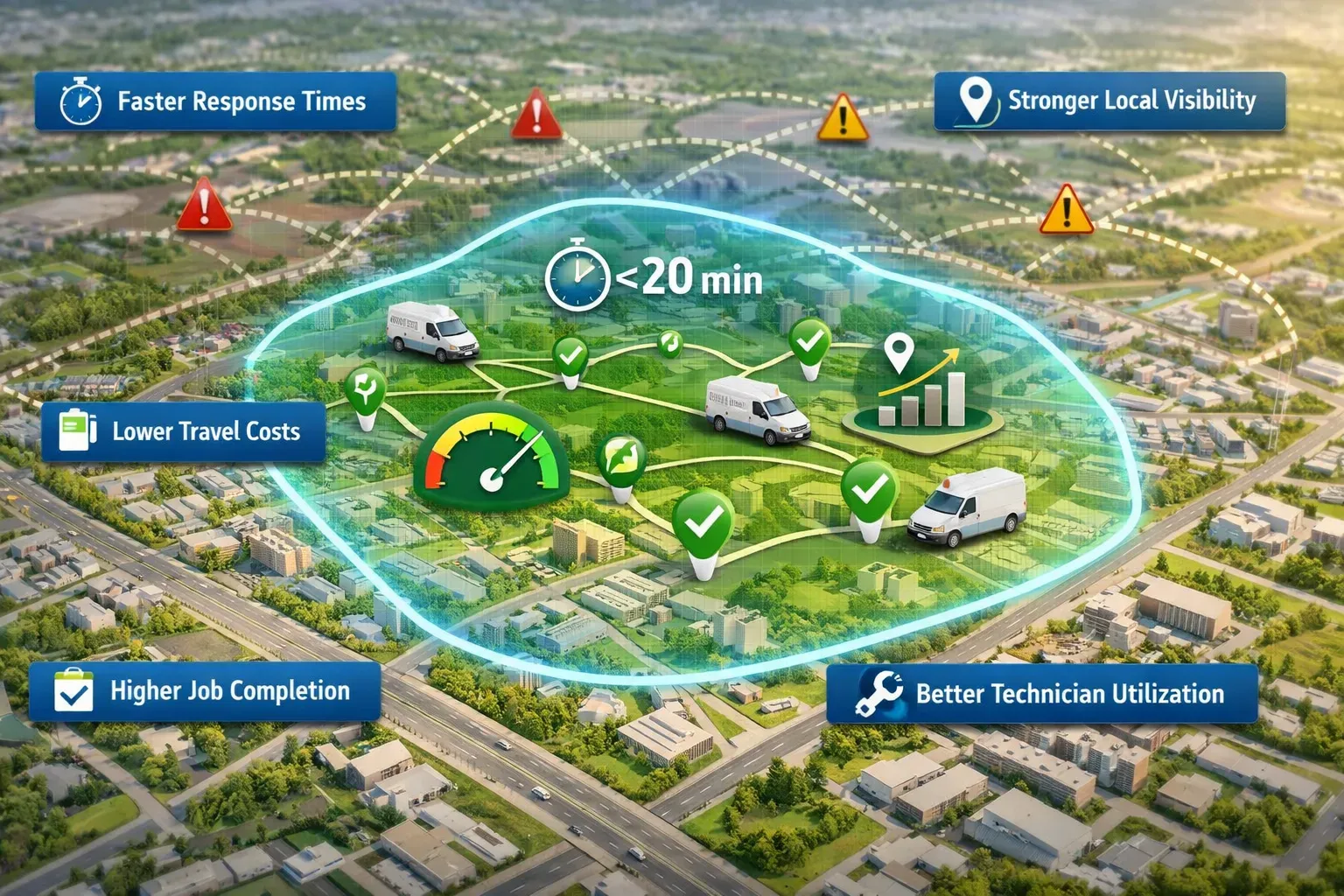
Faster Response Times
A smaller service area improves response time. That’s the first thing I noticed when we stopped chasing jobs too far out.
Our average arrival time dropped from around 45 minutes to under 20. Plus, suddenly, we became the obvious choice for urgent work like plumbing leaks or HVAC failures.
Customers don’t compare ten options when something breaks. They call the one who can get there fastest. That shift alone increased our booking rate without changing anything else.
That’s not just a myth. Businesses that reduce drive time see higher job completion rates and better customer satisfaction. [Source: ResearchGate]
Lower Fuel And Travel Costs
A tighter service coverage area reduces fuel and travel costs. But more importantly, it removes the hidden losses most businesses ignore.
At first, I thought a job is profitable as long as the price looks good. But once I tracked fuel usage, traffic delays, and return trips, the numbers changed. Some jobs that looked profitable on paper barely broke even after adding travel costs.
According to research, transportation remains one of the largest operating expenses for service-based businesses. So every extra mile matters.
Once we reduced our service area, fuel costs dropped almost immediately. Vehicles ran fewer miles, idle time decreased, and routes became more predictable.
Better Technician Utilization
A defined service territory improves technician utilization. It keeps your team working instead of driving.
Before structuring our zones, technicians spent too much time moving between distant jobs. The day felt busy, but actual output was low. Once we grouped jobs by location, everything changed.
Some technicians went from completing 3 jobs a day to handling 5 or 6 within the same hours. That’s a huge jump without adding more staff.
According to the report, travel time is one of the biggest factors affecting technician productivity. When you reduce travel, you increase productive hours automatically.
Fewer Unprofitable Jobs
A clear service area for business decisions filters out unprofitable jobs. And this is where things get real.
Long-distance jobs often looked good upfront but failed after adding travel time, delays, and gaps between jobs. Inefficient routing and low-value dispatches are major causes of margin loss in field service operations. That matched exactly what I was seeing.
After tightening our service area, those jobs stopped appearing. Instead, we focused on areas where jobs were more closely grouped, and it made job management easier.
Clearer Customer Expectations
When customers know you operate in their area, they expect faster and more accurate service. They don’t expect long delays or vague arrival times. That clarity reduces friction from the moment they book.
I noticed fewer complaints about late arrivals once we tightened our service area. Customers trusted our ETAs more because they matched reality.
Proximity is a key ranking factor for local results. That means your service area directly affects how relevant your business appears to nearby customers.
Stronger Local SEO And Google Visibility
A focused service area improves local SEO. And this impact compounds over time.
When we aligned our Google Business Profile service area with our website’s areas we serve, rankings improved. We started appearing in more “near me” searches without increasing ad spend.
That visibility translated into more calls and more bookings. Not because we changed marketing, but because we became more relevant to local searches.
According to the news, about 91% of consumers now read Google reviews before purchasing anything. So if your service area is unclear or too broad, you lose visibility where customers are already searching.
Hidden travel costs are quietly eating your profits.
Track fuel, reduce unnecessary trips, and turn every job into a profitable one.
Service Area Business vs Hybrid Business vs Storefront Business
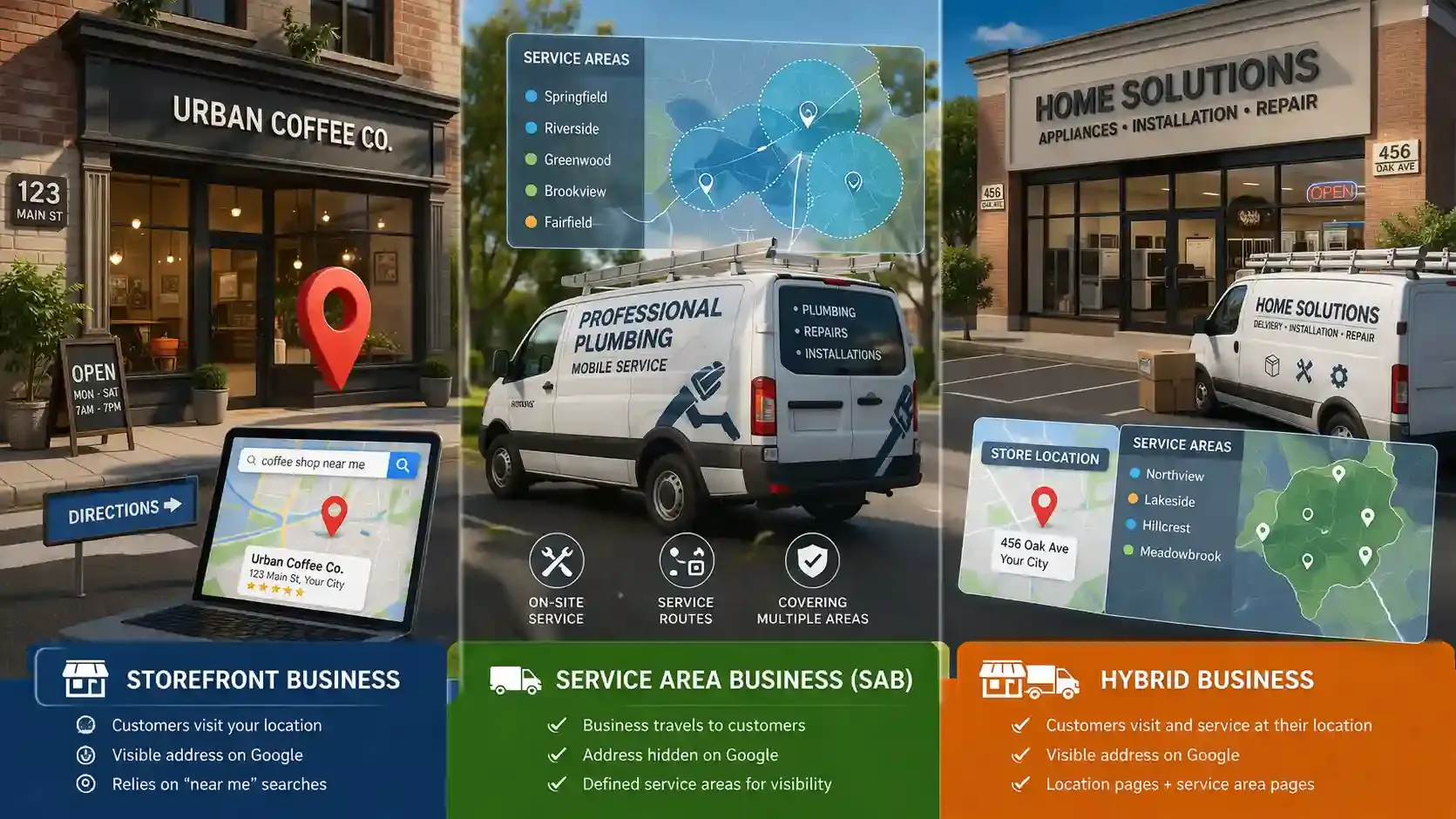
Most businesses fall into one of three models. You either serve customers at your location, go to them, or do both. Understanding this difference is important because Google Business Profile treats each type differently, which affects your visibility and setup.
| Business Type | Do Customers Visit The Location? | Visible Address On Google? | Service Area Needed? | Best Website Page Type | Example Business Types |
|---|---|---|---|---|---|
Storefront Business | Yes, customers visit the physical location | Yes, full address is visible | No, not required | Location page with directions and store info | Retail stores, restaurants, salons |
Service Area Business (SAB) | No, business travels to customers | No, the address must be hidden | Yes, required | Service area pages and areas we serve pages | Plumbers, HVAC, cleaners, pest control |
Hybrid Business | Yes, and also serves customers at their location | Yes, the address is visible | Yes, optional but recommended | Both the location page and service area pages | Restaurants with delivery, auto repair with mobile service |
Storefront Business
A storefront business serves customers at a fixed location. Customers walk in, and the address becomes the main point of interaction.
This type of business shows a full address on Google and relies heavily on proximity-based searches like “near me.”
You’ll see this model in retail shops, cafes, salons, and clinics. The website usually focuses on a location page with directions, opening hours, and in-store experience details.
Service Area Business (SAB)
A service area business does not serve customers at its physical location. Instead, it travels to the customer.
This is where things change. Google requires these businesses to hide their address and define a service area using cities, zip codes, or regions. This setup helps Google match the business with relevant local searches.
Examples include plumbers, electricians, cleaning services, and mobile technicians. These businesses rely more on service area pages and areas where we serve content to rank across multiple locations.
Hybrid Business
A hybrid business does both. Customers can visit the location, and the business can also travel to them.
This model combines the advantages of both setups. You show a physical address on Google, but you can also define a service area for delivery or on-site services. Google allows this as long as the location is staffed and clearly marked.
You’ll see this in restaurants offering dine-in and delivery, auto shops with towing services, or hardware stores offering installation. These businesses usually need both location pages and service area pages to cover all search intents.
Not sure which business model fits your operations best?
Set up your service area, storefront, or hybrid model correctly and avoid costly visibility mistakes.
How Google Business Profile Handles Service Areas
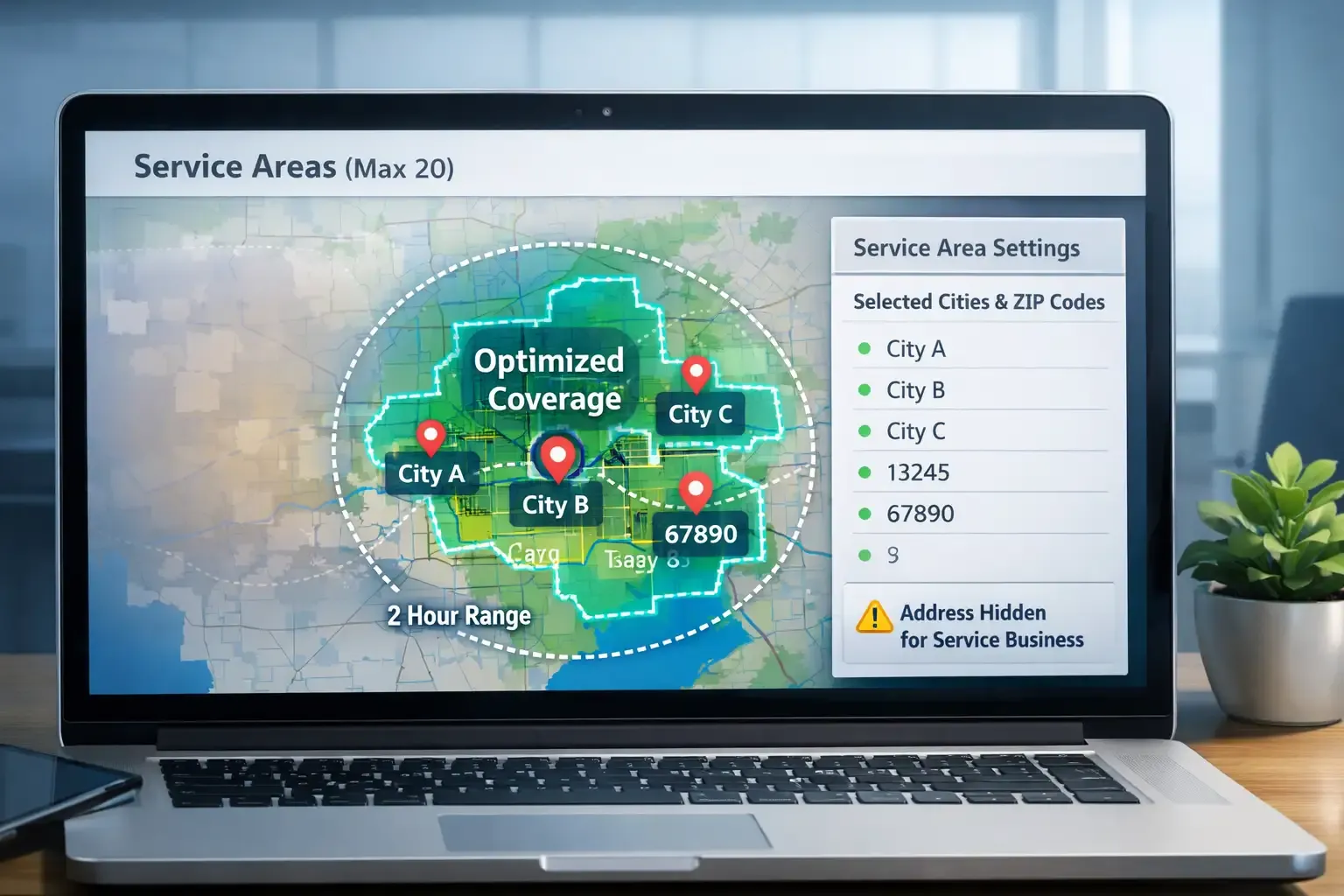
Google Business Profile treats service area businesses differently from storefronts. If you visit customers instead of serving them at a location, you must define a service area so Google understands where you actually operate.
This setup helps your business appear in local searches like “electrician near me” or “cleaning service in [city].”
Instead of drawing a radius, Google asks you to select real locations. You can add cities, postal codes, or similar regions where you actively provide services. However, there is also a limit you need to consider.
You can only add up to 20 service areas, which forces you to focus on your most important locations. Businesses that pick high-demand zones instead of spreading too wide usually get better visibility because their profile matches real customer activity.
At the same time, your coverage should stay realistic. Google recommends keeping your service area within about 2 hours of driving distance, which aligns with how most field service businesses actually operate.
If your area looks too large, it creates a mismatch between what you promise and what you can deliver.
Now here’s the part many businesses get wrong. If customers do not visit your location, you must remove your address from the profile. This applies to service area businesses like plumbers, HVAC companies, or mobile technicians, and ignoring this rule can lead to profile suspension.
Stop guessing which service areas to target on Google.
Focus on high-demand locations and manage your coverage with smarter tools and insights.
How To Define A Service Area The Smart Way
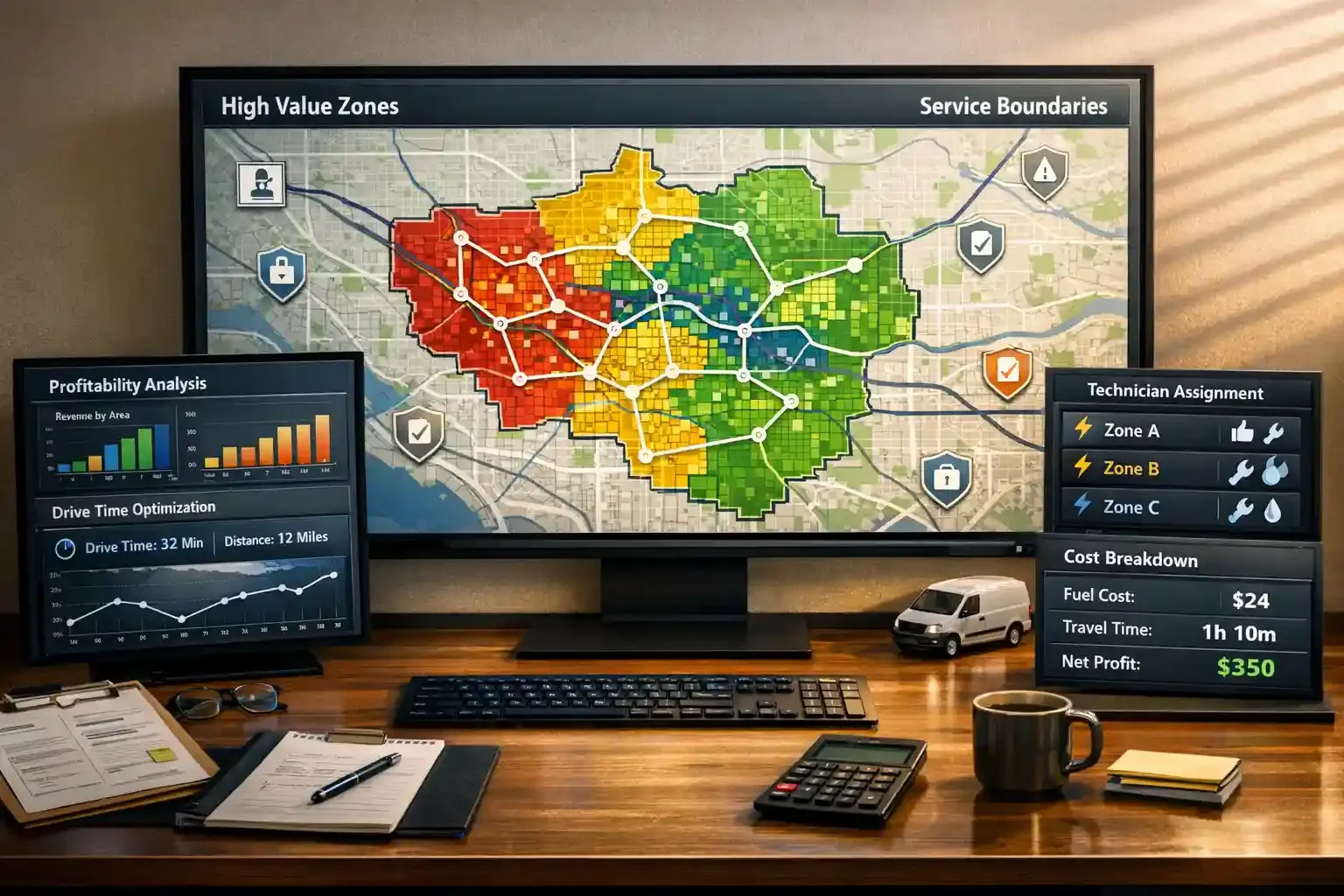
Most people define a service area by guessing. I did that too at the start.
But once I started tracking jobs, travel time, and real costs, I realized this needs a smarter approach. A good service area is built from data.
1. Start With Where Your Best Jobs Already Come From
Your best service area already shows up in your past jobs. You just need to map it.
When I looked at our last 80 to 100 jobs, I saw clear clusters. Most repeat customers and referrals came from a few neighborhoods, not the entire region.
That pattern matters. Research shows that CLV represents the total value a customer generates, including long-term loyalty and profitability. So instead of expanding everywhere, it makes more sense to focus where trust and demand already exist.
2. Measure Drive Time, Not Just Mileage
Distance looks simple, but it often lies. Drive time tells the real story.
I had jobs just 10 miles away that took 40 minutes because of traffic. At the same time, a 25-mile job on an open road felt easier and faster.
According to INRIX, congestion trends across 950 cities in 37 countries. So if you plan your service area based on miles instead of time, your schedule will break down quickly.
3. Factor In Technician Skill And Availability
Not every technician should serve every area. This is where most planning goes wrong.
Some of my technicians handled complex electrical work faster, while others were better at routine maintenance. Once I matched service areas with skill sets, job completion improved, and fewer callbacks happened.
According to IBM, assigning the right technician with the right skill improves first-time fix rates. So your service area should reflect both geography and team capability, not just location.
4. Calculate Job Profitability By Area
Not every area makes you money. Some areas just keep you busy.
I started tracking jobs by location, including travel time, fuel cost, dispatch gaps, and return trips. That’s when I saw that some areas had high job volume but low profit because of long travel and poor scheduling.
According to research, travel delays and fuel costs significantly impact operational efficiency in service industries. Once I removed low-margin zones, overall profitability improved without increasing pricing or workload.
5. Account For Permits, Licensing, And Local Service Constraints
In some regions, you may need additional permits, insurance updates, or local approvals before taking jobs. Expanding without checking this created delays and compliance issues.
According to research, local licensing and regulatory requirements vary widely by region and directly affect business operations. So your service area should align with both demand and legal boundaries, not just opportunity.
Drive time can break your entire schedule if you ignore it.
Plan routes smarter, reduce delays, and keep your team efficient across every job.
The 5 Service Area Models Field Service Businesses Use
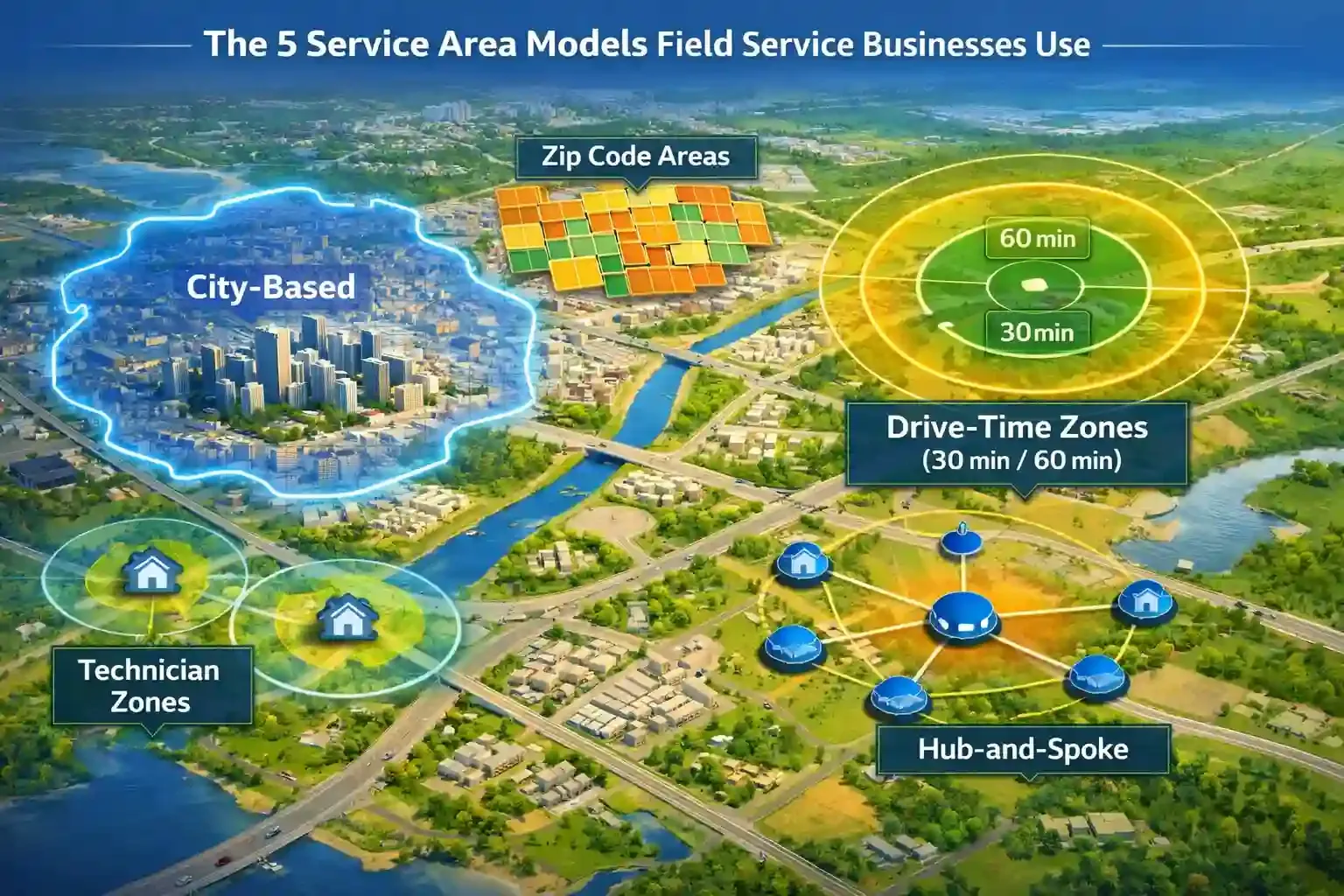
Most businesses don’t use just one service area model. They mix different approaches based on how their operations actually run.
Here are the five models that actually work in the real-world field service.
City-Based Service Areas
City-based service areas define coverage using city names. This is the most common starting point.
Businesses use this model because it aligns with how people search online. For example, customers search “plumber in Dallas” or “cleaning service in Austin,” so matching cities improves local SEO visibility.
However, this model can be misleading. Two jobs in the same city can have very different travel times depending on traffic and location density.
Zip Or Postal-Code Service Areas
Zip code-based service areas give you more control than city-based ones. They help you target smaller, more specific regions.
I found this useful when certain neighborhoods generated more repeat customers and referrals. Instead of covering an entire city, I focused on high-demand zip codes where jobs were closer together.
According to research, segmentation provides more accurate local targeting than city-level grouping. This makes it easier to align service coverage with real demand.
Drive-Time Zones
Drive-time zones define service areas based on how long it takes to reach a job. This is where things start getting practical.
Instead of thinking in miles, you think in minutes. For example, you might cover everything within a 30-minute or 60-minute drive from your base.
This model reflects real operations. When you plan based on drive time, your scheduling becomes more accurate and predictable.
Technician Home-Base Zones
Technician-based zones assign service areas based on where your team is located. This works well when your technicians live in different parts of a city or region.
Each technician handles jobs near their home or assigned base. This reduces travel time and improves response speed without needing a central dispatching point for every job.
In practice, this model improves efficiency quickly.
Hub-And-Spoke Service Areas
Hub-and-spoke models work best for growing teams. You operate from a central hub and expand into nearby zones as demand increases.
At first, everything runs from one main location. Then, as job volume grows, you add smaller hubs or micro-locations closer to customers. This model supports scaling without losing efficiency.
The wrong service area model slows your team down.
Switch to smarter zoning, reduce travel time, and complete more jobs every day.
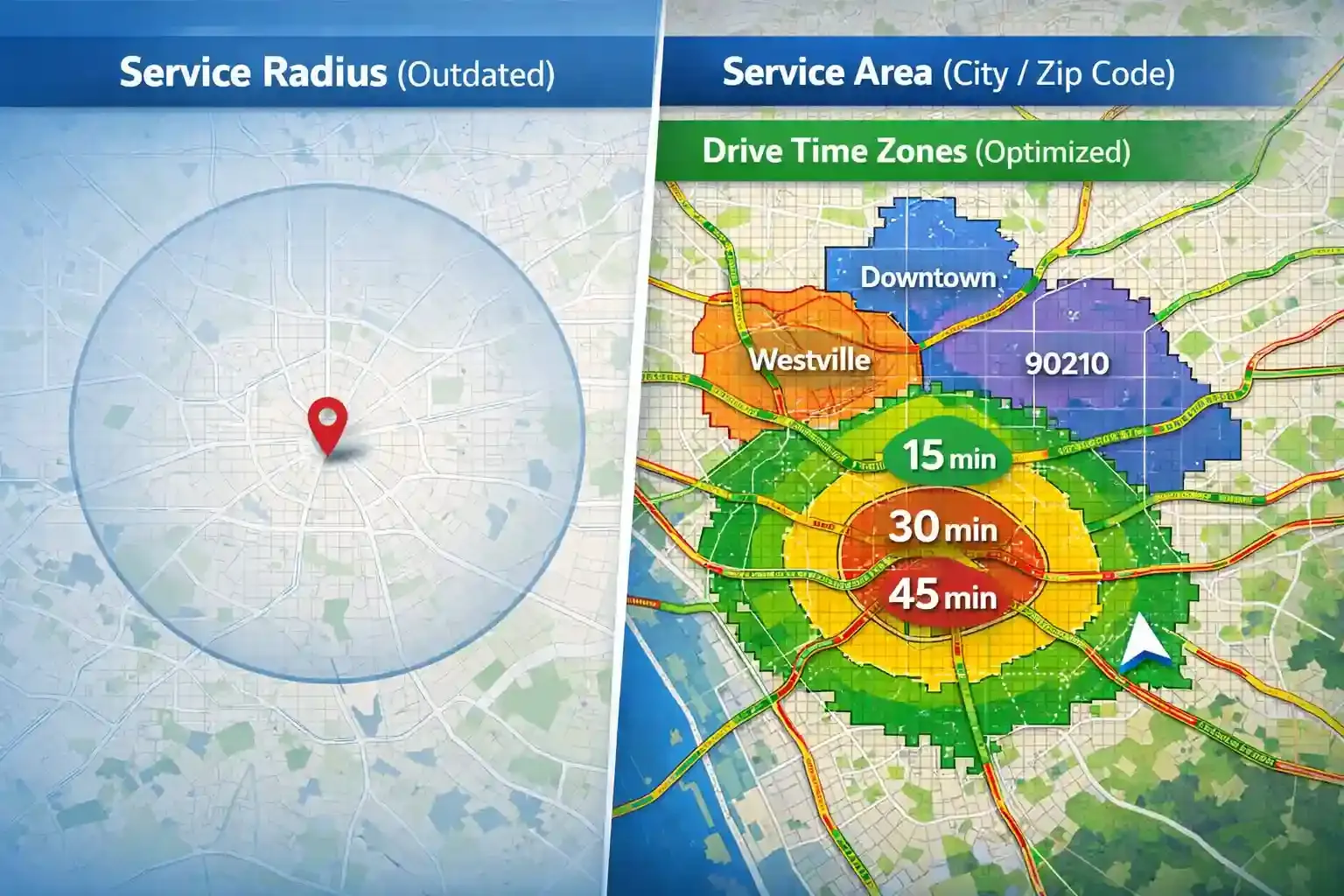
Most marketers still talk about a service radius. It sounds simple. You draw a circle and assume everything inside it is covered.
But in real operations, a radius rarely works. Traffic, road conditions, and job density make a 20-mile job very different depending on location.
Operators think in drive time, not distance. A 10-mile job in a busy city can take longer than a 25-mile highway job, which affects scheduling and profitability. Traffic congestion is highly concentrated in specific urban areas, with residential density alone contributing over 12% of congestion impact.
Now here’s where Google changes the rules.
Google Business Profile no longer supports radius-based targeting and requires named areas like cities or postal codes. This helps Google match your business to real local searches rather than broad, unclear coverage.
So here’s how you do it. Use cities or zip codes for your public service area, but manage operations using drive-time zones internally. That way, you stay visible on Google and efficient in real work.
A simple radius can quietly destroy your margins.
Use smarter zoning to control travel costs, improve routing, and increase job profitability.
How To Optimize Service Areas For Local SEO
- Match your Google Business Profile with your website. Mismatched cities reduce visibility.
- Create service area pages for key cities. Focus each page on one location.
- Link your homepage, service pages, and local pages. This improves navigation and SEO.
- Add local proof like reviews, photos, and job examples. This builds trust.
- Use local keywords naturally. Include city names and services where relevant.
- Keep your business details consistent everywhere. Inconsistency weakens SEO.
- Track performance in Search Console and GA4. Focus on high-performing areas.
- Update your service areas using real data. Keep strong zones and fix weak ones.
How To Know When To Expand Or Shrink Your Service Area
Too many long-drive, low-margin jobs signal it’s time to shrink your service area. When your team spends more time driving than working, profit drops even if bookings look strong. That’s usually the first sign your coverage is too wide.
At the same time, frequent late arrivals and missed ETAs confirm the same issue. Delays happen when routes stretch too far, and that directly impacts customer trust and reviews.
So if your schedule keeps slipping, your service area needs tightening.
On the other hand, low lead volume in your current territory points toward expansion. If demand stays weak despite good visibility, your market may be too small. In that case, nearby areas with higher activity become the next logical step.
Then look at technician utilization. Idle time in certain zones means your service area is not balanced properly, while high repeat density in nearby neighborhoods shows where demand already exists.
That’s where expansion makes the most sense.
Finally, your capacity matters. If you can add another crew, storage point, or micro-hub, expansion becomes operationally realistic.
Service Area Examples By Industry
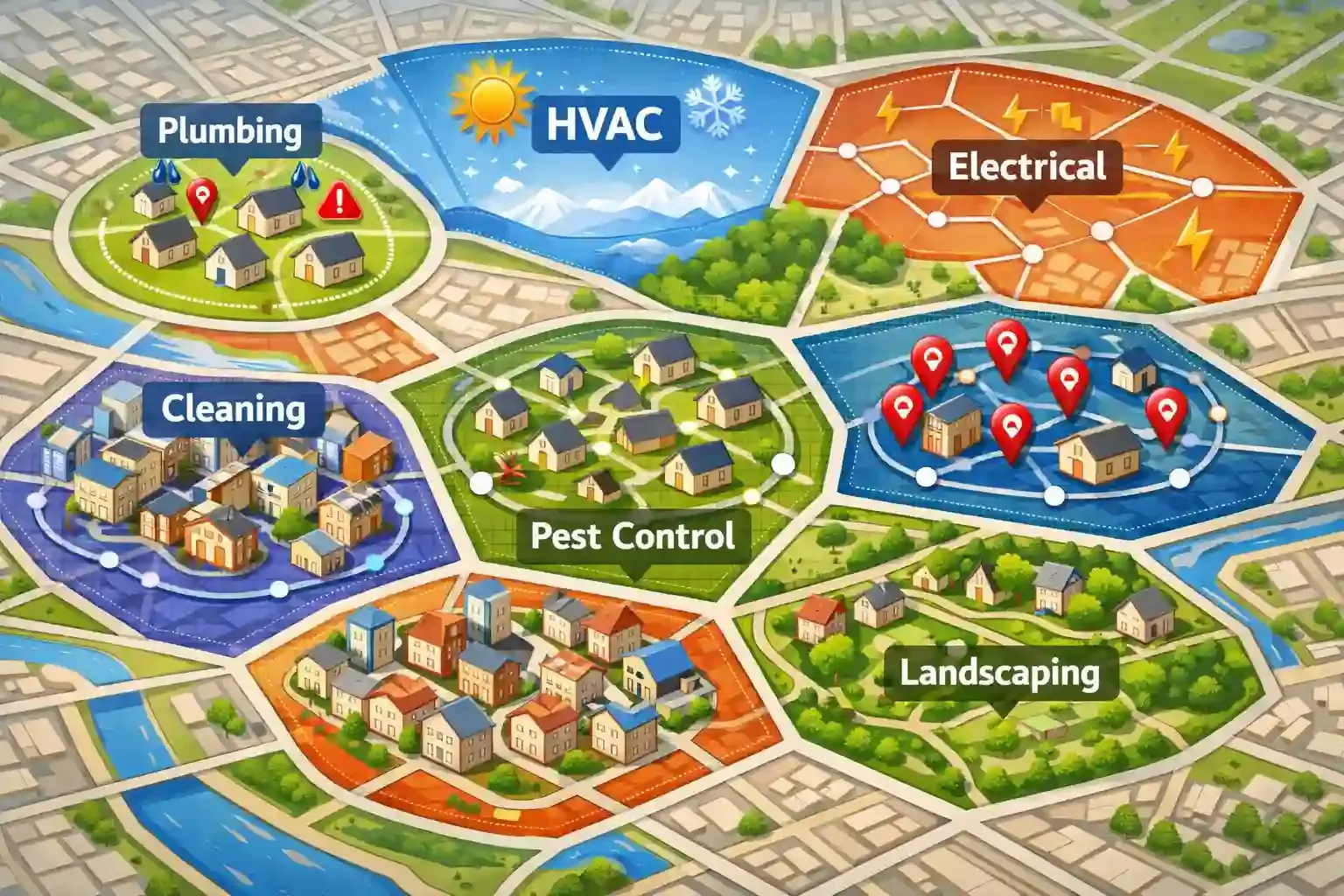
Plumbing
Plumbing service areas stay tight because emergencies need a fast response. Most plumbers focus on nearby neighborhoods within 20–30 minutes to handle urgent calls quickly.
HVAC
HVAC service areas expand during peak seasons like summer and winter. Companies often cover larger zones but prioritize high-density areas for faster scheduling. Seasonal demand spikes make flexible service coverage more effective.
Electrical
Electrical services often follow skill-based zones. Complex jobs get assigned to experienced technicians within specific areas to reduce repeat visits. This improves first-time fix rates and overall efficiency.
Cleaning
Cleaning businesses focus on dense areas to reduce travel gaps. Jobs get scheduled close together to maximize daily output. High job frequency makes compact service areas more profitable.
Pest Control
Pest control uses route-based service areas for recurring visits. Companies cluster jobs by neighborhood to reduce travel time across repeat cycles. This helps maintain consistent service schedules.
Appliance Repair
Appliance repair follows demand-based zones. Technicians cover areas with higher service calls to reduce idle time. Faster turnaround improves customer satisfaction.
Landscaping
Landscaping service areas stay hyper-local for regular maintenance work. Teams focus on nearby clients to handle weekly or monthly schedules efficiently. Local density helps maintain steady recurring revenue.
Your service area should evolve as your business grows.
Adjust coverage by industry needs, demand patterns, and recurring jobs without losing control.
How Software Helps You Manage Service Areas Better
Managing a service area manually works at first, but it breaks as your jobs grow. Once you have multiple technicians and scattered bookings, it becomes hard to assign work, track routes, and keep schedules on time.
Instead of guessing, you match jobs based on location, skill, and availability, which improves first-time completion and reduces delays. At the same time, route optimization helps reduce drive time.
Then comes real visibility. GPS time tracking and geofencing show where crews are and confirm job presence without manual checks.
That’s where FieldServicely becomes useful in real operations. It helps plan schedules by zone, track route history, and measure area performance, so your service area decisions stay practical and data-driven.
Plus, the tool gives you a clear view of which zones bring repeat work and which ones drain time. Over time, this helps you refine your service area without guesswork and scale operations more confidently.
Still managing service areas manually and losing time every day?
Use FieldServicely to assign jobs smarter, optimize routes, and manage your entire service area from one place.
Conclusion
A service area shapes how your business runs every day, from scheduling and costs to customer experience and growth. When you define it using real data, not assumptions, everything starts to improve. Your routes get shorter, your jobs get better, and your team works more efficiently. The key is to keep refining your service area based on performance, demand, and capacity. So your operations stay focused and profitable.
Frequently Asked Questions
What Is A Service Area In Business?
A service area is the geographic region where a business delivers its services. It usually includes cities, zip codes, or neighborhoods where jobs stay profitable and manageable.
What Is A Service Area Business?
A service area business travels to customers instead of serving them at a fixed location. Examples include plumbers, cleaners, HVAC companies, and mobile technicians.
How Do I Choose My Service Area?
You choose your service area based on real job data, not guesswork. Focus on areas with repeat customers, strong demand, and reasonable drive time.
How Many Service Areas Can I Add to Google Business Profile?
You can add up to 20 service areas in Google Business Profile. These should be specific cities, postal codes, or regions you actually serve.
Can I Use A Radius For Google Service Areas?
You cannot use a radius in Google Business Profile anymore. Google requires named areas like cities or zip codes instead.
What Is The Difference Between A Service Area Page And A Location Page?
A service area page targets a city where you offer services without a physical office. A location page represents a real address where customers can visit.
Should I Create A Page For Every City I Serve?
You should create pages only for your priority cities. Focus on areas with real demand instead of making thin pages for every location.
How Far Should A Service Business Travel?
A service business should generally stay within a manageable range based on time and profitability. Most operate within about 45 to 60 minutes or roughly 20 miles, while longer travel only makes sense for higher-value jobs.


