
- GPS Tracking for Field Service
GPS vs Geofencing: What’s the Difference?
Updated on 12 Mar 2026
Jump to
Summary

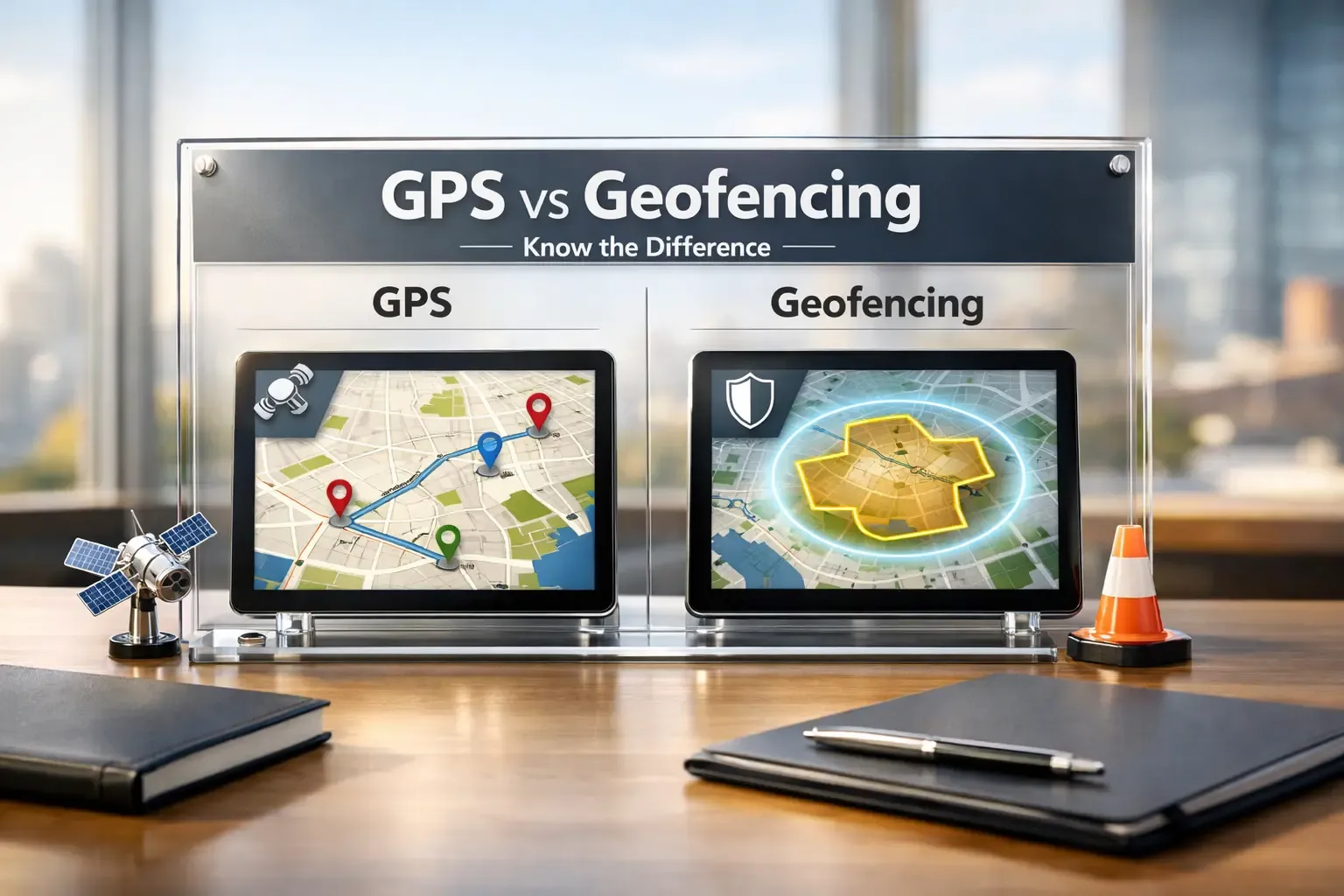
GPS vs Geofencing often confuses teams because both use location data, but solve different operational problems.
GPS provides real-time tracking and route visibility for vehicles, assets, and field teams.
Geofencing triggers automated actions when a device enters or leaves a defined location.
Most modern platforms combine GPS tracking with geofencing automation.
Choosing the right option depends on whether you need visibility, automation, or both.
GPS vs Geofencing often confuses businesses that rely on location technology to manage vehicles, teams, or assets. Both tools use location data, yet they solve different operational problems.
GPS focuses on real-time tracking and route visibility, while geofencing triggers automated actions when someone enters or leaves a defined area.
Because of this difference, many teams struggle to choose the right solution. In this guide, we explain what GPS and geofencing are, and how they work. We will also discuss their benefits and limitations, and when each option makes the most practical sense.
What Is GPS?
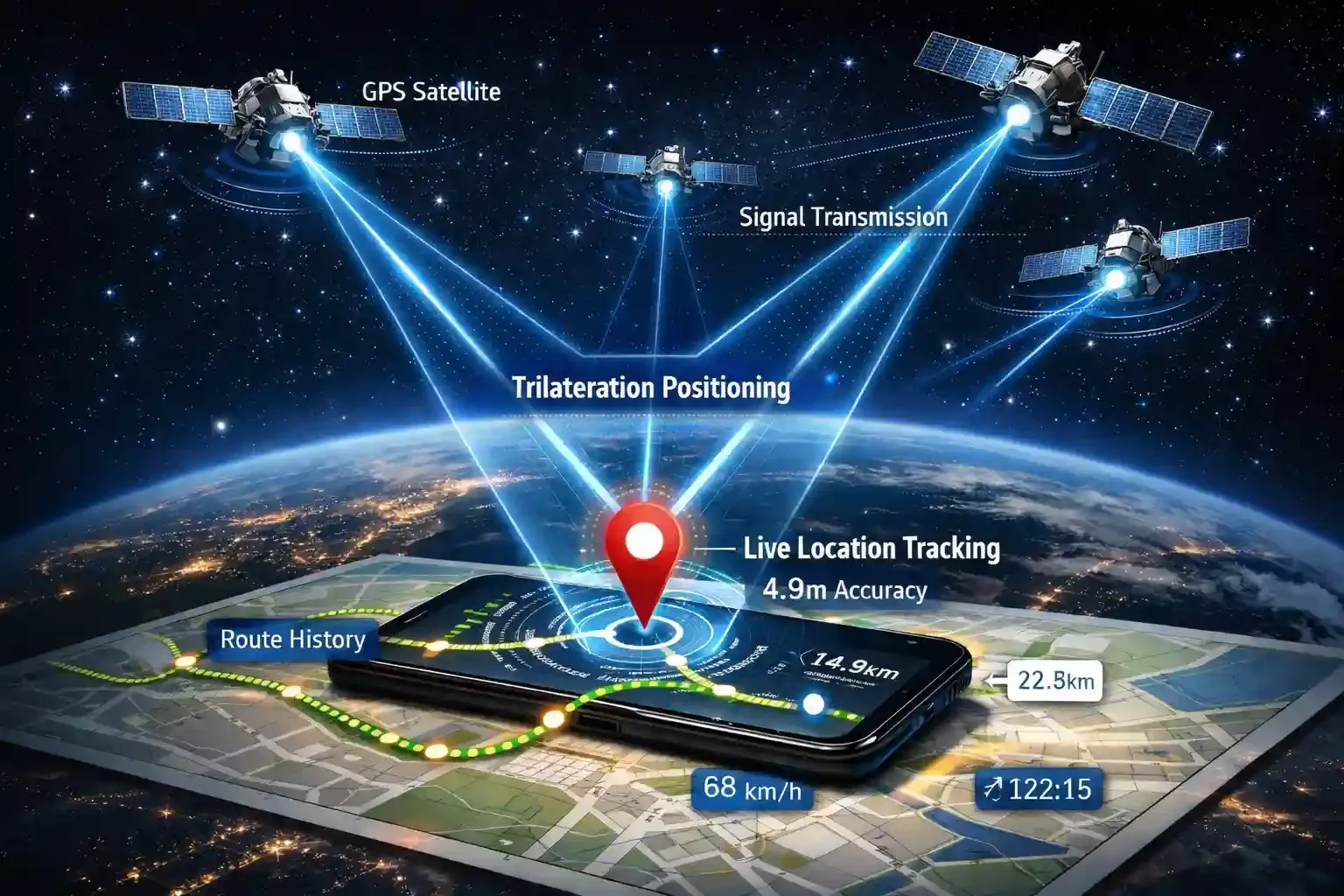
GPS tells you exactly where a device is on Earth at any moment. The system runs on 31 satellites orbiting about 20,200 km above the planet, operated by the U.S. Space Force. [Source: GPS]
Let me explain how it works in real life.
Your phone, car tracker, or smartwatch receives signals from several satellites at the same time. Then the device measures the signal travel time and calculates its position using a method called trilateration. Even modern civilian GPS usually achieves 4.9-meter accuracy in open areas.
Now, here is where GPS becomes powerful.
It continuously records location data while a device moves. That means you can see live location, route history, trip distance, and movement patterns on a map.
This is exactly why logistics companies depend on GPS tracking software. More than 7 billion GNSS-enabled devices worldwide use satellite positioning for navigation and tracking.
Manual vehicle tracking wastes time and visibility
See live location, routes, and trip history on one dashboard
What Is Geofencing?
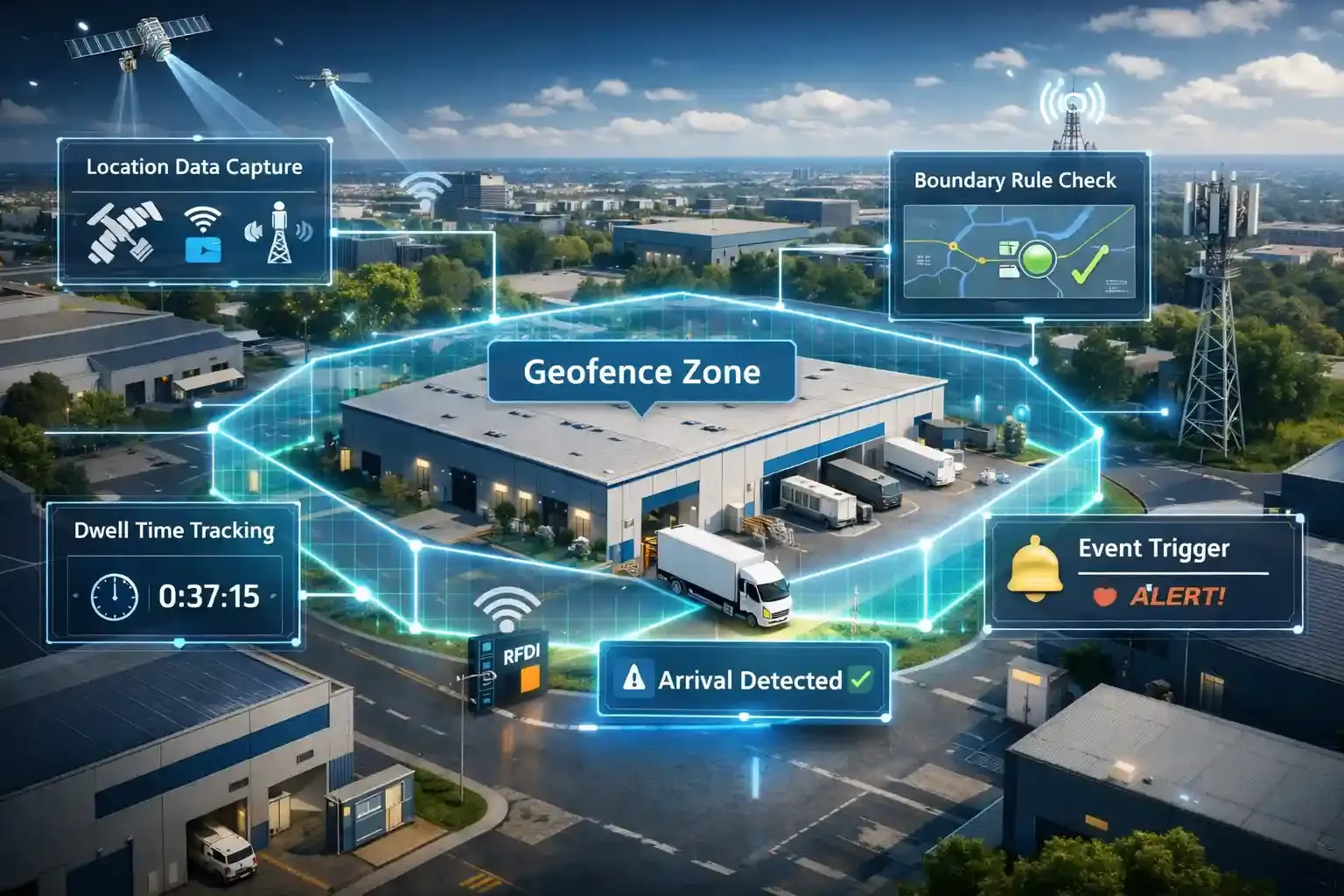
Geofencing creates a virtual boundary around a real-world location. It uses location data from GPS, Wi-Fi, cellular networks, or RFID to define an area on a digital map.
Here’s how geofencing works in practice.
A tracking platform first collects location data from a device. Then the software compares those coordinates against the system's defined boundary rules. If the coordinates cross the boundary line, the platform triggers the rule you configured.
This is where geofencing becomes useful for operations.
For example, a fleet system can log when a truck arrives at a warehouse and measure how long it stays before leaving. According to research, geofencing continues expanding across logistics, retail, and security applications as companies automate real-time location decisions.
Constantly checking driver locations wastes time
Trigger automated alerts when vehicles enter or leave zones
GPS vs Geofencing: Key Differences
| Factor | GPS | Geofencing |
|---|---|---|
Primary Purpose | Shows the exact real-time location of a device | Detects when a device enters or leaves a defined area |
How It Works | Uses satellite signals to calculate device coordinates | Uses location data and software rules to monitor boundaries |
Output | Coordinates, routes, movement history | Alerts, entry logs, exit notifications, automation |
Best Use Cases | Navigation, fleet tracking, route analysis | Job-site monitoring, security alerts, and arrival notifications |
Strengths | Precise location tracking and route visibility | Automation and location-based triggers |
Limits | Only provides location data | Depends on location technologies like GPS |
Real-Time Location Tracking
When I look at GPS, the first thing it gives me is continuous visibility of where something or someone is. Phones, vehicles, and asset trackers constantly calculate their position and send location updates. It is also a crucial feature for employee location tracking.
That’s exactly why delivery apps and fleet systems rely on it. From my experience of testing tracking tools, GPS makes it easy to see routes, trip history, and driver movement throughout the day.
Boundary Monitoring
Instead of tracking movement constantly, geofencing watches specific areas on a map. When a device crosses that digital boundary, the system immediately triggers an event.
For example, when I tested fleet software with geofencing enabled, I received alerts the moment a vehicle entered a warehouse zone. That simple automation removed the need to manually check arrivals.
Type of Data You Get
GPS gives you raw location data. You see coordinates, movement paths, and real-time tracking on a map.
Geofencing, however, gives you events instead of coordinates. It effectively logs things like entry time, exit time, and how long a device stayed inside a zone. From a workflow perspective, that difference matters a lot. Not to mention, for any tool claiming to be a GPS time clock, it must have geofencing.
Where Each Technology Works Best
When I need complete movement visibility, GPS is the better option. It works well for delivery tracking, route optimization, and asset monitoring.
However, when I want automation based on location, geofencing becomes far more useful. It can trigger alerts, attendance logs, security notifications, or workflow actions without manual input.
Strengths and Limits
GPS excels at accurate real-time tracking. It shows where a device has been, where it is now, and where it is heading.
Geofencing excels at automating location-based actions. But it cannot determine location by itself, which means it usually relies on GPS or similar positioning systems.
That’s why most modern tracking platforms combine both technologies to get the best of both worlds.
Tracking location alone does not automate operations
Combine GPS tracking and geofencing alerts in one platform
How GPS and Geofencing Work Together
If you’re comparing GPS vs geofencing, it’s important to understand that these two technologies rarely work separately. In most systems I’ve tested, geofencing actually relies on GPS tracking to function.
GPS provides the location data, while geofencing uses that data to trigger actions when something happens at a specific place.
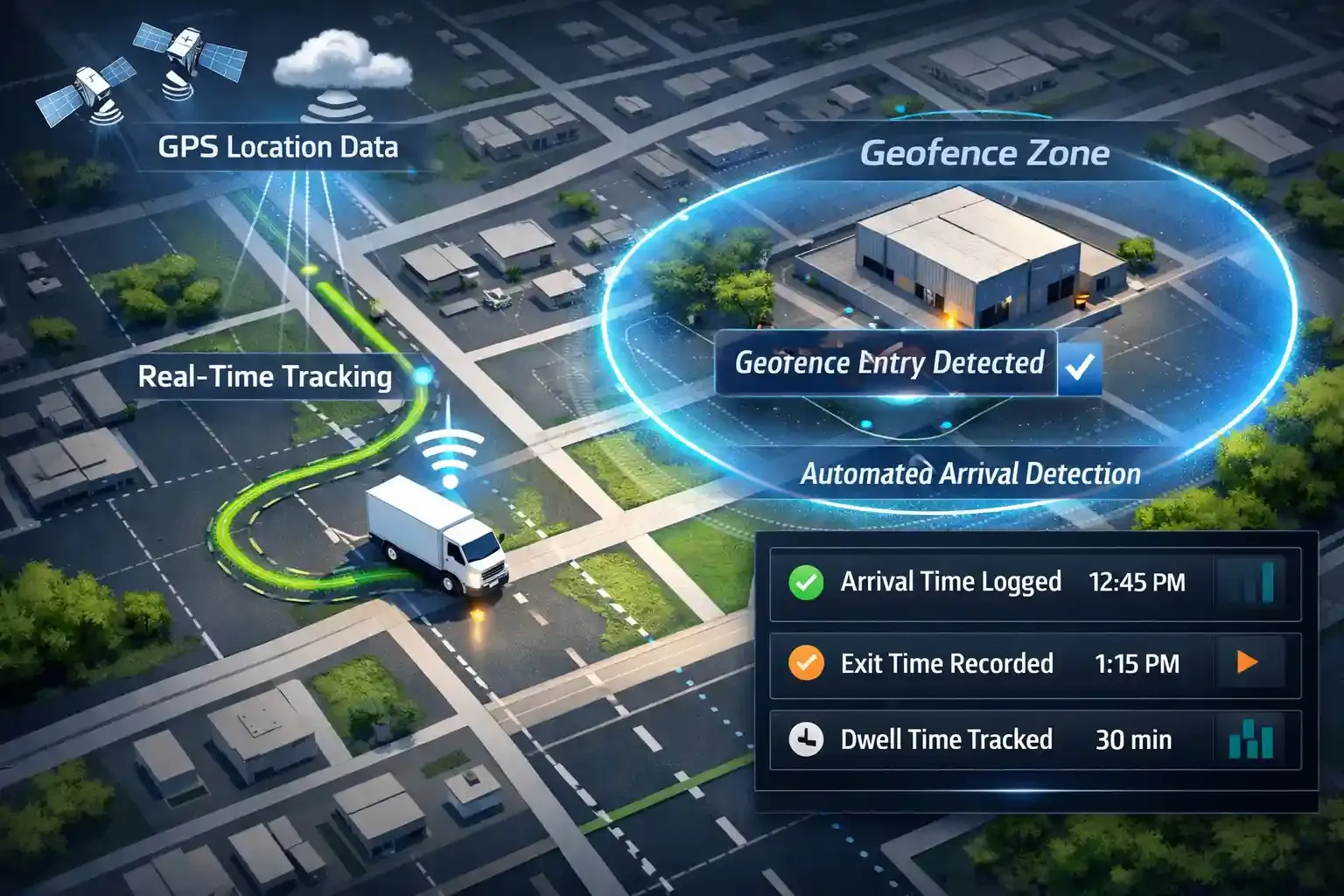
First, GPS tracks the driver or asset in real time. The tracking device sends location coordinates to the platform every few seconds, which allows managers to see movement on a live map.
Next, geofencing builds automation on top of that tracking. Instead of watching the entire route, it focuses on specific locations. Once the vehicle enters that area, the geofence detects the arrival automatically.
In the fleet tools I tested, the system immediately logged the entry time and triggered alerts for the dispatch team. According to research, automated tracking technologies now help transportation companies improve delivery visibility and operational efficiency.
After that, the platform records the activity for reporting. The system stores arrival time, exit time, and dwell time inside the location zone.
In simple terms, GPS tells you where the driver is, while geofencing confirms when the driver reaches an important location.
Missed location events disrupt delivery workflows
Monitor routes and log arrivals automatically with geofencing
When to Use GPS
- Real-time fleet visibility: Managers can instantly see where every vehicle is and monitor deliveries as they happen.
- Route Optimization: Navigation tools analyze traffic and distance to guide drivers through faster routes.
- Theft recovery: Tracking systems help locate stolen vehicles or equipment quickly.
- Field team coordination: Supervisors can identify the closest technician and assign the next job faster.
- Trip history insights: Route records and stop logs reveal how vehicles moved throughout the day.
- Mobile asset monitoring: Delivery trucks, construction machines, and service vehicles remain visible while operating outdoors.
When to Use Geofencing
- Attendance verification: Automatically logs when employees enter or leave a worksite.
- Job-site arrival logging: Records the exact moment a worker or vehicle reaches the location.
- Security zones: Sends alerts if someone enters or exits a restricted area.
- Delivery confirmation: Detects when a driver reaches the customer address.
- Location-triggered customer alerts: Send offers or notifications when users enter a defined area near a store.
Is Geofencing Worth It?
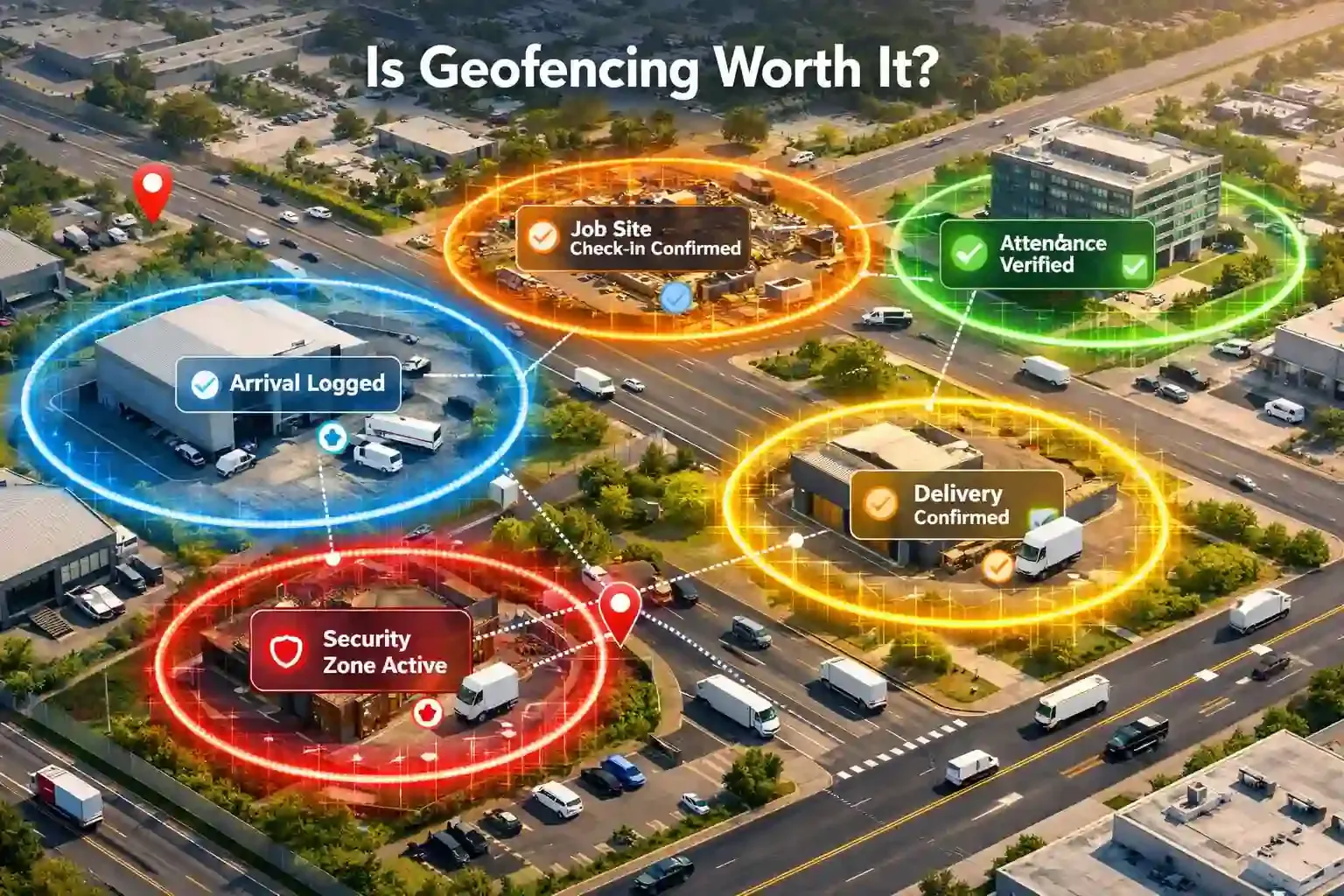
The answer depends on what you actually want from location data.
If all you need is to see where a vehicle or employee is, then simple tracking already solves that problem. But if you want actions to happen automatically based on location, geofencing starts to make a lot more sense.
What makes geofencing useful is automation. Instead of calling drivers or checking dashboards constantly, the system can log arrivals, send alerts, or trigger workflows the moment someone enters a location. This becomes especially valuable for job sites, warehouses, offices, and delivery locations where confirming arrival matters.
That’s also why geofencing works best around fixed places. Companies use it for attendance verification, job-site check-ins, security zones, delivery confirmation, and even local marketing notifications.
However, geofencing isn’t always necessary. If your main goal is simply route visibility or navigation, traditional tracking tools already provide that information without extra setup.
Manual monitoring creates gaps in operational visibility
Trigger automated alerts when vehicles reach key locations
GPS vs Geofencing vs Geotargeting
| Feature | GPS | Geofencing | Geotargeting |
|---|---|---|---|
Purpose | Find exact device location | Trigger actions at a location | Target audiences by area |
How it works | Uses satellite signals to calculate coordinates | Uses location data to monitor digital boundaries | Uses IP, GPS, or Wi-Fi to identify user regions |
Output | Coordinates and movement data | Alerts, logs, automation | Ads or localized content |
Precision Level | Very high, often within a few meters | High, usually within tens of meters around a boundary | Broader, often city, region, or postal-code level |
Best For | Navigation and tracking | Arrival alerts, attendance logging | Local marketing campaigns |
Many people confuse these three because they all use location data. But they are not similar.
The easiest way to remember them is simple: GPS finds the location, geofencing reacts to the location, and geotargeting uses the location to reach audiences.
GPS provides the raw coordinates of a device. Navigation apps, fleet platforms, and asset trackers rely on it to monitor movement in real time.
Geofencing, on the other hand, adds automation on top of that location data. When a device crosses a digital boundary, the system triggers alerts, logs, or workflow actions.
In contrast, geotargeting works differently because it focuses on groups of users instead of a single device. Marketing platforms deliver ads or content to people within a city or market area. According to Indeed, businesses increasingly use geographic targeting to improve the relevance of local campaigns.
Disconnected location tools limit operational visibility
Track assets and trigger location events in one platform
What are the Limitations of GPS
- Poor indoor accuracy: Signals weaken inside buildings and tunnels.
- Urban interference: Tall buildings can distort location signals.
- Battery drain: Continuous tracking consumes more power.
- Privacy concerns: Constant tracking raises data privacy issues.
- Signal dependency: Trees, terrain, and weather can affect accuracy.
What are the Limitations of Geofencing
- False alerts: Poorly set boundaries can trigger incorrect entry or exit events.
- Accuracy limits: Performance depends on GPS or network signal quality.
- Delayed triggers: Slow location updates may miss or delay events.
- Setup effort: Admins must configure boundaries carefully.
- Ongoing tuning: Teams may adjust the geofence size to improve accuracy.
GPS vs Geofencing: Which One Should You Choose?
Choosing between GPS and geofencing really comes down to what you expect the system to do.
Use GPS when you need live visibility:
- Monitor moving vehicles: See where drivers or service teams are throughout the day.
- Review travel history: Check routes, stops, and movement patterns after a shift.
- Improve dispatching: Send the closest technician to the next job.
- Track mobile assets: Follow equipment, vehicles, or shipments across wide areas.
Use geofencing when you need automation:
- Log job-site arrivals: Record when employees reach a work location.
- Confirm deliveries automatically: Detect when drivers reach a customer address.
- Protect restricted areas: Receive alerts if a vehicle leaves an approved zone.
- Trigger customer notifications: Send messages when users enter a store area.
Use both when you need tracking plus action:
- Manage fleet operations: Watch vehicles on the map and log depot arrivals automatically.
- Improve delivery workflows: Track routes while confirming drop-offs without manual updates.
- Coordinate field teams: See technician movement and verify site visits.
- Secure valuable assets: Monitor equipment location and receive alerts if it leaves the job site.
Choosing the wrong tracking system slows operations
Track assets live and automate location alerts in one platform
Conclusion
GPS vs Geofencing ultimately comes down to how you want to use location data. GPS delivers real-time visibility of vehicles, assets, and teams, while geofencing adds automation when someone enters or leaves a location. When used together, they create a stronger system that improves tracking, operational control, and workflow efficiency.
Frequently Asked Questions
Can geofencing work without GPS?
Yes, geofencing can work without GPS in some cases. Systems may use Wi-Fi signals, Bluetooth beacons, cellular towers, or RFID to detect device location indoors or in dense environments.
How accurate is geofencing in real-world use?
Geofencing accuracy depends on the positioning technology used. GPS-based geofences typically detect movement within 5–50 meters, while Wi-Fi or cellular positioning may be less precise.
Does geofencing require an internet connection?
Most geofencing platforms require internet connectivity to send alerts, update location data, or trigger actions in cloud-based systems.
Is geofencing legal for employee tracking?
Yes, but companies must follow privacy laws and inform employees about location tracking. Many regulations require clear consent and transparent data usage policies.
What industries use GPS and geofencing the most?
Transportation, logistics, construction, retail, field services, and security industries widely use these technologies to track assets, automate workflows, and improve operational efficiency.


