100% Free Employee GPS Tracking
Get Real-Time Visibility into Employee Locations
See where employees are during work hours. Verify every arrival with GPS and geofencing, and auto-generate timesheets from logged hours.

Free Forever
Unlimited Users
No Credit Card Required
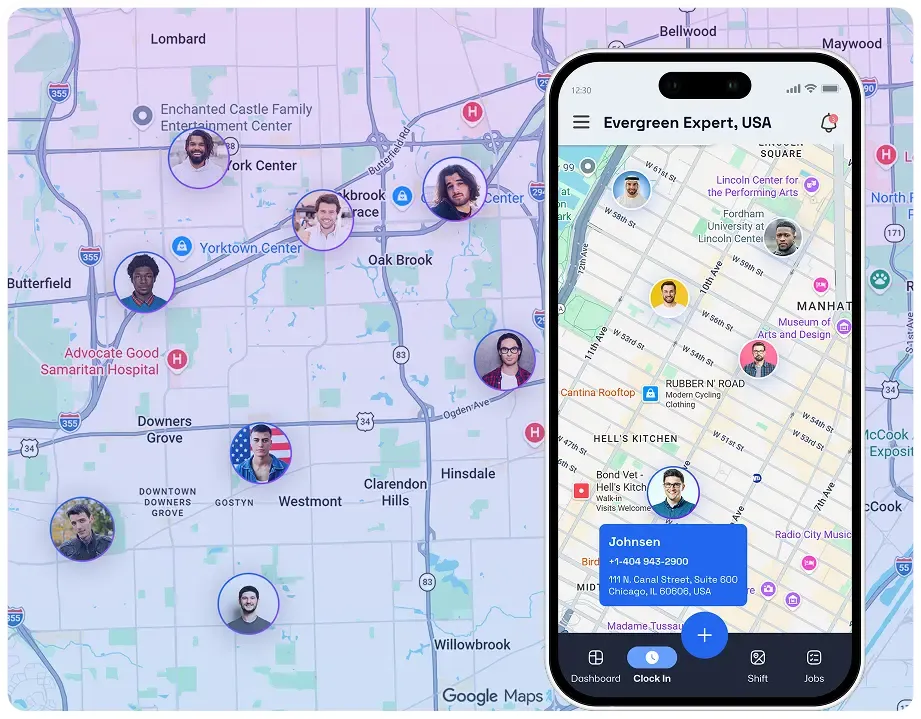
BUILT FOR FIELD TEAMS
Employee GPS Tracking App That Connects Location, Time, Jobs, and Payroll

Michael C.
Operations Manager

FieldServicely connects employee GPS tracking, job management, timesheets, and invoicing in one system. We can verify jobsite visits, approve hours faster, and keep daily operations moving without the usual guesswork.
Track Employee Location and Verify Work in Real Time
See team locations live, verify jobsite visits, and turn GPS-backed work hours into accurate timesheets for payroll, accountability, and smoother daily field operations.
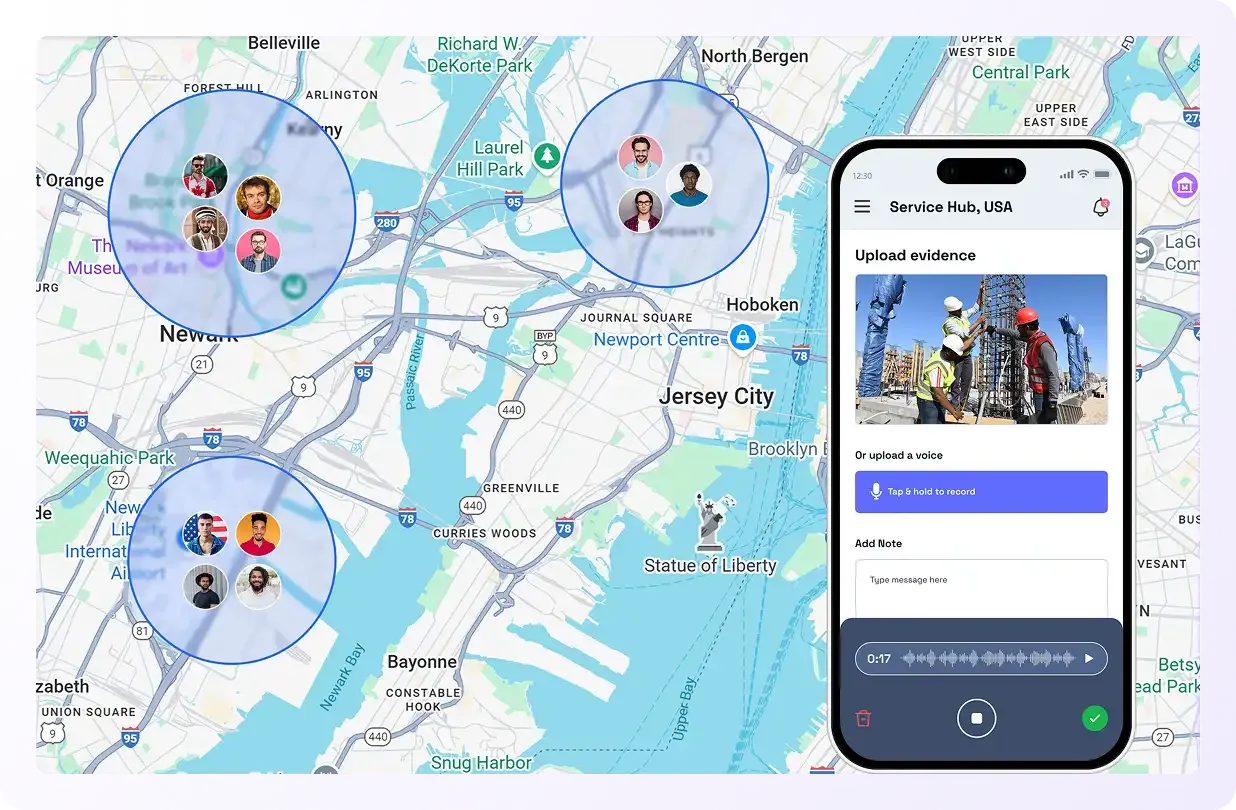
GPS Employee Tracking Shows How Workers Move
Live Location Tracking
Always Know Where Employees are in Real Time
Instantly see the accurate worker location on the live map when moving between job sites. So managers can respond faster.
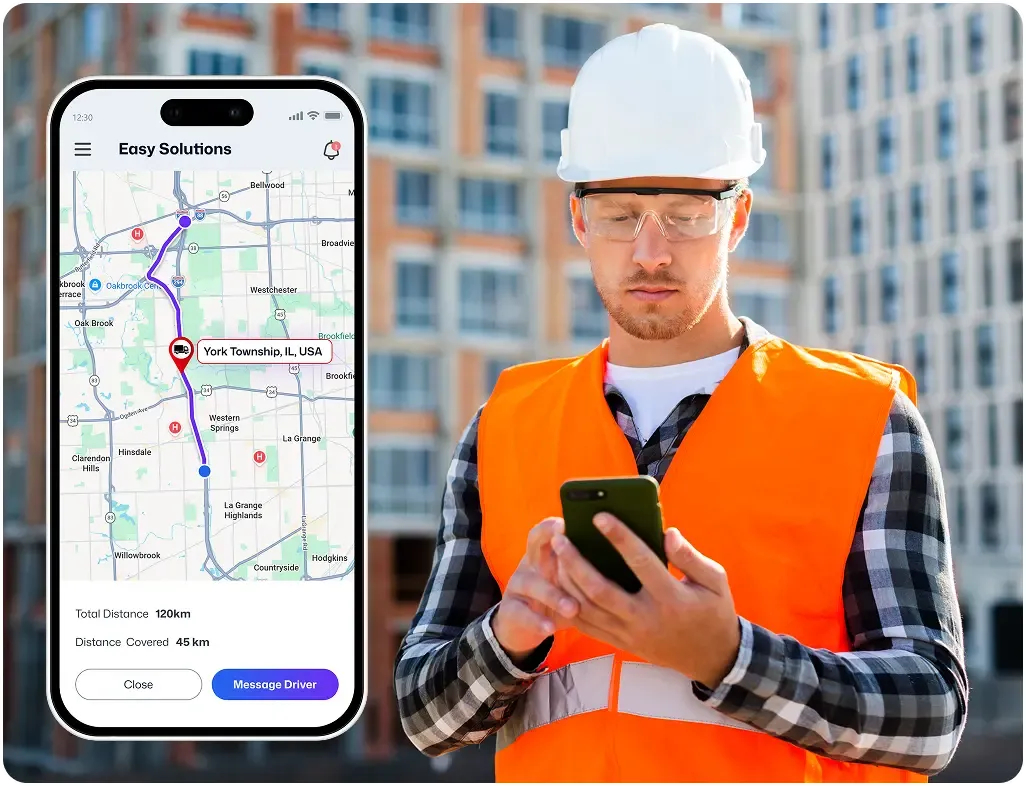
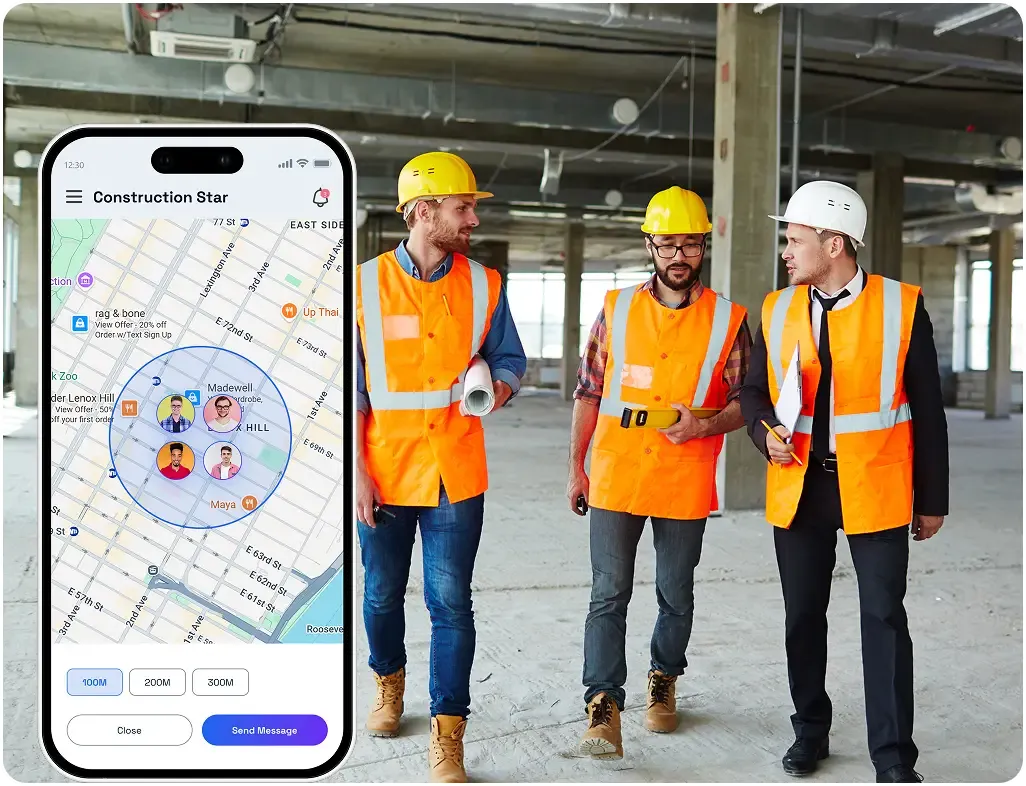
Geofenced Attendance
Make Sure Teams Clock In at the Right Place
Use GPS and geofencing to confirm employees clock in and out from the correct jobsite. Stop buddy punching by requiring a selfie upon arrival.
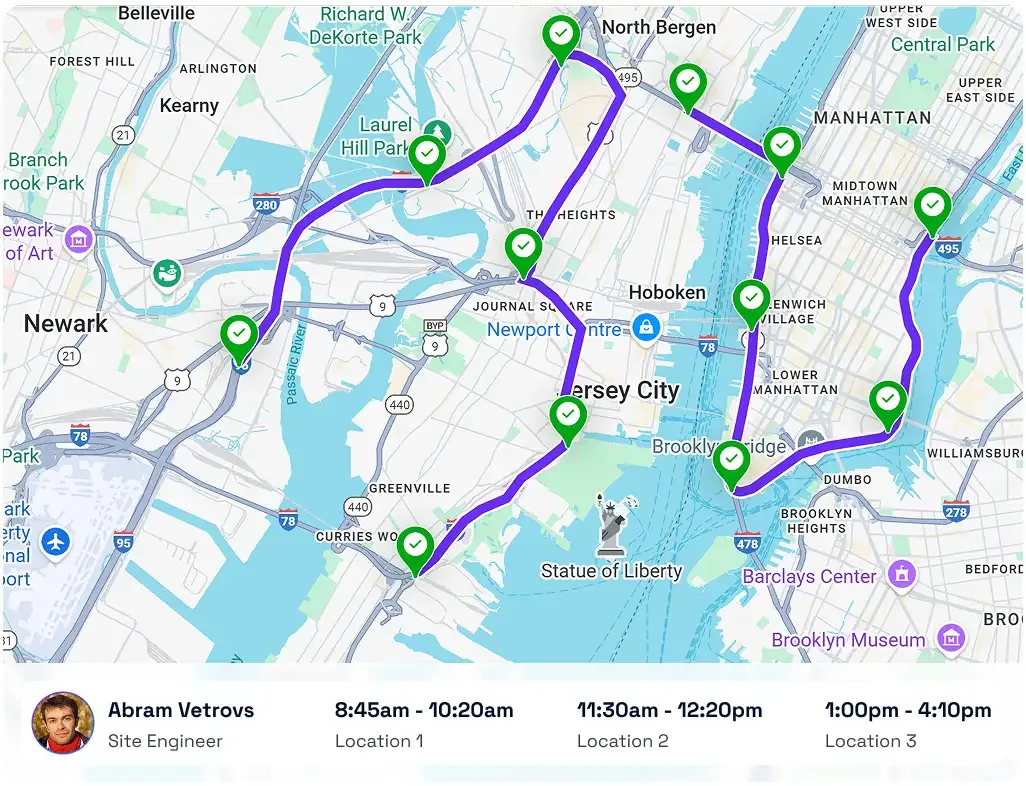
Route History
See the Full Employee Movement Record of Every Workday
Check where workers made stops, and view the travel path to the work site. Use this data for better planning and route optimization.
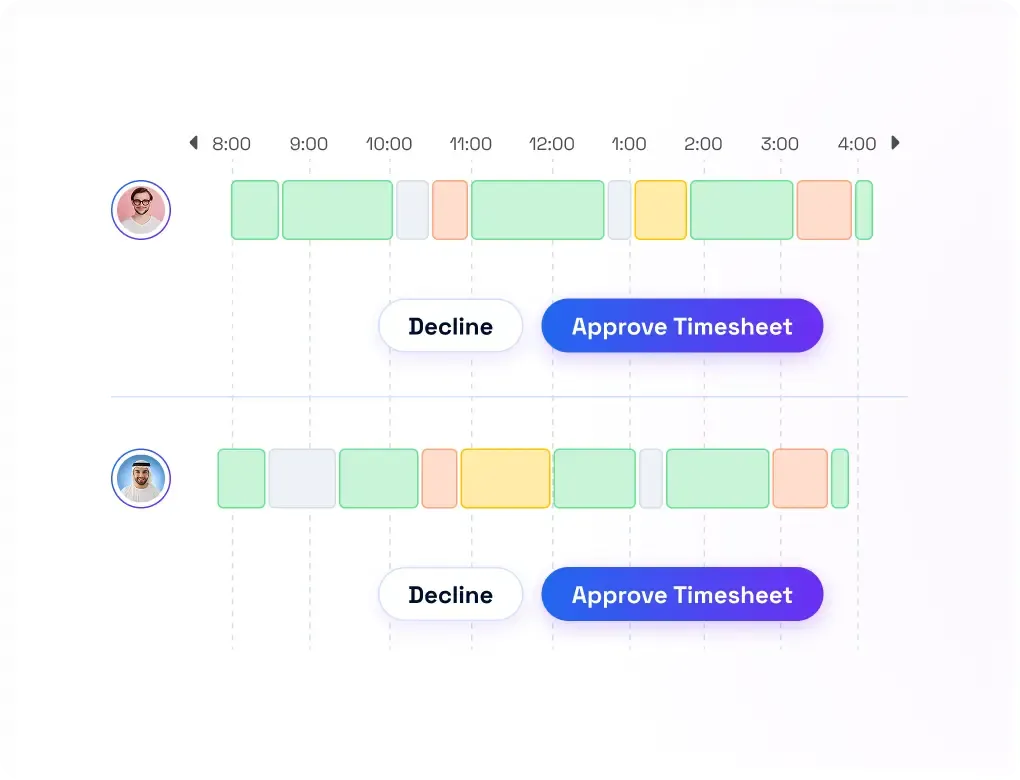
Automatic Work Hours Logging
Turn Tracked Time into Accurate Timesheets
Capture time and location information using the GPS time clock. Generate exportable (CSV) timesheets automatically for easy review and faster payroll.
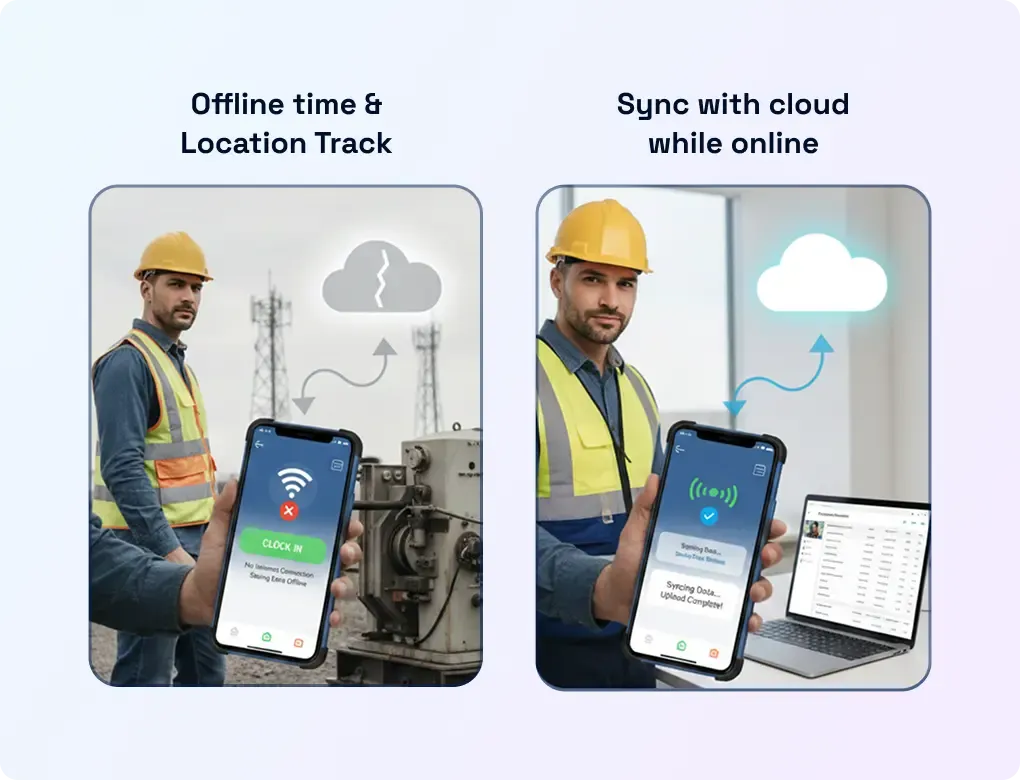
Offline Location Tracking
Track Now, Sync Later
Keep the GPS Employee tracking app running in remote areas where the signal is weak. Tracked data syncs automatically as soon as the phone connects to a network.
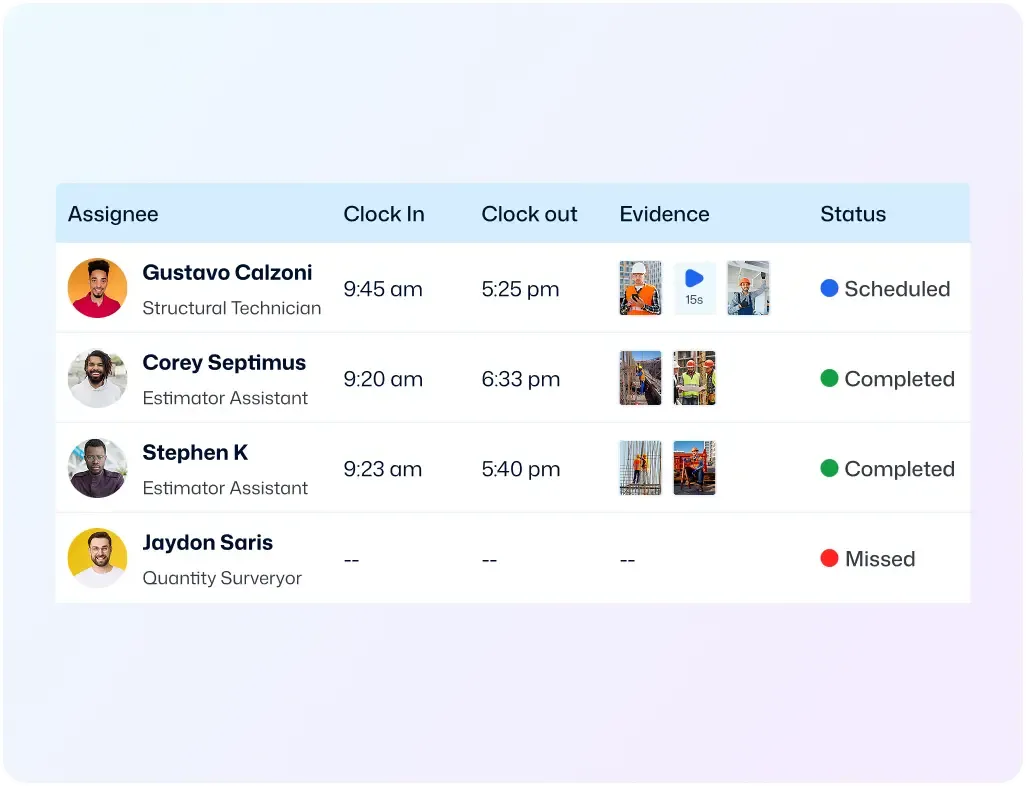
Organized Workforce Data
See Field Data Clearly Without Spreadsheet Work
Get GPS tracking, job activity, timesheets, and payroll records in a single dashboard view. Filter data that matters the most to review productivity.
Customer stories
How Teams Like Yours are "Winning"

Mid-market
“We needed a system that gave us control and real-time insight into what was happening on the ground, without chasing people or spreadsheets.”


See FieldServicely in Action
Just schedule a demo and see how FieldServicely makes field operations and job management smarter, faster, and easier.
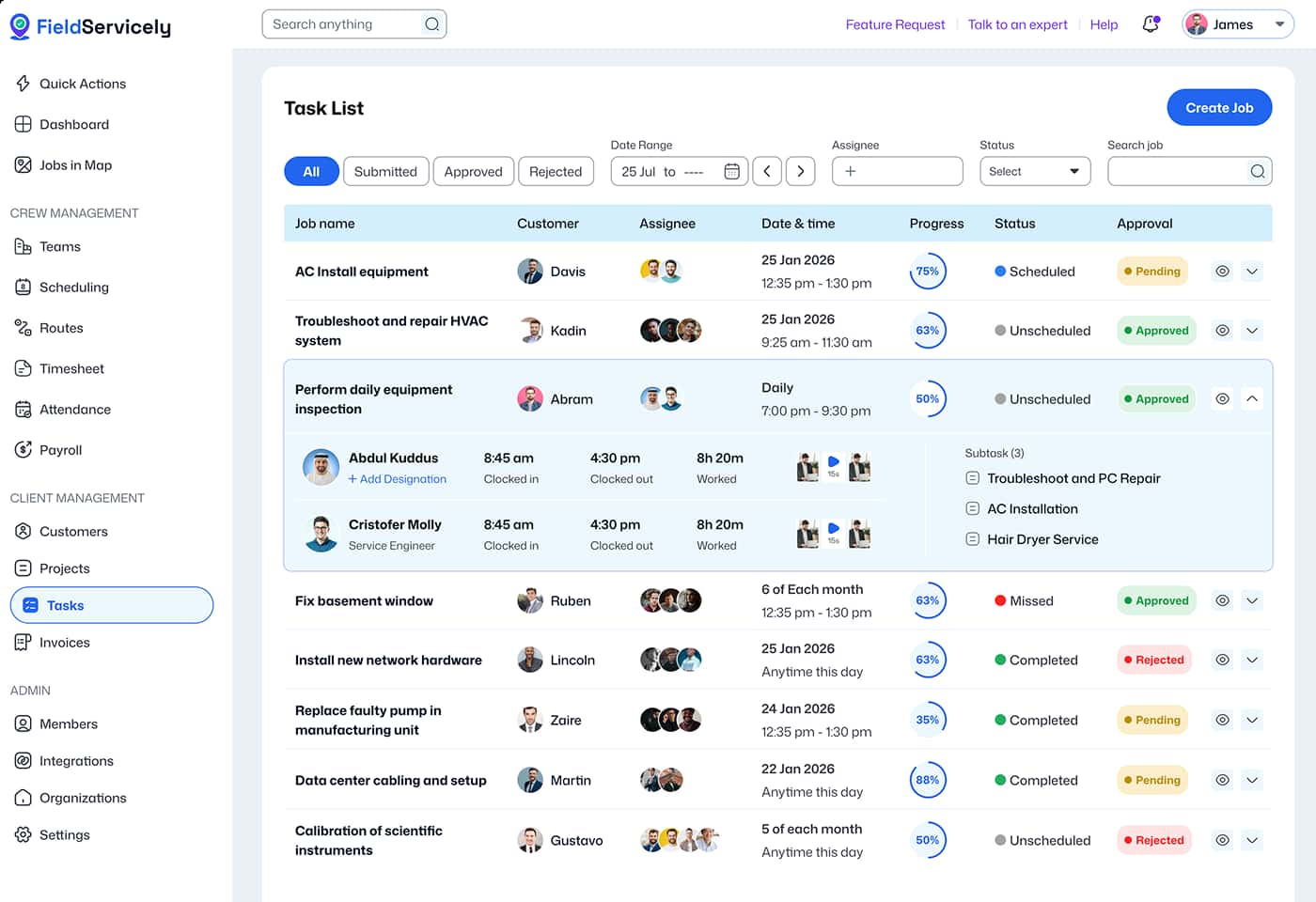
Employee GPS Tracking That Proves Work in Real Time
Track live location, time, routes, and get jobsite verification
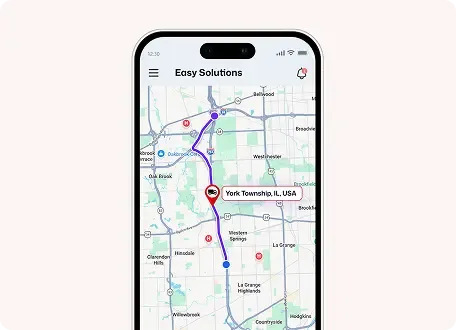
Live Map View
View employee movement in real time on an interactive map.
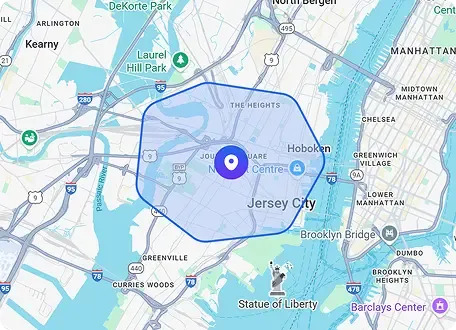
Geofencing
Create virtual job site boundaries to allow clocking-in at the approved location.
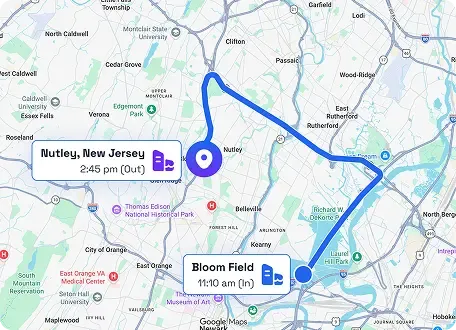
GPS Time Clock
Log work hours with location stamp clock-ins and clock-outs.
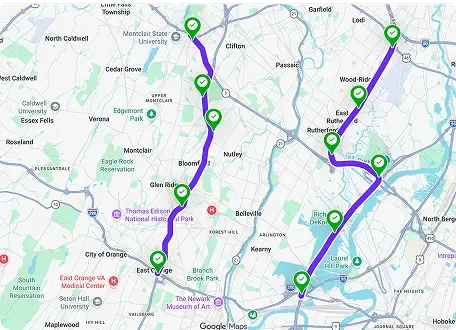
Route History
Review every stop and traveled path to verify worker visits.

Selfie Check-In
Confirm who arrived on site with photo-based check-ins.
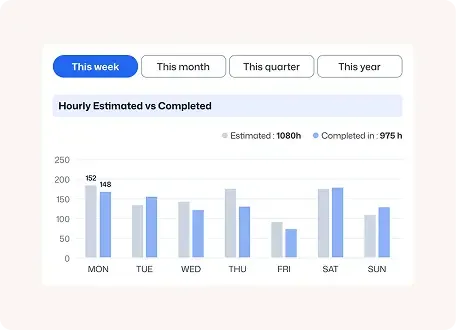
Analytics & Reporting
Filter location, time, and job data to spot trends and make faster staffing decisions.
HOW IT WORKS
Get Started with Employee GPS Tracking App in 3 Simple Steps
Sign Up & Set Up for Free
Register a new account with your email and password from the sign-up page. Enter the organization details to get started.
Invite Employees & Assign Jobs
Send email invites to your employees and have them download the FieldServicely mobile app.
Start Employee GPS Tracking
As soon as your workers step into the approved destination, the app automatically starts tracking employee location.
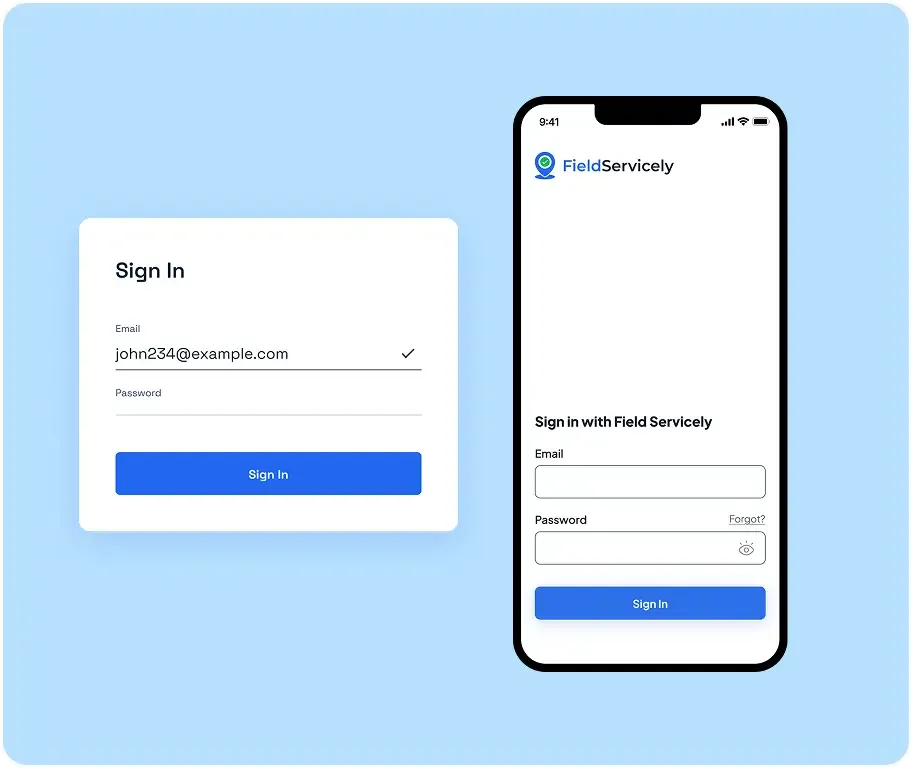
Real-Time Employee GPS Tracking Gives Managers Complete Field Visibility

Ethan W.
Service Delivery Lead
FieldServicely helped us reduce unverified clock-ins by 61% and cut timesheet disputes by 43% within 90 days across 28 field employees. To be able to see who is on-site and get the proof of a job site visit is a godsend for managers.
FAQS
Frequently Asked Questions about GPS Employee Tracking
How does employee GPS tracking work in FieldServicely?
In FieldServicely, employees use the mobile app to clock in from approved locations, while managers can monitor live crew locations, view route history, and verify job presence in real time.
Can FieldServicely verify jobsite visits?
Yes. FieldServicely can help verify jobsite visits with real-time employee GPS tracking, route history, and geofenced check-in/out. So managers can confirm that teams reached the right location and were present on time.
Does FieldServicely support geofence time clock workflows?
Yes. FieldServicely supports geofence time clock workflows through location-based clock-ins and secure attendance at approved job sites.
Can GPS-backed work hours flow into timesheets and payroll?
Yes. GPS-backed work hours can flow into timesheets, giving managers a clearer record of when work happened and where it was performed. Once reviewed and approved, those verified hours can then support faster, more accurate payroll.
How much does FieldServicely employee GPS tracking solution cost?
FieldServicely’s employee GPS tracking offers a completely a Free version forever. Then comes the Standard plan at $9/user/month, Elite for $12/user/month, and the Enterprise plan with custom pricing. You can also try it free for 10 days with no credit card required before choosing a plan.
How many users can be active on FieldServicely at a Time?
FieldServicely allows unlimited users to be active at a time, thanks to its robust cloud infrastructure. This makes it easier for large or small organizations to onboard.
Does FieldServicely show route history and live team location?
Yes. FieldServicely shows live team location through its Live Location view and also provides route history/route maps so managers can see where team members are and the path they followed during the workday.
Can I see route history and job-site visit records?
Yes. FieldServicely lets you monitor field crews live, view route history, and confirm punctual job presence, so you can review where teams traveled and whether they visited the right job site.
Does FieldServicely show route history and live team location?
Yes. FieldServicely shows live team location through its Live Location view and also provides route history/route maps so managers can see where team members are and the path they followed during the workday.
The Ultimate Guide to Employee GPS Tracking
The Ultimate Guide to Employee GPS Tracking
|
FieldServicely
What is Employee GPS tracking?
Employee GPS tracking is a way to monitor employee location during work hours by using GPS-enabled software. Most often, this works through a mobile app on the employee’s phone. The app records location data while the worker is on the clock. It can also connect that data to time entries.
With employee GPS tracking, managers do not have to rely only on calls, texts, or manual updates. They can see team movement, check attendance, and review worked hours in real time.
This system helps managers answer key questions:
- Is the employee at the right job site?
- When did they arrive?
- How long did they stay?
- Does the timesheet match the real visit?
For field teams, this is not only about seeing dots on a map. It is about proving where work happened and when it happened.
How Does GPS Employee Tracking Work?
A modern GPS employee tracking app runs on a mobile device and tracks location while the employee is working. Some systems only track at clock-in and clock-out. Others support full-shift tracking.
Many tools also offer location-based clock-ins. This means workers can clock in only from the right place. Some systems also provide real-time location tracking, so managers can see where teams are during the day.
More advanced systems include:
- Route history
- Job site tracking
- Attendance tracking
- Timesheet verification
- Mileage tracking
These features make the data useful for payroll, dispatch, and daily operations.
Why Businesses Use Employee GPS Tracking Software
The main reason businesses buy employee GPS tracking software is simple. When employees work in the field, managers lose visibility. That creates problems with payroll, attendance, accountability, scheduling, and customer service.
With better employee location tracking, businesses can:
- Verify jobsite visits
- Reduce time theft and buddy punching
- Build more accurate GPS timesheets
- Manage a mobile workforce more easily
- Know who is closest to the next job
- Review route and location history
- Improve response times
- Resolve disputes with better proof
That is why employee time tracking with GPS matters. It does more than show where employees are. It connects location, time, and work activity into one reliable record.
Features to Look for in the Best Employee GPS Tracking App
Not every employee GPS tracking app solves the full problem. Some only track location. Better tools combine time tracking, attendance, geofencing, reporting, and jobsite proof.
The best employee GPS tracking app should include the following features.
Real-Time Location Tracking
Managers should be able to see live team movement during active shifts. This helps with dispatching, service calls, route planning, and multi-site work.
GPS Time Clock
A GPS time clock links location data to each clock-in and clock-out. This gives businesses a stronger record of when and where work started and ended.
Geofence Time Clock
A geofence time clock uses a virtual boundary around a job site. It can remind workers to clock in or out, or limit clock-ins to approved places.
GPS Employee Time Tracking
Good employee GPS time tracking connects worked hours with location data. This helps with payroll, timesheets, and manager oversight.
Job Site Tracking
Job site tracking helps managers confirm that workers reached the correct location and stayed there for the right amount of time.
Route History
Route history shows where employees traveled during the shift. This helps verify service runs, delivery routes, and field visits.
Mileage Tracking
Mileage tracking is helpful for companies that reimburse travel or want better records of the distance driven between stops.
GPS Timesheets and Timesheet Verification
The goal is not only to track location. It is also to turn that data into better time records. GPS timesheets and timesheet verification make payroll review faster and more reliable.
Employee GPS Tracking app vs. Employee GPS Tracking Software
These two terms often overlap. An employee GPS tracking app is usually the mobile tool workers use in the field. Employee GPS tracking software often means the full platform used by managers for maps, geofencing, reports, timesheets, and payroll review.
If your audience includes mobile teams, it helps to position the solution as both:
- An easy mobile app for workers
- A full platform for managers
Who Needs Employee GPS Tracking?
Different industries use GPS for employee tracking. However, field employee tracking is most useful for companies with mobile teams, multiple job sites, or employees who work away from one fixed location.
Common use cases include:
- HVAC, plumbing, and electrical teams
- Construction and remodeling crews
- Cleaning companies
- Landscaping businesses
- Pest control teams
- Delivery and logistics workers
- Field sales and merchandisers
- Maintenance and facilities teams
- Healthcare and home service staff
- Any business with a mobile workforce
If all employees work from one office, GPS employee tracking may not be a top need. But when workers move between jobs, mobile workforce tracking becomes very useful.
How Employee Time Tracking with GPS Improves Payroll
Payroll issues often start before payroll day. Problems begin when employees clock in from the wrong place, forget to clock out, submit the wrong hours, or leave managers with no proof of where work happened.
That is why employee GPS time tracking tools matter. They connect hours worked to location data. This helps businesses:
- Review hours with more confidence
- Approve timesheets faster
- Catch suspicious entries
- Verify attendance at approved job sites
- Reduce manual edits
- Support accurate wage calculations
In simple terms, GPS employee time tracking turns time tracking into a more trusted process.
Employee GPS Tracking Policy and Employee Consent
If you offer employee GPS tracking, you should also explain the rules clearly. A good employee GPS tracking policy tells employees:
- What is being tracked?
- When tracking happens.
- Why does the business collect the data?
- Who can see it?
- How long is it stored?
Many businesses also use an employee GPS tracking consent form or acknowledgment. This helps set clear expectations.
A good policy should explain:
- The business reason for GPS tracking
- whether tracking only happens during work hours
- whether company or personal devices are used
- What kind of location data is collected
- Who can access the data
- How long are records kept
- How workers are told about tracking
- How timesheet disputes are handled
That said, businesses should also review GPS tracking laws by state before rolling out employee monitoring.
How to choose the best employee GPS tracking software
A buyer searching for the best employee GPS tracking app is usually comparing more than maps. They want a tool that improves daily work.
What buyers often care about most:
- Easy use for field employees
- Reliable mobile clock-ins
- Live map visibility
- Geofencing
- Accurate time tracking
- Easy timesheet approval
- Payroll-ready records
- Route and jobsite history
- Useful reports
- Privacy controls
