100% Free Construction Time Tracking
Reduce Labor Waste and Payroll Errors on Every Jobsite
Track workers' hours with geofencing and GPS-verified clock-ins, then automatically turn them into payroll-ready timesheets.

Free Forever
Unlimited Users
No Credit Card Required
DESIGNED TO ELIMINATE PAPERWORKS
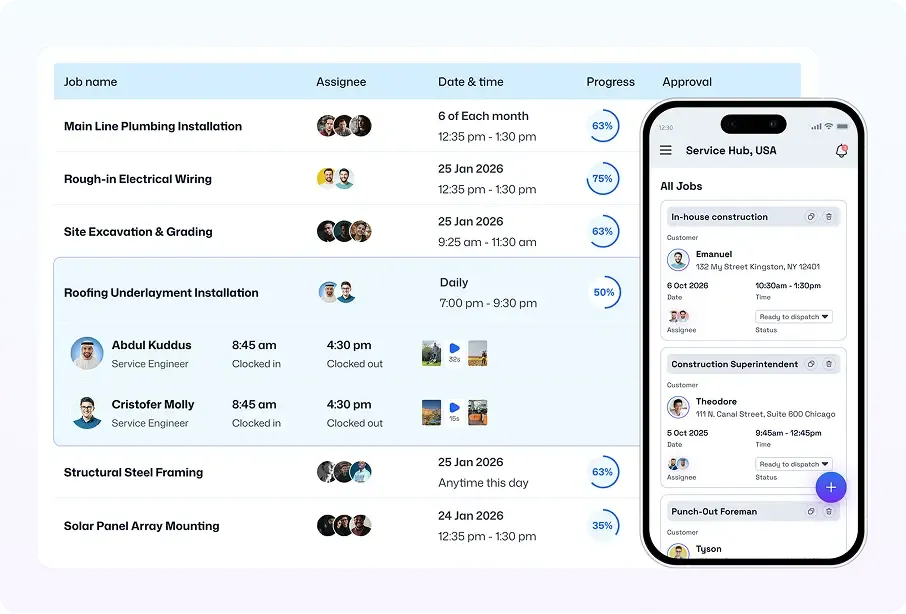
Construction Time Tracking App Shows Real-Time Labor Data

Danny W.
Operations Manager

The biggest change is visibility. If someone clocks in late, leaves early, or misses a task, we see it immediately from the timesheet. We also require a job photo as completion proof, so it’s clear what got done that day. It’s the first construction employee time tracking app we’ve used that connects attendance and work completed in one place.
Know Who Worked and How Long with Time Tracking Software for Construction
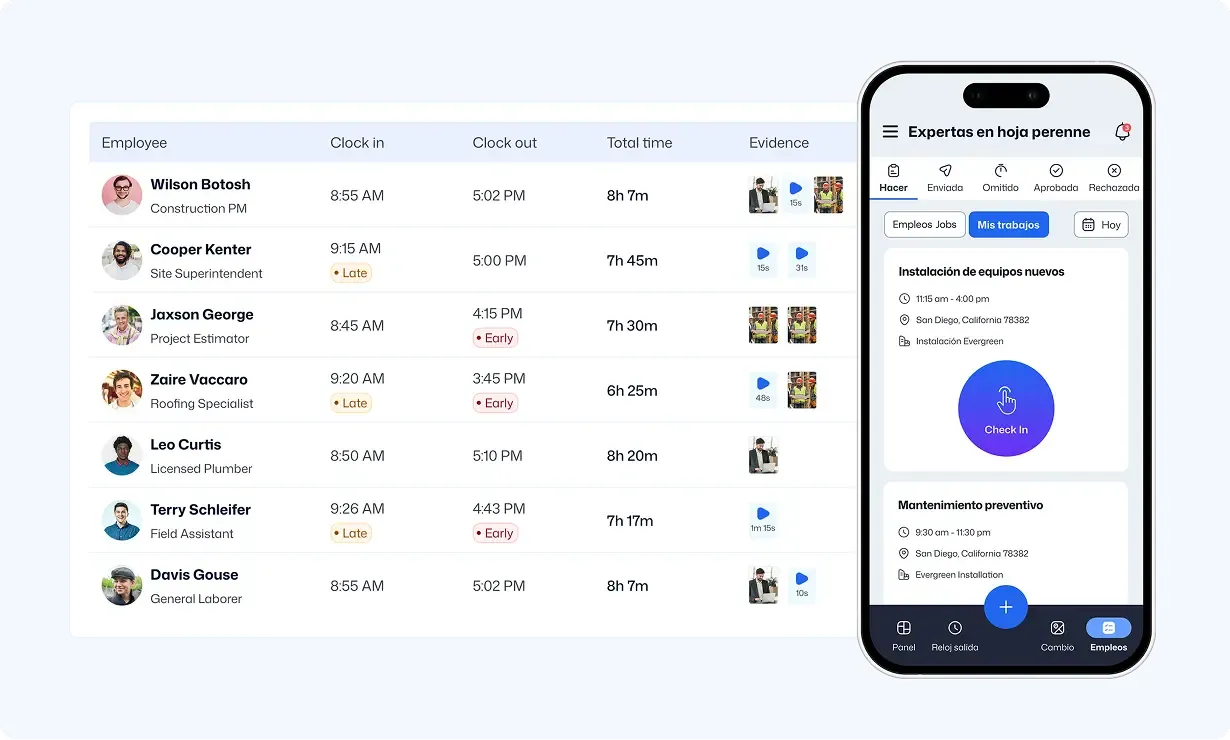
Track crew hours by job and cost code in real time. Stop time theft using geofenced attendance, reduce timesheet errors, run accurate payroll, and spot labor overruns early.
Get Workers’ Productivity Data with Time Tracking App for Construction
Automatic Time Tracking
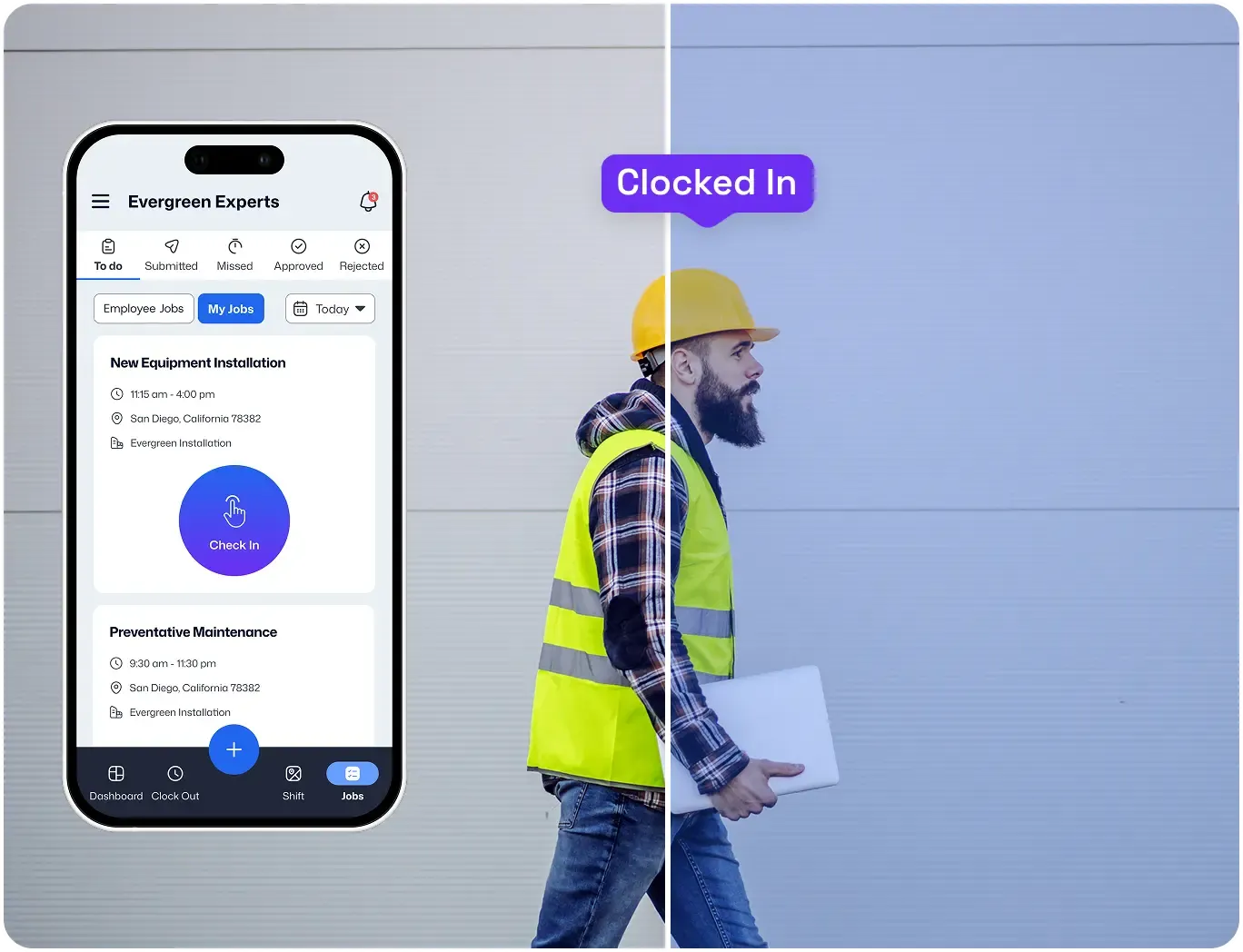
Just Walk in to Clock in at Construction Sites
Take attendance and record work hours the moment employees enter the construction site geofence.
Verified Attendance
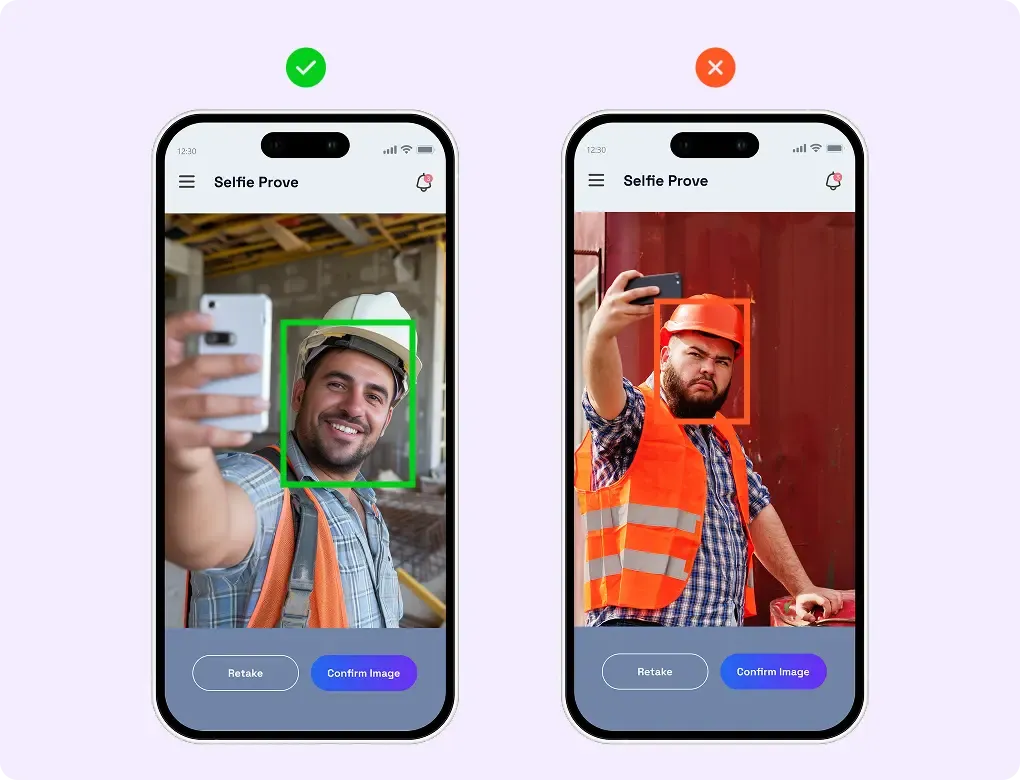
Prevent Buddy Punching with Time Tracking App for Construction
Require a selfie to ensure workers don’t clock in for one another. Stop time theft and save money.
Free Forever
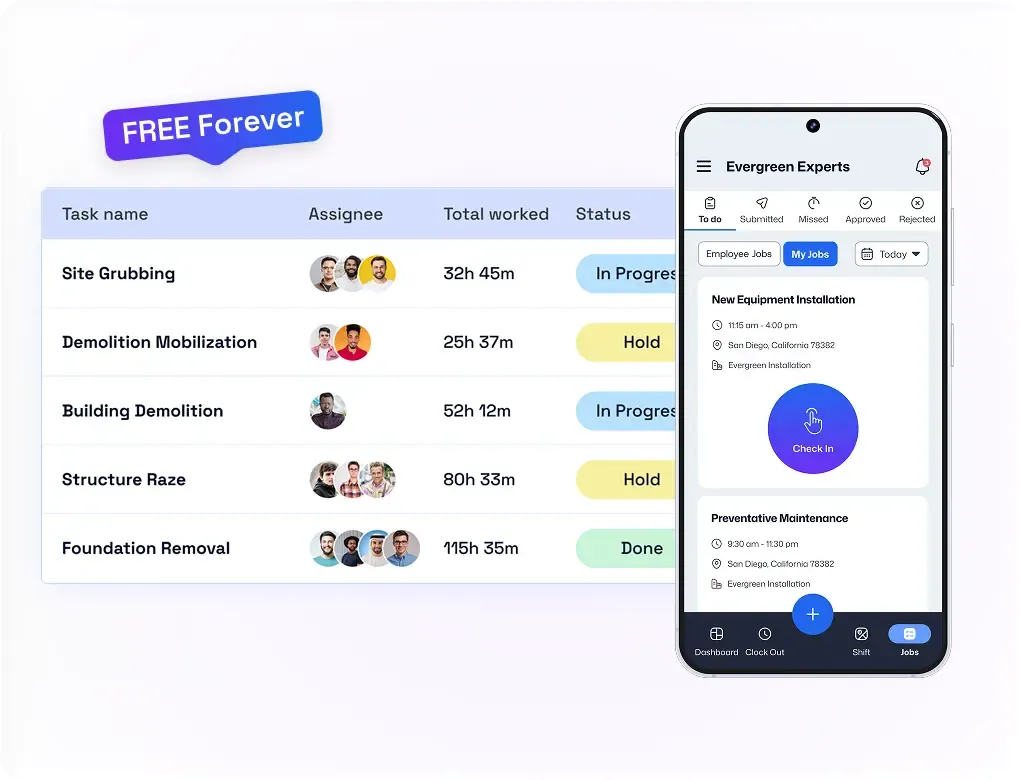
Use the Best Construction Time Tracking Software for Free
Track construction workers’ hours without spending a single dollar. Add as many users as you want as you scale.
Timesheet Approvals
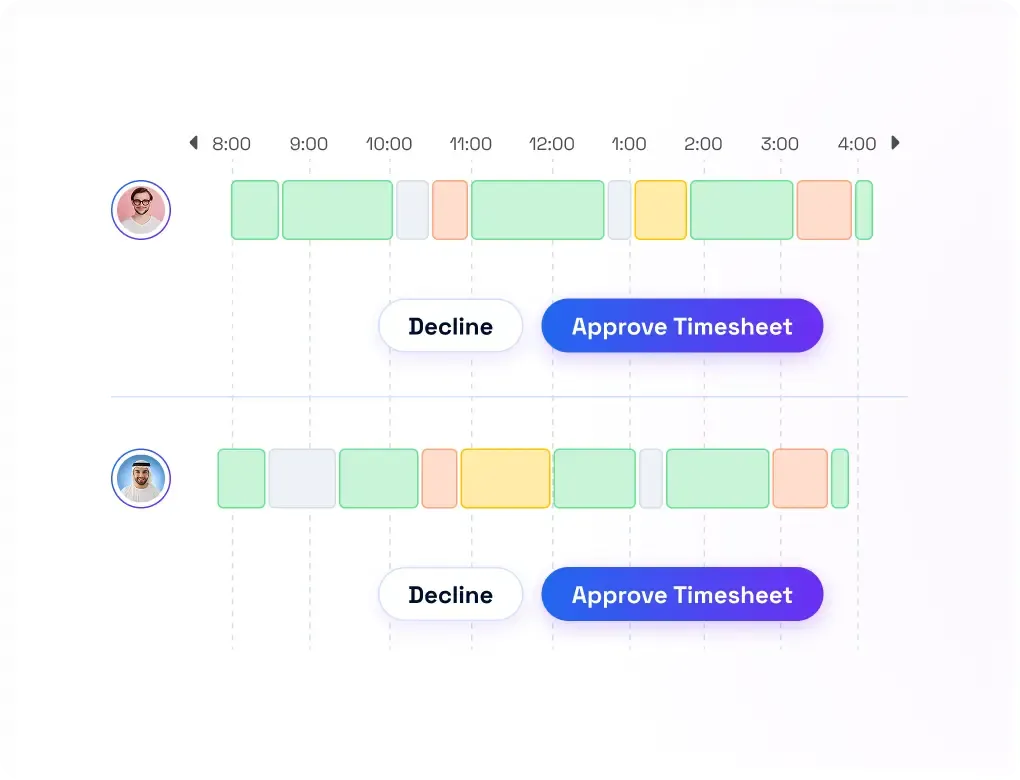
Approve Hours Fast and Easy
Review timesheets with time and location proof attached. Then accept it to prevent payroll disputes.
Productivity Insights
Spot Why Crews Are Falling Behind
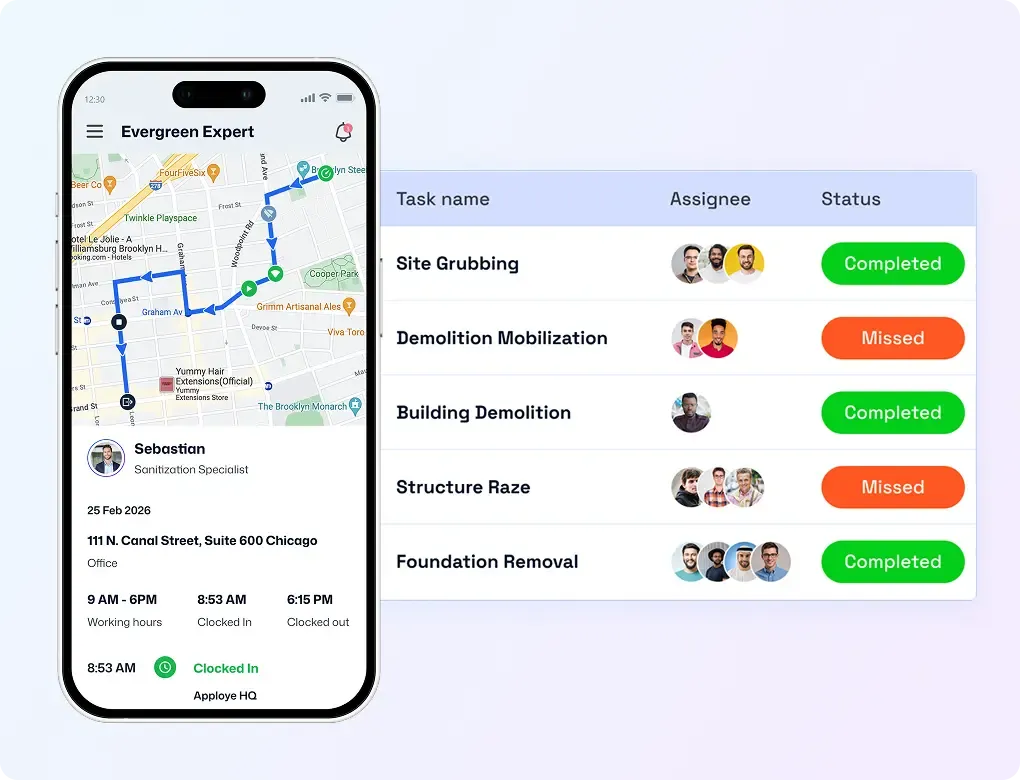
Collect photo proof for completed jobs, then compare it with clock-in/out times to catch late starts, early leaves, and missed tasks.
Multi-Site Employee Visibility
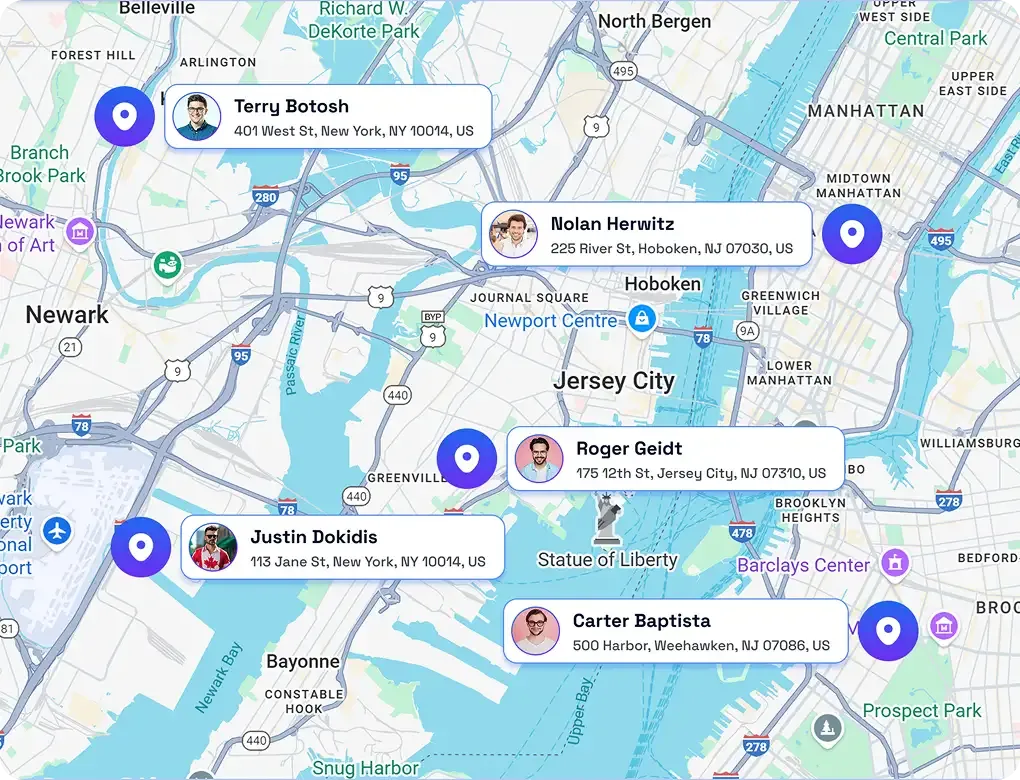
See Who’s on Which Site in Real Time
Get the live location of each construction worker during work hours. Manage multiple sites without constant check-in calls.
Customer stories
How Teams Like Yours are "Winning"

Mid-market
“We needed a system that gave us control and real-time insight into what was happening on the ground, without chasing people or spreadsheets.”


See FieldServicely in Action
Just schedule a demo and see how FieldServicely makes field operations and job management smarter, faster, and easier.
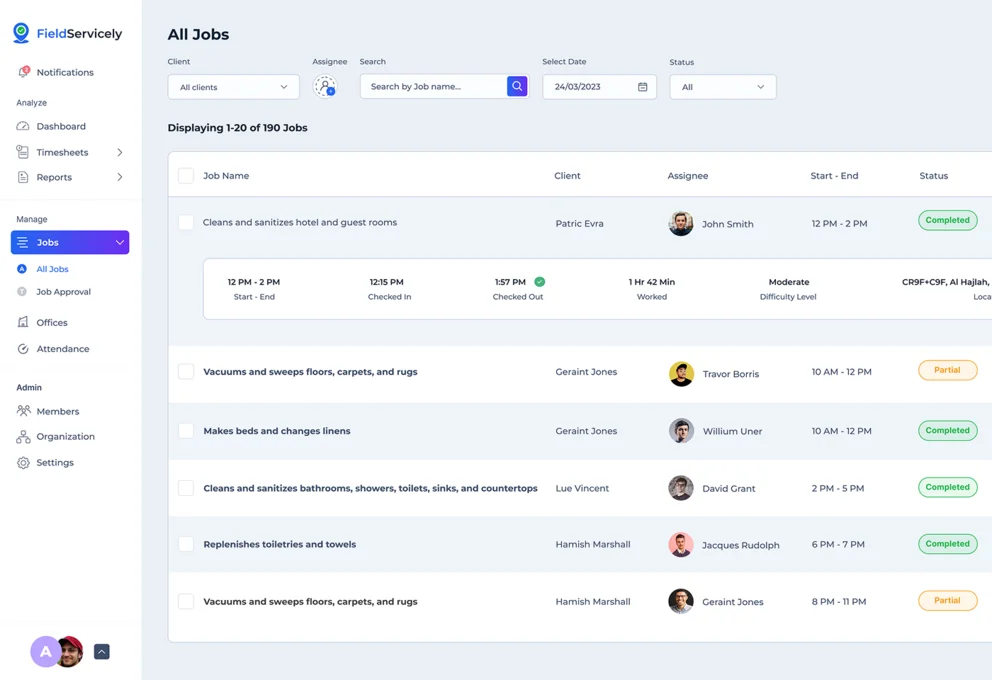
Construction Time Tracking Features That Teams Actually Use
Track time, prove work, and run payroll with confidence
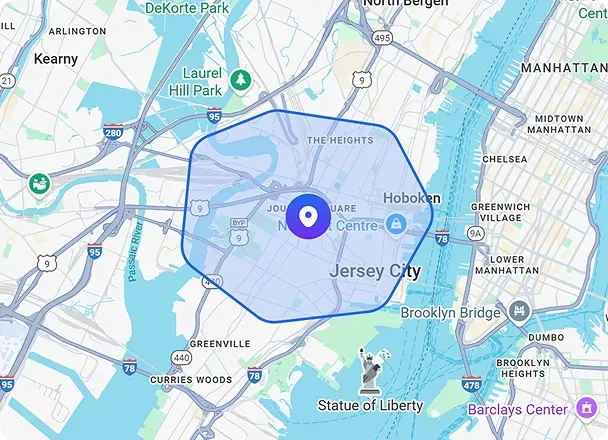
Geofencing
Define each job site boundary, so crews can clock in/out only on site.
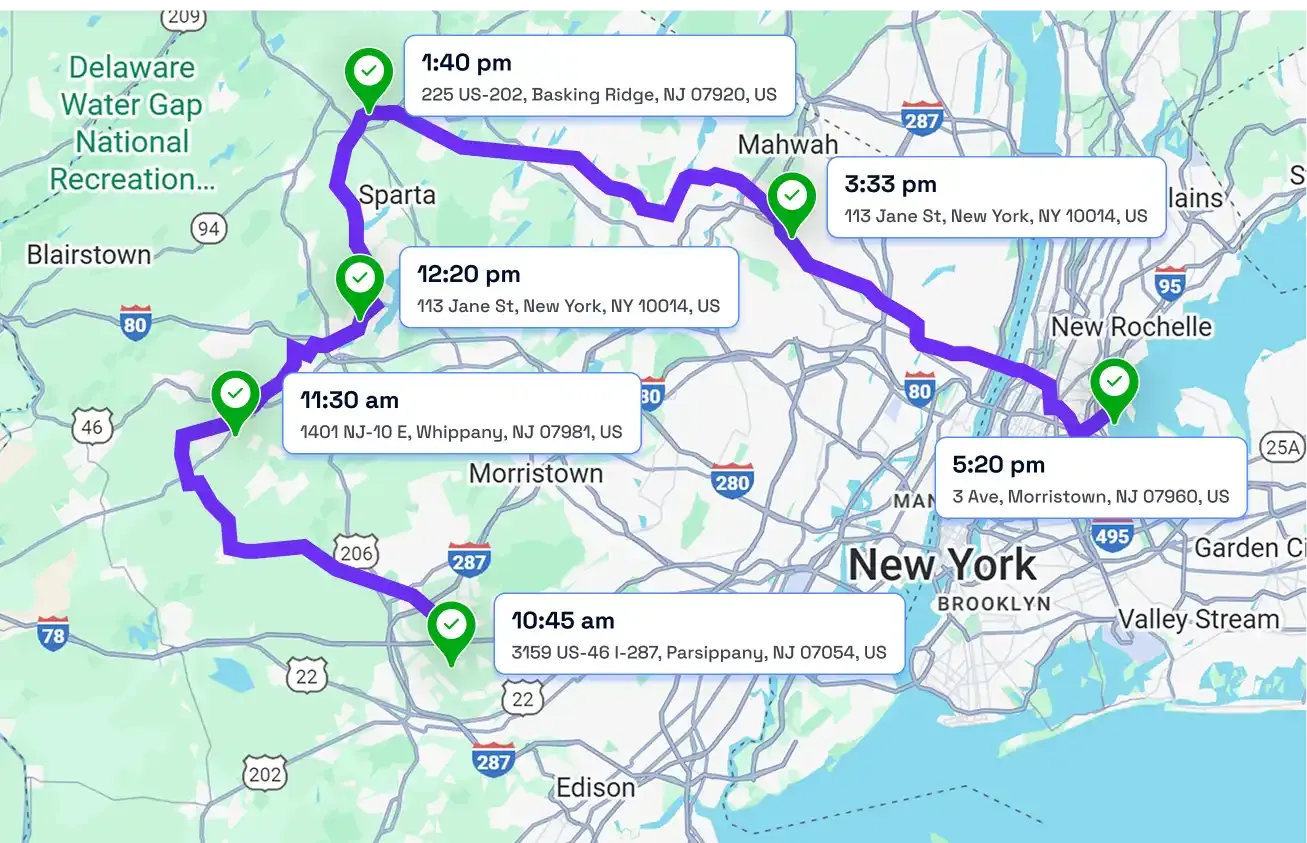
GPS Time Tracking
See real-time crew locations and GPS-verified time stamps to confirm attendance.
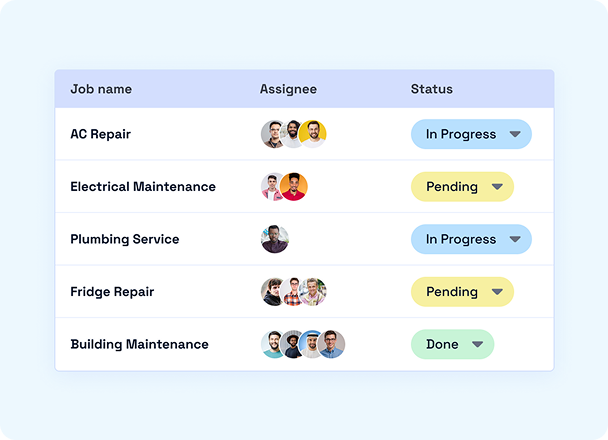
Job Management
Create and assign jobs. Get proof of work with photos, notes, and an e-signature on-site.
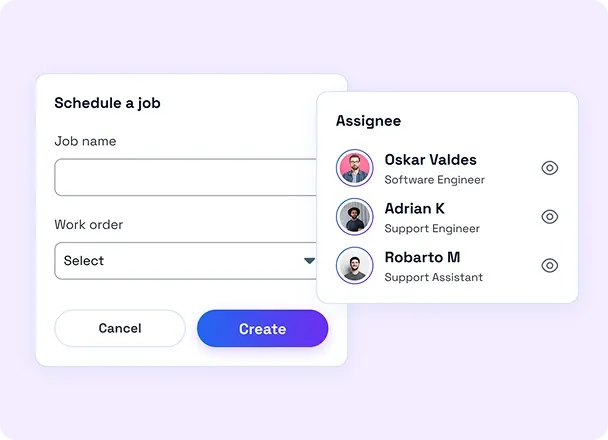
Scheduling
Assign the right jobs to the right employee using the open calendar slot.
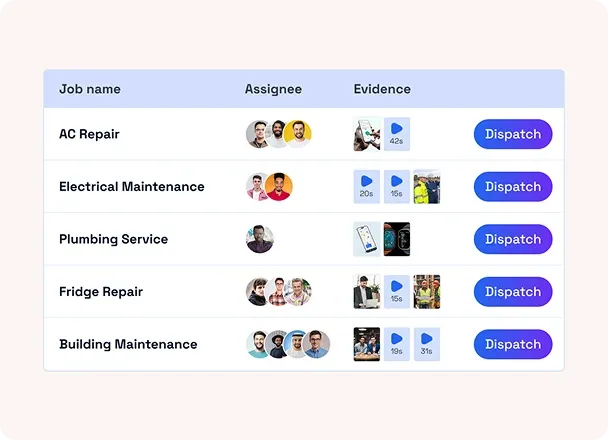
Dispatching
Push job details to the mobile app, so workers know what to do and where to go.
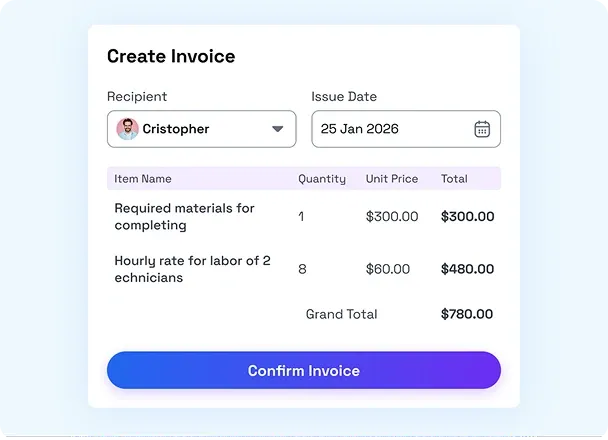
Payroll & Invoicing
Turn approved time and completed jobs into payroll-ready exports and invoices.
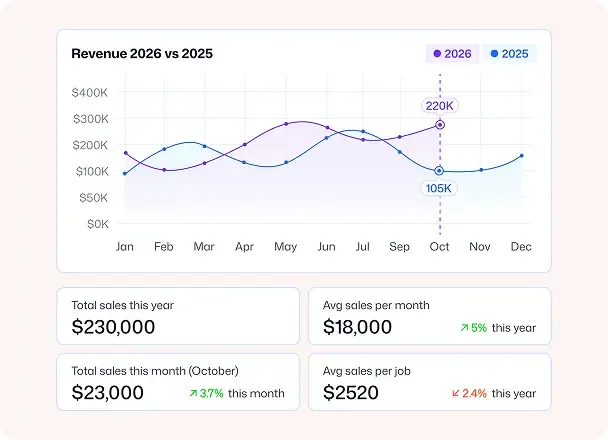
Analytics & Reporting
Track key performance indicators (KPIs) to find scope to improve efficiency.
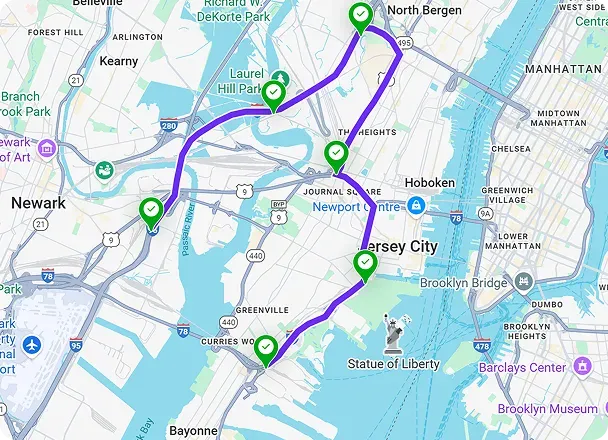
Route Optimizer & Planner
Plan efficient multi-stop routes for mobile crews and cut travel time between jobsites
HOW IT WORKS
Start Using Construction Employee Time Tracking App in 3 Simple Steps
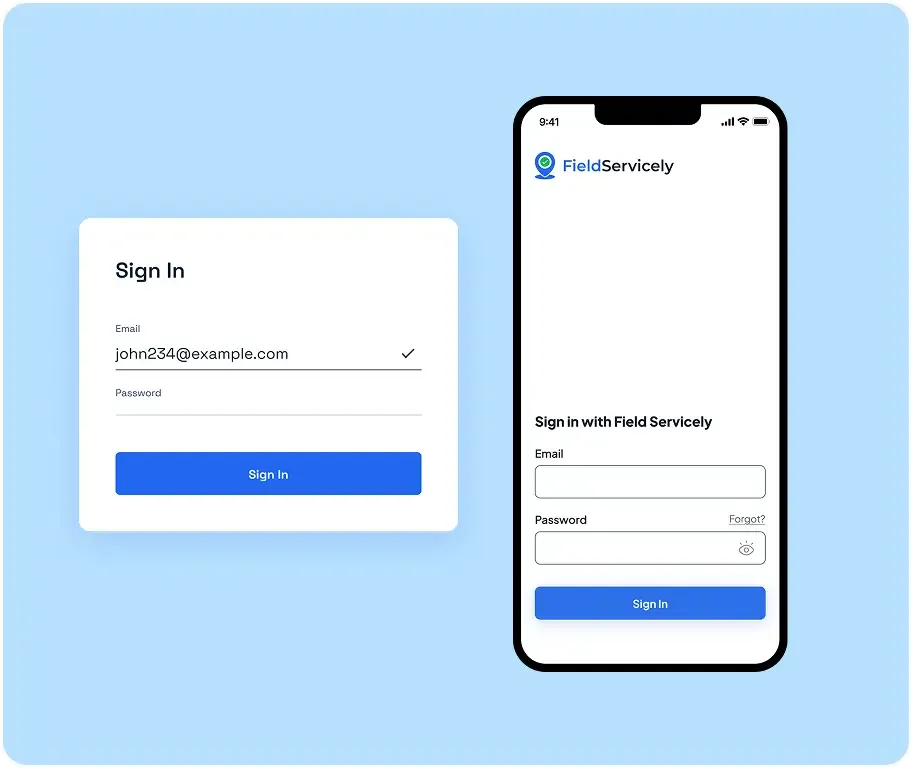
Sign Up & Set Up for Free
Register a new account with your email and password from the sign-up page. Enter the organization details to get started.
Invite Employees & Assign Jobs
Send email invites to your employees and have them download the FieldServicely mobile app.
Start Time Tracking in Construction Site
As soon as your workers step into the approved destination, the app automatically registers their attendance.
Construction Site Time Tracking Verifies Work

Jason C.
Residential & Remodeling Contractor
We started requiring a quick job photo as proof of completion with FieldServicely. Not going to lie, it took some time to adopt. But once crews realized the work was documented, wasted time dropped, and daily output improved by 35%!
FAQS
Frequently Asked Questions
Does FieldServicely track employee location outside work hours?
No, FieldSentry does not track any employee location outside of work hours. Only during the workday, it monitors the crew whereabouts.
Can FieldServicely track construction progress?
Yes, you can use FieldServicely and see how many tasks of a job are completed. And the best part is you can verify it by requiring job completion proof via images.
Is FieldServicely Truly 100% Free?
Yes, FieldServicely construction time and GPS tracking is 100% free for unlimited users for unlimited time.
Ultimate Guide to Construction Time Tracking
This guide answers all your questions and queries on field service management solutions. Get a firm grasp on field employees management and performance optimization techniques for your entire team.
The Ultimate Guide to Construction Time Tracking Software
|
FieldServicely
What is construction time tracking?
Construction time tracking is the process of recording crew work hours and linking those hours to the right job, task, and (when applicable) cost code. As a result, you can run accurate payroll, control labor costs, and know what’s really happening on each jobsite.
The best construction time tracking software captures time as work happens using a mobile GPS time clock app, often with GPS time tracking and geofencing to verify jobsite attendance.
Why Does Construction Time Tracking Break?
Most problems happen when time is tracked late or manually:
- Paper timesheets get filled in from memory at the end of the day/week.
- Buddy punching and time card fraud happen when there’s no verification.
- Hours get assigned to the wrong job or the wrong type of work.
- Payroll turns into a weekly timesheet cleanup.
- Labor overruns show up only after it’s too late to fix them.
The real cost isn’t only payroll mistakes. It’s actually losing control of labor, which is usually the highest variable cost on a construction project.
What Should You Expect from a Good Construction Time Tracking Software?
A solid time tracking system for construction should answer these questions fast:
- Who’s on site right now?
- Did they arrive on time and leave on time?
- How many hours went into each job/task today?
- What proof exists that the work was completed?
- Can payroll trust these timesheets without back-and-forth?
If your current process can’t answer those reliably, that’s exactly what time tracking software is meant to solve.
Core Benefits Buyers Care About: Construction Site Time Tracking
1) Accurate Payroll Without the Weekly Scramble
When hours are captured cleanly in the field, payroll stops chasing missing punches and disputes. You reduce timesheet errors, avoid overpaying, and pay crews correctly.
2) Less Time Theft and Buddy Punching
When clock-ins are verified, it’s harder to fool the system without turning supervisors into police.
3) Real-Time Labor Visibility
Instead of finding out on Friday that a job slipped on Monday, you can see attendance and activity daily—and course-correct early.
4) Better Job Costing and Cleaner Reporting
Tracking hours by job and cost code gives you clearer labor reporting, smarter estimating, and fewer “we didn’t see that coming” overruns.
5) Stronger Accountability with Proof of Work
Photo-based completion proof and notes make it easier to confirm what got done. It’s helpful for managers, clients, and internal QA.
Features to Look for in a Time Tracker for Construction App
The best construction timesheet software does two things at once: it makes clocking in easy for crews, and it makes time data trustworthy for payroll and job costing.
Use this checklist when evaluating any construction time tracking software or construction time tracking app:
- Mobile clock-in/out that’s fast. Typically under 10 seconds.
- Jobsite verification with geofencing and GPS timestamps during work hours.
- Identity/attendance verification options like selfie/photo check-ins to reduce buddy punching.
- Job and task tracking so hours land in the right bucket.
- Automatic timesheets generated from punches. This removes paperwork and re-entries
- Foreman approvals, so time is reviewed before payroll.
- Exception flags for late arrivals, early check-outs, missed punches, and overtime
- Edit history/audit trail so any correction is visible and accountable.
- Photo proof/notes for completed work when you need “proof of work,” not just attendance.
- Reports & productivity insights to spot patterns such as slipping crews, frequent late starts, and recurring overtime.
- Multi-jobsite support so that teams can move without breaking your process.
- Payroll export or easy handoff (so payroll isn’t stuck rebuilding time sheets).
- Offline-friendly behavior. Tracked data sync when signal returns.
How Does Construction Timesheet Software Work?
Construction timesheet software converts daily clock-ins and job activity into ready-to-approve timesheets, eliminating paper cards, end-of-week guesswork, and manual re-entry.
Here’s the typical workflow:
Set up Jobsites, Jobs, and Workers
You add your projects (and optionally cost codes), then assign crew members to the right jobs.
Workers Clock in/out from a Mobile App
Crews use a construction time tracking app to clock in when they start and clock out when they finish—right from the jobsite.
Jobsite Verification Prevents Remote Punches
With geofencing (and often GPS time stamps), the system confirms the worker is on the jobsite when clocking in—helping prevent time theft and buddy punching.
Hours are Tagged to the Right Job Using the Cost Code
Workers select the job/task they’re working on, so hours don’t get dumped into one generic bucket.
Timesheets Build Automatically
Every punch becomes a timesheet line item. The software totals regular hours, flags missing punches, and highlights exceptions (late arrivals, early check-outs, overtime).
Foremen Approve, Office Exports
Supervisors review timesheets quickly, fix exceptions with notes, then export payroll-ready time—so payroll runs clean.
Managers Get Visibility and Proof
Many teams add photo proof or notes for completed tasks, giving managers a clear view of who showed up, what got done, and where productivity slipped.
Time Tracking for Construction Sites: A simple daily workflow
Here’s what a normal day looks like:
- Crew arrives → clocks in from the phone inside the geofence.
- A worker selects the job (and cost code if needed).
- Work happens → manager can see attendance and hours building in real time.
- The worker attaches a job photo as completion proof (when required).
- End of shift → clock out.
- Timesheets are auto-prepared → foreman approves → payroll runs clean.
That’s the whole win: less friction in the field, cleaner data in the office.
How to Roll it Out Without Crew Pushback
Construction adoption lives or dies on speed and fairness. Use this rollout plan:
Step 1: Start with One Crew and One Jobsite
Pilot for 1–2 pay periods to iron out policies before scaling.
Step 2: Keep Clock-in Under 10 Seconds
If it takes longer than that, people resist. Make it: open app → clock in → select job.
Step 3: Explain the Why in One Sentence
Example: “This prevents payroll mistakes and protects everyone’s hours.”
Step 4: Set Clear & Consistent Rules
- Where clock-in is allowed (geofence)
- What counts as late?
- When a completion photo is required
- How corrections get approved
Step 5: Make Supervisors the Heroes
Foremen should approve timesheets quickly and resolve exceptions daily—before payroll week chaos.
Common Mistakes to Avoid While Using Time Tracking Software for Construction
- Overcomplicating cost codes on day 1: Start simple: job + task. Add deeper coding once adoption is stable.
- Letting edits happen without an audit trail: If edits aren’t visible, trust collapses.
- Reviewing time only at payroll time: Look daily for late arrivals, early departures, and missed punches.
- Using time tracking only for payroll: The real ROI comes from labor visibility + overruns caught early.
