#1 Construction Scheduling Software for Free
Keep Every Crew on Schedule. Keep Every Project Moving
Plan jobs, assign workers, track progress in real-time, and adapt fast to changes with construction scheduling software. Finish projects on time, every time.

No Credit Card Required
Instant Access
Easy Upgrade
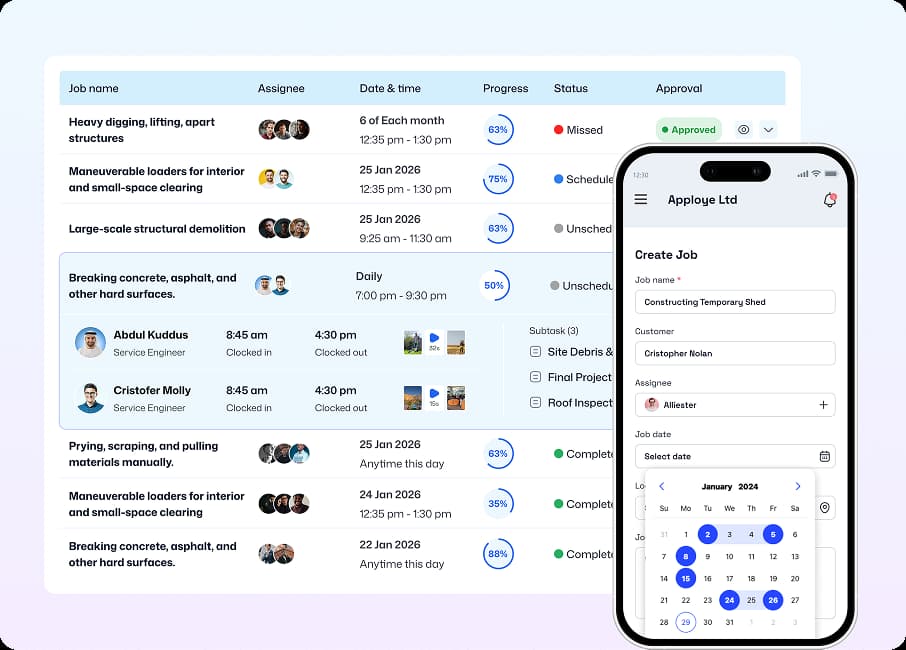
Built for construction crews, contractors, and field-first teams.
Construction Project Scheduling Software Keeps the Office and Jobsite in Sync

Mateo Hernandez
Operations Manager

FieldServicely has made construction scheduling far easier for our team. The office can assign work, adjust schedules, and notify crews instantly, while the jobsite always knows what’s next. We’ve cut miscommunication, reduced delays, and gained much better visibility into crew movement and job progress.
Stop Flying Blind. Coordinate Construction Site in Real-Time
Eliminate chaos and create clear construction project schedules in minutes. Assign and notify the right workers instantly, track field activity as work happens. FieldServicely construction crew scheduling software helps prevent overlaps, missed handoffs, or delays.
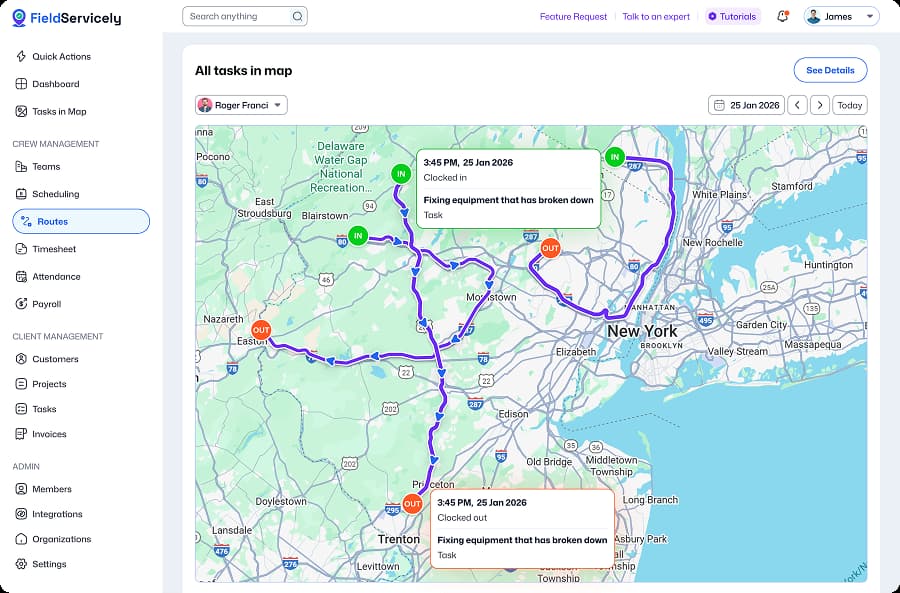
Smarter Construction Scheduling Starts with FieldServicely
Drag-and-Drop Scheduling
Plan Faster. Adjust Faster
Create tasks and assign workers based on skills, availability, and location. Build daily, weekly, or monthly construction schedules in seconds.
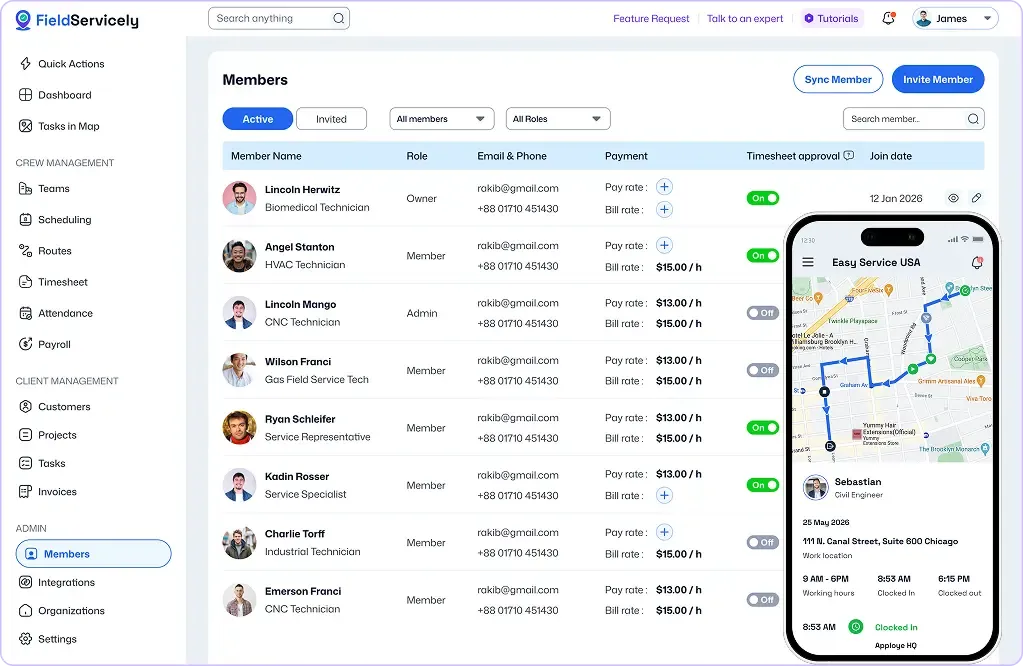
Dispatching
Right Worker to the Right Job. Every Time.
Assign work with construction site location, instructions, timing, and contact info in one flow. Your crews know where to go and what to do when they arrive.
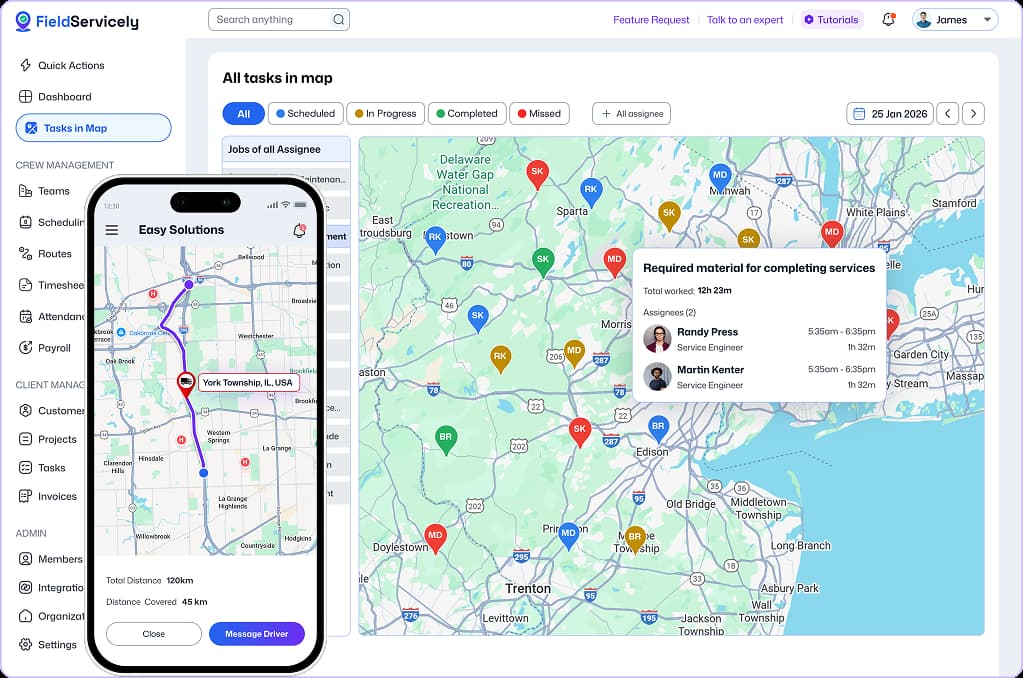
Live Construction Schedule View
See Every Crew. Every Site. Every Job on the Map
View all scheduled jobs on the map with precise location. See who is assigned, track progress, spot delays early, and keep the construction schedule moving.
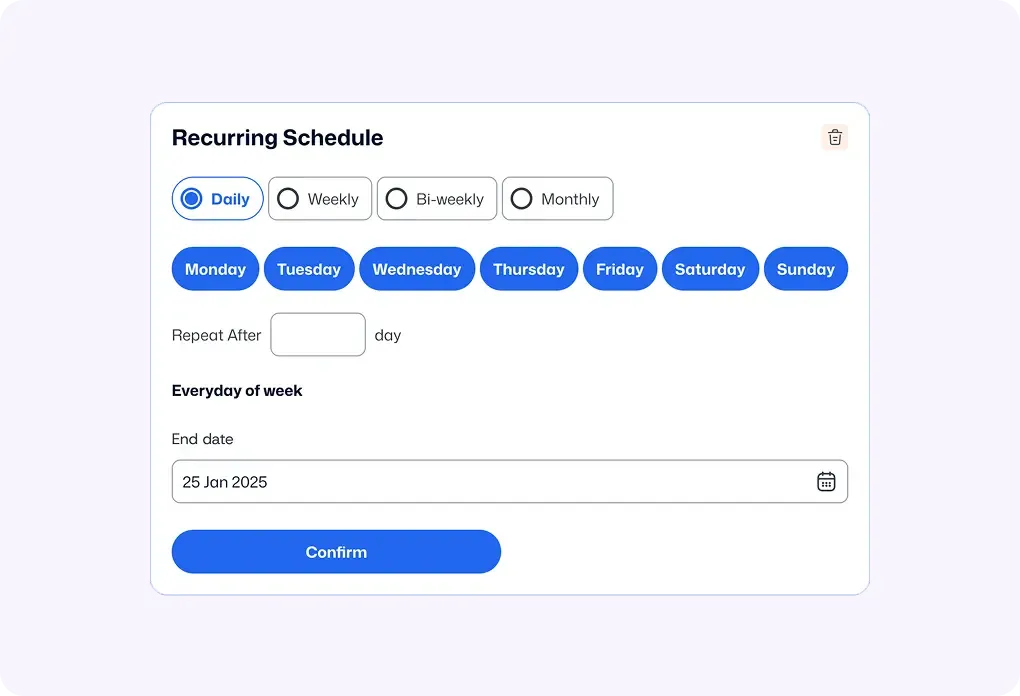
Recurring Construction Schedules
Set Repeat Work Once. Keep it Running.
Schedule routine construction work and inspections, maintenance visits, and follow-ups once, and Fieldservicely automatically handles future task planning.
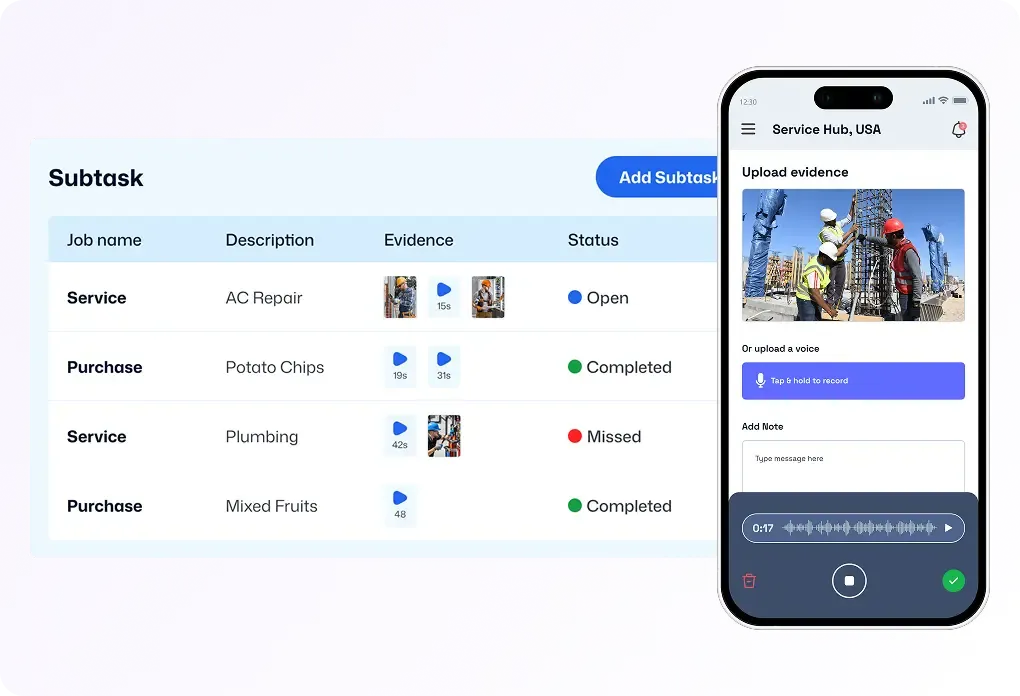
Proof of Work for Accountability
Every Job Documented. Backed by Evidence.
Require photo and audio evidence from field workers at job completion. Review what was done, confirm it meets requirements, then approve or reject in one tap.
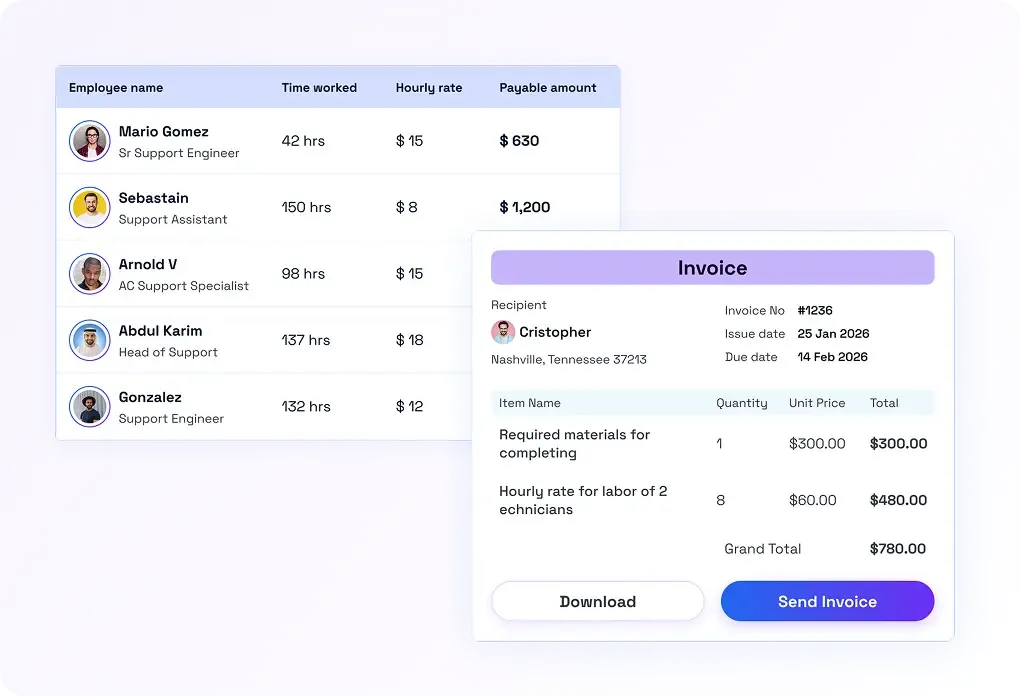
Time, Payroll & Invoicing
Track Construction Hours. Simplify Payroll.
Convert attendance and job activity into timesheets, payroll, and invoices from one flow. Reduce manual admin and speed up processing.
Customer stories
Contractors Use FieldServicely to Schedule Faster and Stay on Track

Mid-market
“Our field management solution will notify technicians when a job is assigned to them.”



Mid-market
“Easily create jobs and select customers with our advanced field service application”

Mid-market
“Team members will submit evidence of job completion. Then, the field service manager can verify images”

Mid-market
“Apploye has proven to be more than a tool - it's a key partner in managing our remote, global team.”

Mid-market
“Create and manage work orders along with billing, budget, and jobs making it an ideal field service system for any business.”
See FieldServicely in Action
Just schedule a demo and see how FieldServicely makes field operations and job management smarter, faster, and easier.
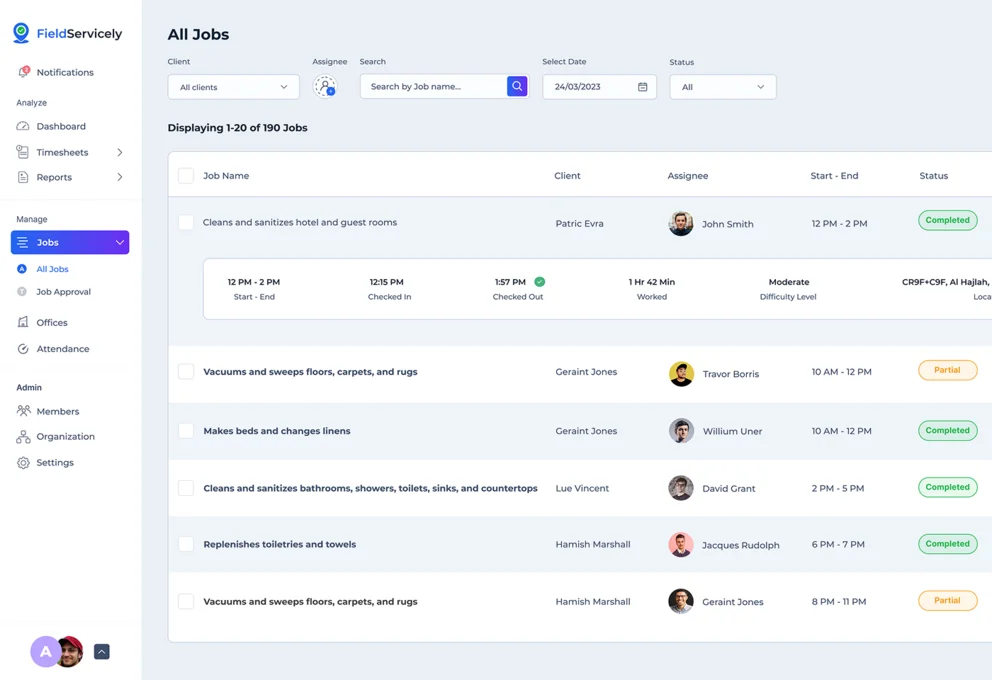
Construction Scheduling Software Built for Real Workdays
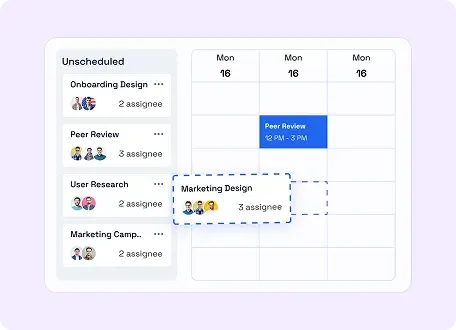
Smart Crew Scheduling
Drag and drop to assign jobs to crews using daily, weekly, and monthly calendar views.
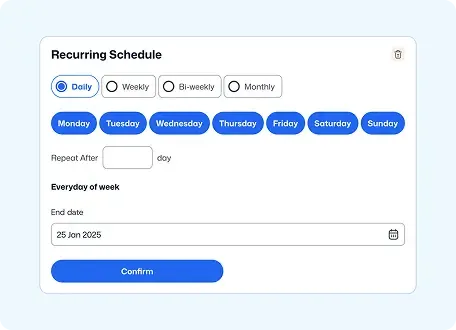
Recurring Shift Scheduling
Set up repeating job schedules once and let the system manage every future task.
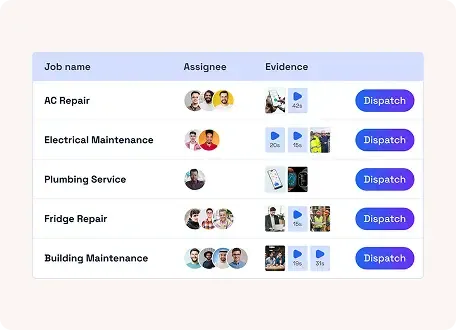
Instant Dispatch
Send full job details to the right worker fast and keep every task moving on time.
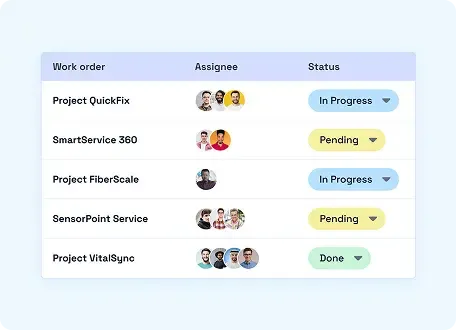
Work Order Management
Create, assign, track, and close construction work orders without losing visibility.
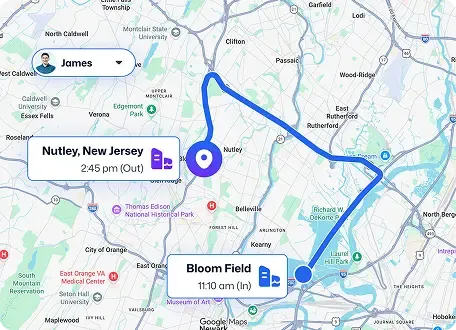
Live Crew Visibility
Track locations, route history, and job status in real time without chasing calls.
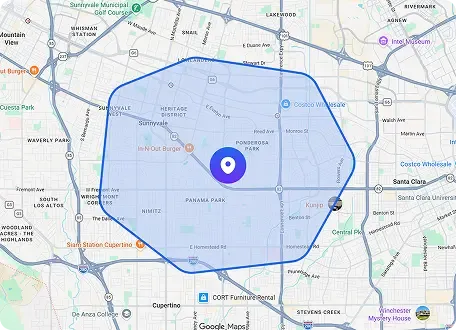
Geofenced Check-Ins
Verify crews at the right site with location-based clock-ins and selfie proof.
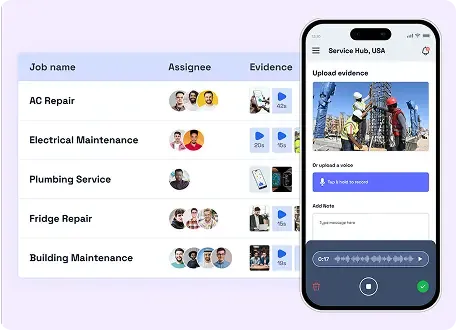
Proof of Work
Demand job competition evidence via photos, notes, and audio updates before approval.
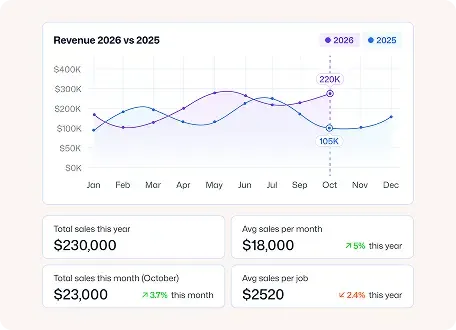
Reporting and Analytics
Track job performance, worker productivity, and project costs easily.
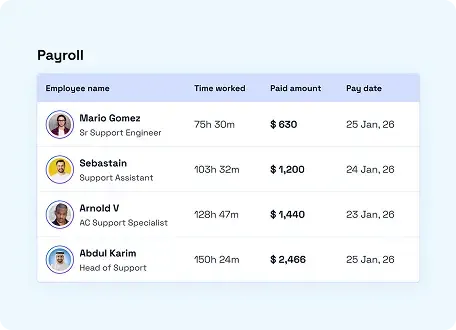
Timesheets & Payroll
Turn tracked time into approved timesheets and payroll with far less manual admin.
How it Works
Get Started with Construction Scheduling App in Minutes
Sign Up & Set Up for Free
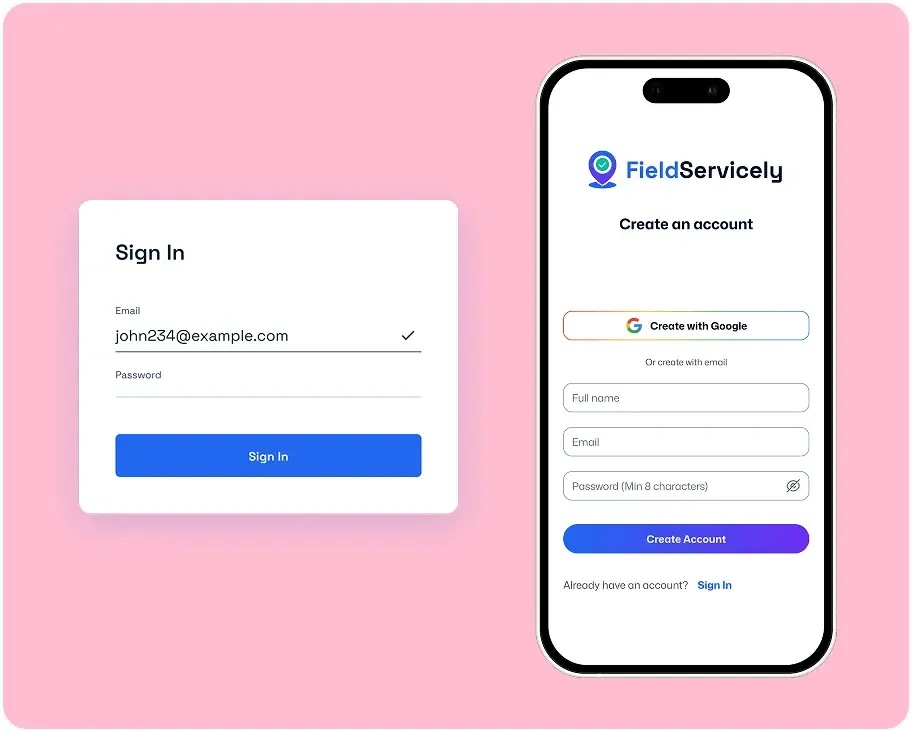
Register a new account with your email and password from the sign-up page. Enter the organization details to get started.
Invite Employees & Create Jobs
Send email invites to your employees and have them download the FieldServicely mobile app.
Create Construction Schedules
Go to the Scheduling tab and make schedules for jobs.
Built for Crews That Move Fast. And Offices That Need Answers Fast.

Sebastian Reed
Business Operations Manager
We mainly use it to manage field operations, scheduling jobs, dispatching teams, tracking attendance, and handling basic invoicing. Before this, we relied more on calls, messages, and separate tools, which made it harder to keep track of everything. FieldServicely helped us bring things into one system, so it’s easier to monitor progress, reduce back-and-forth communication, and keep records organized.
FAQS
Construction Scheduling Software FAQs
What is construction scheduling software?
Construction scheduling software helps contractors plan jobs, assign crews, track progress, and keep projects moving on time. Instead of managing work through spreadsheets, calls, and whiteboards, teams use one system to coordinate schedules, field updates, and follow-through.
Who is construction scheduling software for?
It’s built for contractors, subcontractors, project managers, foremen, supers, and field crews who need better visibility into who is doing what, where, and when.
How does construction scheduling software reduce delays?
It reduces delays by making schedules easier to build, easier to update, and easier to communicate. Everyone sees the latest plan. Crews get details faster. Managers spot missed jobs and bottlenecks earlier.
Can I schedule recurring work and follow-up visits?
Yes. Recurring schedules make it easier to manage repeat inspections, maintenance work, follow-ups, and routine site tasks without rebuilding the same schedule every time.
Can field crews access schedules on mobile?
Yes. Mobile access lets crews see job details, timing, updates, and progress from the field, so work keeps moving even when they are away from the office.
Can I track attendance and hours from the jobsite?
Yes. With job site time tracking and geofenced check-ins, teams can record attendance more accurately and reduce manual errors.
Can I collect proof of work before approving a job?
Yes. Teams can submit photos, notes, or audio updates so managers can review completed work before approval.
Does construction scheduling software help with payroll and invoicing?
The right platform can connect tracked time and completed work to timesheets, payroll, and invoicing, which helps reduce admin work and speed up billing.
What should I look for in construction scheduling software?
Look for software that makes scheduling easy to update, keeps office and field teams aligned, gives clear visibility into crews and jobs, supports mobile work, and reduces admin across approvals, time tracking, and billing.
Is this better than spreadsheets for construction scheduling?
For most growing teams, yes. Spreadsheets are static. Construction work is not. Scheduling software is built for changes, live updates, accountability, and faster decisions.
The Ultimate Guide to Construction Scheduling Software
Construction Crew Scheduling Software Guide
|
FieldServicely
What Construction Scheduling Software Actually Does
Construction scheduling software gives your team a live plan. It helps you map each phase of work, assign labor, set dates, and adjust when weather, material delays, or site issues change the job.
That said, a strong construction project scheduling software tool lets project managers break a job into steps. Then link tasks, assign owners, and track real progress. In simple terms, project scheduling software for construction helps teams plan with clarity.
The best tools also work as software for construction scheduling across small jobs, large builds, and multi-site operations. That means office teams and field teams can see the same plan, make updates quickly, and stay aligned.
Construction scheduling software helps builders plan work, assign people, track progress, and hit deadlines without any problem. It gives contractors one clear view of jobs, crews, dates, and changes. That matters because construction work moves fast, and one delay can affect the whole project.
Good scheduling software for construction does more than place tasks on a calendar. It connects people, equipment, timelines, and field updates. It shows what should happen today, what may slip tomorrow, and what needs attention right now.
Why Construction Companies Need a Scheduling Tool
Construction runs on timing. Crews need the right job at the right time. Materials need to arrive before work starts. Subcontractors need notice. Managers need to spot conflicts before they become delays.
That is why many firms move from spreadsheets and whiteboards to construction management scheduling software. A digital system saves time, cuts confusion, and helps teams respond faster when plans change.
It also improves accountability. Everyone knows who is doing what, where they are going, and when work should finish. That is one reason construction project management scheduling software has become a key part of modern operations.
What the Best Construction Scheduling Software Should Include
The best construction scheduling software should feel simple on day one and powerful as your company grows. It should help your team plan work without adding extra admin.
Look for these core features:
- Job and task scheduling
- Crew and labor assignment
- Drag-and-drop calendar views
- Gantt charts or timeline views
- Real-time updates from the field
- Resource and equipment planning
- Mobile access for site teams
- Alerts for delays or conflicts
- Progress tracking and reporting
- Integration with project, payroll, or estimating tools
The best scheduling software for construction also makes changes easy. Jobs move. Crews call out. Weather shifts. Your system should adapt in minutes, not hours.
Different Types of Construction Scheduling Software
Not every company needs the same setup. The right tool depends on your team size, job type, and workflow.
Construction Project Scheduling Software
This type focuses on timelines, phases, deadlines, dependencies, and milestones. It works well for general contractors, project managers, and firms that handle many moving parts. Good construction project scheduling software shows teams the full project path. That is from pre-build to closeout.
Construction Crew Scheduling Software
This type focuses on who goes where and when. Construction crew scheduling software helps dispatch crews, balance workloads, and avoid overbooking. It is useful for service contractors, subcontractors, and companies with multiple field teams.
Construction Employee Scheduling Software
This type focuses on labor availability, shifts, attendance, and daily work assignments. So, managers can assign the right people for every job using construction employee scheduling software.
Construction Staff Scheduling Software
Office staff, coordinators, supervisors, and support roles also need planning. Construction staff scheduling software helps firms manage internal operations, not just field labor.
Construction Manpower Scheduling Software
Labor-heavy jobs need strong workforce planning. That makes construction manpower scheduling software especially useful. Companies can forecast labor needs, fill gaps, and avoid costly downtime or overtime.
Construction Resource Scheduling Software
Crews are not the only resource. Equipment, vehicles, tools, and materials also need timing. Construction resource scheduling software helps teams align labor with the resources needed to do the work.
Construction Contractor Scheduling Software
General and specialty contractors often manage several jobs, vendors, and subcontractors at once. Construction contractor scheduling software helps them coordinate work across sites and teams.
Construction Job Scheduling Software
Some firms need fast, job-based dispatching more than long-range planning. Construction job scheduling software works well for companies that assign daily or weekly jobs and need clear field coordination.
How Scheduling Helps Daily Operations
Strong scheduling software for construction projects brings order to the workday. It helps teams:
- Assign crews faster
- Avoid double-booking
- Reduce idle labor
- Track delays early
- Improve handoffs between trades
- Keep clients informed
- Protect profit margins
It also supports smoother communication. When the schedule changes, everyone sees the update. That reduces calls, texts, and confusion.
For labor-focused companies, scheduling software for construction crews can make a major difference. It helps leaders know which crew is free, which crew has the right skills, and which job needs support first.
What Makes Software Truly Useful in the Field
Field teams do not want a system that feels heavy. They want speed and clarity. That is why many contractors look for simple and easy construction scheduling software.
That said, simple does not mean weak. It means the tool is easy to learn, update, and trust. A foreman should be able to open the app, check the schedule, and know the plan in seconds.
That is also why many buyers compare construction planning and scheduling software options based on usability, not just features. A tool only works if people actually use it.
How to Choose the Right Tool
The right platform depends on your business model. Start with these questions:
- Do you manage long projects, short jobs, or both?
- Do you schedule full projects, crews, or daily job tickets?
- Do you need labor planning, equipment planning, or both?
- Will field teams update the system from mobile devices?
- Do you need reports for clients, managers, or owners?
- Do you need integrations with payroll, CRM, or estimating tools?
Many buyers start by searching the top construction scheduling software lists. That is fine, but the best choice depends on your workflow. A small subcontractor may need fast crew dispatching. A larger builder may need full construction project management scheduling software with resource planning and reporting.
Free vs Paid Options
Many small firms look for free construction scheduling software before they invest in a paid system. That makes sense when budgets are tight or when a team wants to test a process first.
You will also see searches like construction scheduling software free. These options can help very small teams start organizing work, but they often come with limits. Common limits include fewer users, basic reporting, weak mobile tools, or no advanced resource planning.
A free tool can work for early-stage needs. A paid platform usually works better when your company handles multiple crews, active projects, and changing field conditions.
Reviews Matter, but Context Matters More
Before you buy, read construction scheduling software reviews with a clear goal. Look for reviews from companies that match your size, trade, and work style. A tool that works for a large GC may not fit a small subcontractor.
Do the same with construction crew scheduling software reviews if crew dispatching is your main need. Focus on setup time, mobile use, real-time updates, and support quality. Those details matter more than a long feature list.
Common Mistakes to Avoid
Teams often choose the wrong tool for simple reasons. They buy too much software, ignore field usability, or skip training.
Avoid these mistakes:
- picking features over real workflow
- choosing a tool that crews will not use
- ignoring mobile access
- forgetting equipment and labor planning
- not checking reporting needs
- not testing how fast schedule changes work
The goal is not just to buy construction software scheduling tools. The goal is to run jobs better every day.
How Good Scheduling Software Improves Profit
Better scheduling protects margins. It cuts wasted labor, reduces rework, improves crew utilization, and helps leaders make smarter decisions.
That is why many firms treat construction planning and scheduling software as a profit tool, not just an admin tool. When you can see delays early, move resources fast, and keep crews productive, you protect time and money.
This is also where construction resource scheduling software and construction manpower scheduling software add real value. They help you match labor and resources to actual demand instead of relying on guesswork.
Who Should Use Construction Scheduling Software?
This kind of software helps:
- general contractors
- specialty contractors
- remodelers
- commercial builders
- residential builders
- field service construction teams
- project managers
- operations teams
- crew supervisors
In short, any business that needs clear timelines and labor coordination can benefit from scheduling software construction tools built for real-world job flow.
Some buyers search for scheduling construction software, while others search for construction software scheduling. The wording changes, but the need stays the same: plan work clearly, move faster, and reduce mistakes.
You may also see the phrase Scheduling software construction industry in search terms and category pages. That phrase points to tools built for the real demands of construction, such as changing sites, labor movement, subcontractor coordination, and deadline pressure.
What the Right System Should Feel Like
The right tool should make the workday easier. It should show today’s schedule, next week’s risks, and upcoming labor needs without making the team dig for answers.
A strong construction crew scheduling software platform should help dispatch crews fast. A strong construction employee scheduling software system should help balance labor. A strong construction project scheduling software tool should keep the full build on track.
When one platform can handle projects, labor, and resources well, it becomes more than a calendar. It becomes the control center for your operation.
The value of construction scheduling software is simple. It helps you plan better, react faster, and keep jobs moving. It gives your team a shared view of work, labor, and time. That leads to fewer delays, better coordination, and stronger margins.
The right system does not just organize tasks. It supports crews, managers, and contractors across the full job cycle. Whether you need construction contractor scheduling software, construction job scheduling software, construction staff scheduling software, or full construction project management scheduling software, the best choice is the one that fits your workflow and your team.
