
- Scheduling and Dispatch
How to Optimize Field Service Scheduling in 6 Steps
Updated on 10 Apr 2026
Jump to
Summary

Field service scheduling is optimized by combining automation, real-time routing, and skill-based job assignment into one system
Most failures come from poor visibility, wrong estimates, and disconnected processes, not a lack of planning
Optimization improves when teams use automation, real-time routing, and priority-based decisions together
Daily schedules stay effective only when they adapt to changes like delays, cancellations, and new requests
Strong systems combine tools, processes, and real-time updates to keep operations stable under pressure
Field service scheduling optimization improves how teams assign jobs, plan routes, and manage daily operations. When done well, it increases productivity, lowers travel costs, and improves first-time fix rates.
But getting there is not easy.
Most teams struggle with manual planning, poor visibility, unexpected delays, and constant schedule changes. These issues break even the best plans and create daily inefficiencies.
That’s why optimization matters.
In this blog, we will discuss how to optimize field service scheduling step by step. We will also break down the systems, strategies, and methods that actually work in real operations.
What Is Field Service Scheduling Optimization?
Field service scheduling optimization builds a system that decides which technician should handle which job, at what time, and in what order. At a basic level, it matches technicians to jobs based on their skills, location, and availability.
So instead of sending someone across the city, the system assigns the closest qualified technician who can actually complete the job.
Now, here’s where things start to shift.
Modern field service teams don’t rely on manual dispatch anymore. They use AI and automation to assign jobs, adjust routes, and rebalance workloads as things change throughout the day.
But what happens when things don’t go as planned?
In real operations, delays, cancellations, and emergency calls happen all the time. Without optimization, one delay can disrupt the entire schedule. With it, the system adjusts in real time and keeps everything moving.
That’s also where the productivity gains come from.
According to a report, companies using AI expect up to 40% productivity improvement. So instead of reacting to problems, you control how work flows across your entire operation.
Why Most Field Service Scheduling Fails?
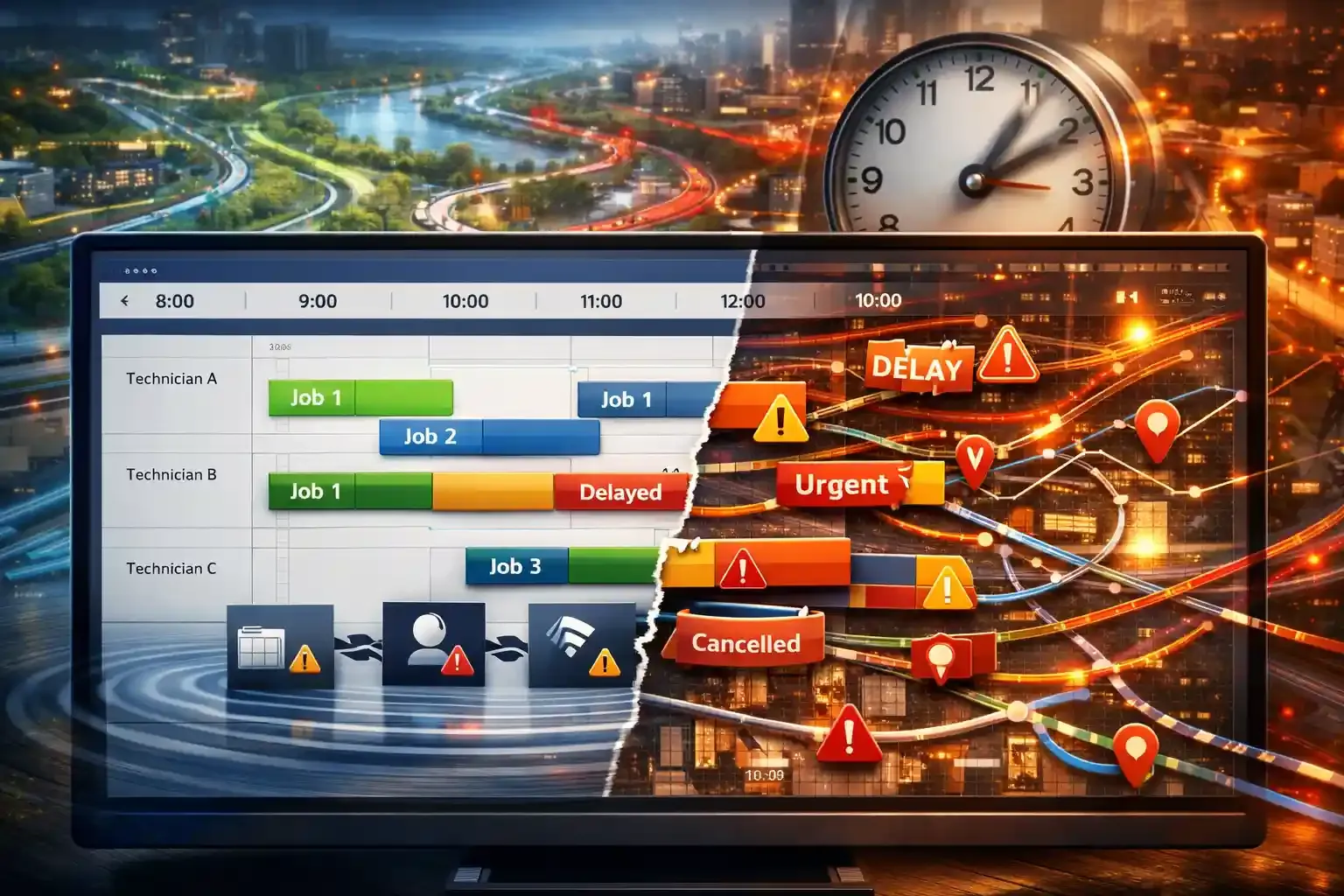
Field service scheduling fails because teams plan for a controlled environment, but execution happens in an unpredictable one. The real issue is how quickly it becomes outdated once the day begins.
Early Planning Breaks Quickly
Most teams build schedules at the start of the day and assume they will hold, which rarely happens in field operations.
Jobs run longer, customers cancel, and urgent requests come in. These small disruptions start breaking the schedule within hours. When schedules don’t adapt, they fail.
Travel Time Is Often Misjudged
Scheduling often depends on estimated travel times rather than actual conditions. That assumption creates hidden inefficiencies across the day.
Traffic patterns change, peak hours slow movement, and route conditions vary. A route that looks efficient in the morning may become inefficient by midday.
A report found that actual travel times can fluctuate up to 53% under congestion scenarios. That gap directly impacts job completion rates.
So technicians spend more time driving than working, and schedules lose accuracy without anyone noticing early.
Job Duration Is Poorly Estimated
Scheduling assumes jobs will take a fixed amount of time, but field work rarely behaves that way. Even similar jobs can vary depending on site conditions and complexity.
A simple repair can turn into a longer task once the technician starts working. That single delay shifts every job that follows.
Did you know that inaccurate job duration estimates remain one of the top causes of schedule overruns? [Source: ResearchGate] One wrong estimate can affect multiple appointments.
Instead of a stable workflow, teams deal with constant adjustments.
Disconnected Systems Lead to Bad Decisions
Scheduling often operates separately from inventory, customer data, and field updates. That separation creates blind spots during decision-making.
Dispatchers assign jobs without knowing if parts are available or if technicians are fully prepared. That leads to incomplete jobs and repeat visits.
Disconnected systems directly increase delays and reduce operational efficiency. When systems don’t communicate, decisions lose accuracy.
Lack of Real-Time Visibility
Scheduling depends on timely information, but many teams work with delayed updates. Dispatch management doesn’t always know where technicians are or how jobs are progressing.
By the time they act, the situation has already changed. That delay affects every decision that follows.
Real-time visibility is critical for improving response time and meeting service expectations. Without it, teams operate in guesswork.
Small Delays Spread Across the Day
A delay rarely stays isolated in field operations. One late job pushes the next one, which then affects routing and customer expectations.
As the day progresses, these delays stack up and become harder to fix. What started as a small issue turns into a system-wide disruption.
According to a study, cascading delays are a major hidden cost in service operations. These delays reduce productivity and increase operational pressure.
Turn Unpredictable Days Into Controlled Workflows
Keep your schedule stable even when jobs shift, traffic changes, and new requests come in.
The 5 Core Components of Scheduling Optimization
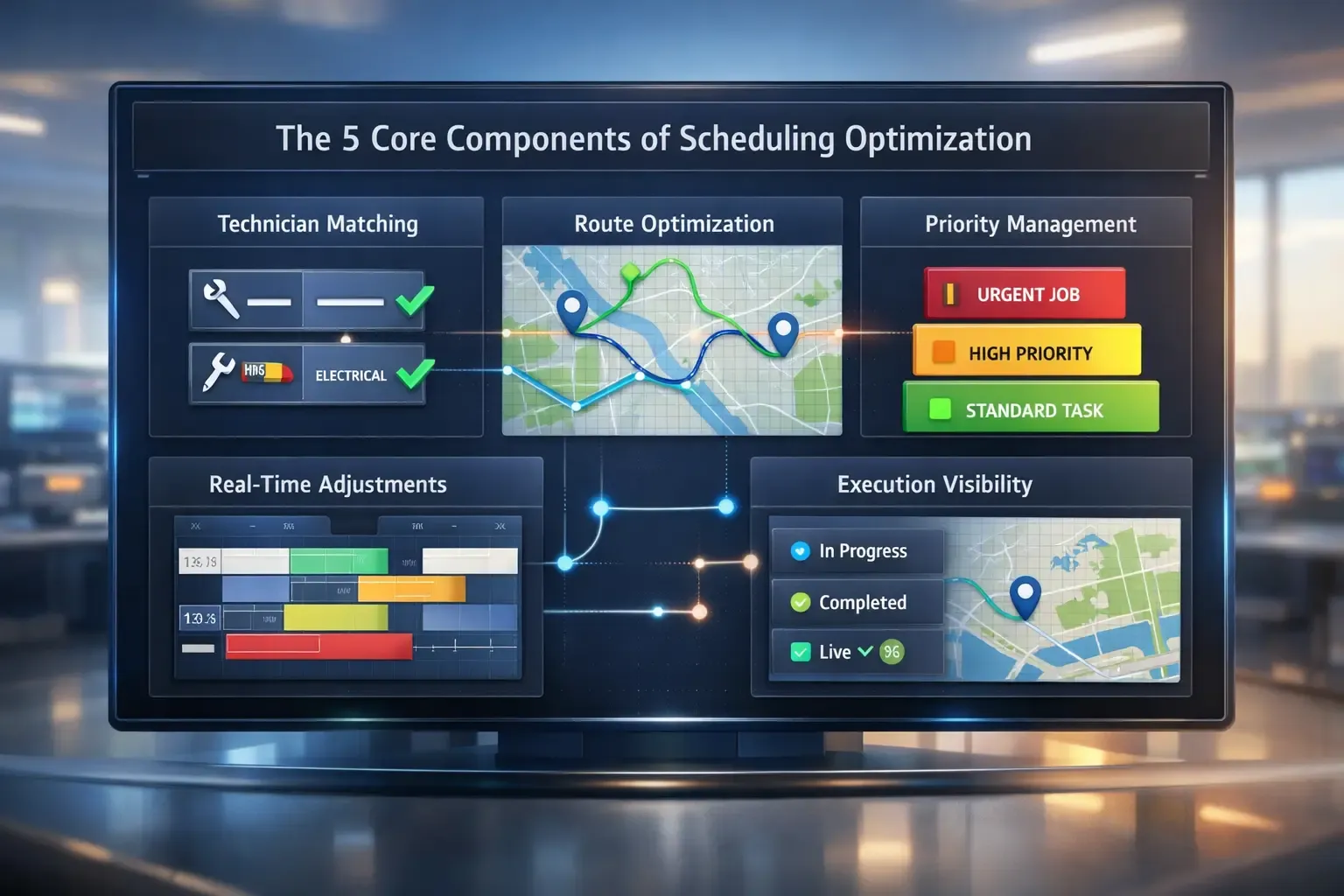
If you look closely, most scheduling problems don’t come from one mistake. They come from small gaps that keep repeating every day.
And once you fix those gaps, everything starts to feel easier.
Technician-to-Job Matching
The first thing I noticed is how often teams assign jobs based on availability. Not skill. It sounds fine until a technician reaches the site and can’t complete the work.
Now the job gets delayed, rescheduled, or handed over to someone else. That’s where things get expensive.
According to IBM, optimizing skill-based assignment can push first-time fix rates from 80% to as high as 98%. And honestly, that makes sense. When the right person shows up, the job gets done once.
Route Optimization
Then comes route optimization, and this is where most teams quietly lose time. At first glance, the route looks fine. But once the day starts, technicians move back and forth more than they should.
Travel time can vary depending on how routes are planned and adjusted. That difference adds up fast.
And the worst part is, you don’t notice it until the day is already gone.
Priority Management
Now here’s something that surprised me.
Many teams don’t clearly separate urgent jobs from routine ones. Everything just gets scheduled in order. But real work doesn’t behave like that.
Teams using priority-based scheduling improve SLA performance. That happens because critical jobs don’t wait behind less important work.
Real-Time Scheduling Adjustments
This is where things either hold together or fall apart.
You start the day with a plan. Then one job runs late. Another gets canceled. A new request comes in. And suddenly the whole schedule feels off.
Real-time adjustments reduce response delays in field operations. Teams that update schedules during the day stay in control. Others just keep reacting.
Execution and Visibility
And then there’s execution. Even if the schedule is perfect, it won’t work if your team can’t see what’s happening.
Technicians need updates. Dispatchers need live status. Without that, people start working on assumptions.
According to research, real-time visibility improves coordination and overall productivity across field teams. Once everyone is on the same page, things move differently.
Turn Scheduling Into a System That Actually Works
Connect assignments, routes, and real-time updates so your workflow stays aligned.
How to Optimize Field Service Scheduling (Step-by-Step Guide)
.webp?2026-04-10T05%3A37%3A29.647Z=&w=3840&q=100)
If scheduling feels like something you keep fixing all day, the issue is not effort. The issue is how decisions are made across the system.
You don’t optimize scheduling by adding more rules. You optimize it by removing friction at every step.
Step 1: Implement Automated Scheduling Software
Manual dispatch breaks when job volume increases. A dispatcher can track a few variables, but not dozens at once. Once you factor in skills, distance, job duration, and availability, decisions become inconsistent. That’s where errors start.
Automated scheduling fixes that by handling multiple constraints at the same time. It assigns jobs based on logic, not urgency or guesswork.
AI-driven scheduling can improve workforce productivity by up to 15% through better planning and resource allocation. That gain comes from making fewer wrong assignments.
Step 2: Optimize Routing in Real Time
After the assignment, the next loss happens in movement.
Technicians don’t lose time at the job. They lose it between jobs. Poor routing leads to unnecessary travel, repeated areas, and idle gaps. Static routing fails because conditions change.
Traffic shifts. Jobs run longer. Locations get rearranged. Real-time routing adjusts continuously. It reduces backtracking and keeps technicians moving forward instead of sideways.
That directly increases the number of completed jobs per day.
Step 3: Prioritize High-Impact Jobs
Scheduling fails when all jobs are treated equally.
Routine work and urgent issues get placed in the same queue. That delays critical jobs and creates service failures.
High-impact jobs include emergency repairs, SLA-bound tasks, and revenue-critical visits. These need priority placement, not availability-based placement.
Step 4: Use In-Day Optimization
A schedule created in the morning does not survive the day. Jobs extend beyond the expected time. Customers cancel. New requests appear. Without adjustment, the schedule drifts.
Most teams respond by manually reshuffling tasks. That creates more disruption.
In-day optimization works differently. It adjusts only the affected parts of the schedule while keeping the rest stable.
According to a study, dynamic scheduling reduces service delays by allowing real-time response to disruptions. This keeps the system aligned without resetting the entire plan.
Step 5: Align Inventory with Scheduling
Scheduling without inventory awareness creates hidden failures. A technician arrives, starts the job, and realizes a required part is missing. That forces a second visit and delays everything else.
And this issue shows up during execution.
Disconnected inventory and operations systems increase delays and reduce service efficiency. When inventory is visible during scheduling, jobs are assigned only when they can be completed.
Step 6: Enable Mobile-Based Execution
Even a well-optimized schedule fails if updates don’t reach the field instantly.
Technicians relying on calls or delayed updates cannot respond quickly. Every delay in communication slows execution. Mobile-based systems solve this by providing live schedules, job updates, and status tracking directly to technicians.
Research shows that real-time visibility tools improve coordination and increase productivity. This also changes how decisions happen. Instead of waiting for instructions, technicians act on live data.
Turn Your Process Into a Working System
Handle job allocation, routing, and real-time adjustments in one flow without manual effort.
Different Scheduling Methods and Models
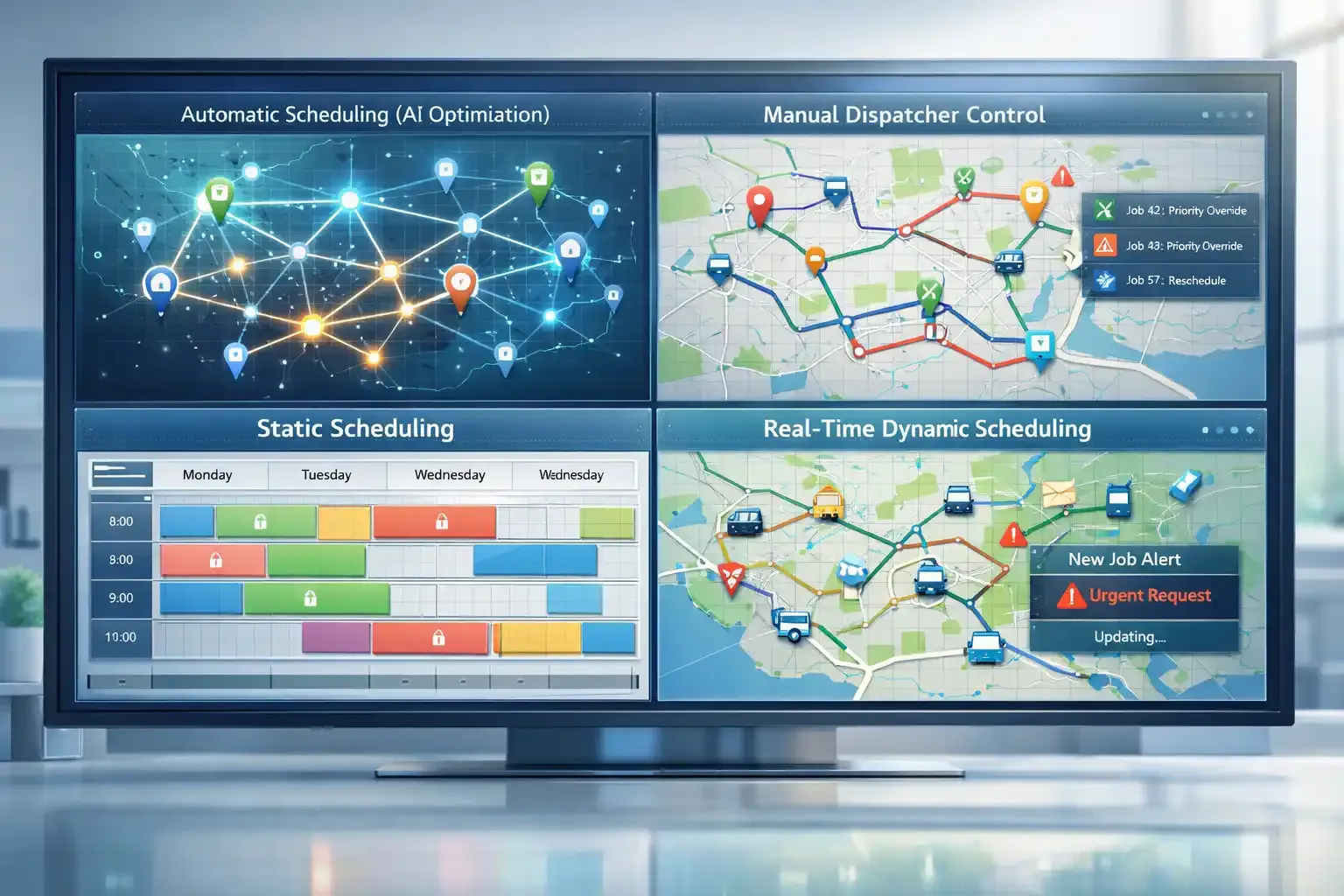
If you look at how teams actually schedule work, you’ll notice there isn’t a single method that fits every situation.
What works for repetitive jobs usually fails in emergencies. And what works in stable environments breaks the moment things become unpredictable.
Automatic Scheduling (AI-Driven Optimization)
This is what most modern teams move toward once scale increases.
Instead of assigning jobs manually, the system does it based on rules. Skills, distance, availability, and workload all get evaluated in seconds. You’ll see this work best when jobs are predictable, and volume is high.
When to use this:
- Large teams handling hundreds of jobs daily
- Recurring or repeat service tasks
- Environments where speed matters more than manual control
Manual Dispatcher Optimization (Human-Controlled Scheduling)
Now, this is where automation alone falls short.
Some decisions need context. A system might assign the closest technician, but it won’t always understand customer history or job sensitivity.
That’s where dispatchers step in. They override, adjust, and make calls that depend on experience.
When to use this:
- Emergency or high-priority jobs
- Specialized or technical service work
- Situations where customer relationships influence decisions
Static Scheduling (Pre-Planned Scheduling Model)
This is the traditional way most teams start. You create the schedule at the beginning of the day. Jobs are assigned, routes are managed, and everything is set in advance.
It works, but only under certain conditions. According to research, static scheduling performs best in low-variability environments where demand and timing are predictable.
When to use this:
- Small teams with limited daily jobs
- Stable service environments
- Workflows that don’t change frequently
Real-Time Scheduling (Dynamic Optimization Model)
This is where scheduling becomes responsive instead of fixed.
Instead of sticking to the original plan, the system keeps adjusting throughout the day. It reacts to delays, cancellations, and new requests as they happen.
You’ll notice the difference immediately.
According to a study, dynamic scheduling reduces delays and improves response times by using live data like technician location and job progress.
When to use this:
- High job variability and unpredictable demand
- Frequent cancellations or urgent service calls
- Large operations where efficiency depends on constant adjustment
Choose the Right Scheduling Method for Every Situation
Manage both predictable workloads and unexpected changes without breaking your daily plan.
Common Scheduling Mistakes to Avoid
- Overbooking happens when too many jobs get packed into a day, which leads to delays, missed appointments, and technician burnout.
- Ignoring travel time causes schedules to collapse mid-day because real-world movement never matches ideal estimates.
- Skipping buffer time creates pressure on every job, so one delay quickly affects the entire schedule.
- Poor communication between dispatch and technicians leads to confusion, missed updates, and wrong job execution.
- Over-reliance on manual systems slows decision-making and increases human error as job volume grows.
- Assigning jobs without checking skills results in repeat visits and lower first-time fix rates.
- Scheduling without inventory visibility causes job delays when technicians arrive without required parts.
- Treating all jobs equally delays urgent work and directly impacts service quality and SLAs.
How Software Fits Into the Optimization Process
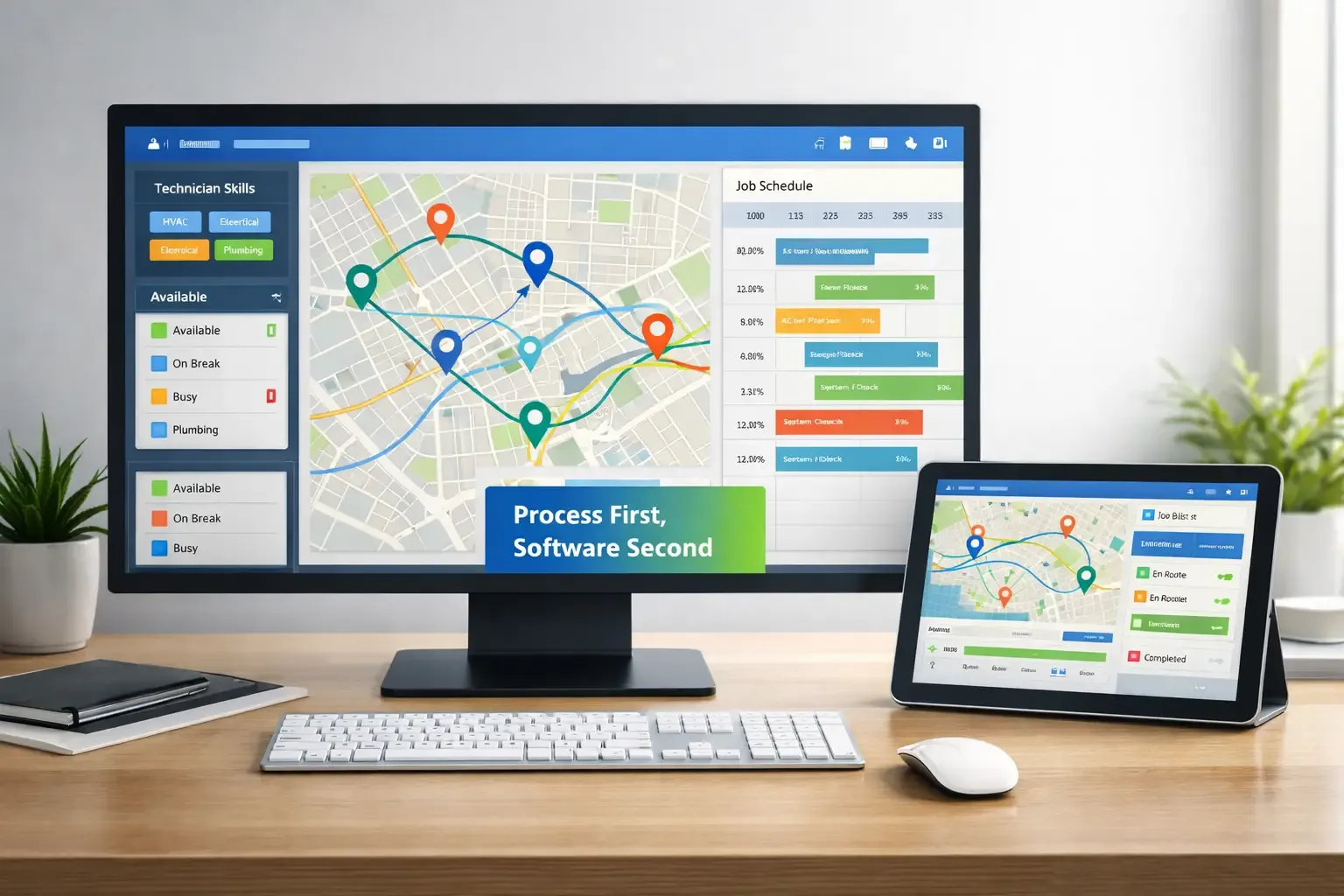
Software does not fix scheduling by itself. It works best when your process is already clear and needs speed, accuracy, and consistency.
It supports decisions by connecting data points like technician skills, location, and availability. That connection allows AI to assign jobs faster while routing tools reduce travel and avoid unnecessary movement.
At the same time, automation removes manual effort from daily scheduling. Instead of constantly adjusting things by hand, the system keeps everything aligned as changes happen.
But here’s the important part.
Software does not replace judgment. It supports it. The real improvement comes when teams use it to guide decisions, not depend on it blindly.
FieldServicely brings scheduling, routing, and live updates into one flow without making the system complex. So instead of adding another tool, it strengthens how your existing process runs day to day.
Make Your Scheduling System Actually Work
Use FieldServicely to connect job assignment, routing, and real-time updates into one smooth workflow.
Conclusion
Field service scheduling improves when you stop treating it like a fixed plan and start treating it like a moving system. The real impact comes from how well your team adapts during the day, not just how well you plan in the morning.
When routing, prioritization, and real-time updates work together, delays drop, and productivity increases naturally. Teams spend less time fixing problems and more time completing work.
Frequently Asked Questions
What KPIs should you track to measure scheduling performance?
You should track first-time fix rate, technician utilization, travel time, and on-time arrival rate. These metrics show whether your schedule is efficient or just busy.
How does customer communication impact field service scheduling?
Clear customer communication reduces cancellations and missed appointments. When customers get real-time updates, schedules stay more predictable and easier to manage.
Can small field service teams benefit from scheduling optimization?
Yes, even small teams benefit because fewer technicians mean less room for error. Optimization helps them avoid overloading and improve daily job completion.
How often should you update your scheduling strategy?
You should review it regularly based on performance data. As job volume, team size, or service areas change, your scheduling approach needs to adapt.
What role does technician feedback play in scheduling?
Technician feedback improves accuracy in job duration and routing decisions. When teams share real field insights, schedules become more realistic and effective.


