
- GPS Tracking for Field Service
5 Ways to Track Field Employees Without Micromanaging
Updated on 5 May 2026
Jump to
Summary

To track field employees without micromanaging, focus on outcomes, not activity.
Use clear and transparent policies, so employees understand what and why you track.
Replace constant check-ins with structured reviews and automated updates.
Respect privacy by limiting tracking to work hours and protecting data.
Use smart systems that give visibility while maintaining trust and flexibility.
Managing field employees often feels like a trade-off between visibility and trust.
Because you either know too little or risk micromanaging too much. Traditional tracking methods focus on constant updates, location pings, and activity monitoring, which often create pressure instead of clarity.
Modern tracking works differently, since it focuses on outcomes, smart tools, and structured visibility without interrupting work. Because of this shift, businesses can stay informed without making employees feel watched.
In this guide, you’ll learn how to track field employees effectively while protecting trust and improving productivity.
Tracking vs. Micromanaging: What Are the Differences?
When I first started managing my field team, I honestly thought more tracking would fix everything. So I kept calling, checking locations, and asking for updates all day.
At that time, it felt like I was staying “in control,” but in reality, I was just hovering over every small detail. As this continued, I noticed the team slowing down since they felt watched all the time.
The workplace study also shows that excessive monitoring increases stress and reduces productivity.
Then I realized I didn’t need to know everything. I just needed to know if the work was getting done.
So instead of chasing updates, I started looking at completed jobs, delays, and outcomes, which gave me clarity without interrupting them.
What surprised me was how quickly things improved, since the team started working more confidently and even solving problems on their own. Employees who feel trusted are 1.3x more likely to put in extra effort at work!
Now the difference feels very real to me because micromanaging comes from the urge to control everything, while tracking is just about staying informed.
One makes your team feel like they’re being watched, while the other makes them feel like they’re trusted to deliver.
5 Strategies for Non-Intrusive Field Employee Tracking
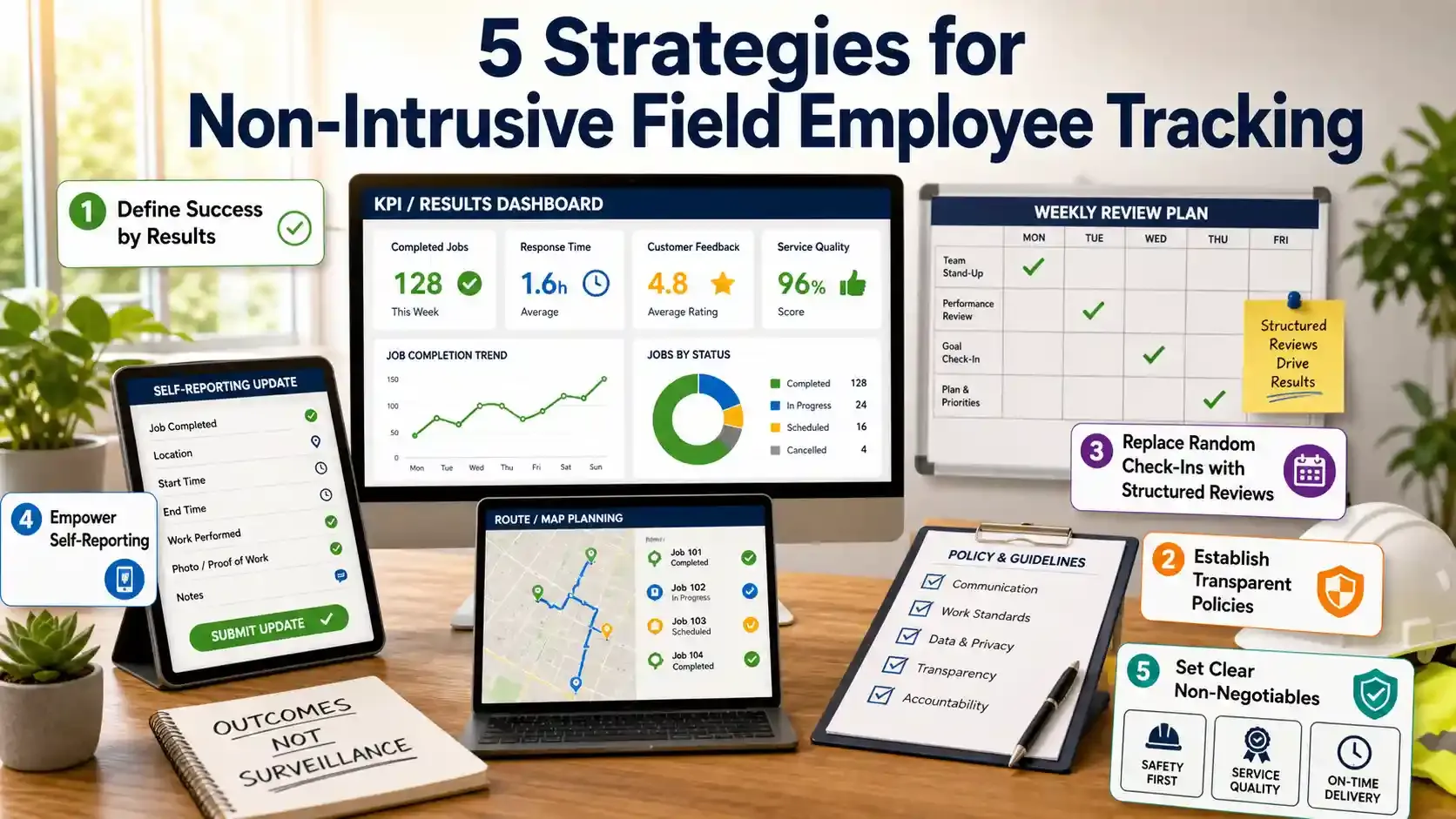
Define Success by Results
The biggest mistake I made early on was thinking visibility comes from tracking time. So I kept watching hours and movement instead of outcomes.
That gave me data, but not clarity. Because I still couldn’t tell who was actually performing.
Everything changed when I started asking one simple question: “What got finished today?” From there, I built KPIs around job completion, response time, and customer feedback, which finally made performance measurable.
Establish Transparent Policies
When people don’t know what is being tracked, they assume the worst, and that creates silent resistance.
Once I started explaining things openly, like what data we collect and why it exists, the tension dropped almost immediately. Instead of feeling monitored, the team began to see tracking as part of how we run operations, especially for things like payroll accuracy and route planning.
In fact, transparency increases acceptance of monitoring by 44%
Replace Random Check-Ins with Structured Reviews
I used to interrupt my team without realizing it, just to stay updated. And those quick “check-ins” added up more than I expected.
It didn’t look like micromanaging from my side, but it definitely felt like it from theirs.
The turning point came when I stopped reaching out randomly and moved everything into weekly reviews and short team syncs. That small change removed constant interruptions while still keeping me informed about progress and blockers.
Structured communication improves focus time by over 25%, and that explains why work started moving faster without those daily disruptions.
Empower Self-Reporting
For a while, I trusted dashboards more than people, assuming the numbers would tell me everything I needed. But the numbers never explained why something was delayed or what was actually happening in the field.
Things improved when I started asking the team to share their own updates, since they could explain context that data couldn’t capture. That simple habit turned tracking into a two-way system instead of a one-sided observation.
According to Indeed, employees who actively report their work show higher accountability. It became clear as my team started taking more ownership without being pushed.
Set Clear “Non-Negotiables”
At one point, I tried to control too many details, thinking tighter control would lead to better results. But it only made the process rigid and harder to follow.
Field work doesn’t operate well under that kind of pressure, especially when conditions keep changing.
What worked better was drawing a line between what must be fixed and what can stay flexible. Deadlines, safety rules, and service quality stayed non-negotiable, while the way work gets done remained open.
Teams perform better when expectations are clear, but execution is flexible, and this balance made everything run more smoothly without constant oversight.
Stop chasing random updates
Automate check-ins and review field progress without interrupting your team’s workflow.
Ethical & Legal Considerations for Tracking Field Employees
Obtain Consent
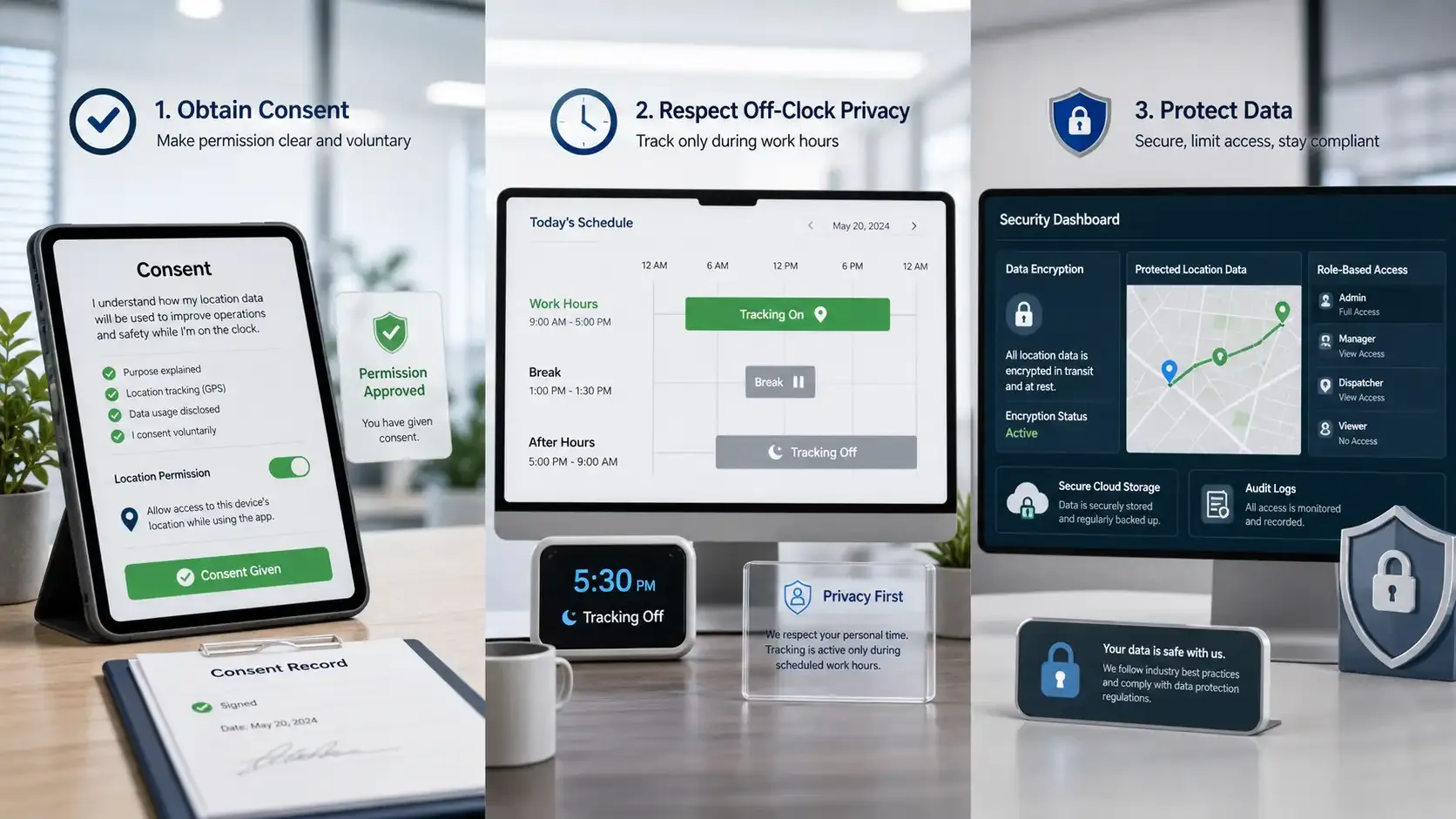
Consent is required because employee tracking involves personal and location data. Written permission, along with a clear explanation of what is tracked and why, removes confusion before it starts.
Clear communication improves acceptance, since employees understand the purpose behind monitoring instead of assuming control. Research shows organizations with transparent data practices face fewer complaints and higher employee trust.
Defined consent policies also reduce legal exposure, especially when tracking mobile devices or GPS data. This makes transparency both a compliance requirement and a trust-building factor.
Respect Off-Clock Privacy
Privacy must be protected because tracking outside work hours crosses a clear boundary. Systems should only operate during active shifts, with tracking disabled during breaks and after hours.
Continuous monitoring creates discomfort, since employees feel watched even when they are off duty. That said, 31% of monitored employees feel micromanaged, and 23% feel they are under constant surveillance.
Defined limits solve this issue, since employees know exactly when time tracking starts and stops. This separation keeps monitoring focused on work, not personal life.
Protect Data
Data security is critical because tracking systems collect sensitive operational and personal information. Access should remain restricted to relevant managers, with clear roles and permissions in place.
Strong protection measures like encryption and secure storage reduce exposure to breaches and misuse. An IBM report states that the average cost of a data breach reached $4.88 million, which highlights the financial risk of poor data handling.
Compliance with data protection standards ensures accountability, since organizations must manage employee data responsibly. Secure systems protect both business operations and employee trust.
Keep tracking focused on work
Manage jobs, time, and locations during active shifts without unnecessary after-hours monitoring.
Recommended Tools for Smart Tracking
Most tracking tools fail because they either track too much or show too little, which creates noise instead of clarity.
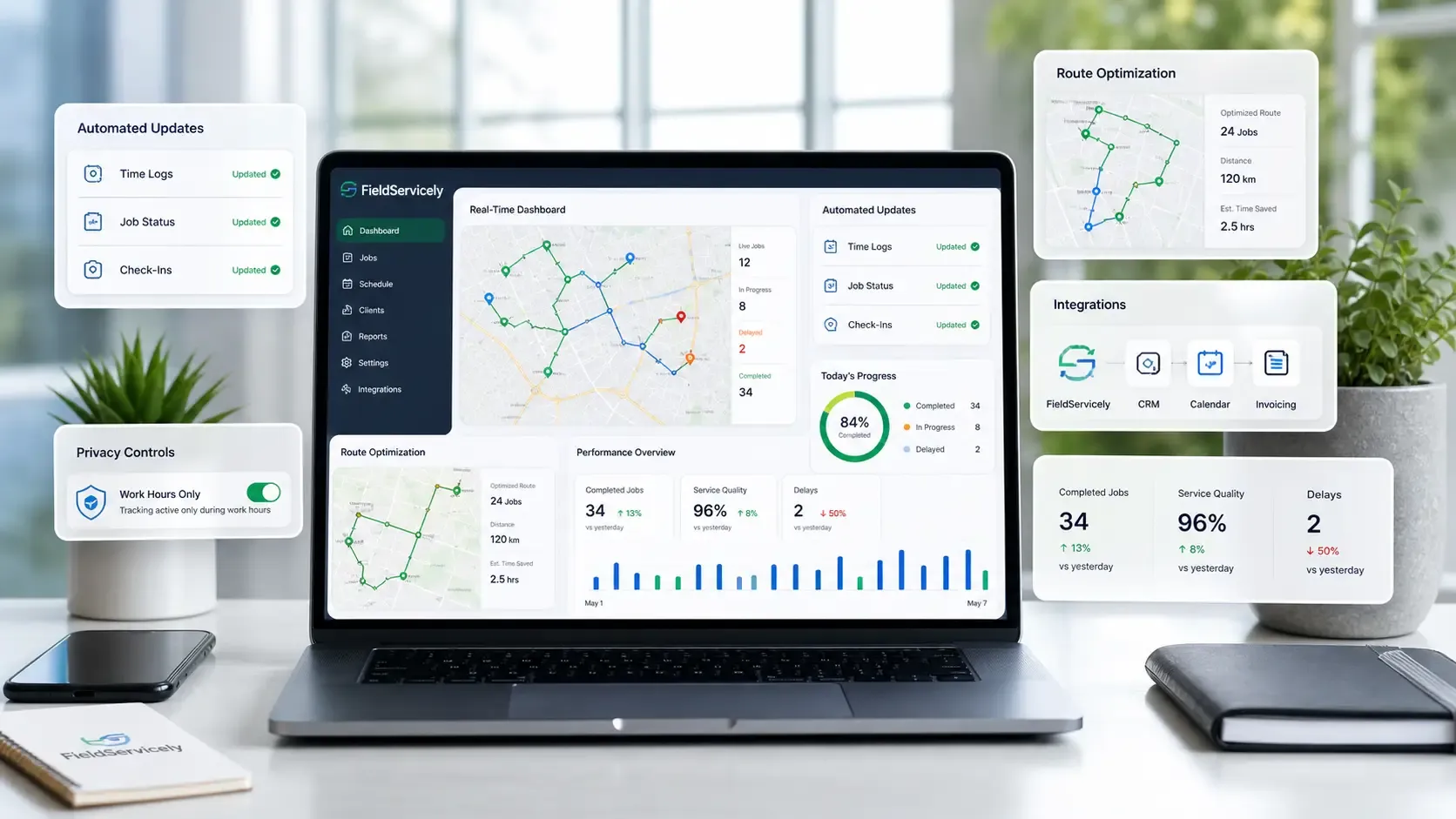
Automation fixes this by removing manual updates, so time logs, job status, and check-ins update on their own.
At the same time, visibility matters too. Because managers need updates without interrupting work, real-time dashboards showing job progress and delays remove the need for constant calls.
Trust breaks when tracking feels intrusive, so privacy controls like shift-based tracking keep monitoring limited to work hours. Similarly, integration matters because disconnected tools slow everything down.
Most tools either give control or visibility, but rarely both, which creates gaps in management. FieldServicely solves this by combining real-time job tracking with automation. So managers stay informed without constant follow-ups.
Its automated updates and route optimization remove unnecessary steps while improving efficiency across field operations. Because of that, teams spend more time working and less time reporting.
Tracking only works when it focuses on results, so performance dashboards highlight completed jobs, service quality, and delays instead of raw activity.
Get visibility without constant calls
FieldServicely shows job progress, delays, and field activity in one simple dashboard.
Conclusion
Tracking field employees works best when trust comes first, because control alone never builds strong teams. Instead of tracking more data, focus on tracking the right data that drives decisions and outcomes. Smart systems give visibility without pressure, so employees stay productive without feeling watched.
Frequently Asked Questions
How often should managers review field employee tracking data?
Managers should review tracking data weekly to identify patterns and performance gaps. Daily monitoring often leads to unnecessary pressure and micromanagement. A structured review keeps tracking useful information without disrupting work.
Can field tracking improve customer service?
Yes, tracking helps provide accurate arrival times and faster service updates. It also allows better scheduling and quicker response to delays. This improves customer trust and overall service quality.
What metrics should field teams track besides location?
Field teams should track job completion, response time, and service quality. These metrics show actual performance and efficiency. Focusing on outcomes gives better insight than tracking movement alone.
Should employees see their own tracking records?
Yes, giving access helps employees understand their performance clearly. It allows them to identify gaps and improve on their own. This also builds transparency and trust in the system.
What is the biggest mistake in field employee tracking?
The biggest mistake is tracking too much data without a clear purpose. This creates confusion and feels intrusive to employees. Tracking should focus only on data that supports better decisions.


