- Route optimization and planning
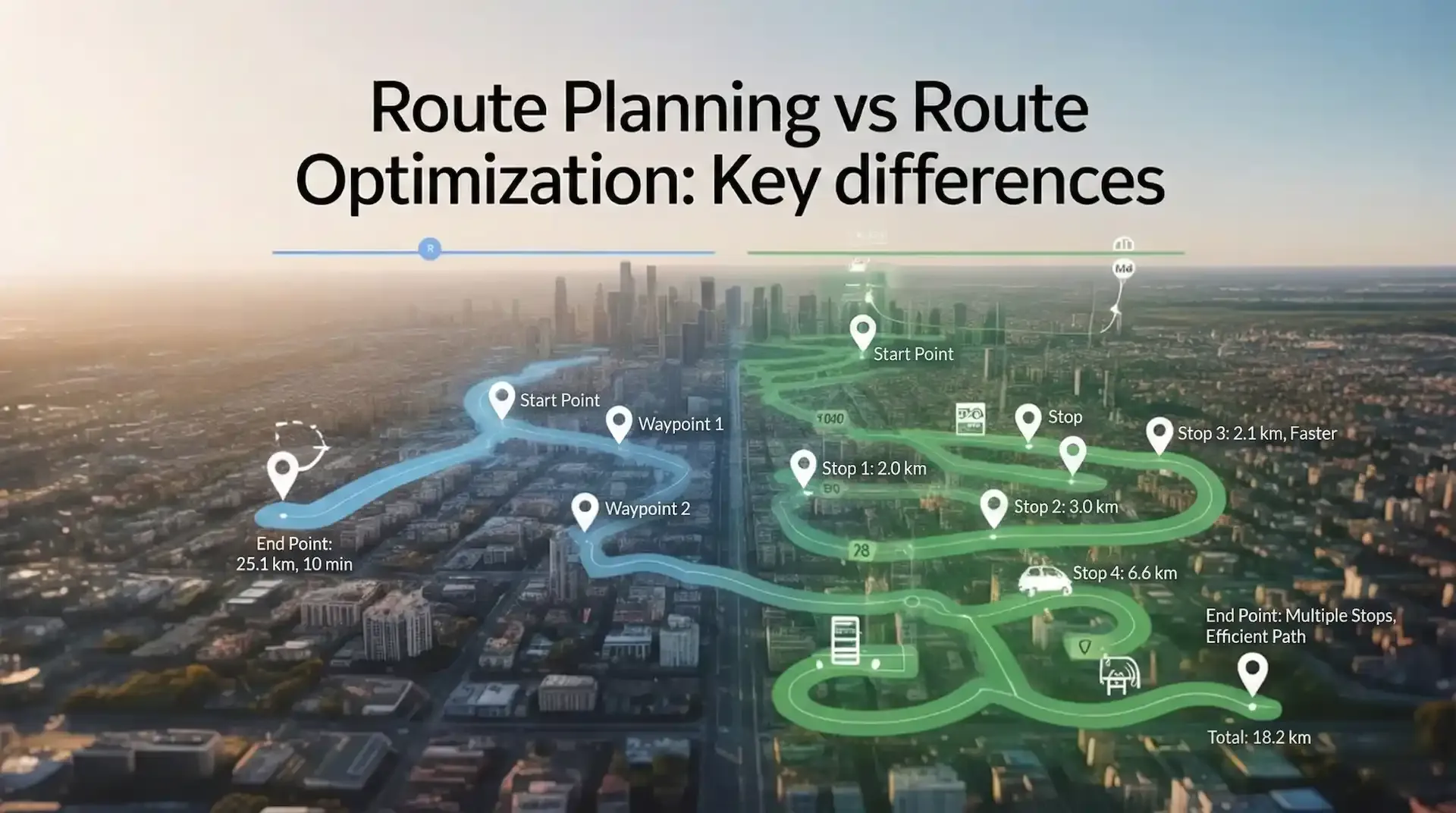
Route Planning vs Route Optimization: Key Differences
Updated on 22 Jan 2026
Jump to
Summary

Route planning creates a basic route, while route optimization keeps improving it to save time and fuel.
In 2024, U.S. traffic congestion caused 63 lost hours per person and $269 billion in wasted time and fuel.
FieldServicely adjusts routes in real time to handle traffic and delays, keeping teams on schedule.
Route planning focuses on arranging stops so drivers or technicians can complete their day. Whereas route optimization uses data, constraints, and real-time route adjustments. And, it keeps routes efficient as conditions change. As a result, instead of reacting to delays, teams can stay in control.
In this blog, I will discuss the key differences, real-world use cases, and when each approach makes sense.
Quick Look at the Differences between Route Planning and Route Optimization
| Aspect | Route Planning | Route Optimization | Best for / When to use |
|---|---|---|---|
Goal | Arrange stops in a logical order | Find the most efficient way to complete all stops | Simple routes vs efficiency-driven operations |
Inputs | Address list and depot | Addresses, traffic, delivery time windows, vehicle speed, and drivers | Data-rich routing decisions |
Constraints Handling | Very basic | Time, capacity, shifts, traffic | Real-world delivery conditions |
Real-time changes | Manual replanning | Automated route optimization | Same-day changes and delays |
Scale limit | Works for small volumes | Built to scale | Growing fleets and teams |
Output | A workable route | A cost and time-efficient route | Reliable ETAs and lower costs |
Typical tools | Maps, spreadsheets | Route optimization software, AI route optimization | Modern logistics and field service |
Try FieldServicely for real-time route optimization
Try for free - No credit card required!
What is Route Planning and Route Optimization?
Route planning is the process of creating a practical path for deliveries. It decides which stops drivers visit and the general order.
You usually start with a pre-existing order list, then map or sequence destinations to make the route feasible. It looks at addresses, delivery windows, vehicle capacity constraints, and basic geography.
That sounds useful, right? It is, but only to a point.
Here’s the issue. Route planning assumes the day will go as expected. But does it ever?
Traffic congestion, road closures, accidents, drivers breaking rules, and narrow streets quickly ruin that plan. When these things happen, someone must step in and fix the route manually.
Route optimization takes that same route and pushes it further. It finds the most efficient sequence using real optimization constraints. It looks beyond distance and considers traffic, driver hours, vehicle limits, and delivery priorities.
So route planning is like drawing directions once. Whereas route optimization software is constantly correcting those directions while driving.
Route Planning vs Route Optimization: Deep Dive
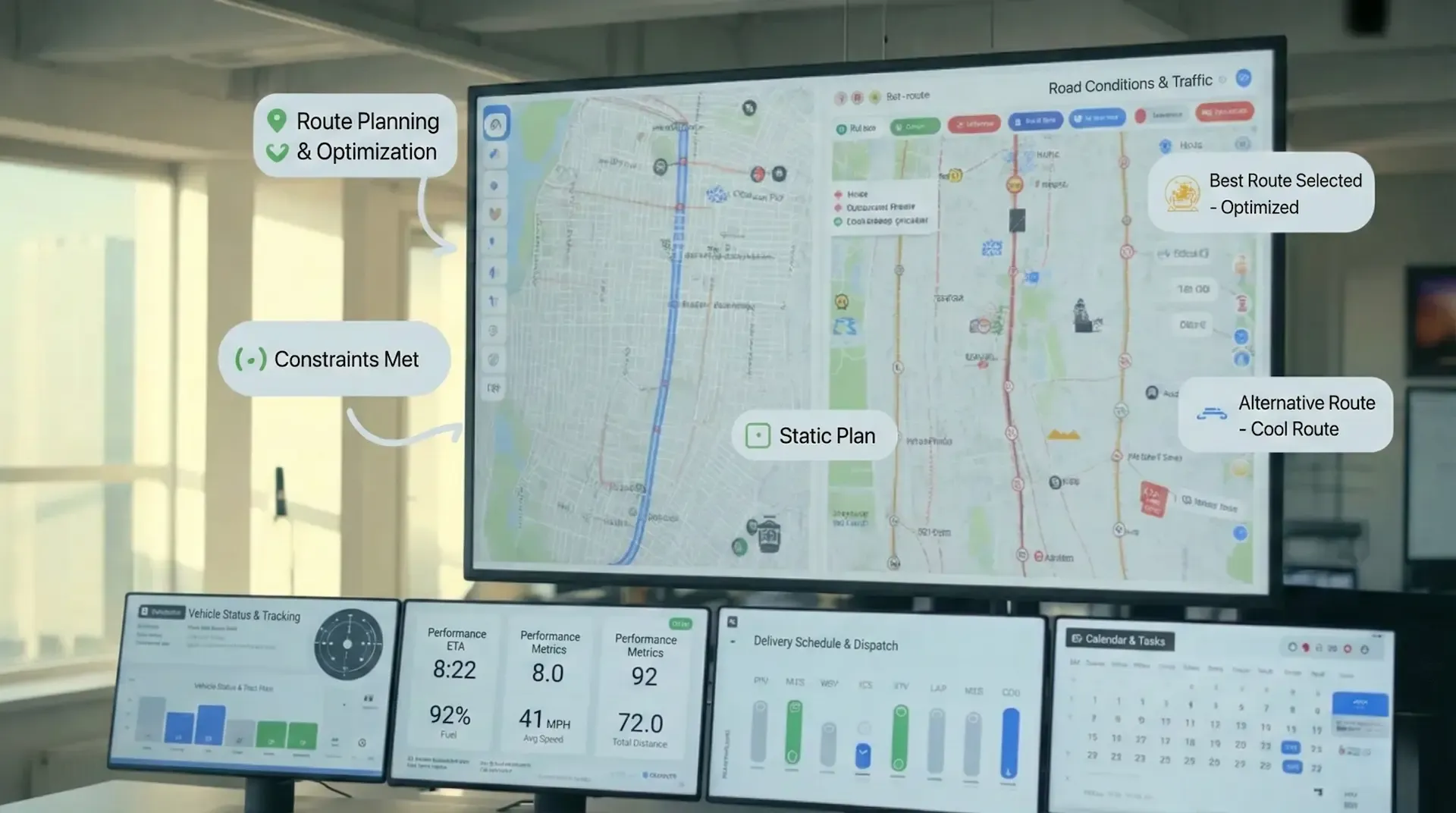
Goal: Feasibility vs Optimization
Suppose you build a route that follows every rule. All stops are covered, time windows are respected, and the driver stays within legal limits. On paper, if the route works, that is feasibility.
Would you believe this is where many teams stop and move on?
Feasibility only asks if a route is possible. It does not ask if it is smart. It does not ask how much fuel it burns or how much time it wastes.
Did you know traffic congestion alone costs over $160 billlion every year in wasted time and fuel?
Not only that! According to INRIX, the average U.S. driver loses 49 hours, wasting roughly $894 in time.
Another recent INRIX report shows congestion rising in most U.S. cities, with major metros losing dozens of hours annually. A feasible route can still drive straight into that loss.
Now imagine looking at the same route and asking a different question. What is the best route under today’s conditions? Traffic patterns are heavier than usual. One delivery may run late, and another customer needs a tight window.
This is optimal routing. The route still follows all rules, but it performs better under pressure.
For example, with just 10 stops, there are more than 3.6 million possible route sequences. Now picture 30 stops. The combinations explode beyond human thinking. This is the Vehicle Routing Problem, and it explains why planning hits a wall.
This is why teams move beyond routes that merely work. Route optimization has been shown to cut fuel costs by up to 20% and reduce travel distance while improving service reliability.
Tools like FieldServicely also exist to handle real constraints and find routes that perform best when the day does not behave as planned.
Inputs and Data Depth
If you are building routes for tomorrow, start with a list of addresses and a few delivery windows. That is how route planning usually treats inputs. Everything important gets decided at the beginning.
Sounds pretty simple, right?
But the problem is that the day does not stay the same. Traffic changes, weather slows things down, or a customer may call asking for an early delivery.
Route planning never sees any of this because it only works with static information.
On the other hand, route optimization works with a very different mindset. It still starts with the basics, but keeps pulling in more detail as the day unfolds.
That said, vehicle type, load limits, driver hours, and road rules matter. On top of that, traffic and weather conditions keep changing the math behind every stop.
For example, a driver hits heavy traffic halfway through the route. A planning tool still follows the original order, but an optimization engine recalculates travel time, reshuffles stops, and keeps the rest of the route realistic. And just when a late order shows up, the route adapts instead of breaking.
The deeper systems go even further. They look at GPS signals, past routes, and patterns from similar days. They spot delays before delivery drivers feel them.
This is exactly where Fieldservicely fits. It brings all of that operational detail into one place, so routes stay useful even when the day refuses to follow the plan.
Try intelligent route optimization built on deep, real-time inputs
Route Adaptability: Static vs Dynamic
I remember working with a team that swore their routes did not need flexibility.
They delivered to the same places every day, at roughly the same times. Static routing worked for them, and honestly, it made sense.
That is the strength of static route planning. It assumes stability.
You plan once, follow the same path, and repeat. For recurring routes, that simplicity saves time. There is no recalculation, no system overhead, and no surprises.
But that strength turns into a weakness the moment variability enters the scene.
Now compare that to teams handling customer service or last-mile delivery. Jobs do not start and end on schedule, traffic shifts, customers reschedule, and emergency work appears.
In those environments, I have seen static routes become liabilities. So people work around it instead. Hence comes the dynamic route optimization.
It treats routes as something temporary. When conditions change, the route automatically changes too.
So, drivers do not have to wait for instructions. Dispatchers get rid of route plan rebuilding from scratch. The system adapt with the change and keeps the day moving.
Scale: Why Manual Planning Breaks
When routes are few, manual planning feels almost instinctive. You could look at them and say, “This order makes sense.” And it probably did.
But what happens when those ten stops turn into twenty? Or thirty? Do you still feel confident, or do you start second-guessing yourself? How would you count this multi-stop route planning?
Here’s the part most people never hear. With just 10 stops, there are already more than 3.6 million possible ways to arrange them. Did you ever compare those options? Of course not, nobody does.
You pick one that feels right and move on. Now ask yourself this. What happens at 30 stops? The number of possible routes becomes so large that even thinking about the best route stops being realistic.
This is where manual planning quietly falls apart.
Because the problem outgrows human thinking. You start relying on memory instead of data. You avoid adding one more stop because it feels risky. Drivers double back. Vehicles leave half full.
Instead of asking, “How do we improve this route?” the question becomes, “How do we fix today?” That’s usually the moment growth starts feeling stressful instead of exciting.
Automation exists to make route optimization efficient. It can evaluate millions of combinations without getting overwhelmed.
Outcomes
So what actually gets better when routes improve? What do teams notice without opening a report?
Fuel use drops: The U.S. Department of Energy says that efficient driving cuts fuel use by 10–30%. That usually comes from fewer wrong turns and less doubling back. Think about how often drivers fix routes on the fly.
More jobs land on time: Capgemini found that over 60% of customers are willing to pay for on-time delivery. When routes match reality, late stops stop feeling unavoidable.
Capacity: Studies show optimized delivery routes unlock 15–25% more stops per driver. Same hours. Same people. Just less wasted time.
Customer Satisfaction: Fewer delays mean fewer “Where are you?” calls. Fewer delays also mean more customer satisfaction.
None of this feels dramatic on day one. But after a few weeks, days feel smoother. Less chasing. Less apologizing. That’s usually when teams realize the difference.
Field Service Perspective: Routing and Scheduling
From my experience, route planning vs route optimization in field service is never just about the route. It is about lining up the route, the appointment time, and the right technician. When one of those is off, the day starts to fall apart.
I have seen short routes fail many times. A dispatcher sends the closest technician to save travel time. The technician arrives on time but struggles because the job is not a good skill match.
What was planned as a quick visit runs long. This is how the next appointment gets delayed.
Research shows responsible scheduling reduces labor hours by 1.8% and boosts productivity by 5.1%. That lines up exactly with what I have seen on the ground.
This is why tools like FieldServicely work. Scheduling, technician skills, live traffic data, and route maps sit in one place. You assign the right technician first, then the route supports that choice.
When a job runs long, you see it early and adjust before the rest of the day breaks. In field service, real route optimization is what keeps a normal day from turning into damage control.
Success Measurement
Miles per route: Fewer miles mean routes are tighter, and drivers are not doubling back. This is usually the first improvement teams notice.
Cost per stop/job: Lower cost shows less wasted travel time, better scheduling, and fewer repeat visits caused by poor assignments.
On-time / within time window %: Higher percentages mean routes and schedules match real conditions.
Stops/jobs per tech per day: More completed jobs per technician usually indicate better sequencing and realistic job durations.
Utilization %: Higher utilization means paid hours are spent working, not waiting or driving unnecessarily.
Overtime hours: Fewer overtime hours signal that schedules are balanced and jobs are finishing when expected.
Route Optimization vs Planning: Which One Do You Need?
So, how do you decide between route planning and route optimization? What is suitable for you?
The simplest way to choose is to look at how predictable your day really is. From experience, planning works when nothing changes. Optimization is what you need when reality shows up.
Route planning is enough if:
- You have a small number of stops and routes that rarely change
- There are no strict time windows or SLAs to worry about
- Your day has low variability and few surprises
- You run a single vehicle, technician, or very small team
In these cases, basic tools like maps or simple scheduling can get the job done. Efficiency losses are small, and manual route planning is manageable.
You need route optimization if:
- You manage multiple technicians or vehicles
- You work with tight appointment windows or SLAs
- Jobs require specific skills or equipment
- Routes change daily due to customer demand or traffic
- You handle emergency jobs or last-minute schedule changes
At this stage, planning stops helping and starts creating extra work. This is where Fieldservicely fits naturally.
It connects routing, scheduling, technician skills, and live traffic data in one system. Routes adjust as the day changes, not after things go wrong. When a job runs long or a new task appears, the route updates instead of breaking the rest of the schedule.
How to Move from Route Planning to Optimization
If you’re thinking about moving from route planning to optimization, the first concern is usually the same. Will this make things more complicated?
No, it doesn’t, as long as you take it step by step.
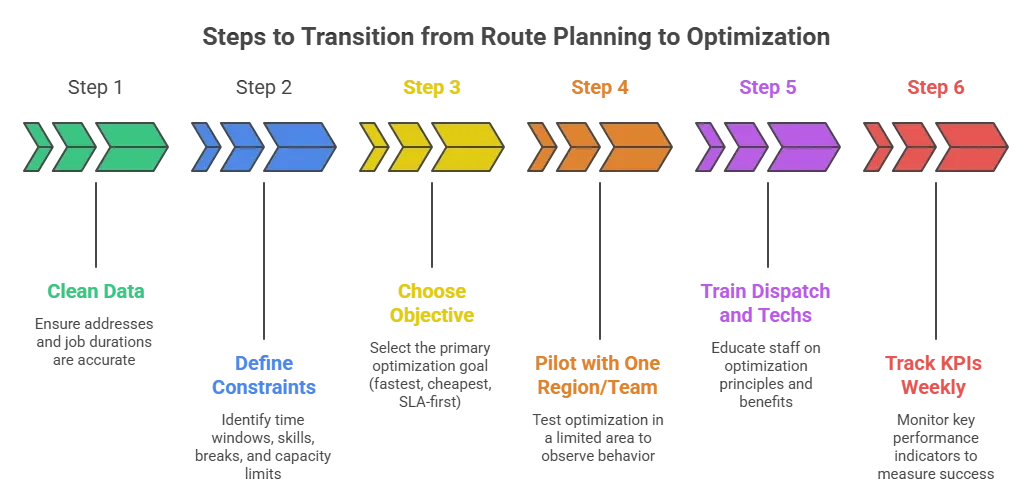
Clean data (addresses, job duration): Ask yourself this. Are your addresses accurate? Are job durations realistic, or are they guesses made months ago? Optimization only works when the basics are right.
Define constraints (time windows, skills, breaks, capacity): What time windows do you actually promise customers? Which jobs require specific skills or equipment? How often do breaks and capacity limits get ignored?.
Choose objective (fastest vs cheapest vs SLA-first): Are you trying to finish earlier, fuel cost reduction, or protect SLAs? Optimization works best when you pick one main goal instead of chasing everything at once.
Pilot with one region/team: Start with one region or crew. Watch how routes behave when the day changes.
Train dispatch and techs: When people understand why routes adjust, resistance drops quickly. Optimization works best when everyone feels involved.
Track KPIs Weekly: Review miles per route, on-time performance, cost per job, and overtime.
What is the Difference Between Dynamic and Static Route Optimization?
I’ve worked with both, and the difference usually becomes obvious by mid-day, not during planning.
How Routes Are Set
With static route optimization, the route planner is decided upfront. You plan them once, usually the night before or early morning, and send techs out. After that, the route stays the same unless someone manually changes it.
With dynamic route optimization, routes are planned too, but they’re not locked. The system expects things to change and keeps adjusting as the day goes on.
What Happens When the Day Changes
This is where static routing starts to hurt. I’ve seen one late job throw off an entire afternoon. Traffic builds up, a customer asks to reschedule, or an urgent job comes in.
With dynamic routing, those changes don’t cause the same mess. The system updates routes automatically. Techs get adjusted directions, and the rest of the schedule doesn’t completely fall apart.
How Data Is Used
Static routing mostly uses past data, such as yesterday’s traffic or typical job lengths. It depends on guesses.
Dynamic routing uses what’s happening right now. Live GPS, current traffic, job status. This alone saves hours of manual fixing every week.
How Much Manual Work Is Involved
Static routing puts more pressure on dispatch. Someone has to notice the problem, decide what to change, and communicate it.
Dynamic routing shifts that work for the system. Dispatch still oversees things, but they’re not constantly putting out fires.
Common Mistake: Google Maps and Spreadsheets Are Not Ideal for Route Optimization
Using Google Maps as a Fleet Tool
Google Maps is excellent for personal directions. It was never designed for fleet route optimization or field service operations. Every address has to be entered manually, one by one. In other words, Google Maps route optimization is not a permanent solution.
I’ve lost time double-checking entries because one typo can send a technician to the wrong place. That kind of risk grows as the number of jobs grows.
Manually Deciding the Stop Order
Google Maps follows the order you enter stops. It does not find the best sequence for you. I used to drag stops around, hoping the order made sense. Even with a small number of jobs, that guesswork leads to wasted time and unnecessary driving.
Hitting Tool Limits Mid-Planning
At some point, the tools just stop cooperating. Google Maps limits the number of stops per route. Spreadsheets become slow and messy as rows pile up.
I remember splitting routes into parts just to make them fit, knowing full well it wasn’t efficient. That’s when planning starts feeling forced instead of helpful.
Lacking Real-Time Visibility
Once technicians leave, spreadsheets and Google Maps go silent. You can’t see progress, delays, or available capacity.
I’ve had customers ask for updates while I was guessing based on the last call I received. That lack of real-time field staff tracking creates stress for everyone involved.
Handling Changes Manually
Changes are guaranteed. Jobs run long. Customers reschedule. Emergency work comes in. With these tools, every change means phone calls, explanations, and manual edits that aren’t tracked anywhere. By mid-afternoon, the original plan no longer reflects reality.
Replace Google aps and spreadsheets with real routing software
Try for free - No credit card required!
Route Planning and Optimization with FieldServicely
FieldServicely is the best route optimization software designed around the way field operations actually work. Not the way route planner software thinks they should work.
Route planning and route optimization are part of the same flow as scheduling, dispatch, and technician tracking. Everything happens in one place, so teams are not forced to switch tools just to keep the day moving.
Routes in Field Service. Stay connected to real jobs. When work is scheduled, the system accounts for technician availability, location, and workload. Route maps update as assignments change, and live location tracking shows progress as it happens.
What makes the platform practical is that routing is only one piece of a larger system. Field service management, photo evidence, real-time tracking, attendance, payroll, invoicing, and reporting are built in.
Rather than adding another routing tool to the stack, FieldServicely replaces the stack. For teams that need efficient route planning software and optimization without operational friction, it fits naturally into daily work.
Conclusion
Route planning vs route optimization determines whether delivery routes simply work or consistently perform under real operating conditions.
Planning fits small, predictable days. But optimization handles traffic, delays, constraints, and last-minute changes without manual fixes. As operations scale, efficiency, visibility, and adaptability directly impact costs. They also affect on-time performance and customer experience.
That is why teams move beyond maps and spreadsheets toward connected, dynamic routing systems. FieldServicely brings routing, scheduling, technician assignment, and live tracking into one practical platform.
What to read next