- Scheduling and Dispatch
Dynamic Scheduling in Field Service and Delivery Management
Updated on 31 Jul 2026
Jump to
Summary

Dynamic scheduling assigns jobs and workers as things change during the day. It updates schedules in real time when a worker is late or a job is canceled.
It is more flexible than fixed schedules, which can quickly become outdated.
Field service and delivery teams see faster response times, lower costs, and happier customers.
Scheduling software can make dynamic scheduling easier, even for small teams.
Using it at the right time can help a business run more smoothly and avoid daily scheduling problems.
Dynamic scheduling means assigning jobs and workers based on live conditions, such as availability, location, skills, and urgency. Instead of using one fixed schedule for the whole day, the schedule can change as new information comes in. For field service and delivery teams, this can reduce delays and make better use of working hours.
This topic is important because the field service management market is growing quickly. It is expected to grow from about $6.2 billion in 2026 to over $23 billion by 2035 (Global Market Insights).
In the United States, field service management software is already a $3.1 billion industry (IBISWorld). One reason for this growth is that fixed schedules often cannot handle delays, cancellations, and urgent requests.
Next, we’ll explain what dynamic scheduling is, how it compares to traditional scheduling, and how businesses can use it to improve daily operations.
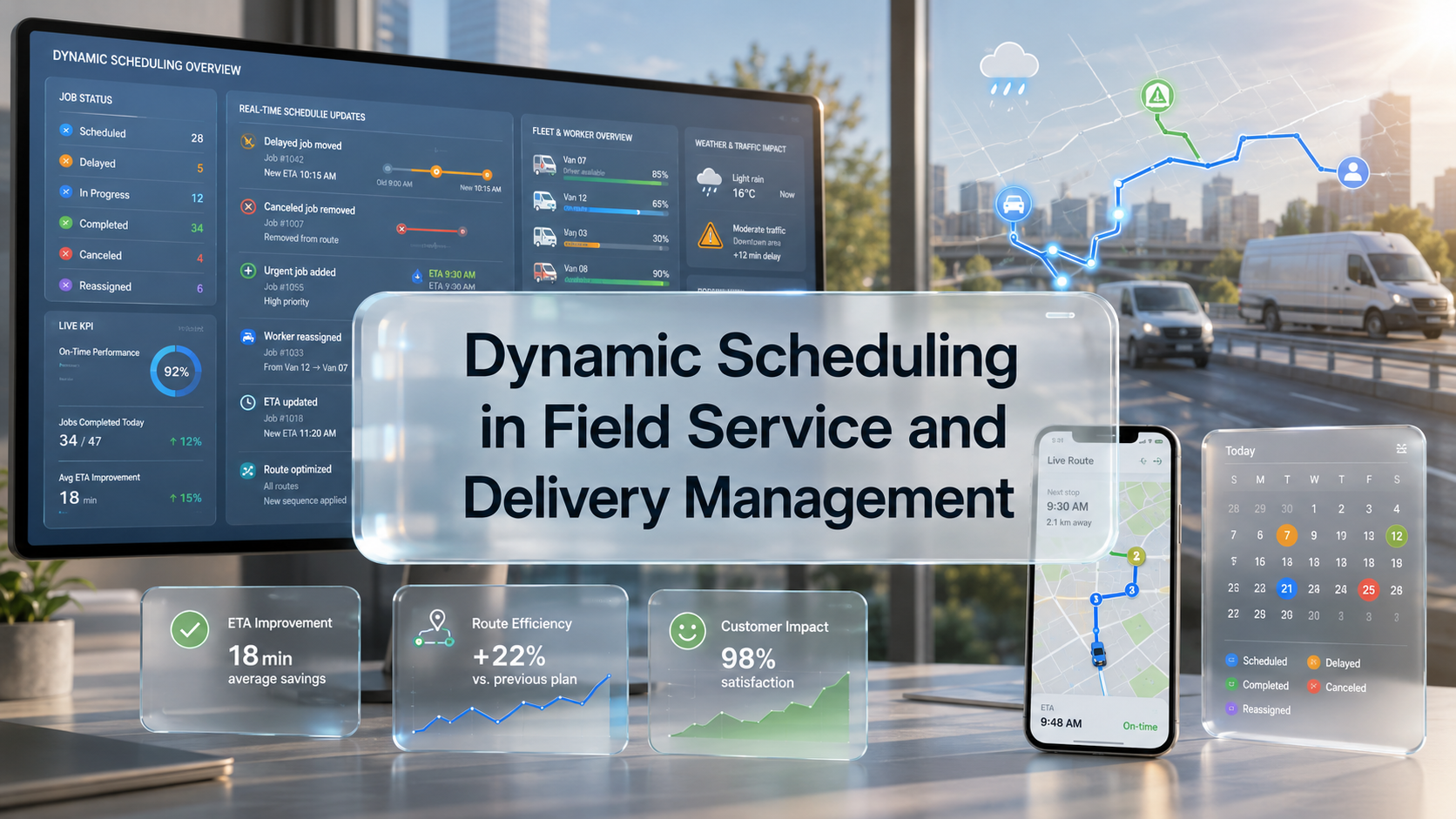
Dynamic scheduling is a flexible way to plan work that can change in real time. Jobs are assigned based on real-time factors such as worker availability, location, skills, and job urgency. If something changes, the schedule can change too.
Think of it like a GPS for your workday. A paper map gives you one fixed route, even if traffic changes. A GPS updates the route when conditions change. Dynamic scheduling works the same way by helping your team find the best plan as the day goes on.
This is different from static scheduling, where a fixed plan is made in advance and followed even when problems occur.
Fixed schedules work when everything goes as planned, but field service and delivery work often face delays, traffic, and cancellations. Dynamic scheduling treats these changes as normal and adjusts the schedule when needed.
Because of these benefits, scheduling, dispatch, and route optimization software make up the largest share of the field service software market, with over 28% in 2026.
Static vs. Dynamic Scheduling: What's the Difference?
The main difference is simple: static scheduling is fixed, while dynamic scheduling adapts. Static scheduling sets assignments ahead of time and rarely changes them. Dynamic scheduling updates assignments throughout the day based on real-time data.
Here's a quick side-by-side look:
| Factor | Static Scheduling | Dynamic Scheduling |
|---|---|---|
Flexibility | Fixed, rarely changes | Adapts in real time |
How it's set | Planned days or weeks ahead | Adjusts continuously during the day |
Response to change | Breaks down under disruption | Recalculates automatically |
Efficiency | Wastes time on idle or overloaded staff | Balances workloads across the team |
Best for | Predictable, routine work | Mobile teams and changing demand |
Key Benefits of Dynamic Scheduling
Dynamic scheduling helps field service and delivery teams work more efficiently. It can reduce costs, improve productivity, and create a better customer experience. The main benefits of dynamic scheduling are:
- More jobs completed: Smart scheduling helps technicians spend more time on the work itself. AI-driven workforce optimization can increase technician productivity by 20% to 30%.
- Lower travel and fuel costs: Better route planning can reduce unnecessary driving. Some organizations using scheduling and dispatch automation have reduced travel time by up to 25%.
- Faster customer response: Dynamic scheduling prioritizes urgent jobs and quickly assigns available workers, helping businesses meet service expectations.
- Better first-time fix rates: Matching jobs with workers who have the right skills and tools can reduce repeat visits. Smart assignment and remote guidance can improve first-time fix rates by over 20%.
- Happier employees: Balanced schedules reduce burnout and make workloads fairer for technicians and delivery workers.
- Smarter business decisions: Real-time data helps managers spot problems early and make smarter decisions.
What Does A Dynamic Scheduling Software Do?
Dynamic scheduling software helps businesses assign and adjust jobs automatically as conditions change throughout the day. It uses live information, follows your scheduling rules, and recommends the best assignments in real time.
Here are the main ways it works behind the scenes.
It Forecasts Demand
The software looks at past job data and current bookings to estimate how much work is coming. This helps managers schedule the right number of workers and avoid having too many or too few people available.
It Matches Skills To Jobs
The system keeps track of each worker’s certifications, experience, and location. It can automatically assign the worker best suited to a specific job, which helps improve first-time fix rates.
It Optimizes Routes
The software calculates the most efficient route between jobs while considering traffic, distance, and job locations. This helps reduce unnecessary driving and makes daily schedules smoother.
It Reassigns Jobs Automatically
If a technician is delayed or a customer cancels an appointment, the software can adjust the schedule in real time. Managers do not have to manually rebuild the entire day’s schedule. This type of automation is becoming common, with around 80% of field service organizations using AI, automation, and mobile data to improve results.
It Provides Live Visibility
A real-time dashboard shows where each worker is and what job they are working on. This allows managers to monitor progress and address small issues before they become larger problems.
Dynamic Scheduling Software: Key Features to Look For
The best dynamic scheduling software combines automation, real-time data, and ease of use. Since not every tool offers the same features, it is important to know what to look for before choosing a system. These features are especially useful for field service and delivery teams.
Real-time updates and visibility
The software should show live job progress and worker locations. With real-time information, managers can make better decisions instead of relying on outdated schedules.
Mobile access for workers
Field workers should be able to view job details, routes, and schedule updates on their phones. A good mobile workforce management tool helps keep everyone connected while they are working in the field.
GPS tracking and geofencing
GPS features help businesses assign the closest available worker to a job. Geofencing can also confirm when workers arrive at a job site, which improves the accuracy of scheduling records.
Skill-based job matching
The software should match workers to jobs based on their skills, certifications, and availability. This helps ensure that the right technician is assigned to each task.
Route optimization
Built-in routing tools can reduce drive time and fuel costs. They should consider factors such as traffic, job locations, and appointment time windows when creating routes.
Integrations and scalability
The software should connect with the other tools your business uses and be able to grow as your business expands. A platform like FieldServicely combines real-time scheduling, dispatching, and tracking in one place for field teams.
Choosing software with these features can help your team schedule jobs more efficiently, respond to changes faster, and maintain better visibility across daily operations.
Should Use Dynamic Scheduling?
Dynamic scheduling is best for businesses with mobile teams or changing schedules. It helps teams handle travel, delays, cancellations, and urgent requests more easily and efficiently.
Field service businesses
HVAC, plumbing, electrical, and appliance repair companies often manage jobs across a wide service area. Dynamic scheduling helps keep field workers moving efficiently and reduces unnecessary travel.
Delivery and logistics teams
Delivery operations must manage traffic, tight delivery windows, and last-minute orders. Real-time scheduling and route optimization help keep deliveries on time and customers informed.
As customer expectations continue to rise, on-time delivery has become a key measure of success for many delivery teams.
Cleaning and home service businesses
Cleaning companies, landscapers, and pest control providers often handle both recurring appointments and one-time jobs. Dynamic scheduling helps assign the right crew to each job and adjust the schedule when changes occur.
Healthcare and home care providers
Mobile nurses and home-care aides work with strict appointment schedules and travel between patient locations. Dynamic scheduling helps ensure that the right caregiver arrives at the right place on time.
Growing service businesses
As small businesses expand, manual scheduling can become difficult to manage. If scheduling mistakes, delays, or double bookings are becoming common, it may be a sign that your business needs scheduling software.
How to Implement Dynamic Scheduling (Getting Started)
Getting started with dynamic scheduling can be easier than it seems. You do not need to change your entire operation at once. A gradual approach can help your team adjust to the new system while improving scheduling results.
Steps to start using dynamic scheduling:
- Assess your current scheduling problems: Identify where your current process is causing issues, such as late arrivals, wasted travel time, double bookings, or overloaded workers. Understanding your biggest challenges will help you decide what improvements are needed.
- Define your scheduling rules and priorities: Decide what factors matter most for your business. For example, you may want to prioritize faster response times, lower travel costs, balanced workloads, or customer preferences. These rules help guide how the software assigns jobs.
- Choose the right software: Select a scheduling tool that matches your team size, industry, and budget. Look for features such as real-time updates, mobile access, GPS tracking, route optimization, and skill-based job matching.
- Train your team: Provide basic training for dispatchers, managers, and field workers so they understand how to use the new system. Clear training helps employees feel more comfortable with the change and increases the chances of successful adoption.
- Start with a small rollout and measure results: Start by using the software with one team, department, or service area. Track important metrics such as on-time arrivals, travel time, completed jobs, and customer satisfaction. Once you see positive results, expand the system to the rest of your operation.
By following these steps, businesses can adopt dynamic scheduling gradually and reduce the disruption that often comes with changing operational processes.
Last Words
Dynamic scheduling helps businesses handle daily scheduling changes more smoothly.
Instead of using a fixed schedule that can quickly become outdated, it adjusts in real time when delays, cancellations, or urgent jobs happen. For field service and delivery teams, this can reduce costs, increase completed jobs, and improve customer confidence in reliable service.
Making the switch is often easier than it sounds, especially when using the right software. A platform like FieldServicely combines dynamic scheduling, dispatching, GPS tracking, and real-time visibility in one place. This helps managers and field workers stay informed about the next best action throughout the day.
Frequently Asked Questions
Is dynamic scheduling the same as AI scheduling?
Not exactly. Dynamic scheduling means adjusting job assignments in real time as conditions change. Many modern systems use AI to make these adjustments, but some systems use rule-based automation instead.
Does dynamic scheduling replace human dispatchers?
No. Dynamic scheduling software handles routine schedule changes and suggests the best assignments. Human dispatchers still make important decisions, solve unusual problems, and approve the final schedule.
Can small businesses afford dynamic scheduling software?
Yes. Many scheduling tools are designed to work for teams of all sizes. Small businesses can often recover the cost through time savings, fewer scheduling mistakes, and lower travel or fuel expenses.
What data does dynamic scheduling rely on?
Dynamic scheduling uses real-time data such as worker availability, skills, location, job urgency, traffic, and demand forecasts. This data helps the system make and adjust assignments throughout the day.
Can dynamic scheduling reduce employee burnout?
Yes. Dynamic scheduling balances workloads and considers worker availability, so some employees are not overloaded while others have too little work. This can reduce stress and improve employee satisfaction.
What to read next