- Field Service Business
SEO for HVAC Contractors in 2026 : The 12-Step Guide
Updated on 12 Jun 2026
Jump to
Summary

HVAC SEO helps your heating and cooling business rank higher on Google and pull in organic leads from local homeowners.
Start with your Google Business Profile, service pages, and technical fixes first. Add content and backlinks later.
Focus on emergency and location-based keywords first. They bring the most calls.
Reviews, citations, and local backlinks are what get you into the Map Pack.
Track leads and revenue monthly, not just rankings. That's how you know SEO is working.
SEO for HVAC contractors is the process of optimizing your website and online presence to rank higher in local Google search results. It drives organic leads from homeowners who are actively searching for heating and cooling services in your area.
I didn't pay attention to any of this for years. Turns out, 80% of US consumers look up local businesses online every week. And over 99% of them never scroll past the first page. That was the wake-up call.
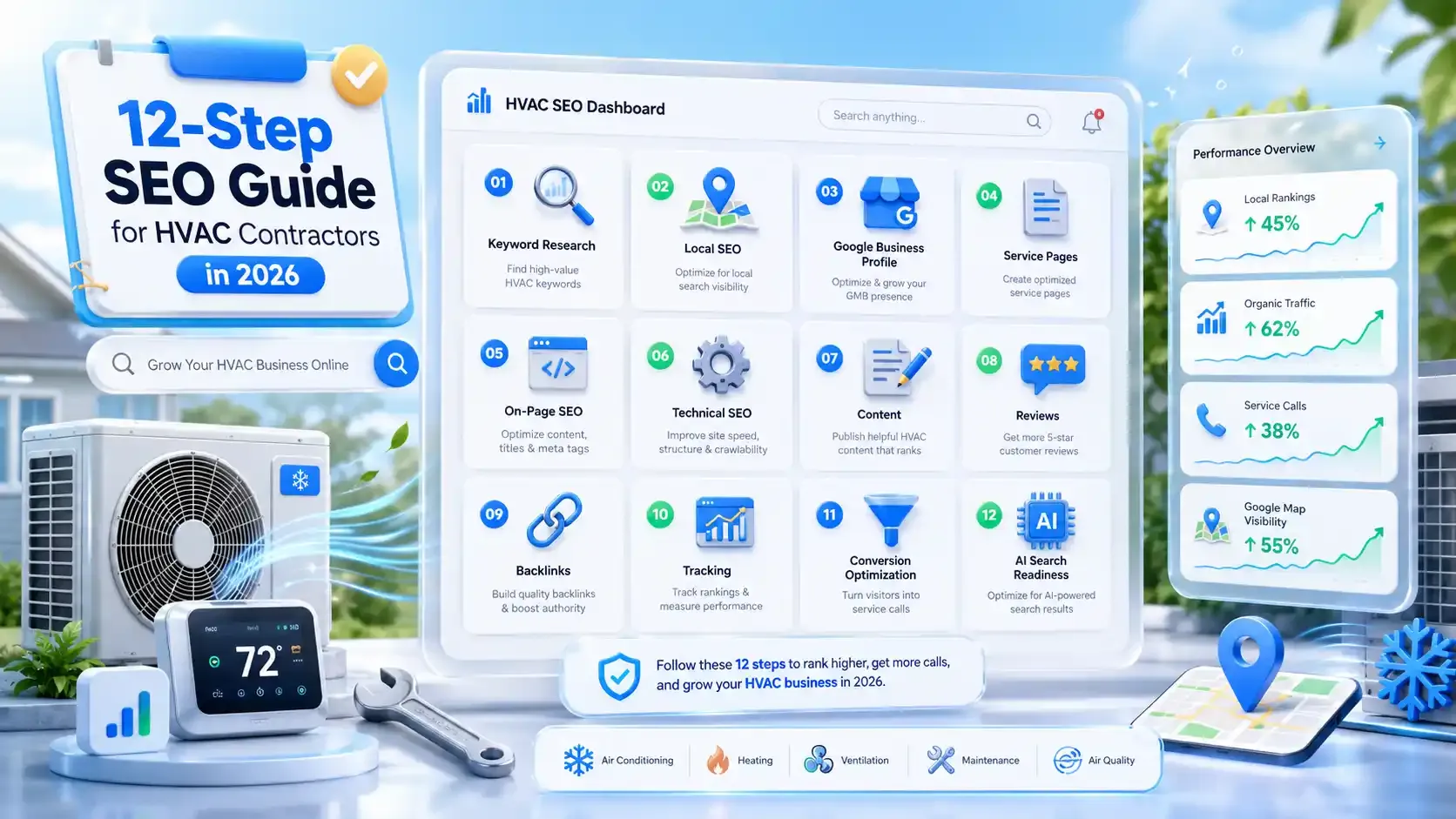
In this guide, I'll walk you through 12 steps I followed to take my HVAC website from page three to page one. I'll also discuss keyword research, Google Business Profile setup, and building backlinks, which actually turn into revenue.
What Is HVAC SEO and Why Does It Matter?
HVAC SEO is the process of optimizing your heating and cooling company's website. It covers everything from your website content and technical setup to your Google Business Profile and online reviews. The end goal is to show up before your competitors when someone in your service area needs help.
That said, HVAC SEO doesn't follow the same playbook as regular SEO. Four reasons explain why:
- When a homeowner's air conditioner dies at midnight in July, they grab their phone and call the first company that loads.
- Cooling searches spike hard between April and August. While heating queries climb from September through February. If your website traffic drops during off-peak months, your content calendar probably isn't following these cycles.
- You serve a fixed radius, not the entire country. That makes local ranking signals like reviews, citations, and your Google Business Profile far more valuable for HVAC contractors than for online businesses.
- A single AC installation can bring in $3,000 to $15,000 in revenue. 78% of local mobile searches lead to a purchase within 24 hours.
So how does Google decide which HVAC company to show first? Three factors:
- Relevance: Does your page match what the person searched for?
- Trust: Do your reviews, backlinks, and citations back up your credibility?
- Proximity: Is your business close enough to the searcher's location?
Get these three right, and your phone starts ringing from people who already want to book.
12 Steps to Dominate Local Search as an HVAC Contractor
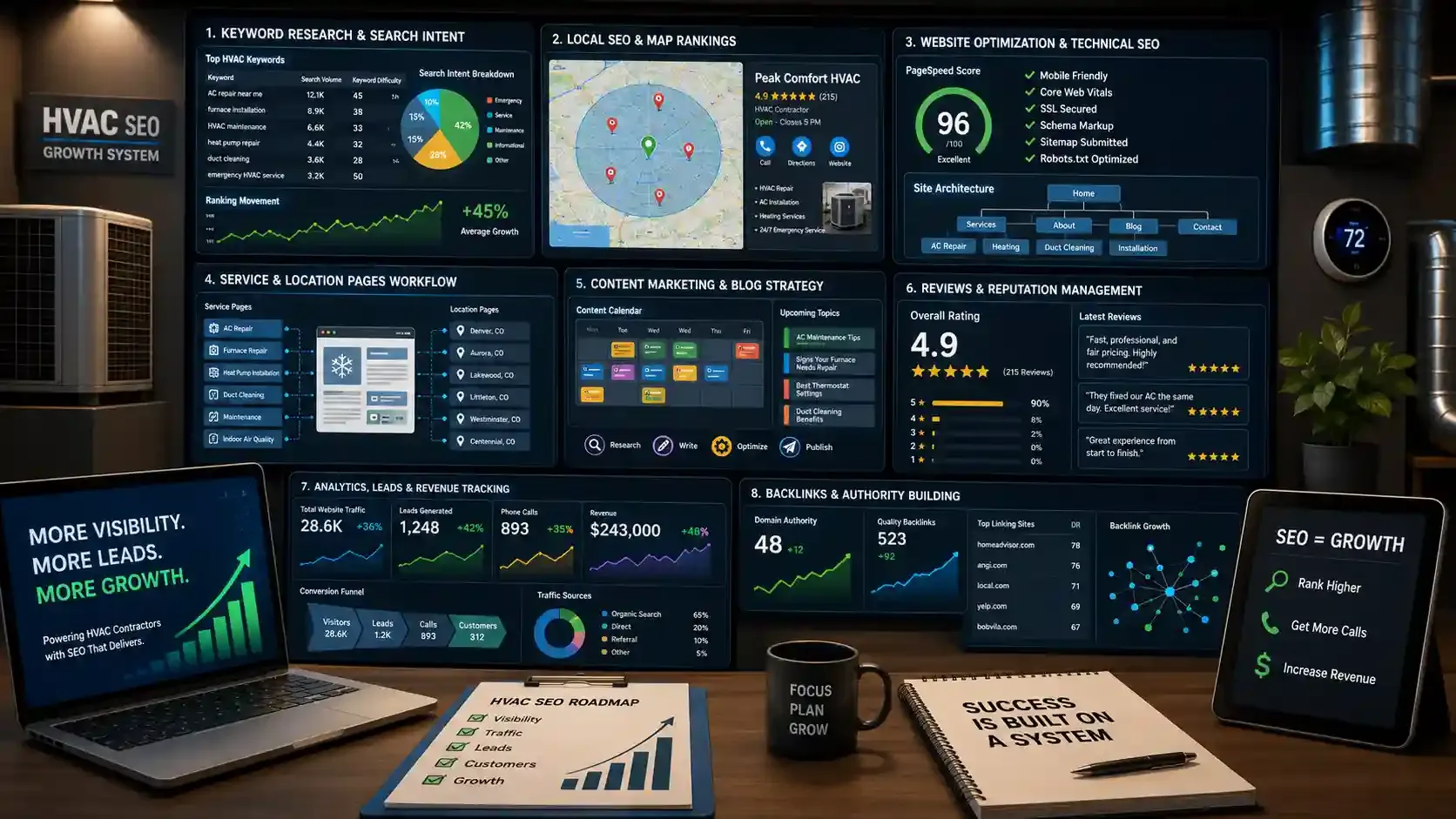
Now that you understand what HVAC SEO is and why it plays by different rules, here's the step-by-step process I followed to turn my website into a consistent source of organic leads.
Step 1: Research High-Intent HVAC Keywords
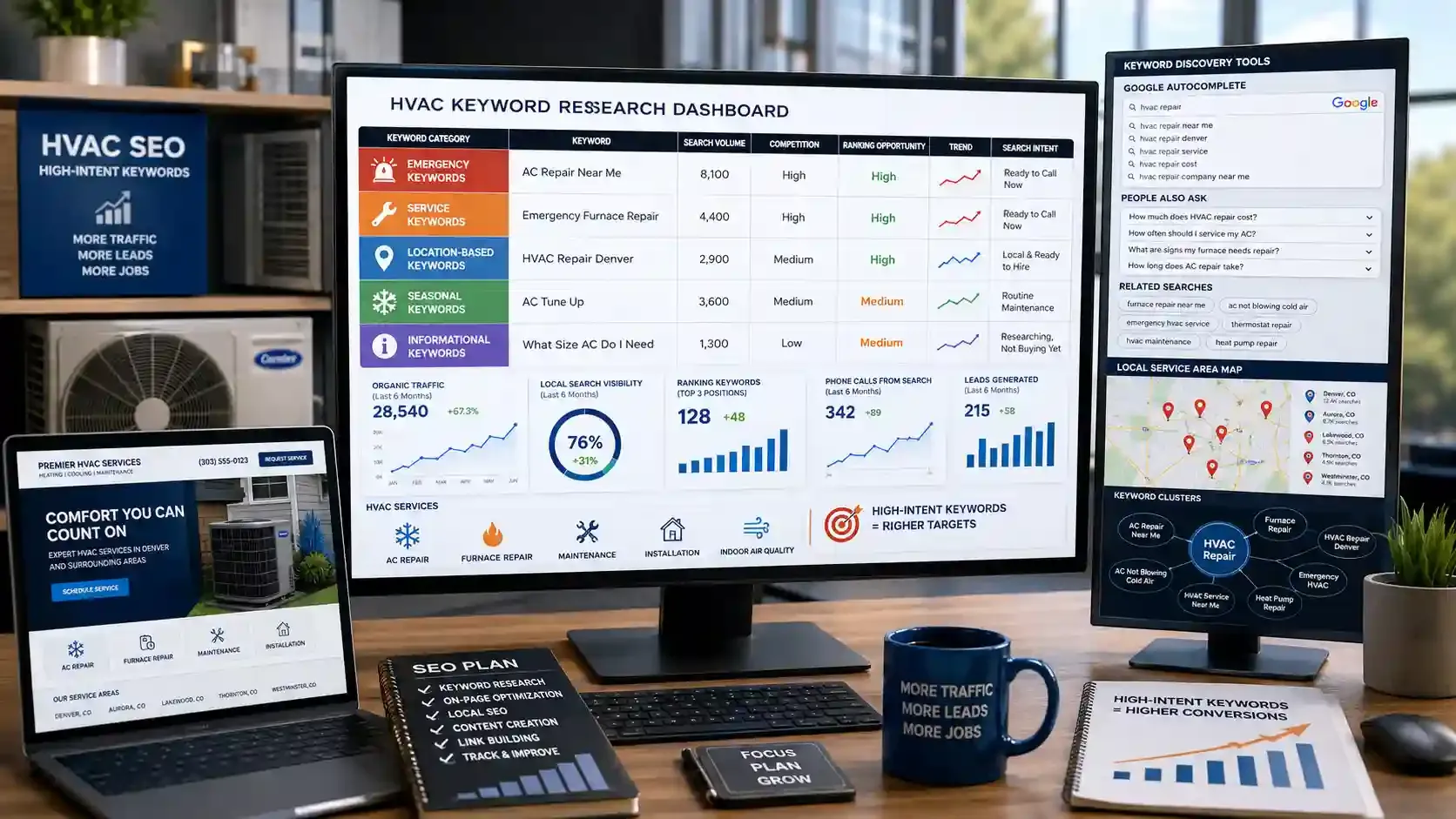
I used to think I knew what my customers searched for. Turns out, I was wrong about most of it.
Homeowners don't type "HVAC services" into Google. They search "AC not blowing cold air" or "emergency furnace repair near me." Those are very different keywords, and they attract very different people.
HVAC keywords break down into five categories. Each one pulls in a different type of searcher with a different level of buying intent. Some examples below:
| Keyword Type | Example | Search Intent |
|---|---|---|
Emergency | "ac repair near me" | Ready to call now |
Service | "furnace installation" | Planning a purchase |
Location-Modified | "HVAC repair Denver" | Local and ready to hire |
Seasonal | "ac tune up." | Routine maintenance |
Informational | "What size AC do I need?" | Researching, not buying yet |
Emergency and service keywords brought in the most calls for me. These searchers already have a problem and want it fixed today.
Location-modified terms surprised me too. A keyword like "hvac repair [my city]" might only pull 500 searches on its own. But add up 15 or 20 cities across your service area.
So, how do you find these keywords without spending money?
- Find keywords for free by searching your services in Google Incognito mode. Autocomplete, "People Also Ask," and "Related Searches" reveal what homeowners actually type.
- Go deeper with tools like Ahrefs (starts at $29/mo) for search volumes, difficulty scores, and competitor insights. Google Keyword Planner is a solid free alternative.
- Place keywords naturally in page titles, meta descriptions, headings, and service pages. If a sentence sounds forced, rewrite it.
Know what your customers search. Know where your techs are.
FieldServicely tracks your field team in real time so you can focus on growth.
Step 2: Claim and Optimize Your Google Business Profile
Your Google Business Profile controls whether you show up in the Map Pack. These are the top three local results that appear above organic listings on Google Maps. That's because 76% of people who search for a local service on their phone visit or contact that business within 24 hours.
And most of those clicks come straight from the Map Pack.
Start by setting your primary category to "HVAC contractor." Then add secondary categories like "Air conditioning repair service," "Heating contractor," and "Furnace repair service." Make sure your business name, address, and phone number match your website word for word.
Add every service you offer with a clear, specific description. Entries like "24/7 Emergency AC Repair" help you show up for urgent searches that vague listings never catch.
Photos can make a real difference too. Upload real images of your trucks, your team on job sites, and completed installations. Update them every quarter so your profile doesn't look stale.
During peak cooling and heating seasons, post weekly updates with maintenance tips or seasonal offers. Also, seed the Q&A section with common customer questions like "Do you offer same-day service?" and "What areas do you cover?" If you don't answer them first, someone else will, and it may not be accurate.
Step 3: Build a Fast, Mobile-First HVAC Website
Over 52.27% of all web traffic now comes from mobile devices. For local services like HVAC, that number skews even higher. When someone's AC breaks, they search on their phone and call the first company that loads.
Google measures site performance through three core web vitals:
- LCP (how fast main content loads): under 2.5 seconds
- INP (how quickly the page responds to taps): under 200 milliseconds
- CLS (how much the page shifts while loading): under 0.1
Put your phone number in click-to-call format on every page. Emergency callers should never have to copy and paste a number to reach you.
Also, stop grouping all your services on one page. Build separate pages for AC repair, duct cleaning, heat pump installation, and every other service you offer. Each page targets its own keyword and ranks independently.
Test your site at Google PageSpeed Insights. It scores your performance and tells you exactly what needs fixing.
Step 4: Fix Your Technical SEO Foundation
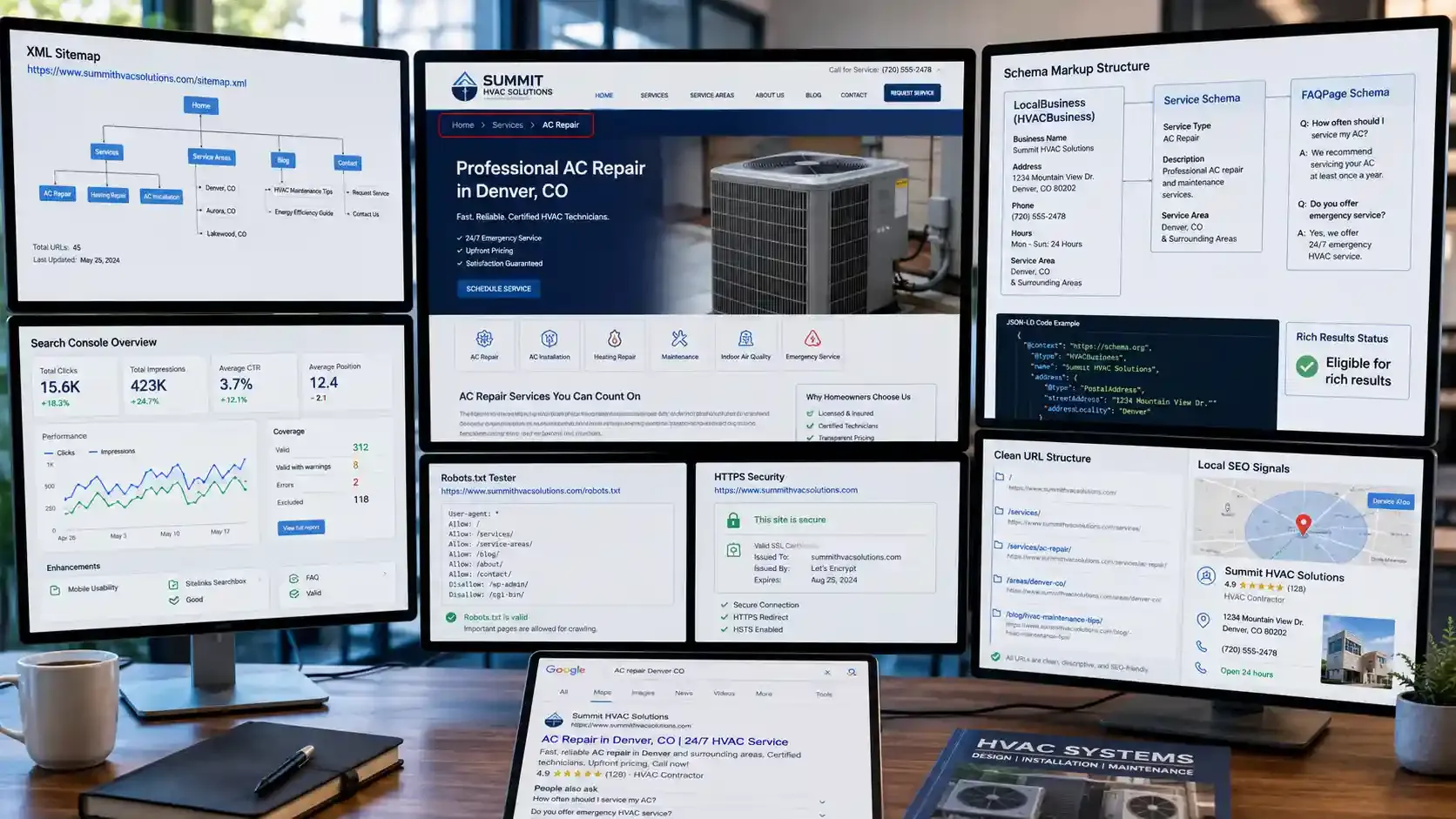
Great content means nothing if Google can't find it. Technical SEO makes sure search engines can crawl, index, and understand every page on your site.
Start with the non-negotiables, which are:
- HTTPS is mandatory. Google flags insecure sites, and visitors see a "Not Secure" warning that kills trust instantly.
- Submit an XML sitemap through Google Search Console. This tells Google exactly which pages exist on your site.
- Check your robots.txt file. Make sure it's not accidentally blocking important pages from being crawled.
Schema markup is where most HVAC websites fall behind. Three types matter here:
- LocalBusiness schema (use the HVACBusiness subtype) on your homepage or contact page. This tells Google your business name, address, phone number, hours, and service area.
- Service schema on each service page. This defines exactly what you offer and where.
- FAQPage schema on any page with an FAQ section. This can get your answers to appear directly in search results.
Set up breadcrumb navigation so both users and Google can follow your site structure clearly. Something like Home > Services > AC Repair makes the hierarchy obvious.
Keep your URLs clean and descriptive. Use a structure like
- /services/ac-repair/,
- /areas/denver-co/, and
- /blog/hvac-maintenance-tips/
Avoid random strings of numbers or letters that tell nobody anything.
Once you add schema, validate it at Google's Rich Results Test before publishing. It catches errors that could prevent your structured data from working.
Your website needs structure. So does your field operation.
Organize jobs, schedules, and routes in one clean system
Step 5: Create Dedicated Service Pages That Convert
Service pages bring in more leads than blog posts. The reason is that they match what people are actively searching for when they're ready to hire.
Build one separate page for every service you offer. AC repair, furnace installation, duct cleaning, heat pump installation, boiler repair, seasonal maintenance. Each page targets its own keyword and ranks on its own terms.
For title tags, follow this formula: [Service] + [City] | [Company Name]. Something like "AC Repair Denver | Summit HVAC" tells both Google and the searcher exactly what the page is about.
Every service page should include six things:
- A clear service description written for homeowners, not technicians. Skip the industry jargon.
- A step-by-step process showing what happens after they call. This reduces anxiety and builds confidence.
- Pricing signals like "starting from $X" or "factors that affect cost." People want at least a ballpark before picking up the phone.
- Trust signals such as licenses, certifications, insurance, and years in business.
- A short FAQ section with 3-5 questions specific to that service. This also enables FAQPage schema for richer search results.
- A call to action above the fold and at the bottom with your phone number visible in both spots.
Link each service page to related services and your location pages. This keeps users moving through your site and helps Google understand how your pages connect.
Step 6: Build Location Pages for Every Service Area
Your service pages target what you do. Location pages target where you do it. These pages capture geo-modified searches like "AC repair Denver" or "furnace installation Boulder" that homeowners in specific cities are typing right now.
That said, every location page must carry unique content. Copying your main service page and swapping the city name is one of the fastest ways to stall your rankings.
Google's 2025 Spam Update specifically flagged businesses that used identical templates across city pages as lacking originality. To make each page stand out, include details specific to that area:
- Local climate patterns and how they affect HVAC systems
- Common heating or cooling issues homeowners face in that region
- Nearby neighborhoods and suburbs you actively serve
- Customer testimonials from jobs completed in that city
Search Engine Journal recommends differentiating city pages with local landmarks, surrounding suburbs, and real customer testimonials. If you operate physical offices in multiple cities, set up a separate Google Business Profile for each one.
Step 7: Nail Your On-Page SEO
On-page SEO is what tells Google what each page is about and who it's for. You've already built service pages, location pages, and a fast website. Now make sure every page follows these rules.
- Title tags: Keep each one unique, under 60 characters, and include your target keyword near the front. This is the first thing searchers see on Google, so make it count.
- Meta descriptions: Stay under 155 characters. Write them like a mini ad that makes someone want to click. Include the keyword, but focus on giving a reason to choose you over the next result.
- Header tags: Use one H1 per page for the main headline. Break sections with H2s and subsections with H3s. Place keyword variations in these headers naturally.
- Image optimization: Every image needs descriptive alt text that explains what's in the picture. Rename files such as "ac-technician-repairing-unit-denver.jpg" before uploading.
- Internal linking: Connect your service pages, location pages, and blog posts using descriptive anchor text. Instead of "click here," use "learn more about our AC repair services in Denver." This helps Google understand how your pages relate and pass ranking authority between them.
If any keyword placement reads awkwardly, cut it. Forced optimization does more damage than skipping it entirely.
Step 8: Write Content Homeowners Actually Search For
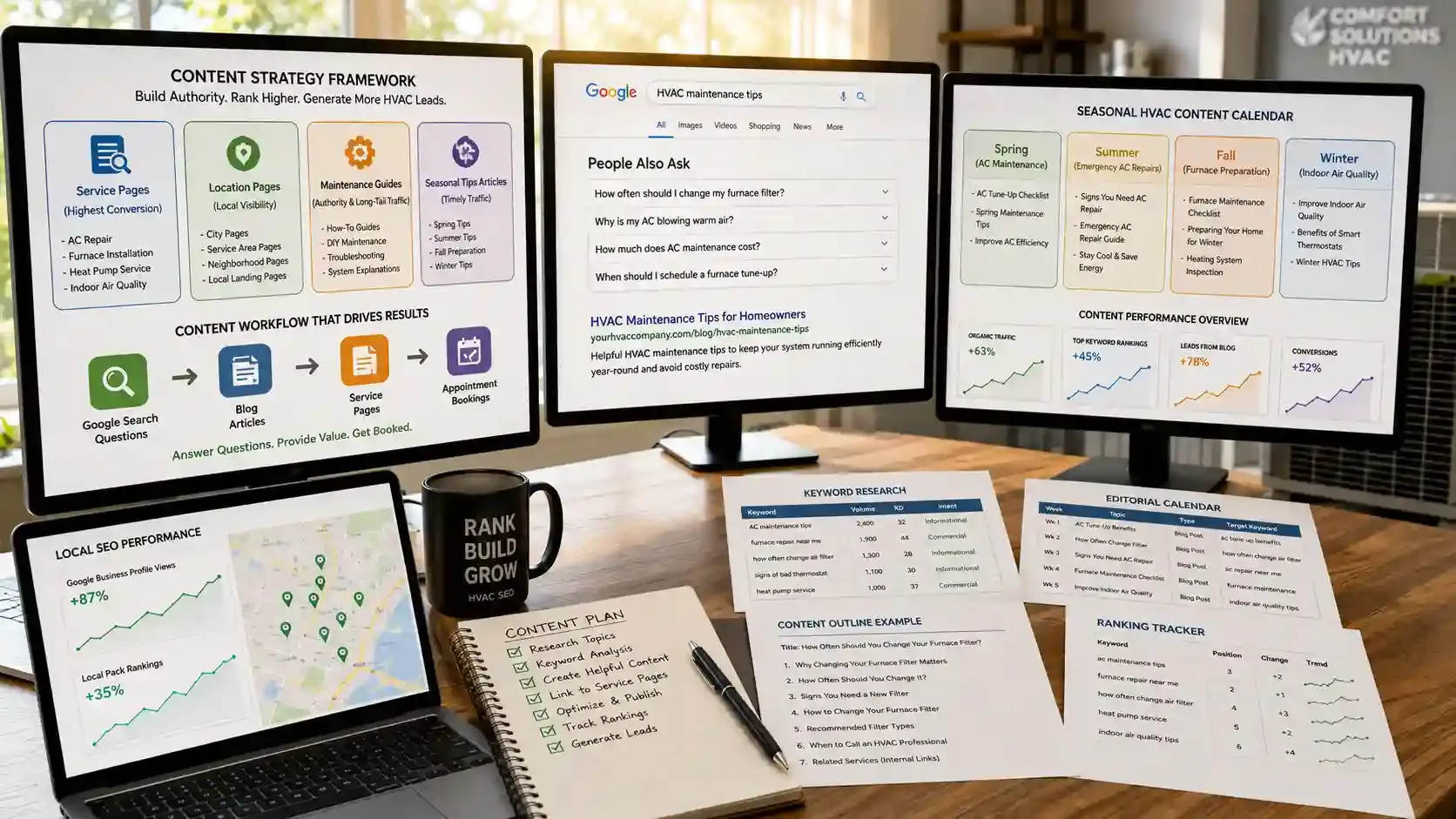
Publishing three blog posts a week won't help if nobody is searching for those topics. Every piece of content on your site should answer a real question or support a page that drives leads.
When I started planning content with purpose, I ranked the types by return:
- Service pages (highest conversion)
- Location pages (local visibility)
- How-to maintenance guides (builds authority, captures long-tail searches)
- Seasonal tips articles (timely traffic during peak months)
Timing matters just as much as topic. If you publish your summer content in June, you're already late. Google needs weeks to crawl and index new pages. Post it in March, so it's ready to rank when homeowners start searching.
| Season | Months | Content Focus |
|---|---|---|
Pre-Summer | Mar – Apr | AC maintenance, spring tune-ups |
Peak Summer | Jun – Aug | Emergency AC repairs, energy efficiency tips |
Pre-Winter | Sep – Oct | Furnace preparation, heating system checks |
Winter | Nov – Feb | Indoor air quality, smart thermostats |
Each blog post should link to at least one relevant service page. A post about "how often to change your furnace filter" should point readers to your furnace maintenance page. This moves people from reading to booking.
For topic ideas, check the "People Also Ask" section on Google. Those are real questions from real homeowners. This creates a blog post that builds topical authority and pulls in long-tail traffic you'd never capture otherwise.
Seasonal content drives seasonal leads. Be ready when they call.
Drag-and-drop scheduling makes it easy to staff up during peak months.
Step 9: Build NAP-Consistent Citations Across Directories
Citations are online mentions of your business Name, Address, and Phone number on directories and platforms outside your website. They act as trust signals that tell Google your business is real and established.
The number one rule here is consistency. Your NAP must appear the same on every single listing. One directory showing your suite number and another leaving it out is enough to create confusion. Pick one format and stick to it everywhere.
These are the directories that matter most for HVAC contractors:
- Yelp
- Better Business Bureau (BBB)
- Angi
- HomeAdvisor
- Facebook Business Page
- YellowPages
- ACCA (Air Conditioning Contractors of America)
- PHCC (Plumbing-Heating-Cooling Contractors)
I set a reminder to audit my listings every quarter. Directories sometimes change formatting, merge entries, or pull outdated data from aggregators. A single wrong phone number on one platform can send potential customers to a dead line or worse, a competitor.
If you find discrepancies, fix them immediately. The longer incorrect information sits live, the more it weakens your local search signals.
Step 10: Turn Reviews into a Ranking Machine
Reviews do more than build trust. They directly influence where you show up in local search. Review signals now account for 20% of local pack ranking factors, up from 16% in 2023.
A business getting 5 new reviews per week will typically outrank a competitor sitting at 4.9 stars with only 2 reviews per month. So aim for 50 reviews as your baseline. In most markets, you need 100 or more to seriously compete for Map Pack spots.
Ask for reviews right after a completed job, when the customer is happy, and the experience is still fresh. Send them a direct link to your Google review page so it takes one tap, not five.
Respond to every single review. Thank positive reviewers by name. For negative ones, acknowledge the concern, keep it professional, and offer to resolve it offline. 73% of consumers only trust reviews added in the last 30 days. So one big push won't carry you. You need a steady flow.
That's where having a system matters. When a technician closes a job in FieldServicely, you get instant confirmation that the work is done. That's your signal to send a review request while the experience is still fresh!
Great service earns great reviews. Track every job to make sure it happens.
FieldServicely confirms job completion instantly so you know when to follow up.
Step 11: Earn Backlinks That Build Real Authority
Backlinks are links from other websites pointing to yours. Google treats them like trust votes. The more quality sites that link to you, the more authority your domain carries in search results.
For HVAC contractors, the best backlink sources are often relationships you already have:
- Equipment manufacturer directories: If you're a certified installer for Carrier, Trane, or Lennox, get listed on their contractor locator pages with a link back to your site.
- Local chamber of commerce: Join and claim your listing. These carry strong local authority.
- Industry associations: ACCA and PHCC memberships often include a profile page with a backlink.
- Local sponsorships: Sponsor a youth sports team, a charity event, or a community fundraiser. Most will link to your site from theirs.
- Guest posts: Write a helpful article for a local news site or home improvement blog, like "How to prepare your HVAC system for summer." Include a link back to your relevant service page.
Never buy backlinks. Link farms and shady directories might seem like shortcuts, but Google's algorithms catch them. The penalty can set your rankings back months.
Step 12: Track Leads and Revenue, Not Just Rankings
Rankings feel good to look at, but they don't pay the bills. What matters is how many phone calls, form submissions, and booked jobs your SEO actually produces.
Here's what I track every month:
- Organic traffic: How many visitors come from Google without clicking an ad (Google Analytics)
- Keyword positions: Are my target keywords moving up or down (Google Search Console or Ahrefs)
- Leads from organic search: Phone calls and form fills from organic visitors (call tracking + GA goals)
- Conversion rate: What percentage of organic visitors actually contact me
- Revenue from organic leads: How much money those leads turned into after the job was done
That last one is the number that matters most. And here's how I calculate ROI:
(Revenue from organic leads − Monthly SEO cost) ÷ SEO cost × 100 = ROI %
For example, if SEO costs $2,000 per month and brings in $8,000 in revenue from organic leads, the return is 300%.
The tricky part is connecting a website visitor to a completed, paid job. That's where FieldServicely fits in. Once a lead becomes a job, FieldServicely tracks it through assignment, dispatch, completion, and invoicing. Pair that with call tracking and Google Analytics, and you can finally see which marketing dollars produce real revenue.
SEO brings the clicks. Do you know which ones turn into revenue?
Track every job from assignment to invoice
How Much Does HVAC SEO Cost in 2026?
Most HVAC contractors pay between $1,000 and $5,000 per month for SEO services. The exact number depends on your market, your website's current condition, and how aggressively you want to grow.
Here's how pricing typically breaks down:
| SEO Tier | Monthly Cost | What's Typically Included |
|---|---|---|
Basic / Local | $1,000 – $1,500 | GBP optimization, citation building, basic on-page fixes |
Standard | $1,500 – $3,500 | Everything above, plus keyword strategy, service page optimization, and monthly content |
Comprehensive | $3,500 – $5,000+ | Full SEO strategy, including technical SEO, location pages, link building, and reporting |
Multi-Location | $5,000 – $10,000+ | All of the above across multiple service areas, with separate GBP management for each location |
SEO is an investment. So is the right field service software
FieldServicely starts free. Paid plans begin at just $9/user/month.
HVAC SEO Mistakes That Kill Your Rankings
- Stuffing keywords into every sentence turns your content into spam, not strategy.
- Copying one service page across 20 cities with just the name swapped gets flagged as doorway pages.
- Buying cheap backlinks can trigger a Google penalty that erases months of work.
- Ignoring mobile experience means losing the majority of your visitors before they even call.
- Publishing thin, surface-level blog posts drags down your entire site's quality signals.
- Switching SEO agencies every few months resets momentum before results have time to compound.
- Chasing broad keywords that don't drive calls fills your dashboard with traffic that never books a job.
HVAC SEO is a system you build over time. Start with the steps that move the needle fastest: your Google Business Profile, dedicated service pages, technical fixes, and a steady flow of reviews.
Then layer in content, backlinks, and location pages as you go. Track every lead. Know what's working and what's wasting your budget.
If you want one place to manage your jobs, crews, and performance while keeping your field operations tight, FieldServicely is worth a look.
Frequently Asked Questions
How Long Does HVAC SEO Take to Work?
Most contractors see measurable improvements within 3 to 6 months. Competitive markets take 6 to 12 months. Results compound over time, so consistency matters more than speed.
Should You Do HVAC SEO Yourself or Hire an Agency?
DIY works if you have time to learn and stay consistent. Hire an agency when your market is competitive, you serve multiple locations, or your revenue justifies the investment.
Is SEO Worth It for HVAC Companies?
Yes. A single AC installation brings in $3,000 to $15,000. Even a few extra organic leads per month can cover your entire SEO cost and then some.
What Are the Best Keywords for HVAC Contractors?
Emergency terms like "AC repair near me" and location-modified phrases like "furnace installation [city]" drive the most calls. Start with those before targeting informational keywords.
How Do Google Reviews Affect HVAC SEO?
Reviews account for 20% of local pack ranking factors. Consistent review velocity matters more than star rating. Aim for 50 reviews minimum and respond to every one.
What to read next