- Scheduling and Dispatch
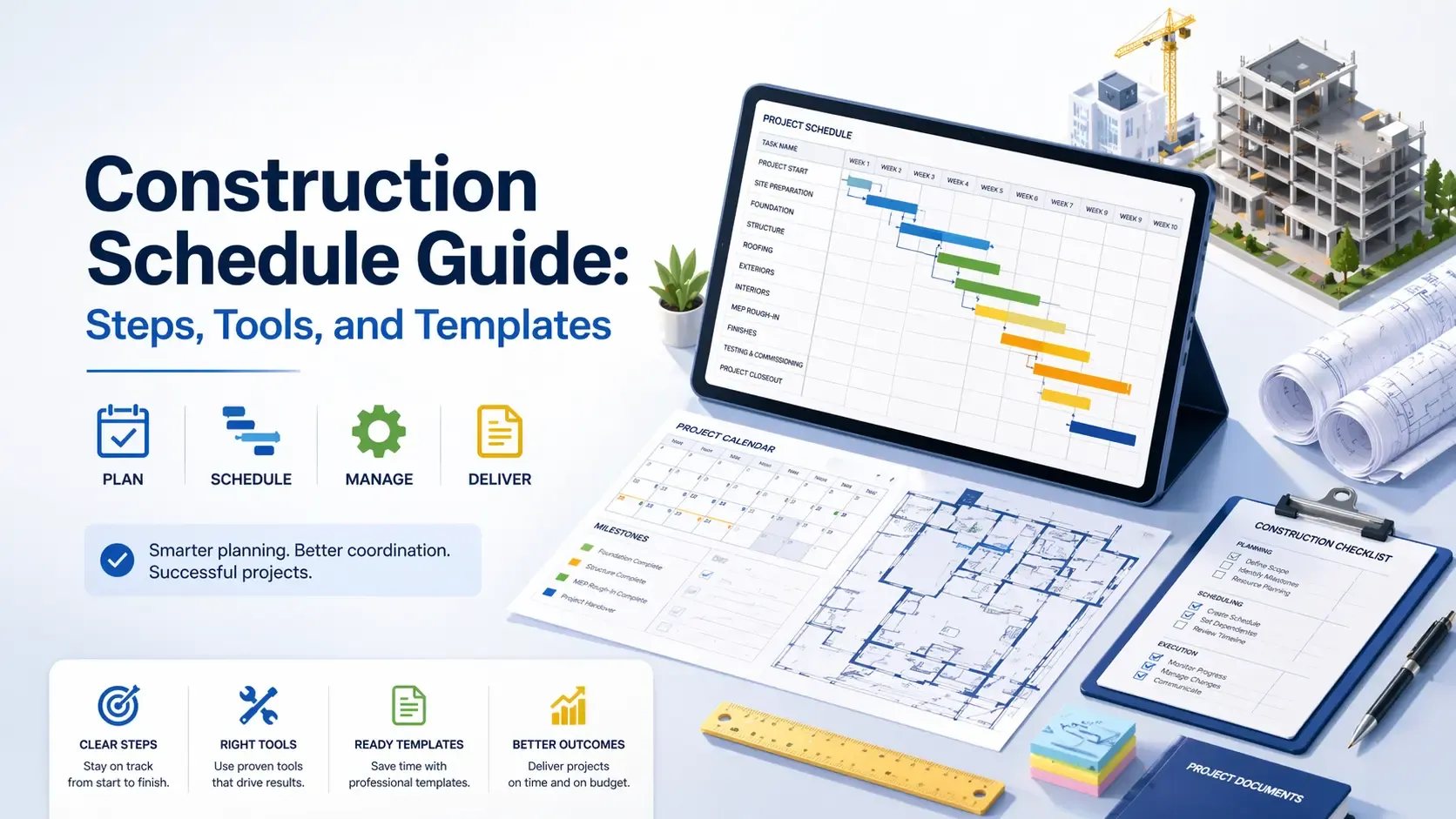
Construction Schedule Guide
Updated on 24 Apr 2026
Jump to
Summary

A construction schedule connects tasks, timelines, resources, and dependencies to keep projects organized and on track.
A strong schedule includes detailed tasks, clear sequencing, realistic durations, and proper resource planning to avoid delays.
Step-by-step approach, from defining constraints to updating regularly, helps turn planning into real execution.
The right tools matter, as simple spreadsheets work for small jobs while real-time tools improve coordination in complex projects.
Avoiding common mistakes and following practical tips ensures the schedule stays reliable and adapts to real project changes.
Creating a construction schedule means breaking your project into clear tasks, setting timelines, linking dependencies, and assigning resources. It acts like a roadmap that keeps crews aligned, materials on time, and costs under control.
When done right, it reduces delays, improves coordination, and gives you full visibility of progress.
But most people struggle with unclear task order, unrealistic timelines, and constant changes on-site. That’s why schedules often fail even before execution begins.
In this guide, I will walk you through the step-by-step process of creating a construction schedule. I will also cover what to include, tools to use, common mistakes, and practical tips to make it work in real projects.
Why Create a Construction Schedule?
You create a construction schedule to plan work clearly, manage time, and prevent delays before they occur. It gives you a structured timeline where every task, resource, and deadline connects.
Have you ever seen a crew waiting on-site with nothing to do? Or materials arriving before the work is even ready?
That’s exactly what happens without a proper plan.
When there’s no schedule, teams don’t move forward. Crews wait for instructions, tasks clash with each other, and small mistakes quickly turn into costly delays.
This is not rare either. Large projects still run 20% longer than average, mainly due to poor planning and coordination.
A schedule fixes this by creating order. It shows what needs to happen first, what can run together, and what cannot be delayed. This keeps everyone aligned and reduces wasted time on-site.
It also protects your budget. According to research, delays and inefficiencies are major reasons costs go out of control.
In simple terms, a schedule gives you control before things go wrong. And that control is what keeps your project moving forward, not falling apart.
What to Include in a Construction Schedule?
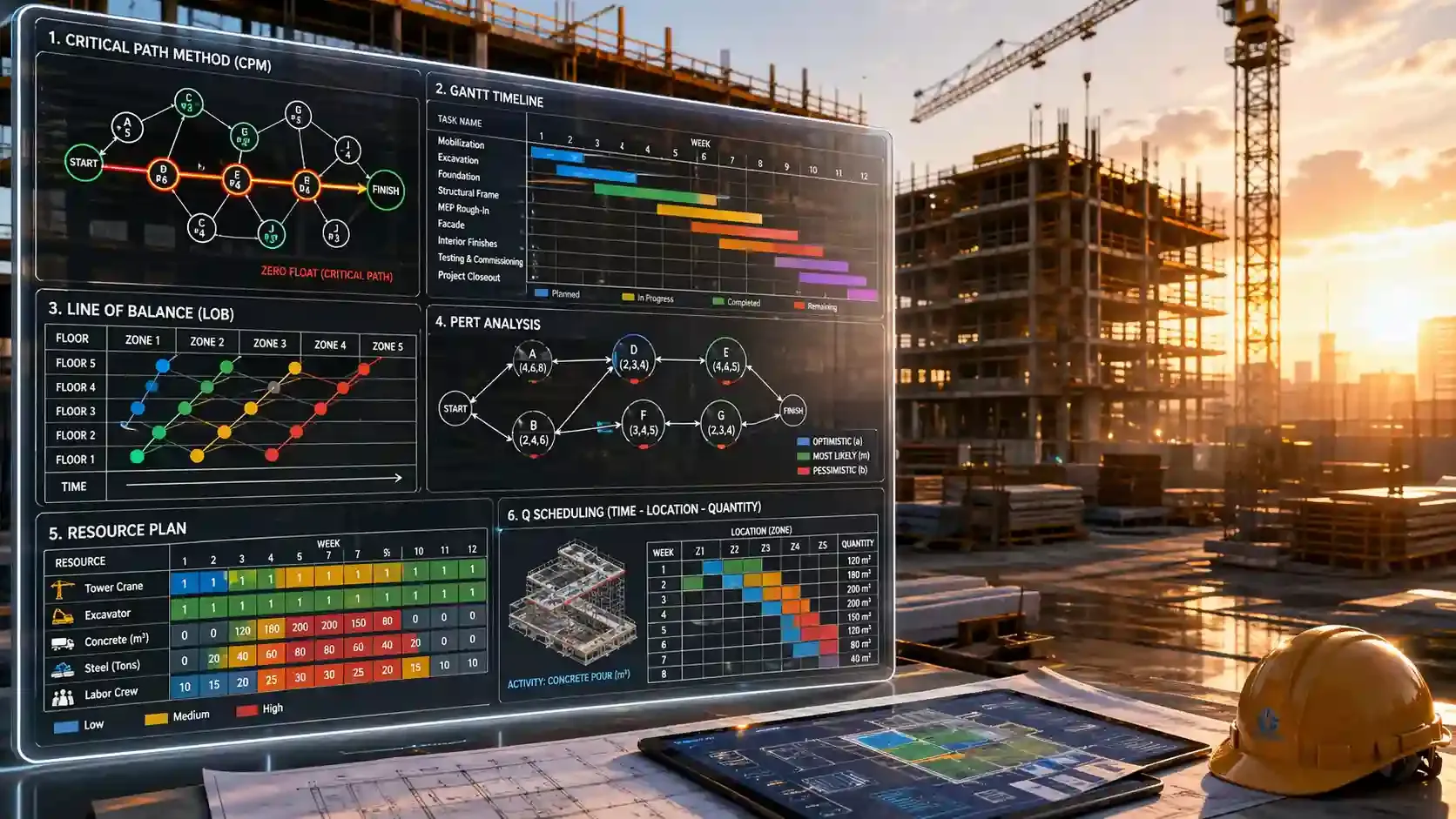
A construction schedule must include all the key parts that keep your project clear, connected, and under control. It should show how work, time, resources, and risks all fit together.
Ever thought why do some schedules fail even when they look complete? Because they miss one or more core elements.
Let’s break down the essentials:
Complete Tasks, Sequence, and Timeline
A schedule must include a full list of tasks, their order, and a clear timeline. These three work together to create the foundation of your plan.
Tasks should be detailed, not general. Instead of writing “structure,” it helps to list actual work like formwork, steel fixing, and concrete pouring.
At the same time, these tasks must follow a logical order.
Some tasks must finish before others begin, while some can run together. This sequencing ensures a smooth workflow instead of delays. Once tasks and sequences are clear, they need to be placed on a timeline.
According to research, poor task planning and sequencing are among the top causes of project delays globally.
Realistic Durations and Resource Planning
You should consider task duration and required resources while creating schedules. These two elements decide whether your plan can actually work on-site.
Durations should come from real data. They should consider crew speed, site conditions, and possible delays like weather or inspections.
At the same time, each task must have the right resources. This includes workers, equipment, and materials. If any of these are missing, work stops immediately.
According to McKinsey, construction productivity has stagnated globally, with only 0.4% annual growth over two decades. The causes are poor coordination and inefficiencies in execution, a lack of integration between planning and delivery.
Dependencies and Critical Path
How tasks depend on each other is a major detail of scheduling. At the same time, you must pay extra attention to which task actually controls the final timeline. And this is where dependencies and the critical path come in.
You see, dependencies define the relationship between tasks. They basically show which tasks must finish first and which ones can overlap.
The critical path, on the other hand, highlights the most important chain of tasks. If any task in this chain is delayed, the whole project is overdue.
And guess what?
This is not just a theory. According to Indeed, projects with clear critical path tracking perform better in meeting deadlines.
Milestones and Key Deliverables
You need to have major checkpoints and deliverables included in a proper schedule. These help track progress without reviewing every small task.
Milestones can include:
- Phase completion
- Inspections
- Client approvals
Checkpoints like these show whether the project is moving in the right direction or not.
Similarly, milestones answer: How do you quickly check if your project is on track? They simplify progress tracking and improve communication with stakeholders.
Procurement, Risks, and Buffers
Material planning and risk buffers should be included in construction scheduling. They protect your timeline from real-world issues.
This is because materials often take time to arrive, some require approvals, while others depend on suppliers. If you do not plan this beforehand, crews will have to wait. At the same time, you must consider the risks involved. The common ones are weather change, site access issues, and supply delays.
According to the UK National Audit Office report, over 70% of projects face unexpected disruptions during execution. That’s why buffer time is essential.
Baseline, Updates, and Tracking
A schedule should also have a baseline and a plan for updates. These help track performance and keep the schedule relevant.
The baseline is your original approved plan. It helps compare actual progress against what was planned.
But here’s the key point. A schedule only works if it stays updated because projects change constantly, tasks shift, delays happen, and new issues appear. Without updates, the schedule becomes outdated.
Turn your task list into a working schedule
How to Create a Construction Schedule (Step-by-Step Guide)
Step 1: Start With Constraints
Every project starts with limits. There is always a fixed deadline, a set budget, a limited crew, and approvals that take time.
Many teams skip this, thinking we don’t need this step. But planning without knowing these limits creates a schedule that cannot be followed.
According to an industry report, nearly 30% of project delays come from poor early planning and unrealistic assumptions. That problem starts right here.
So the first move is to get clear on what cannot change. Once those limits are set, everything else becomes easier to plan.
.webp?2026-04-24T04%3A18%3A28.417Z=&w=3840&q=100)
Step 2: Define the Project Scope
A schedule only works when the scope is clear. This means knowing exactly what the project includes and what needs to be built.
This usually starts with drawings, site details, and approval requirements. Each one adds clarity to the work ahead. But keeping things too broad creates problems.
For example, a high-level scope hides small tasks that later cause delays. Breaking the work into phases solves this. Most projects naturally divide into site prep, foundation, structure, and finishing.
This structure gives a clear starting point for planning. It also helps avoid missing work later.
Step 3: List All Tasks (Turn Scope Into Actions)
Once the scope is clear, the next step is to turn it into tasks. This is where planning becomes practical.
Remember, general labels don’t help much. For example, “foundation” is too vague for a team to act on.
So break it into clear, actionable steps. For instance, list down tasks like digging, placing rebar, or pouring concrete. When you do this, the plan becomes instantly detailed and insightful. Thanks to this, each step reflects real work happening on-site.
Such clarity also reduces confusion. You will be able to track progress easily and identify delays early.
Step 4: Sequence Tasks and Set Dependencies
Tasks need to follow a logical order. Each one depends on another, and this connection shapes how the project moves.
If the order is wrong, work slows down. Crews may wait, or tasks may overlap in the wrong way.
Some work must follow a strict sequence, like foundation before framing. Other work can happen together, like plumbing and electrical.
Understanding these relationships builds flow. Without it, the schedule becomes a list instead of a working plan.
Step 5: Estimate Task Durations (Be Realistic)
Time estimation defines how long each task will take. This step sets the pace for the entire project. This is also where many schedules break down.
There is a natural habit to assume everything will go smoothly. Real projects rarely follow that pattern. Weather changes, inspections slow things down, and materials don’t always arrive on time.
According to research, inaccurate timelines remain one of the top causes of project delays across both residential and commercial builds.
So instead of guessing, it helps to use experience and adjust for real conditions. Adding buffer time here makes a big difference later.
Step 6: Identify the Critical Path
Every project has a chain of tasks that controls the finish date. This chain is known as the critical path.
If one task in this chain gets delayed, everything that follows falls behind schedule, too. However, not all tasks carry the same weight. Some can shift without much impact, while others cannot move at all. For example, structure-related tasks often sit on this path. Delays here affect everything else.
Understanding this concept helps focus effort where it matters the most. It gives better control over time and reduces the risk of major delays.
Step 7: Assign Resources
A schedule is not just about time. It also depends on having the right people, tools, and materials at the right moment. Even a strong plan fails when resources don’t match it.
For example, a crew cannot work without materials, no matter how good the schedule looks. The same issue appears when teams are overloaded. Assigning one crew to multiple tasks at the same time creates delays.
Balancing resources keeps the workflow steady. It ensures that each task can start and finish without interruption.
Step 8: Build the Timeline
Once tasks, durations, and dependencies are clear, everything comes together into a timeline.
This is usually done using a Gantt chart. It shows tasks across time and makes the plan easy to understand.
A good timeline does more than show dates. It helps teams see what is happening now and what comes next. Simple tools can work for smaller jobs. For larger projects, advanced tools handle changes and updates better.
This timeline becomes the main reference point for the entire project.
Step 9: Review, Finalize, and Share
Before work begins, check the schedule. This step ensures the plan works in real conditions.
Reviewing means checking durations, resources, and task order. It also means getting input from the people who will do the work.
Most teams often skip this part. But when teams don’t trust the schedule, they don’t follow it.
Sharing the plan early helps avoid that. It aligns everyone and sets clear expectations.
Step 10: Monitor and Update the Schedule
No schedule stays perfect once work starts.
Projects change, and the plan must change with them. Delays happen. Tasks finish early or late. New issues appear.
Without updates, the schedule loses value. Teams start working based on outdated information.
Regular updates keep everything aligned. Weekly reviews help spot problems early and fix them before they grow.
This is also where tools like FieldServicely help. They track progress in real time and keep teams updated without constant manual effort.
Stay ahead of delays before they happen
Track timelines and adjust instantly when real conditions change on-site
Free Construction Schedule Template
Below is a construction schedule template you can copy and paste to use:
| Task Name | Start Date | End Date | Duration (Days) | Assigned To | Status | Notes |
|---|---|---|---|---|---|---|
[Input the task name] | [date you want to start] | [date when project should be completed] | [project length] | [Name of the responsible person] | [Current progress of the project] | [Observations and comments] |
Tools You Can Use to Create a Construction Schedule
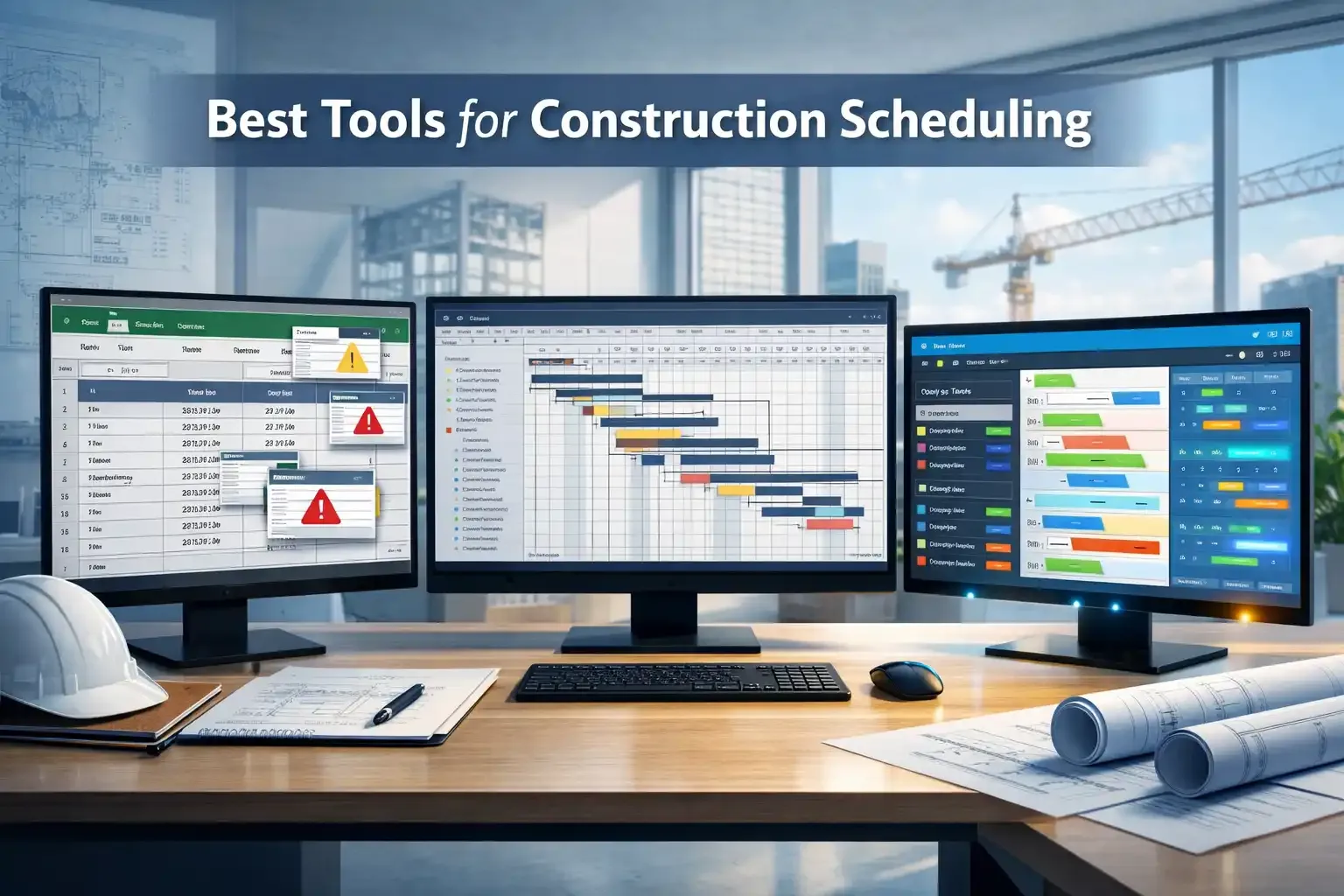
Choosing the right scheduling tool depends on how complex your project is and how much control you need. Some tools work well for small jobs, while others handle large, multi-team projects better. The key is to pick a tool that matches how your team actually works on-site.
FieldServicely
FieldServicely focuses on real-time scheduling and crew management. It connects your plan directly with what is happening on-site, which changes how scheduling works in practice.
Instead of creating static schedules, it lets you assign tasks instantly and track progress live. Crews can update their work from the field, and managers can see changes as they happen. This removes delays in communication and keeps everyone aligned.
Think about this. What happens when a delay occurs in the middle of the day?
With traditional tools, updates take time and often happen later. FieldServicely updates happen instantly, and the entire schedule adjusts in real time.
Another advantage is ease of use. It does not require heavy training or a complex setup. Teams can start using it quickly, which increases adoption and reduces errors.
This solves common problems seen in other tools.
There are no version conflicts like Excel, no steep learning curve like Primavera, and no heavy setup like Microsoft Project. The schedule becomes something teams actually use, not just something they create.
Excel (Best for Small Projects)
Excel works best for small projects with simple workflows. It gives you a basic structure where you can list tasks, add dates, and track progress.
It feels easy at first. You can create a schedule quickly using columns for tasks, start dates, and durations.
But here’s the problem. Excel does not handle real-time updates well.
Once multiple people start using it, issues appear. Version conflicts happen, data gets overwritten, and teams start working on outdated files.
Teams using manual tools like spreadsheets face higher coordination issues due to a lack of real-time visibility. So Excel works for small jobs. But it struggles as soon as your project grows.
Gantt Software (Best for Complex Projects)
Gantt software helps manage complex projects by showing tasks on a visual timeline. It connects tasks, durations, and dependencies so you can see how work flows from start to finish. This makes it useful when multiple teams are involved, and coordination becomes harder.
At first glance, it feels powerful. You can see everything in one place and understand how tasks overlap. But most Gantt tools are built for planning, not for daily execution.
That means the schedule often stays behind what’s happening on-site. Updates take time, and teams don’t always reflect real conditions quickly. So while it improves visibility, it does not always improve control.
Here are some Gantt scheduling software commonly used in construction projects:
Microsoft Project
Microsoft Project helps create structured schedules with timelines, task dependencies, and resource tracking. It works well for projects that need detailed planning and reporting. Many project managers use it to build Gantt charts and manage timelines in one system.
This makes it useful for office-level planning. You can organize tasks clearly and track progress against a baseline. But the problem starts when the schedule needs to be updated in real time.
Field teams often find it hard to use. The interface feels technical, and updates require time and training. According to research, tools that require heavy setup often see low adoption in field operations.
This creates gaps between planning and execution.
Primavera P6
Primavera P6 is designed for large and complex projects with thousands of activities. It handles detailed scheduling logic, critical path analysis, and resource planning at a high level.
This makes it a strong choice for enterprise projects and large contractors.
It gives deep control over planning. You can model complex workflows and track performance across multiple projects. But that depth comes at a cost.
The system is difficult to learn and even harder to use daily. Most field teams do not interact with it directly. Instead, specialists manage it, which creates a gap between what is planned and what actually happens on-site.
This gap becomes a real issue when quick decisions are needed. The tool is not always practical for fast-moving projects.
Move beyond spreadsheets before errors cost you
Manage schedules without version conflicts or manual updates
Common Mistakes to Avoid while Creating a Schedule for Construction
Missing Dependencies
Missing dependencies create confusion in the task order. It breaks the natural flow of work and causes teams to wait or overlap incorrectly.
When tasks are not linked properly, crews arrive before work is ready. Or worse, they start work that depends on unfinished tasks. This leads to rework and wasted time.
According to research, communication and coordination are high-end contributors to delays. That often starts with unclear dependencies.
Unrealistic Timelines
Unrealistic timelines create constant pressure on the project. They make teams rush work or miss deadlines again and again.
This usually happens when planning assumes perfect conditions. But real projects face delays from weather, inspections, and supply issues.
Has a task ever taken longer than expected? It almost always does. Unrealistic planning continues to be a major reason for project overruns worldwide. [Source: ResearchGate]
So timelines must reflect reality. Otherwise, delays become part of the schedule.
No Buffer Time
Every project faces unexpected issues. Weather changes, delivery delays, or site problems happen more often than expected. Without buffer time, there is no room to adjust.
This means one delay pushes every task forward.
The lack of contingency planning increases the impact of project delays significantly. So buffer time is necessary for stability.
Poor Communication
Poor communication disconnects teams from the schedule. It leads to outdated information and wrong decisions on-site.
When teams don’t get updates, they follow old plans. This creates conflicts between tasks and slows down progress.
Guess what happens when one team updates the schedule, but others don’t know? Work gets misaligned.
Communication gaps remain one of the top challenges in project coordination. So the schedule must be shared clearly. And updates must reach everyone quickly.
Overloading Resources
Overloading resources creates bottlenecks in execution. It happens when the same crew or equipment is assigned to multiple tasks at the same time.
This looks fine during planning, but fails during execution. Crews cannot be in two places at once.
As a result, tasks get delayed and the schedule shifts.
According to research, inefficient resource allocation leads to significant time loss across construction projects.
So resource planning must stay balanced. Each task should have enough support without overloading teams.
Balance your crew workload
Tips for Better Construction Scheduling
Follow the recommendations below to create efficient scheduling for construction works:
- Plan for delays because real projects always face unexpected issues like weather, inspections, or supply delays.
- Validate durations with experts because experienced crews give realistic timelines based on actual site work.
- Review the schedule weekly because regular checks help catch problems early and keep everything on track.
- Track materials with tasks because work stops quickly when materials are not available on time.
- Use short lookahead planning because focusing on the next 2–6 weeks keeps teams prepared and reduces confusion.
- Keep communication clear because teams work better when everyone follows the same updated schedule.
- Adjust quickly when things change because fast updates help prevent small delays from growing into bigger problems.
Conclusion
A construction schedule works only when it stays practical and updated. It should guide real work on-site, not just exist as a document. When tasks, timelines, and resources stay connected, the project moves with clarity and fewer surprises. The real value comes from how well the schedule adapts. Small updates, clear communication, and the right tools make a big difference.
Frequently Asked Questions
What is the easiest way to create a construction schedule?
The easiest way is to start with Excel for simple jobs and use Gantt chart tools for better visualization. They help you organize tasks, timelines, and dependencies quickly.
Who creates a construction schedule?
A construction schedule is usually created by project managers, contractors, or site engineers. They understand the workflow and coordinate tasks, resources, and timelines.
How often should a construction schedule be updated?
A schedule should be updated at least once a week or whenever major changes happen. Regular updates keep the plan aligned with actual progress on-site.
Can I create a construction schedule without software?
Yes, you can create it manually using paper or spreadsheets. But software makes it faster, more accurate, and easier to update as the project changes.
What to read next
