- Fundamentals
7 Ways to Improve Technician Utilization in Construction
Updated on 5 May 2026

Jump to
Summary

Technician utilization is key to improving productivity and profitability in construction.
Streamlining scheduling, reducing travel time, and automating administrative tasks are essential strategies.
Technology like FSM software and mobile tools helps improve technician efficiency and reduce downtime.
Cross-training technicians ensures flexibility and reduces idle time between tasks.
Real-time data access and proper performance tracking boost technician utilization and enhance overall service quality.
When it comes to construction, technician utilization is one of the key factors that can make or break your business.
One common issue you might face is the time your technicians spend on non-billable activities. Like driving long distances between job sites or waiting around for parts.
This wasted time directly affects your bottom line. To improve technician utilization, you’ll want to focus on minimizing these inefficiencies.
To improve, you need to schedule, reduce travel time, and give your team real-time access to job details. Thus, you can make sure they spend more time doing what they do best.
Key Factors Affecting Technician Utilization
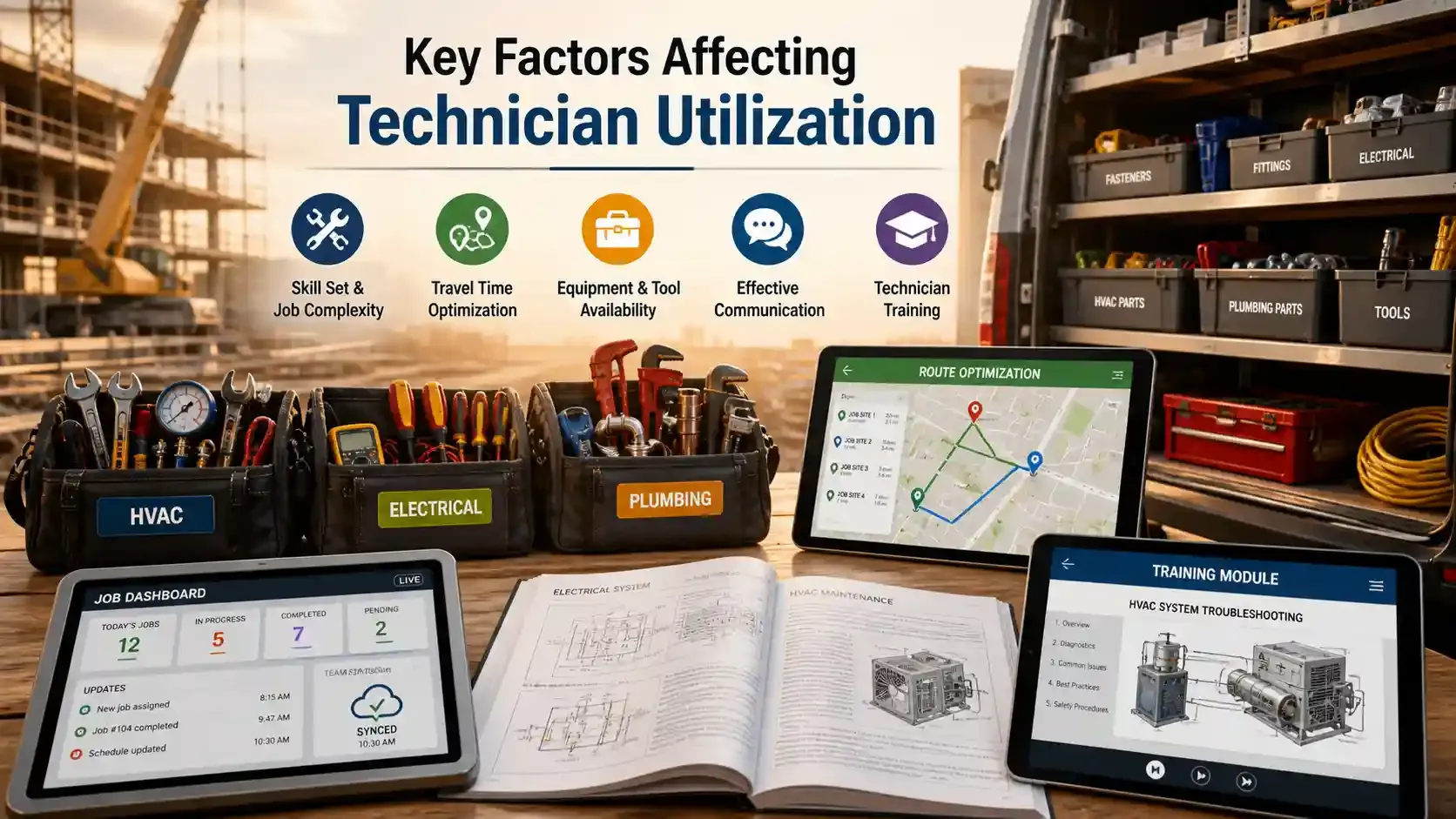
Skill Set and Job Complexity
The skills your technicians have play a big role in how efficiently they work. The more experience and knowledge they have, the quicker they can solve problems and finish jobs.
For example, a technician who is skilled in troubleshooting HVAC systems will likely complete a task faster than someone who isn’t.
Technicians with stronger technical knowledge and specialized skills can deliver higher productivity and efficiency. Bringing workers closer to top-performing skill levels could reduce service costs by up to 22%.
On the other hand, more complex tasks, such as electrical repairs or troubleshooting machinery, take more time.
If a tech is sent out for a plumbing job when they are better suited for electrical work, it can delay the entire schedule.
Travel Time
Here’s a big one: travel time. It’s a huge drain on your technicians’ time and productivity. If a tech spends 30 minutes driving to a site, they’re losing out on that time they could have spent working.
Long travel times between job sites can reduce technician utilization. Research shows that high travel costs and poor scheduling continue to hurt service efficiency and profitability.
But route optimization can help reduce that time. Also, by using smart scheduling software, you can ensure your technicians spend more time on site and less time stuck in traffic.
I’ve seen companies increase utilization by up to 20% simply by optimizing how they route their technicians.
Equipment and Tool Availability
Imagine a technician arrives at a job site ready to get to work, but they don’t have the right tool or part. Now, they have to drive all the way back to the warehouse to grab what they need. It’s frustrating for the tech and costly for the business.
To make sure this doesn’t happen, you need to ensure that all your technicians have the right tools and parts before they head out.
Real-time inventory tracking can help with this. With the right system in place, your technicians can check inventory levels before they even leave the warehouse, ensuring they have what they need for the job.
Effective Communication
Clear communication between dispatchers, technicians, and customers is another important factor. Without it, things can get messy.
Technicians may arrive at a job site without all the necessary information, or the schedule might change at the last minute. Real-time communication tools can keep everything in sync and ensure your technicians have everything they need before they arrive.
One thing that can make this process even smoother is giving technicians access to a mobile app that updates job details in real-time. This way, they know exactly what’s expected of them and can prepare in advance.
Technician Training
Last but certainly not least, the factor is training. A technician who knows exactly what to do and how to do it is more likely to complete their tasks quickly and efficiently.
Having a well-trained workforce also means fewer mistakes and less time spent fixing issues. For example, a technician who is trained in using diagnostic tools will solve problems faster. That also means they can finish jobs more quickly and move on to the next one.
Continuous training programs help your technicians stay updated on new technology and improve their skill sets. This not only increases their efficiency but also boosts their confidence on the job.
Boost technician productivity by enhancing skills and efficiency.
Streamline training, routing, and tool management
How to Improve Technician Utilization Rate in Construction
Streamline Scheduling and Dispatching
When you streamline scheduling, technicians spend more time on billable work and less time waiting or traveling.
Automated scheduling software picks the best technician for each job by matching skills, certifications, and location data in real time. This reduces guesswork and manual errors.
For example, modern field service management tools prioritize nearby assignments first. Thus, it cuts unnecessary travel and helps technicians complete more jobs in a day.
Next, reducing travel time directly boosts utilization. By sequencing jobs that are close together geographically and using GPS routing inside dispatch tools, teams eliminate wasted hours between sites.
Data from 2024 shows that travel time is one of the biggest drains on productivity for field technicians. So optimized routing is one of the simplest ways to reclaim billable hours.
Finally, real‑time dispatching lets you adjust workloads dynamically. If one technician finishes early or another faces delays, you can reassign upcoming jobs instantly without paperwork or phone tag.
Leverage Field Service Management Software
Integrating a Field Service Management (FSM) platform puts all of your scheduling, dispatch, and technician data in one place. These systems show who is available, where they are, and how close they are to the next job.
This gives you a true, real‑time view of capacity rather than estimation. When technicians have access to job details and updates instantly, they make fewer mistakes and spend less time on non‑productive admin work.
FSM tools also reduce downtime by providing accurate job histories and task lists on mobile devices. It helps technicians complete work faster and move on to other jobs.
Implement Preventive Maintenance to Reduce Emergency Calls
Shifting to preventative maintenance (PM) helps reduce urgent, unscheduled repairs. When you focus on PM, you can avoid disruptions to your technician’s schedule.
With tools like IoT sensors and automated monitoring, issues can be detected before they become serious problems.
For example, predictive analytics in FSM software can warn you about potential equipment failure. This allows you to schedule proactive visits, saving time and preventing emergency calls.
Preventative visits are often quicker, more billable, and easier to plan. By reducing last-minute work, you increase technician utilization and avoid unproductive crisis management.
Minimize Non‑Billable Time
Non‑billable time is the enemy of high utilization. Paperwork, travel, and admin duties eat into the hours your technicians could spend on revenue‑generating tasks.
Automating administrative work saves technicians minutes each day that quickly add up. Tools that allow technicians to complete this work on their mobile devices reduce back‑and‑forth communication and eliminate double entry.
Reducing travel time is key to improving technician utilization. Grouping jobs by location and using GPS guidance cuts down on unnecessary travel. This means technicians spend more time on billable work.
Upskill and Cross‑Train Technicians
Cross‑training technicians is an investment that pays back in higher utilization rates. When your team can handle multiple job types, they become more flexible and can be assigned a wider range of tasks.
Cross‑skilled technicians are less likely to sit idle waiting for one specific type of job. This maximizes billable work and reduces the need for multiple technicians at the same site.
Skill development also boosts first‑time fix rates. If techs can confidently complete more job types on the first visit, you avoid repeat calls that eat into utilization.
Monitor Technician Performance with Key Metrics
Tracking key technician performance indicators helps you understand how well your technicians are using their time. Billable hours show how much time technicians spend on tasks that generate revenue. The first‑time fix rate measures how often they resolve issues without needing a return visit.
Technicians who improve their first‑time fix rate can reduce repeat trips, freeing up time for new tasks.
It’s also important to track average repair time and the time it takes to complete tasks. These metrics help identify bottlenecks and areas where technicians might need more training.
With the right data from your FSM system, you can quickly spot workflows that slow down technicians and address them promptly.
Provide Real‑Time Access to Information
Technicians operate best when they have the right information at the right time. Equipping them with mobile devices and cloud‑based tools ensures they can instantly view customer history, equipment manuals, and parts availability.
Without real‑time data, techs often waste time searching for answers, making follow‑up calls, or returning to base for missing information.
Mobile technology also supports seamless updates between the field and the office. This eliminates lag and reduces errors. With real‑time information, technicians can finish jobs faster, anticipate issues before they occur, and get assigned new tasks immediately.
This not only increases utilization but also strengthens service quality, which often leads to repeat business and more stable workflows.
Switch to preventative maintenance to reduce costly emergency calls
Proactively identify issues before they disrupt your schedule
Technology Tools to Improve Technician Utilization
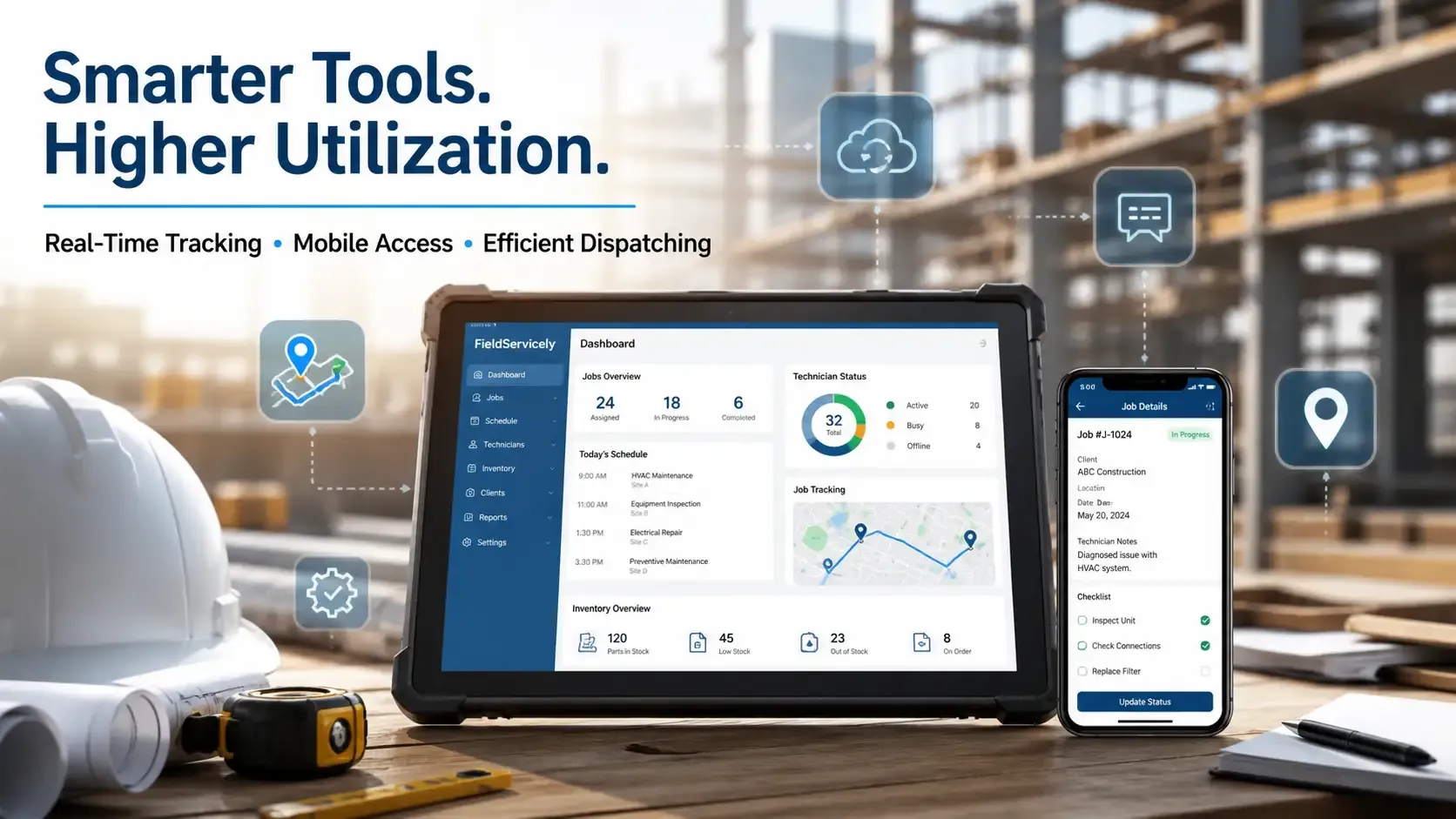
Field Service Management Software
Field Service Management (FSM) software gives you real tools to track and improve how your technicians use their time. It automates everyday tasks like scheduling and dispatching, job tracking, and inventory updates. So your team wastes less time on paperwork and admin work.
Tools like FieldServicely offer real‑time visibility into every job and technician location, so you always know what’s happening in the field. Thus, it also reduces errors and speeds up dispatching, which improves both utilization and overall service quality.
Another benefit of FSM software is efficient coordination between teams. When all technicians, dispatchers, and managers connect through one platform, everyone sees the same job details at the same time. This reduces miscommunication and extra follow‑ups that lower utilization.
Mobile Tools and Real‑Time Communication
Mobile apps help your technicians stay informed and productive while they work on site. These apps put job details, client history, parts lists, and task instructions right in your technician’s hands.
Real‑time communication tools ensure updates and changes reach technicians instantly. It prevents delays and confusion on the job.
For instance, when a technician can access a client’s full service history on their phone, they can diagnose issues faster and with more accuracy. This cuts down time spent troubleshooting.
Mobile tools also let technicians update work status and complete digital forms instantly, eliminating paperwork delays that eat into billable hours. This means more time earning and less time waiting, making day‑to‑day operations smoother and more efficient.
Using the right technology tools, plus mobile apps that keep technicians connected directly. FieldServicely offers a user‑friendly platform that helps businesses optimize their technician workflows, manage tasks efficiently, and ensure real‑time communication for maximum productivity.
Track and improve your technicians' time with FieldServicely
Automate scheduling, dispatching, and job tracking to reduce admin work and increase efficiency
Conclusion
To boost technician utilization, invest in training, use the right technology, and cut down on non-billable time. These changes help your technicians stay focused on what matters most. By improving how your team works, you’ll see better productivity, fewer delays, and a stronger bottom line.
Frequently Asked Questions
What is the ideal technician utilization rate in construction?
The ideal technician utilization rate typically falls between 75-80%. This range balances productive work with necessary downtime, ensuring your team remains efficient without feeling overworked.
How can I track technician utilization in real-time?
You can track technician utilization in real-time by using field service management (FSM) software, which provides data on billable hours, job progress, and technician location. These tools allow managers to adjust schedules and workloads instantly.
How do I reduce downtime for technicians?
Reducing downtime involves optimizing job scheduling, ensuring technicians are fully equipped before heading out, and using route optimization tools to minimize travel time. Regular training also helps technicians become more efficient and less prone to delays.
Can cross-training technicians improve utilization rates?
Yes, cross-training technicians allows them to handle a wider variety of tasks, making them more flexible and reducing idle time. Technicians can step in for each other when needed, keeping productivity high and avoiding delays.
How can technology help improve technician efficiency?
Technology, like FSM software and mobile apps, provides technicians with real-time access to job details, parts availability, and client information. This reduces mistakes, speeds up job completion, and ensures technicians spend more time on billable tasks.
What to read next